
FireWorksBld
Shoot and composition/GIF
Dirancang untuk iPhone, iPad, iPod touch
Rp 19ribu
- Batasan usia4+
- KategoriFoto & Video
- PengembangHIROFUMI MARUO
- BahasaInggris+ 1 lainnya
- Ukuran19,1 MB
Tertaut ke halaman resmi App Store
Download.org tidak menyimpan file FireWorksBld apa pun. Tombol ini membuka halaman aplikasi di App Store, tempat HIROFUMI MARUO menerbitkannya. Halaman terakhir diperiksa pada 14/11/2026.
Tangkapan layar


Tentang
Pengembang belum menyediakan teks ini dalam bahasa Anda.
This application can take photos of fireworks from shooting off to the point of falling and make a splendid photo of fireworks by combining several photos afterwards.
GIF animation can be created. With this, it became possible to watch the appearance of the fireworks going up and opened by animation.
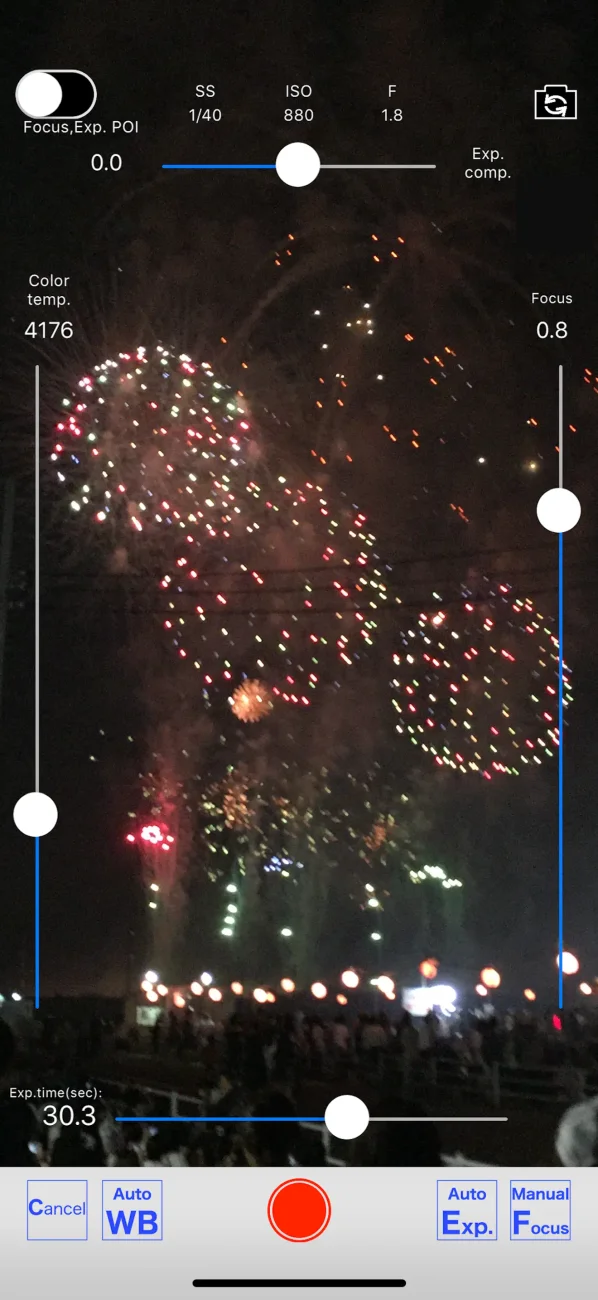
Shooting starts when you release the shutter. If you leave it as it is, it will end after the set number of seconds. If you press the shutter again during shooting, it will end immediately.
The followings are how to use this app and the operability is easy to use.
(1) Set the consecutive shots time (seconds).
Set the time to take photos of fireworks with a slider.
You can set it up to 50 seconds.
(2) Aim a back camera in the direction of setting off fireworks.
When it is far away, the zoom is available.
The front camera is also selectable.
(3) Tap the shutter with the timing of setting off fireworks.
--> Consecutive shooting starts.
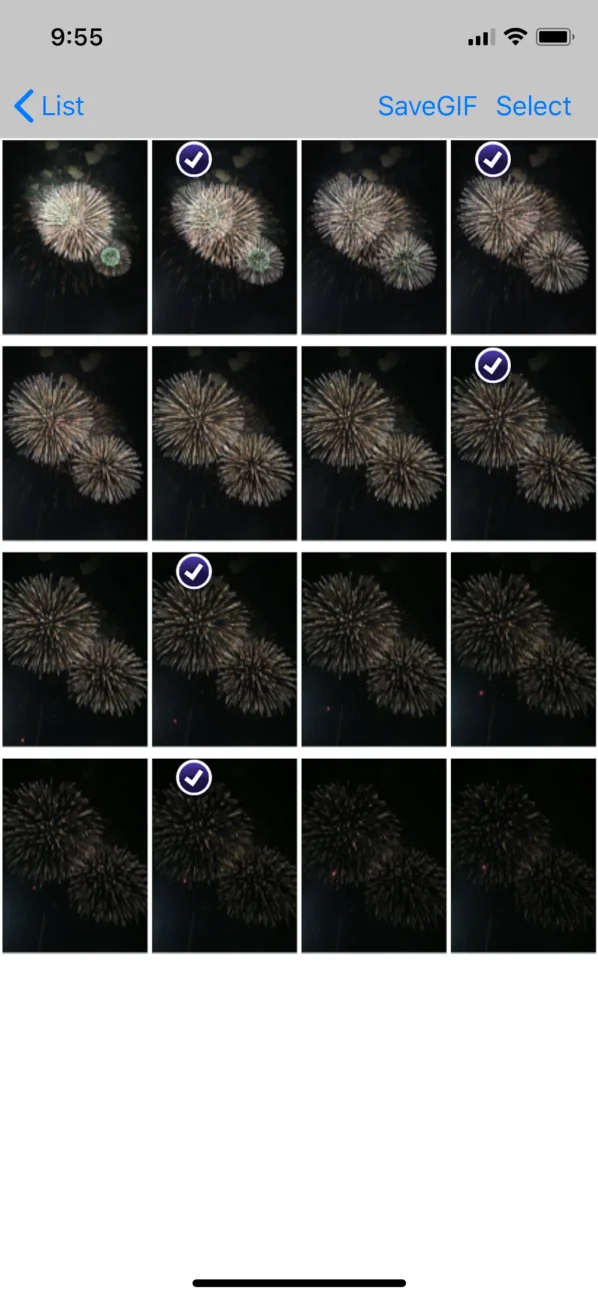
(4) Choose images of fireworks to composite among the images of consecutive shots.
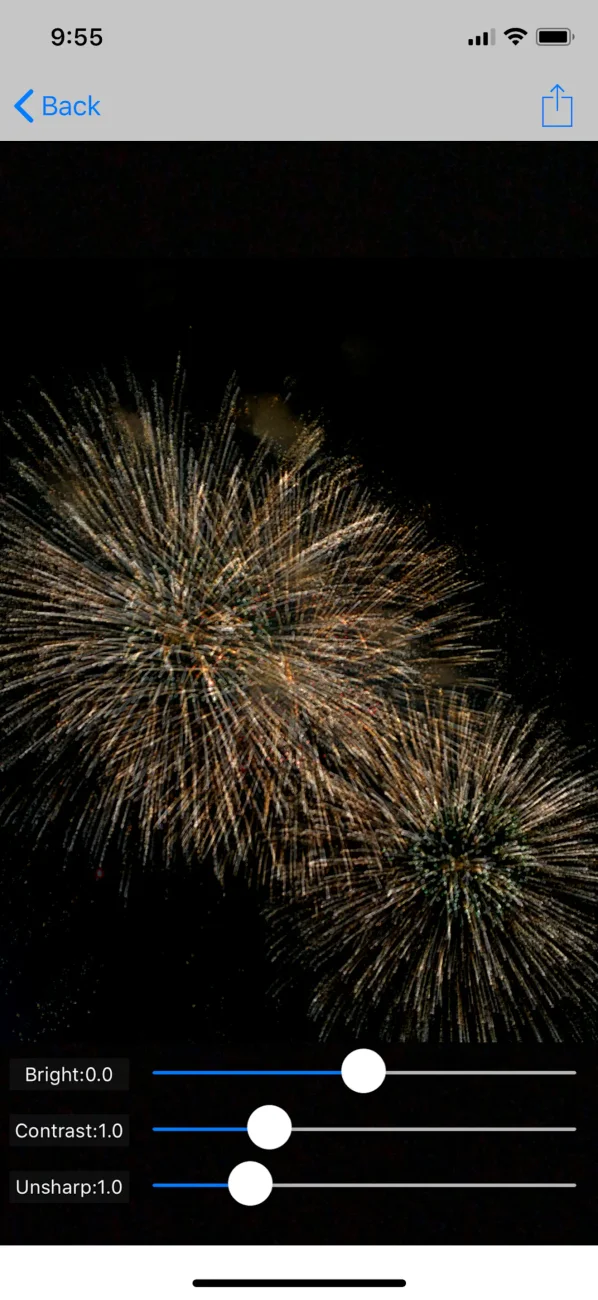
(5) Execution of combining.
(6) You can post composite photos on SNS.
・The shutter speed is 1/50 second in default setting. The consecutive shots’ speed becomes slow when you slow it than this.
The consecutive shots are automatically adjusted to make about three shots in a second.
・If the preview is too dark, you can brighten it by increasing the exposure compensation or by switching to manual exposure and increasing the ISO.
When a preview is too bright, reduce ISO level or make shutter speed high.
・In automatic exposure mode, the shutter speed may become slow and consecutive shots’ speed may become slow.
・In addition, this app provides manual setting of focus and manual setting of white balance.
***
The promotion screenshots were taken at the real fireworks.
***
This app includes the following open sources.
・GPUImage(Copyright (c) 2012, Brad Larson, Ben Cochran, Hugues Lismonde, Keitaroh Kobayashi, Alaric Cole, Matthew Clark, Jacob Gundersen, Chris Williams. All rights reserved.)
Yang baru
Versi 1.4 · 16/7/2025
- Improved stability. (Completely updated code, and detailed review of functions and display.)
- Specialized for continuous shooting at high resolution latitude, allowing you to capture fireworks more beautifully.
Privasi aplikasi
Yang dinyatakan HIROFUMI MARUO di App Store tentang cara aplikasi ini menangani data.
-
Data tidak dikumpulkan
Pengembang tidak mengumpulkan data apa pun dari aplikasi ini.
Praktik privasi dapat bervariasi, misalnya berdasarkan fitur yang Anda gunakan atau usia Anda.
Informasi
- Penjual
- HIROFUMI MARUO
- Kategori
- Foto & Video
- Versi
- 1.4
- Diperbarui
- 16/7/2025
- Dirilis
- 16/7/2016
- Ukuran
- 19,1 MB
- Memerlukan
- iOS 12.0 atau yang lebih baru
- Batasan usia
- 4+
- Harga
- Rp 19ribu
- Bahasa
- Inggris, Jepang
- Hak cipta
- © 2021 -2025 Cariya Japan.
Mungkin Anda juga suka
-
 Burst SelfieFoto & Video
-
 Minky's Iridescent RainbowFoto & Video
-
 Lumio: Quick CameraFoto & Video
-
 Burst HD - Super Burst CameraFoto & Video
-
 Fast CameraFoto & Video
-
 OverlyCam: Photo OverlayFoto & Video
-
 SnapPal - Photo TimerFoto & Video
-
 Kamera Interval: Foto OtomatisJeda 1 dtk–5 mnt, bebas sentuh
-
 Snow Effect VideoFoto & Video
-
 Fireworks Camera: FireSnapFoto & Video