
- Clasificación por edad4+
- CategoríaUtilidades
- DesarrolladorHai-Chou Wang
- IdiomasInglés+ 1 más
- Tamaño3,1 MB
Enlaza a la página oficial de App Store
Download.org no aloja ningún archivo de FlashCollage. El botón abre la página de la aplicación en App Store, donde la publica Hai-Chou Wang. Ficha comprobada por última vez el 15/11/2026.
Capturas de pantalla

Acerca de
El desarrollador no ha proporcionado este texto en tu idioma.
Key Highlights
Intuitive drag-and-drop editing—easy for beginners
Direct AirPrint printing for instant physical sharing
Multi-format export: JPEG, PNG, PDF
Smart memory management for smooth high‑resolution editing
Main Features
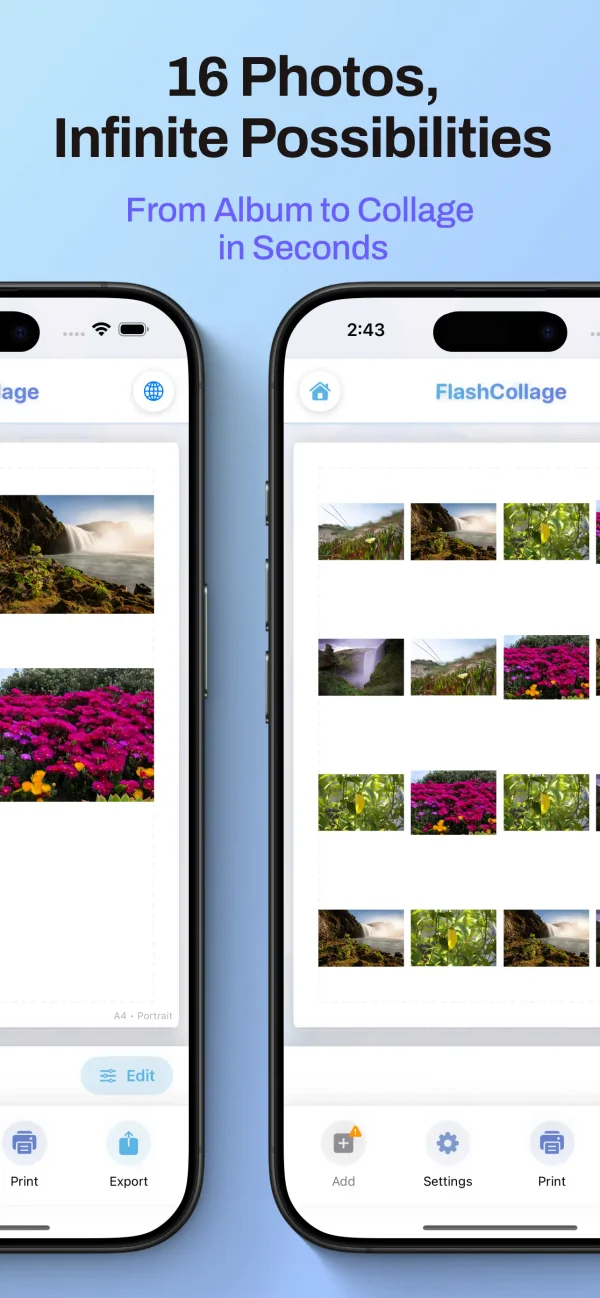
Select up to 16 photos and auto-generate a clean grid layout for a clear, organized look
Freely adjust position, size, and rotation to craft the perfect composition for any theme
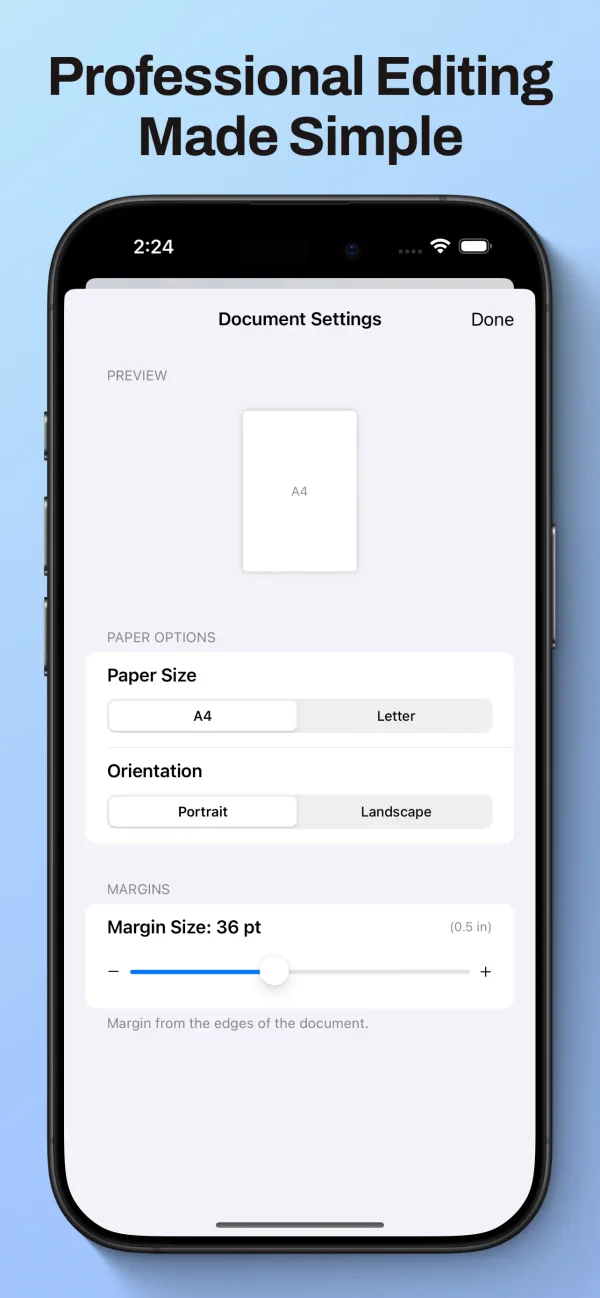
Supports A4 and Letter paper sizes—great for frames, scrapbooks, class projects, and work displays
Portrait and landscape orientations for different aspect ratios and scenarios
One-tap printing to AirPrint-compatible printers; or export as JPEG/PNG/PDF for easy saving, sharing, and cross-platform use
Low-memory preview mode: thumbnails during editing for smooth operation; full resolution for printing and export
Built-in localization: Traditional Chinese, Simplified Chinese, English, Japanese, and Korean—switch instantly
Secure photo access used only for collage creation and export; no data collection
What It Solves
Too many photos from trips, gatherings, graduations, or holidays? Showcase the highlights at a glance with a single grid collage.
Need a quick, printable mini poster or visual card? Output directly to A4/Letter—sharp and time‑saving.
Want to send a combined image to family or social media? Export JPEG/PNG to share everything in one image.
Need to submit a PDF for class or work? Export a high‑quality PDF in one step.
Design & Experience
Clear toolbar with large buttons—most actions are one‑hand friendly
Real-time, what‑you‑see‑is‑what‑you‑get preview for instant results
Optimized for high‑resolution photos—smooth panning and zooming
Centralized settings for paper size, orientation, and margins
Printing & Output Quality
Direct AirPrint to compatible printers—no extra drivers or computer needed
Calibrated for A4 and Letter to ensure accurate margins and proportions
High‑resolution output suitable for framing, scrapbooks, and handouts
Privacy & Permissions
Accesses your photo library only with permission, solely for collage creation and export
No photo uploads—processing is completed entirely on device
No tracking or user profiling
Get Started
Open the app and tap “+” to select photos
Drag to adjust position, size, and angle
Choose paper size and orientation if printing
Print via AirPrint or export as JPEG/PNG/PDF
About
We’re dedicated to making visual creation simpler, more stable, and more reliable. Have suggestions or need help? Contact us via the support page and we’ll respond promptly.
Privacidad de la aplicación
Lo que Hai-Chou Wang declara en App Store sobre cómo esta aplicación gestiona los datos.
-
No se recopilan datos
El desarrollador no recopila ningún dato de esta aplicación.
Las prácticas de privacidad pueden variar, por ejemplo, según las funciones que uses o tu edad.
Información
- Vendedor
- Hai-Chou Wang
- Categoría
- Utilidades
- Versión
- 1.0
- Actualizado
- 15/8/2025
- Publicado
- 15/8/2025
- Tamaño
- 3,1 MB
- Requiere
- iOS 16.0 o posterior
- Clasificación por edad
- 4+
- Precio
- Gratis
- Idiomas
- Inglés, Chino tradicional
- Copyright
- © FlashCollage
Quizá también te guste
-
 MediaPurge: Delete Old PhotosUtilidades
-
 Generador QR: Crear y EscanearLector y escáner de código QR
-
 AGC ToolKitUtilidades
-
 Swipee: Limpiar FotosDesliza, borra, libera espacio
-
 Subber - Store Your BookmarksUtilidades
-
 OCRForge: Text Escáner OCR IAEscanea fotos y extrae texto
-
 QRForge: Escáner y GeneradorEscanea y crea códigos rápido
-
 Dictado Por Voz: iScribeTranscribir audio a texto
-
 Unzip Pro - Unarchive masterUtilidades
-
 Text Workflow - Text ToolkitTranform your text