- Clasificación por edad4+
- CategoríaNavegación
- DesarrolladorRichard Cox
- IdiomasInglés
- Tamaño10,3 MB
Enlaza a la página oficial de App Store
Download.org no aloja ningún archivo de GeoReturn. El botón abre la página de la aplicación en App Store, donde la publica Richard Cox. Ficha comprobada por última vez el 12/11/2026.
Capturas de pantalla


Acerca de
El desarrollador no ha proporcionado este texto en tu idioma.
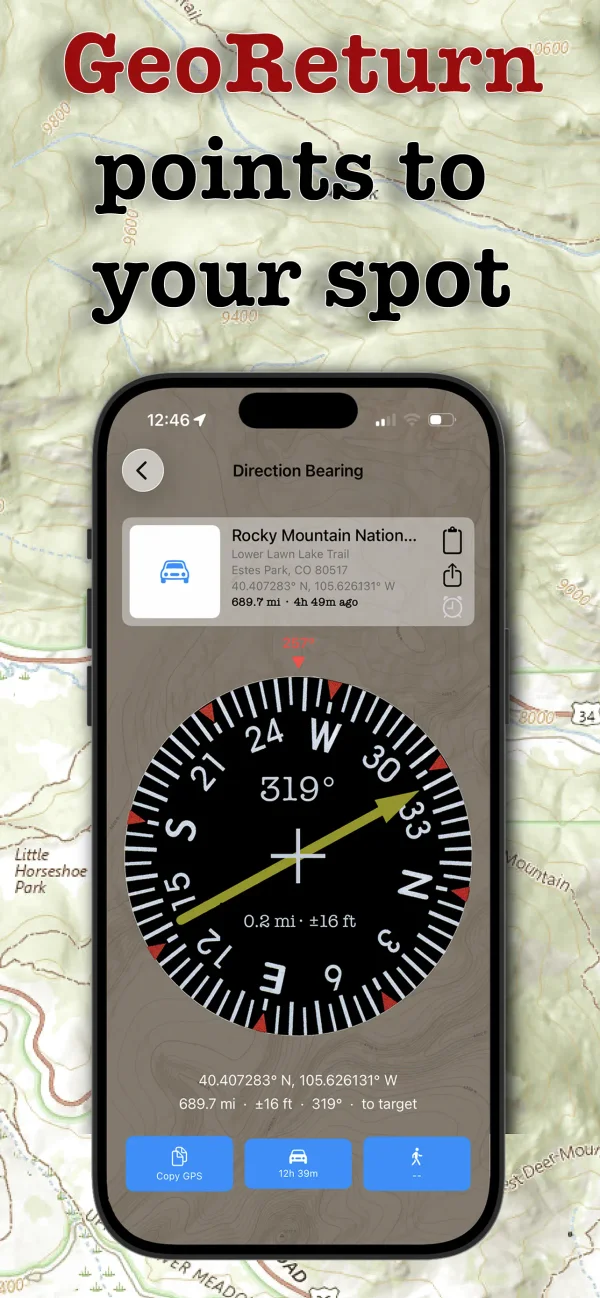
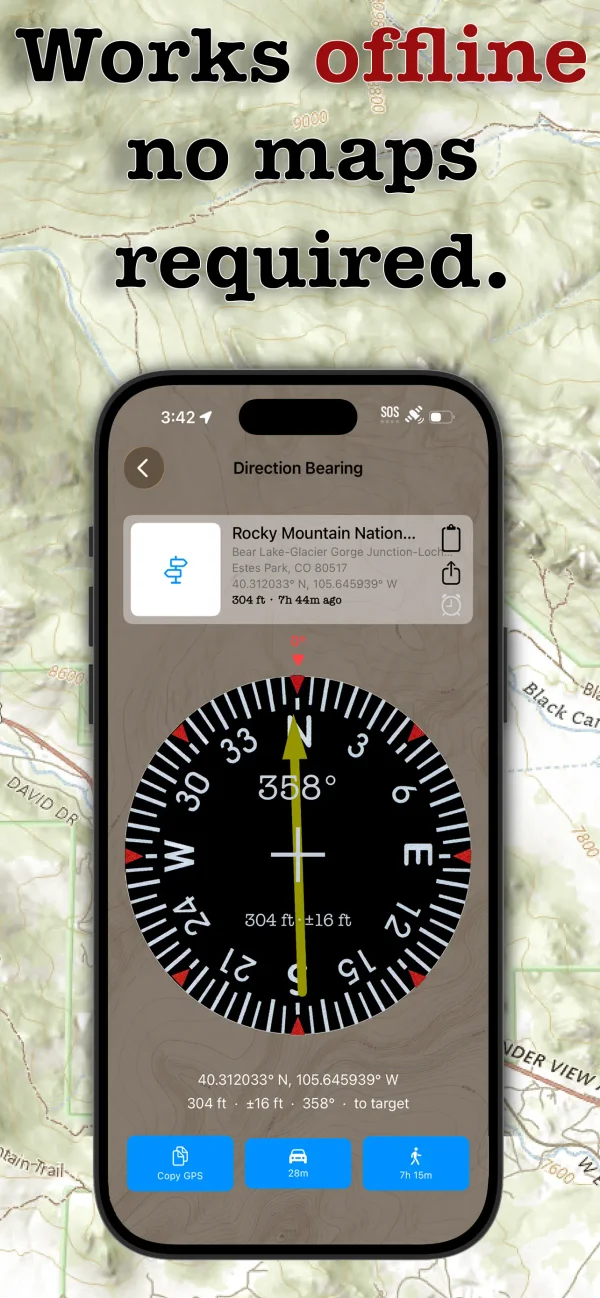
Never lose your parked car, trailhead, campsite, or photography location again. GeoReturn is a precision GPS compass that guides you back to any saved spot with aviation‑inspired accuracy — even offline.
Mark Your Location
Save your exact position with one tap. GeoReturn reverse‑geocodes automatically, adds the address, and stores it in your waypoint history.
Import from Photos
Select any geotagged photo and GeoReturn extracts the GPS coordinates, creating a waypoint so you can return to that exact moment later.
ADF‑Style Navigation
A rotating compass rose shows your heading while a fixed arrow points to your destination. Bearing and distance update in real time for intuitive, aviation‑grade guidance.
Waypoint History
Every saved place includes a thumbnail, address, coordinates, and timestamp. Tap to navigate back or swipe to delete.
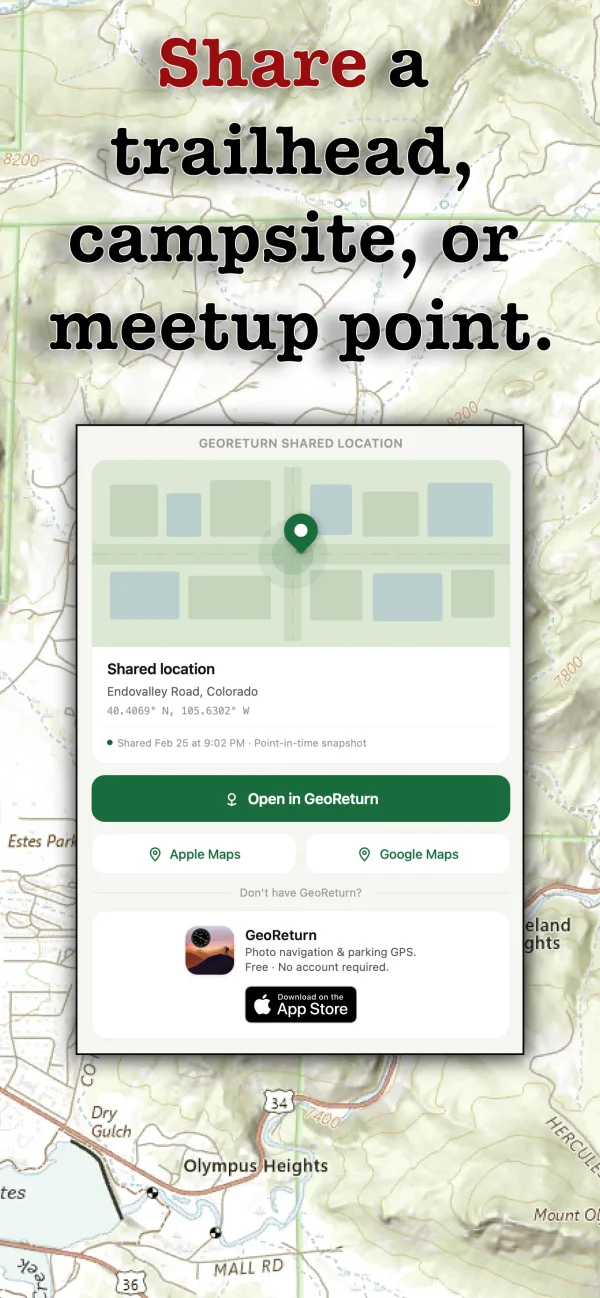
Share Your Location
Send a waypoint to anyone. They can open the link and follow the arrow straight to you.
Customizable Settings
Choose your GPS format, compass type (true or magnetic north), distance units, date/time format, and preferred navigation app.
GeoReturn works offline once locations are saved.
No account. No tracking. Your data stays on your device.
Novedades
Versión 2.2 · 1/11/2026
What's New in GeoReturn 2.2
Save Shared Locations
When someone shares a location with you, tap Save to keep it in your list, note included.
Share Photos and Notes
Shared locations can now include the waypoint's photo and note. Choose with the new Include Note and Include Thumbnail switches. Photos are stored encrypted, can only be opened from your link, and are deleted from the server for sharing after 7 days.
iPhone Duo Support
Unfolded, the Duo shows your waypoint list and the Direction Bearing compass side by side, with a bigger compass. The Mark and Import buttons are shorter on the Duo's screen, so more of your list fits.
Built-In Help
Tap the ⓘ button on the home screen, Direction Bearing, Mark Location / Import Photo, and Parking Timer screens for illustrated help.
Improvements:
* Import Photo opens straight away and fills in as the photo loads
* After you save a waypoint, the list scrolls to show it
* Clearer messages when a photo has no GPS data or can't be loaded
* Bigger titles and info buttons on the home and Direction Bearing screens
Privacidad de la aplicación
Lo que Richard Cox declara en App Store sobre cómo esta aplicación gestiona los datos.
-
No se recopilan datos
El desarrollador no recopila ningún dato de esta aplicación.
Las prácticas de privacidad pueden variar, por ejemplo, según las funciones que uses o tu edad.
Información
- Vendedor
- Richard Cox
- Categoría
- Navegación
- Versión
- 2.2
- Actualizado
- 1/11/2026
- Publicado
- 3/3/2026
- Tamaño
- 10,3 MB
- Requiere
- iOS 17.6 o posterior
- Clasificación por edad
- 4+
- Precio
- Gratis
- Idiomas
- Inglés
- Copyright
- © 2026 Richard Cox