- 対象年齢4+
- カテゴリナビゲーション
- 開発元Richard Cox
- 言語英語
- サイズ10.3 MB
App Storeの公式ページにリンクしています
Download.orgはGeoReturnのファイルを一切ホストしていません。ボタンを押すと、Richard Coxが公開しているApp Storeのアプリページが開きます。ページの最終確認:2026/11/12。
スクリーンショット


概要
開発元はこのテキストをお使いの言語で提供していません。
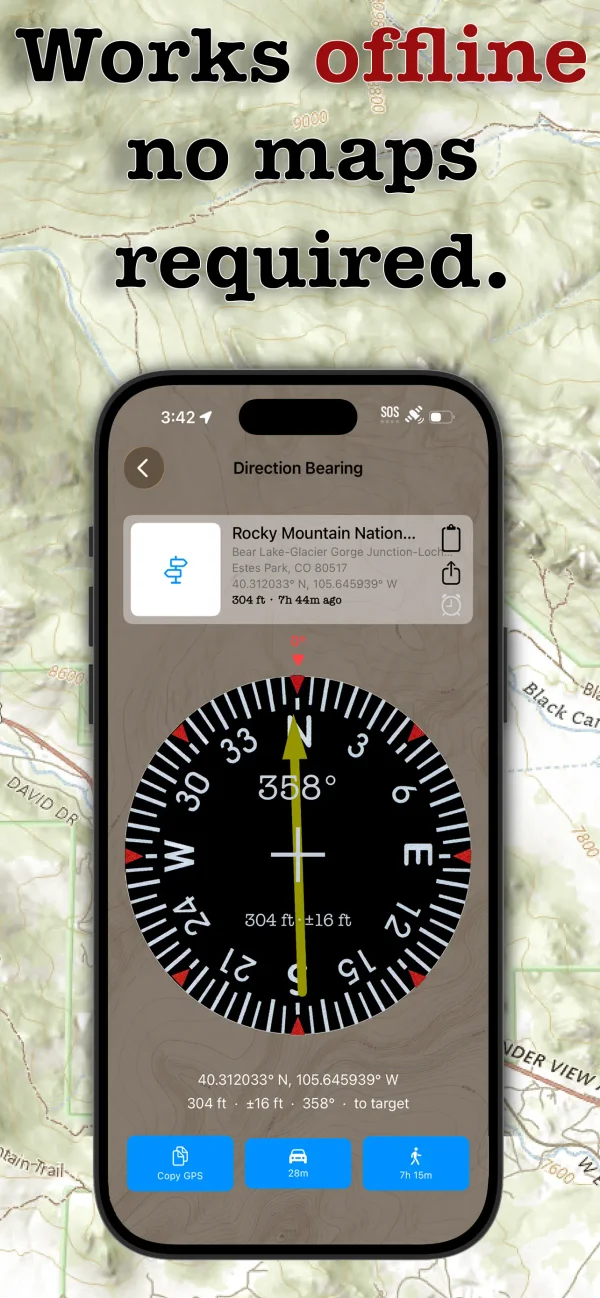
Never lose your parked car, trailhead, campsite, or photography location again. GeoReturn is a precision GPS compass that guides you back to any saved spot with aviation‑inspired accuracy — even offline.
Mark Your Location
Save your exact position with one tap. GeoReturn reverse‑geocodes automatically, adds the address, and stores it in your waypoint history.
Import from Photos
Select any geotagged photo and GeoReturn extracts the GPS coordinates, creating a waypoint so you can return to that exact moment later.
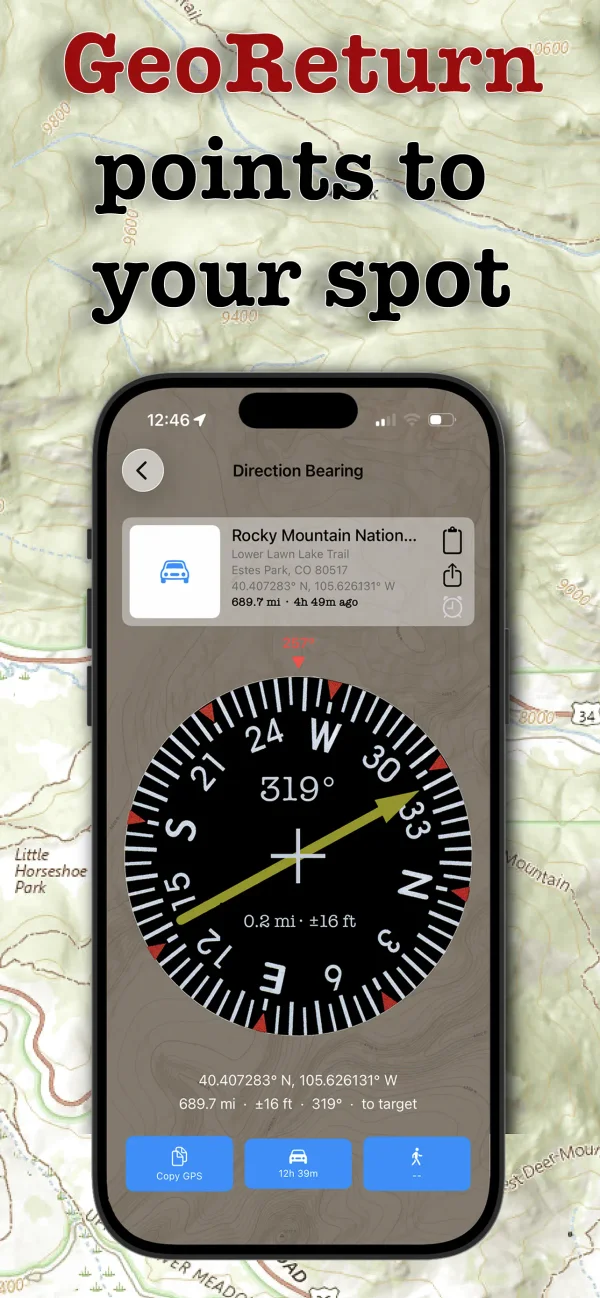
ADF‑Style Navigation
A rotating compass rose shows your heading while a fixed arrow points to your destination. Bearing and distance update in real time for intuitive, aviation‑grade guidance.
Waypoint History
Every saved place includes a thumbnail, address, coordinates, and timestamp. Tap to navigate back or swipe to delete.
Share Your Location
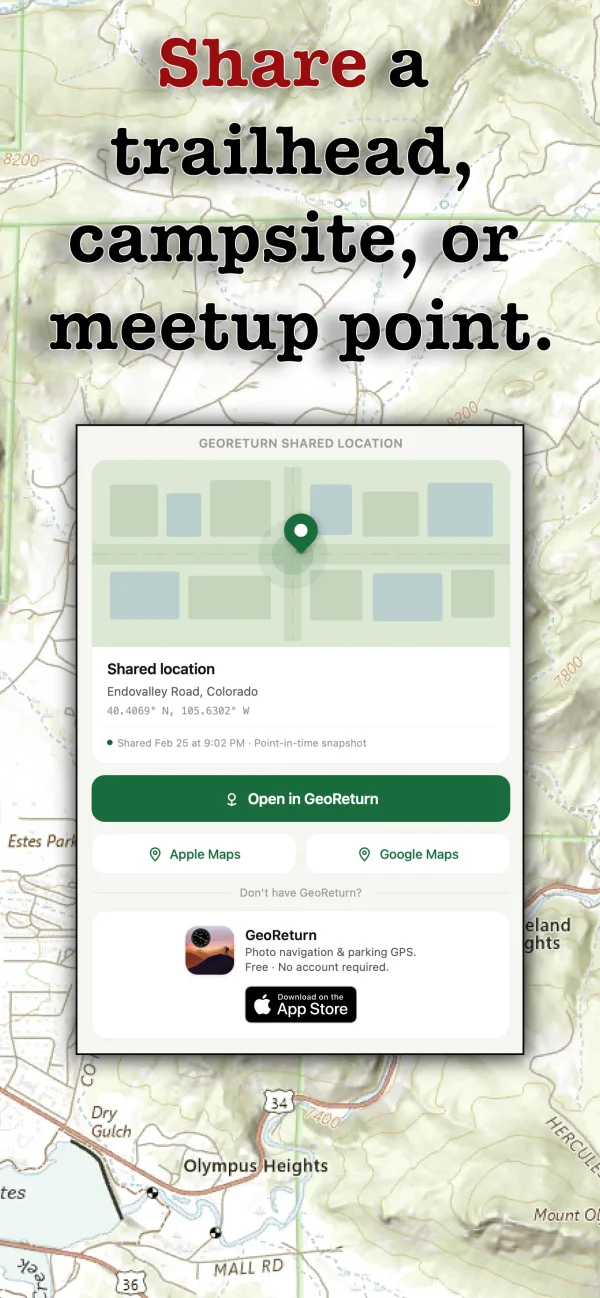
Send a waypoint to anyone. They can open the link and follow the arrow straight to you.
Customizable Settings
Choose your GPS format, compass type (true or magnetic north), distance units, date/time format, and preferred navigation app.
GeoReturn works offline once locations are saved.
No account. No tracking. Your data stays on your device.
新機能
バージョン 2.2 · 2026/11/1
What's New in GeoReturn 2.2
Save Shared Locations
When someone shares a location with you, tap Save to keep it in your list, note included.
Share Photos and Notes
Shared locations can now include the waypoint's photo and note. Choose with the new Include Note and Include Thumbnail switches. Photos are stored encrypted, can only be opened from your link, and are deleted from the server for sharing after 7 days.
iPhone Duo Support
Unfolded, the Duo shows your waypoint list and the Direction Bearing compass side by side, with a bigger compass. The Mark and Import buttons are shorter on the Duo's screen, so more of your list fits.
Built-In Help
Tap the ⓘ button on the home screen, Direction Bearing, Mark Location / Import Photo, and Parking Timer screens for illustrated help.
Improvements:
* Import Photo opens straight away and fills in as the photo loads
* After you save a waypoint, the list scrolls to show it
* Clearer messages when a photo has no GPS data or can't be loaded
* Bigger titles and info buttons on the home and Direction Bearing screens
アプリのプライバシー
このアプリのデータの取り扱いについて、Richard CoxがApp Storeで申告している内容です。
-
データの収集なし
開発元はこのアプリからデータを収集しません。
プライバシーの取り扱いは、ご利用の機能やお客様の年齢などに応じて異なる場合があります。
情報
- 販売元
- Richard Cox
- カテゴリ
- ナビゲーション
- バージョン
- 2.2
- 更新日
- 2026/11/1
- リリース
- 2026/3/3
- サイズ
- 10.3 MB
- 必要条件
- iOS 17.6以降
- 対象年齢
- 4+
- 価格
- 無料
- 言語
- 英語
- 著作権
- © 2026 Richard Cox