- Độ tuổi4+
- Danh mụcDẫn Đường
- Nhà phát triểnRichard Cox
- Ngôn ngữTiếng Anh
- Kích thước10,3 MB
Liên kết đến trang App Store chính thức
Download.org không lưu trữ tệp nào của GeoReturn. Nút này mở trang ứng dụng trên App Store, nơi Richard Cox phát hành ứng dụng. Trang được kiểm tra lần cuối: 12/11/2026.
Ảnh chụp màn hình


Giới thiệu
Nhà phát triển chưa cung cấp nội dung này bằng ngôn ngữ của bạn.
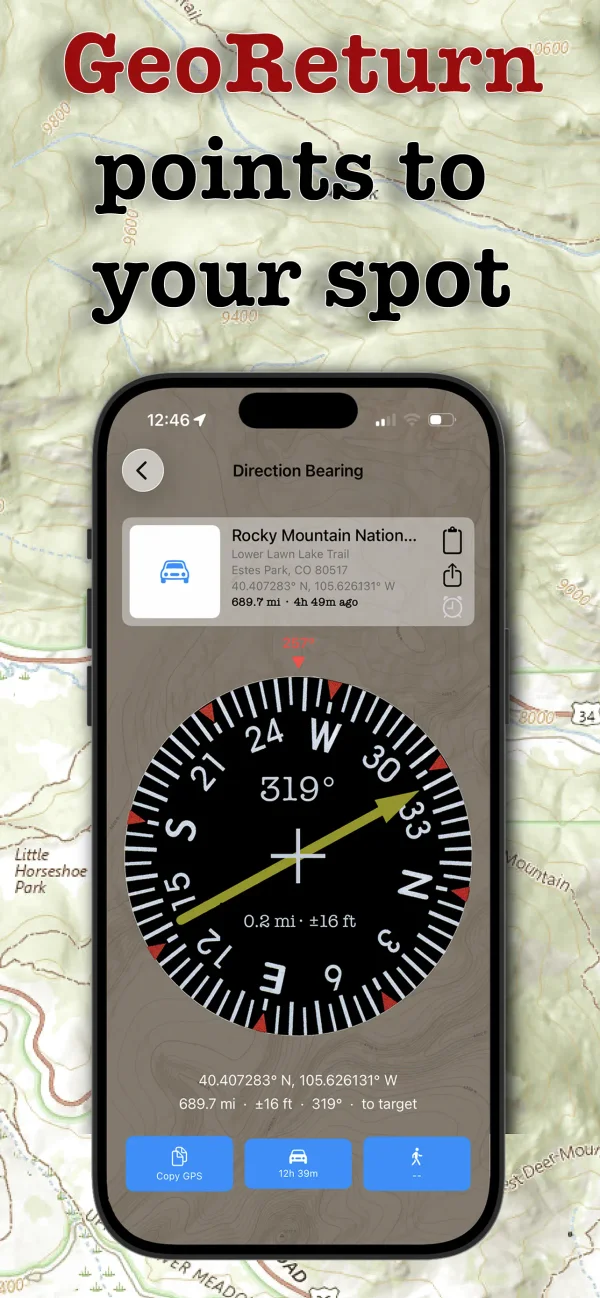
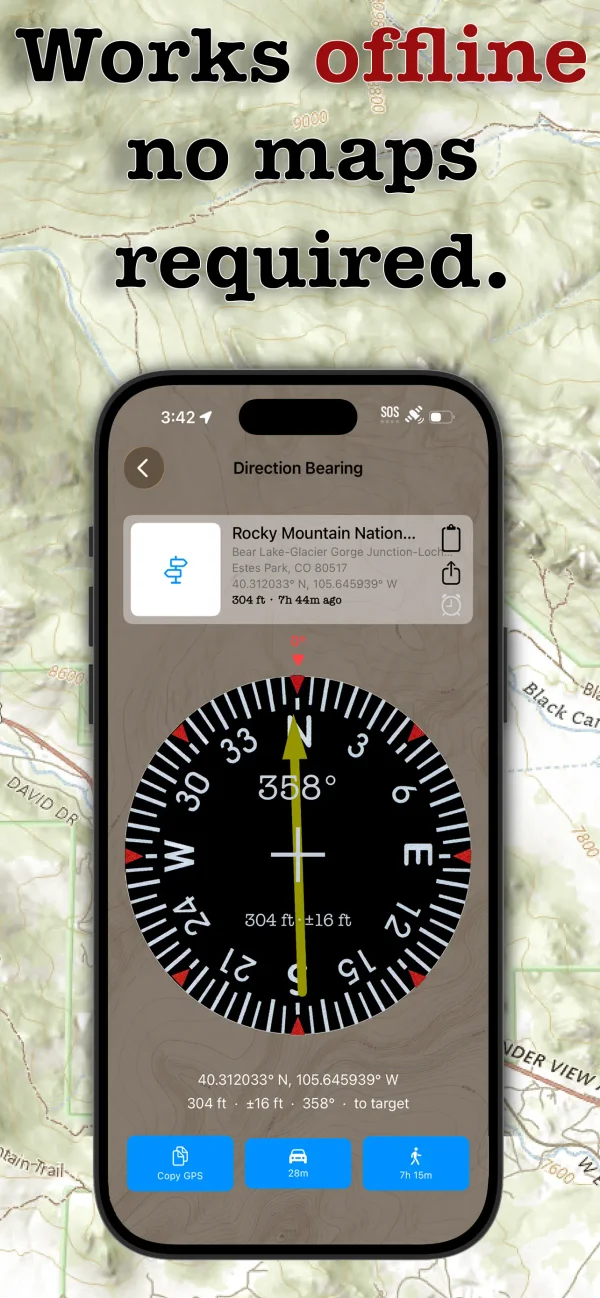
Never lose your parked car, trailhead, campsite, or photography location again. GeoReturn is a precision GPS compass that guides you back to any saved spot with aviation‑inspired accuracy — even offline.
Mark Your Location
Save your exact position with one tap. GeoReturn reverse‑geocodes automatically, adds the address, and stores it in your waypoint history.
Import from Photos
Select any geotagged photo and GeoReturn extracts the GPS coordinates, creating a waypoint so you can return to that exact moment later.
ADF‑Style Navigation
A rotating compass rose shows your heading while a fixed arrow points to your destination. Bearing and distance update in real time for intuitive, aviation‑grade guidance.
Waypoint History
Every saved place includes a thumbnail, address, coordinates, and timestamp. Tap to navigate back or swipe to delete.
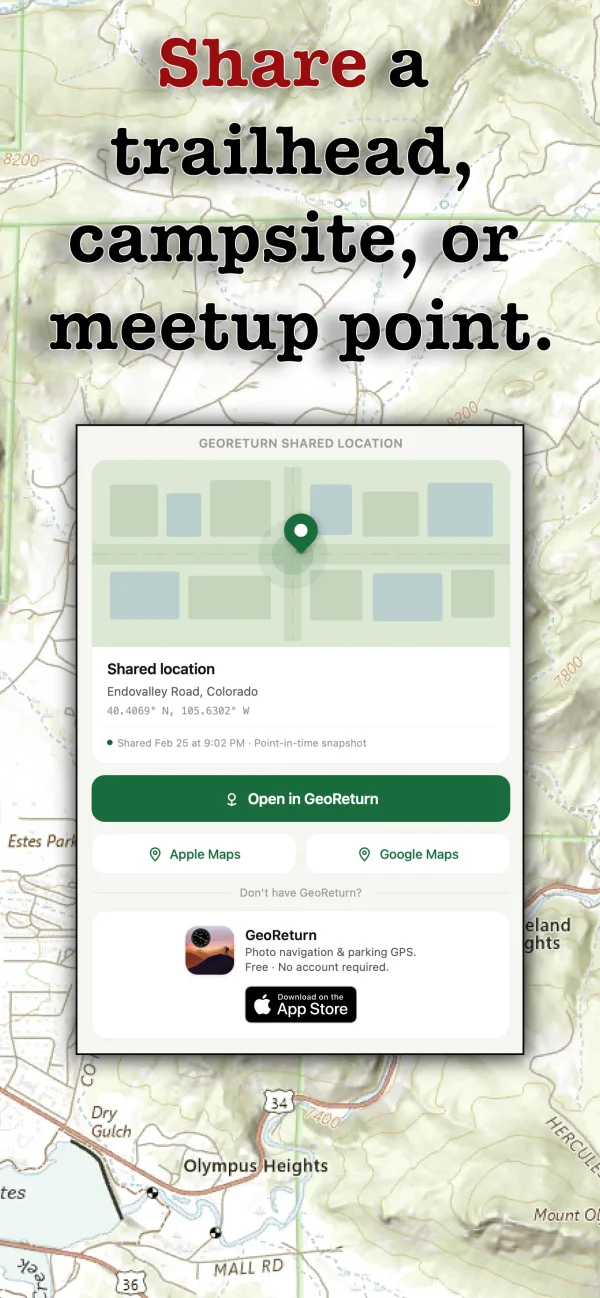
Share Your Location
Send a waypoint to anyone. They can open the link and follow the arrow straight to you.
Customizable Settings
Choose your GPS format, compass type (true or magnetic north), distance units, date/time format, and preferred navigation app.
GeoReturn works offline once locations are saved.
No account. No tracking. Your data stays on your device.
Có gì mới
Phiên bản 2.2 · 01/11/2026
What's New in GeoReturn 2.2
Save Shared Locations
When someone shares a location with you, tap Save to keep it in your list, note included.
Share Photos and Notes
Shared locations can now include the waypoint's photo and note. Choose with the new Include Note and Include Thumbnail switches. Photos are stored encrypted, can only be opened from your link, and are deleted from the server for sharing after 7 days.
iPhone Duo Support
Unfolded, the Duo shows your waypoint list and the Direction Bearing compass side by side, with a bigger compass. The Mark and Import buttons are shorter on the Duo's screen, so more of your list fits.
Built-In Help
Tap the ⓘ button on the home screen, Direction Bearing, Mark Location / Import Photo, and Parking Timer screens for illustrated help.
Improvements:
* Import Photo opens straight away and fills in as the photo loads
* After you save a waypoint, the list scrolls to show it
* Clearer messages when a photo has no GPS data or can't be loaded
* Bigger titles and info buttons on the home and Direction Bearing screens
Quyền riêng tư của ứng dụng
Những gì Richard Cox khai báo trên App Store về cách ứng dụng này xử lý dữ liệu.
-
Dữ liệu không được thu thập
Nhà phát triển không thu thập bất kỳ dữ liệu nào từ ứng dụng này.
Phương thức đảm bảo quyền riêng tư có thể khác nhau, chẳng hạn như tuỳ theo các tính năng bạn sử dụng hoặc độ tuổi của bạn.
Thông tin
- Người bán
- Richard Cox
- Danh mục
- Dẫn Đường
- Phiên bản
- 2.2
- Cập nhật
- 01/11/2026
- Phát hành
- 03/03/2026
- Kích thước
- 10,3 MB
- Yêu cầu
- iOS 17.6 trở lên
- Độ tuổi
- 4+
- Giá
- Miễn phí
- Ngôn ngữ
- Tiếng Anh
- Bản quyền
- © 2026 Richard Cox