
- Clasificación por edad4+
- CategoríaProductividad
- DesarrolladorTOMOHIRO UCHIDA
- IdiomasInglés
- Tamaño19,8 MB
Enlaza a la página oficial de App Store
Download.org no aloja ningún archivo de iMailer. El botón abre la página de la aplicación en App Store, donde la publica TOMOHIRO UCHIDA. Ficha comprobada por última vez el 23/11/2026.
Capturas de pantalla
Acerca de
El desarrollador no ha proporcionado este texto en tu idioma.
Launch & Load in 1 Tap! Ultimate Speed for Your Daily Emails
Tired of typing the same business emails over and over?
Want to streamline your follow-ups, daily reports, or quick replies?
"iMailer" is the ultimate email template manager designed to speed up your workflow.
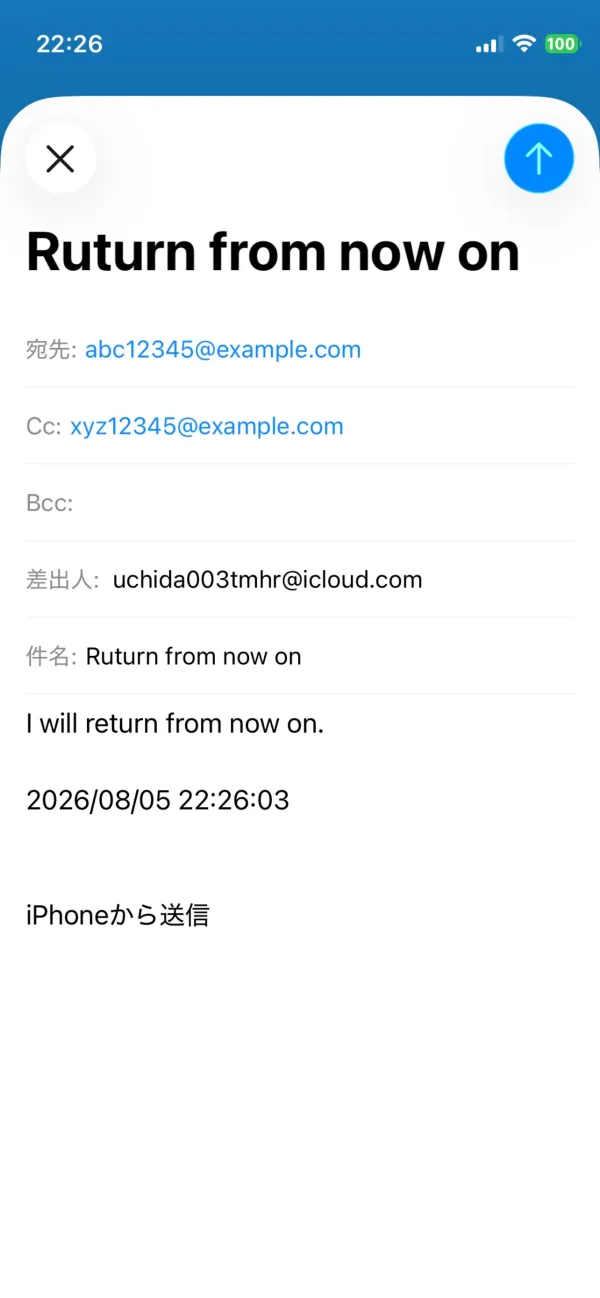
With just a single tap on your pre-saved template, iMailer automatically launches your default mail app and populates the recipient, subject line, and body text instantly. No more tedious copying and pasting—just tap, review, and send!
------
Key Features
1. One-Tap Instant Export
Tap a template, and your text is instantly transferred to your default mail app. Zero friction, zero delay.
2. Manage Multiple Templates Silently
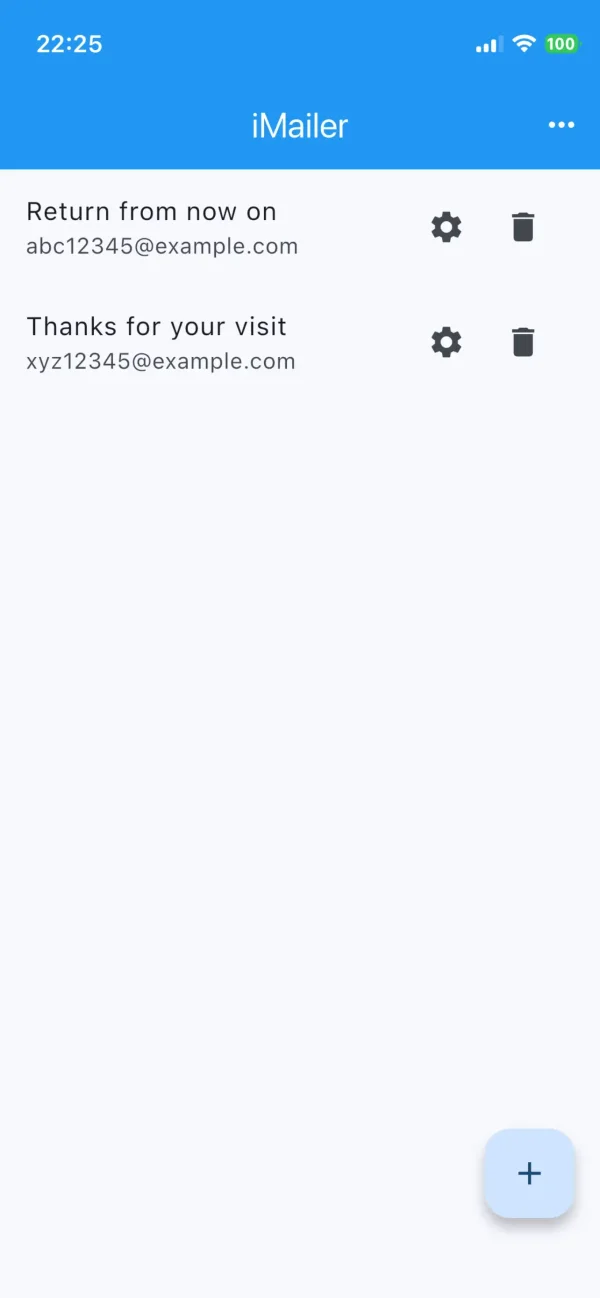
Organize all your email templates in a clean, intuitive list. Perfect for separating work and personal emails.
3. Pre-set Recipients & Subjects
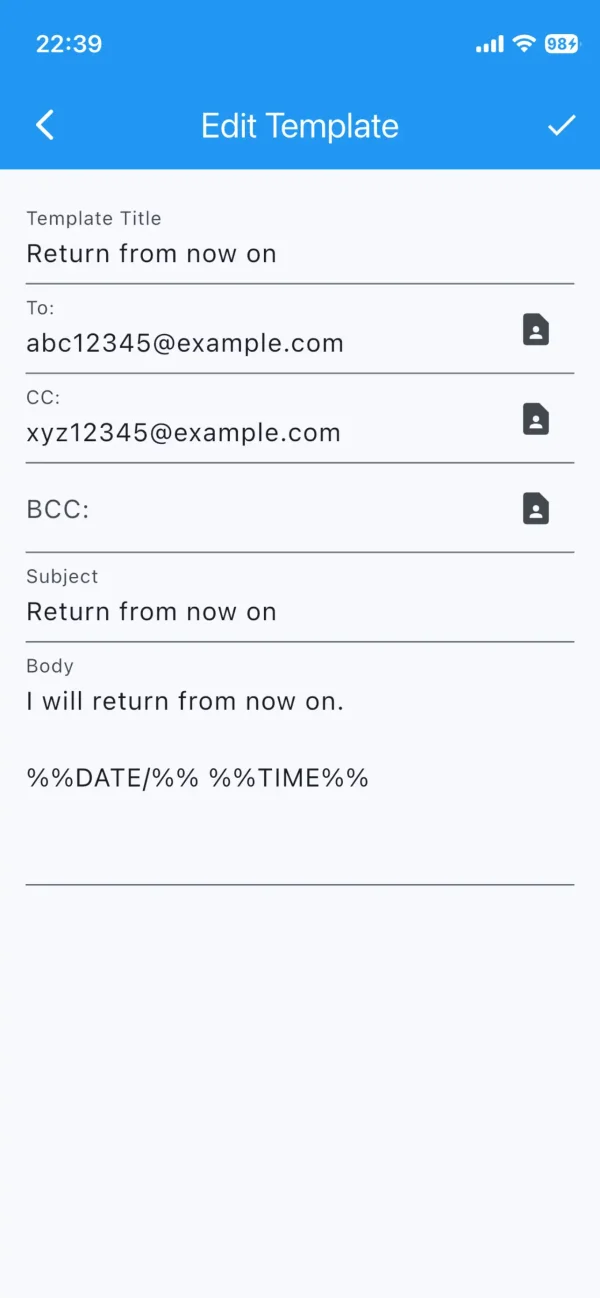
Save not only the body text but also the "To" email address and Subject line. It eliminates any manual input after the mail app opens.
------
Perfect For:
- Business & Work: Sending quotations, meeting follow-ups, daily status updates, or routine check-ins.
- Daily Communication: Sending quick updates to family and friends like "On my way home" or "Got it, thanks!"
- Quick Replies: Speeding up customer support or handling repetitive inquiries effortlessly.
------
Easy 3-Step Workflow
1. Create: Save your template with a Title, Subject, Body, and Recipient.
2. Tap: Choose and tap the template you need from the list.
3. Send: Your default mail app opens automatically. Just hit "Send"!
Say goodbye to annoying copy-paste routines.
Download iMailer today and experience the fastest way to send emails!
Novedades
Versión 2.1.6 · 22/11/2026
- Supported dark mode
Privacidad de la aplicación
Lo que TOMOHIRO UCHIDA declara en App Store sobre cómo esta aplicación gestiona los datos.
-
No se recopilan datos
El desarrollador no recopila ningún dato de esta aplicación.
Las prácticas de privacidad pueden variar, por ejemplo, según las funciones que uses o tu edad.
Información
- Vendedor
- TOMOHIRO UCHIDA
- Categoría
- Productividad
- Versión
- 2.1.6
- Actualizado
- 22/11/2026
- Publicado
- 12/8/2026
- Tamaño
- 19,8 MB
- Requiere
- iOS 27.0 o posterior
- Clasificación por edad
- 4+
- Precio
- Gratis
- Idiomas
- Inglés
- Copyright
- © 2026 Tomohiro Uchida
Quizá también te guste
-
 投稿ストック:SNS定型文・キャプションをコピーProductividad
-
 TextLauncher: Templates & CopyProductividad
-
 PasteSync: plantillas con IASincroniza tu portapapeles
-
 TapMailer2Productividad
-
 ClipTap: AI Prompts & SnippetsProductividad
-
 Fast Template LiteProductividad
-
 Nota: Gestiona plantillasCopia y comparte plantillas
-
 Nanonote ProProductividad
-
 Roomy Calendar: Simple PlannerProductividad
-
 months - Vertical CalendarProductividad