- Classification d’âge4+
- CatégorieProductivité
- DéveloppeurTOMOHIRO UCHIDA
- LanguesAnglais
- Taille19,8 Mo
iMailer n’est peut-être pas disponible sur App Store pour le moment
La fiche de la boutique était inaccessible lors de notre dernière vérification. Le lien mène toujours à la page App Store officielle.
Captures d’écran
À propos
Le développeur n’a pas fourni ce texte dans votre langue.
Launch & Load in 1 Tap! Ultimate Speed for Your Daily Emails
Tired of typing the same business emails over and over?
Want to streamline your follow-ups, daily reports, or quick replies?
"iMailer" is the ultimate email template manager designed to speed up your workflow.
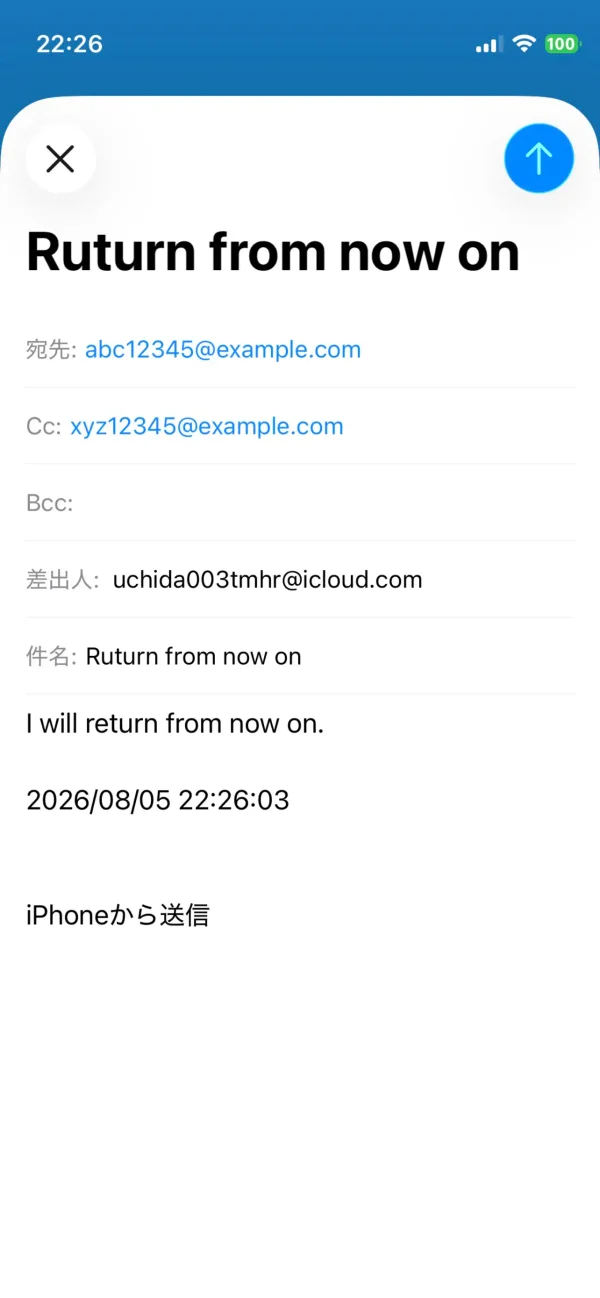
With just a single tap on your pre-saved template, iMailer automatically launches your default mail app and populates the recipient, subject line, and body text instantly. No more tedious copying and pasting—just tap, review, and send!
------
Key Features
1. One-Tap Instant Export
Tap a template, and your text is instantly transferred to your default mail app. Zero friction, zero delay.
2. Manage Multiple Templates Silently
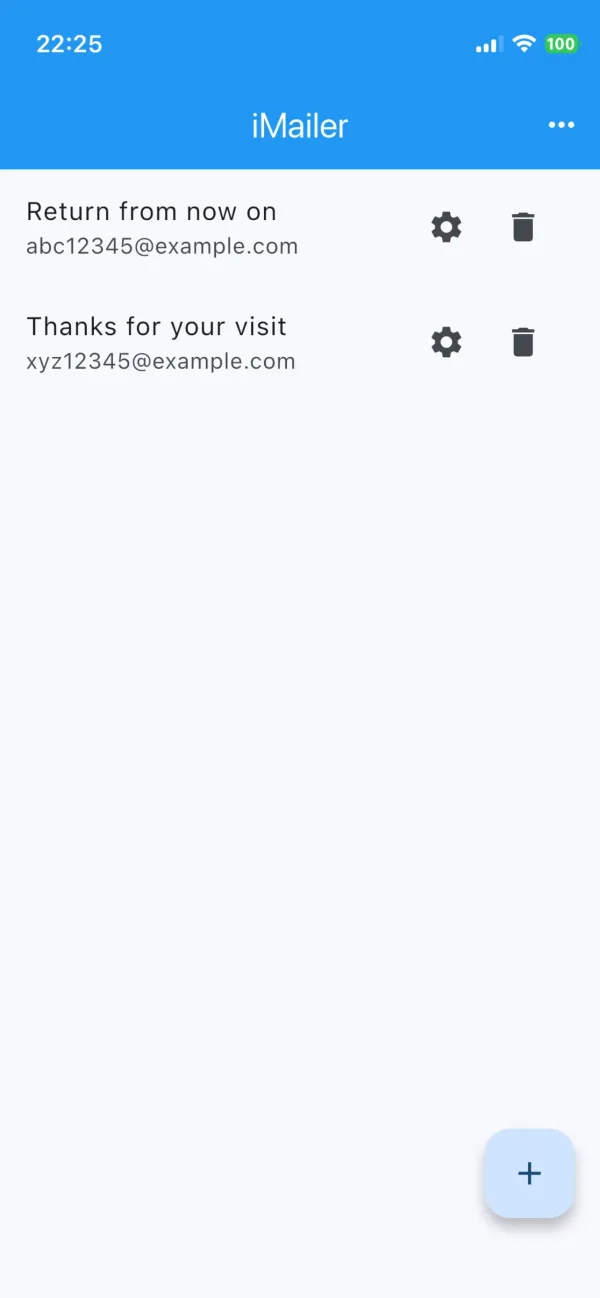
Organize all your email templates in a clean, intuitive list. Perfect for separating work and personal emails.
3. Pre-set Recipients & Subjects
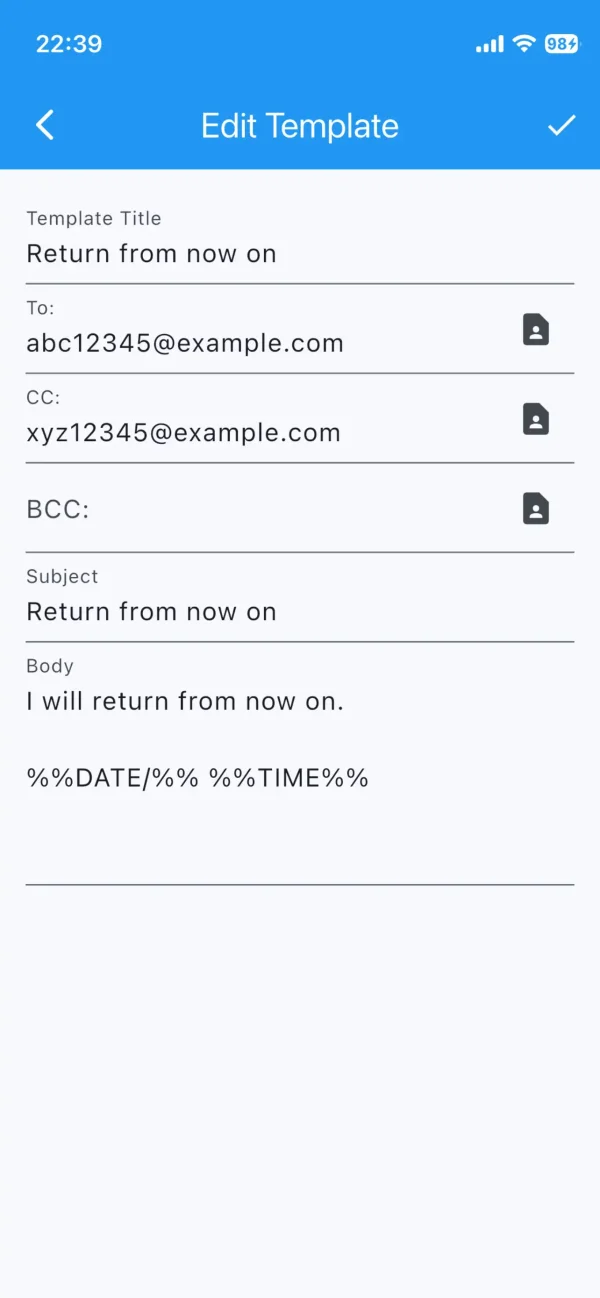
Save not only the body text but also the "To" email address and Subject line. It eliminates any manual input after the mail app opens.
------
Perfect For:
- Business & Work: Sending quotations, meeting follow-ups, daily status updates, or routine check-ins.
- Daily Communication: Sending quick updates to family and friends like "On my way home" or "Got it, thanks!"
- Quick Replies: Speeding up customer support or handling repetitive inquiries effortlessly.
------
Easy 3-Step Workflow
1. Create: Save your template with a Title, Subject, Body, and Recipient.
2. Tap: Choose and tap the template you need from the list.
3. Send: Your default mail app opens automatically. Just hit "Send"!
Say goodbye to annoying copy-paste routines.
Download iMailer today and experience the fastest way to send emails!
Nouveautés
Version 2.1.6 · 22/11/2026
- Supported dark mode
Confidentialité de l’application
Ce que TOMOHIRO UCHIDA déclare sur l’App Store au sujet du traitement des données par cette application.
-
Données non collectées
Le développeur ne collecte aucune donnée à partir de cette application.
Les pratiques en matière de confidentialité peuvent varier, notamment en fonction des fonctionnalités que vous utilisez ou de votre âge.
Informations
- Vendeur
- TOMOHIRO UCHIDA
- Catégorie
- Productivité
- Version
- 2.1.6
- Mis à jour
- 22/11/2026
- Publié
- 12/08/2026
- Taille
- 19,8 Mo
- Nécessite
- iOS 27.0 ou version ultérieure
- Classification d’âge
- 4+
- Langues
- Anglais
- Copyright
- © 2026 Tomohiro Uchida
Vous aimerez peut-être aussi
-
 投稿ストック:SNS定型文・キャプションをコピーProductivité
-
 TextLauncher: Templates & CopyProductivité
-
 PasteSync – Textes types & IAPresse-papiers et modèles
-
 TapMailer2Productivité
-
 ClipTap: AI Prompts & SnippetsProductivité
-
 Fast Template LiteProductivité
-
 Mémo: Gérez vos modèlesCopiez et partagez modèles
-
 Nanonote ProProductivité
-
 Roomy Calendar: Simple PlannerProductivité
-
 months - Vertical CalendarProductivité