
- Age rating4+
- CategoryProductivity
- DeveloperTOMOHIRO UCHIDA
- LanguagesEnglish
- Size19.8 MB
Links to the official App Store page
Download.org hosts no file of iMailer. The button opens its official App Store page, published by TOMOHIRO UCHIDA. Listing last checked on Nov 23, 2026.
Screenshots
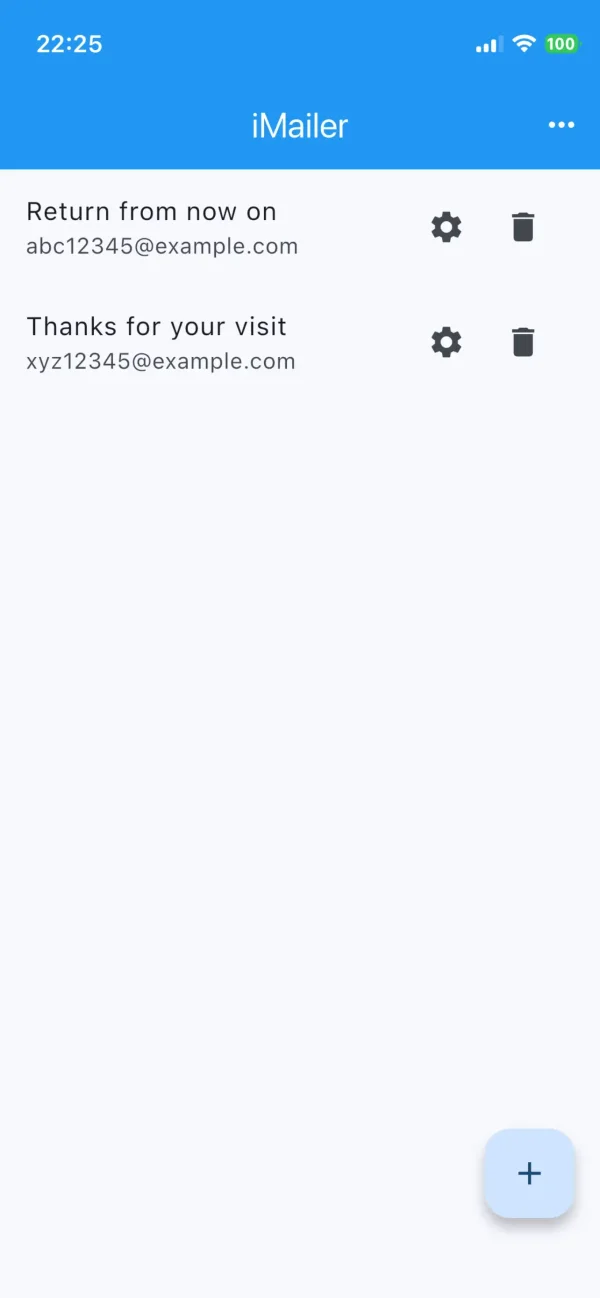
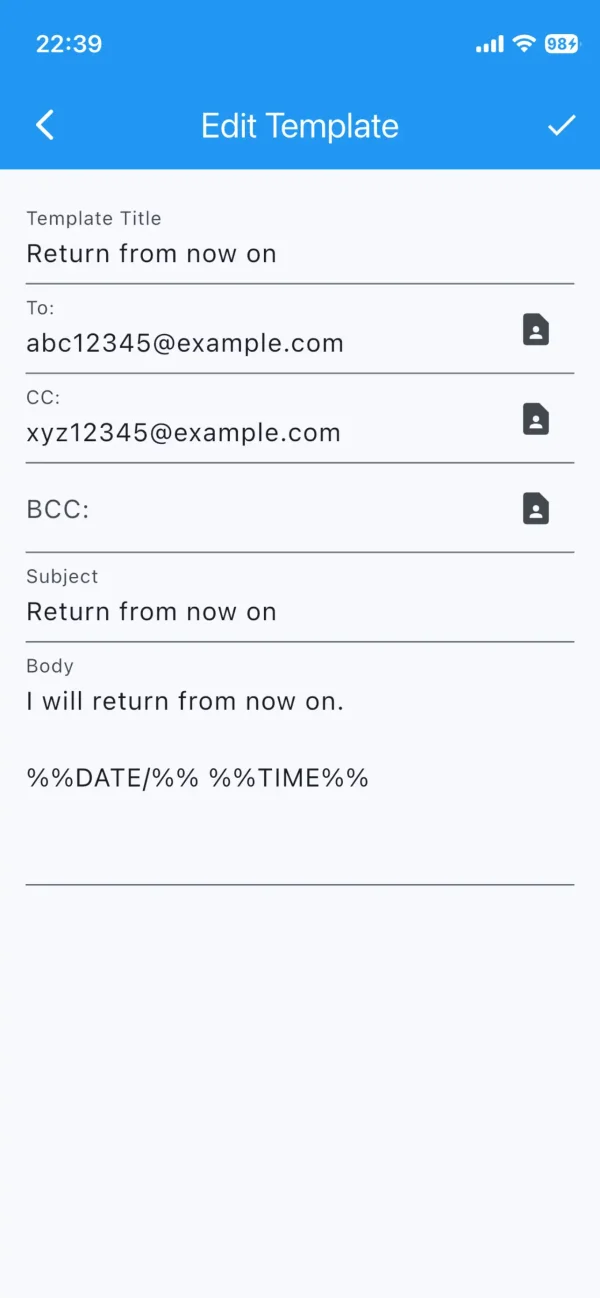
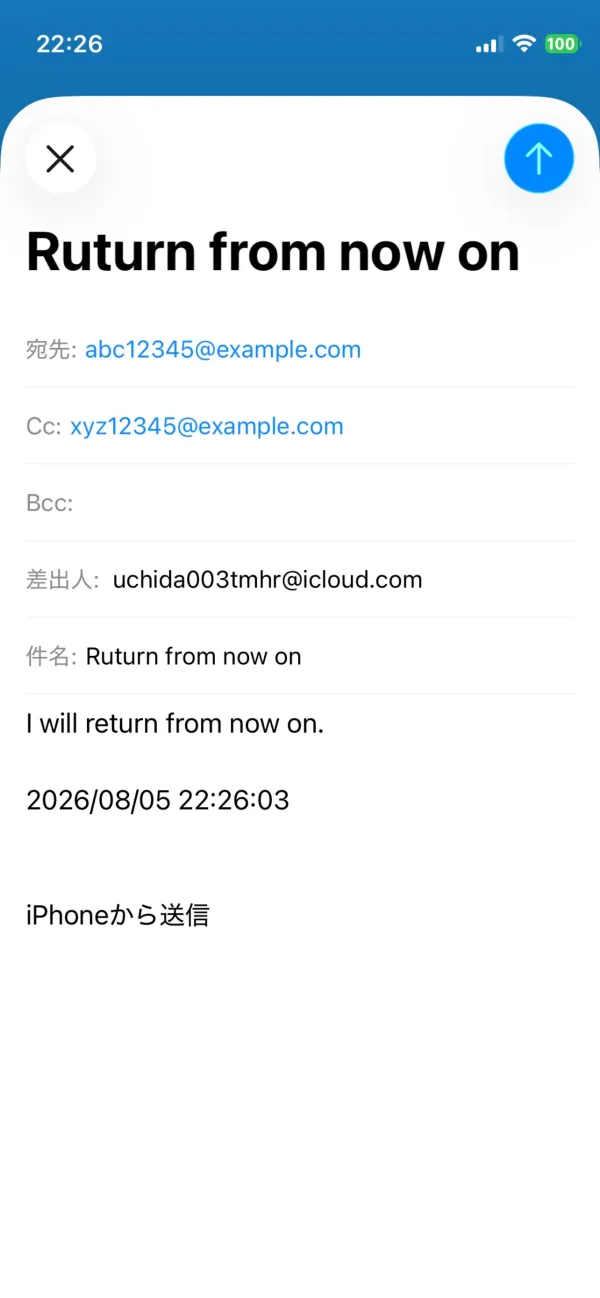
About
Launch & Load in 1 Tap! Ultimate Speed for Your Daily Emails
Tired of typing the same business emails over and over?
Want to streamline your follow-ups, daily reports, or quick replies?
"iMailer" is the ultimate email template manager designed to speed up your workflow.
With just a single tap on your pre-saved template, iMailer automatically launches your default mail app and populates the recipient, subject line, and body text instantly. No more tedious copying and pasting—just tap, review, and send!
------
Key Features
1. One-Tap Instant Export
Tap a template, and your text is instantly transferred to your default mail app. Zero friction, zero delay.
2. Manage Multiple Templates Silently
Organize all your email templates in a clean, intuitive list. Perfect for separating work and personal emails.
3. Pre-set Recipients & Subjects
Save not only the body text but also the "To" email address and Subject line. It eliminates any manual input after the mail app opens.
------
Perfect For:
- Business & Work: Sending quotations, meeting follow-ups, daily status updates, or routine check-ins.
- Daily Communication: Sending quick updates to family and friends like "On my way home" or "Got it, thanks!"
- Quick Replies: Speeding up customer support or handling repetitive inquiries effortlessly.
------
Easy 3-Step Workflow
1. Create: Save your template with a Title, Subject, Body, and Recipient.
2. Tap: Choose and tap the template you need from the list.
3. Send: Your default mail app opens automatically. Just hit "Send"!
Say goodbye to annoying copy-paste routines.
Download iMailer today and experience the fastest way to send emails!
What’s new
Version 2.1.6 · Nov 22, 2026
- Supported dark mode
App privacy
What TOMOHIRO UCHIDA declares on the App Store about how this app handles data.
-
Data not collected
The developer does not collect any data from this app.
Privacy practices may vary, for example with the features you use or your age.
Information
- Seller
- TOMOHIRO UCHIDA
- Category
- Productivity
- Version
- 2.1.6
- Updated
- Nov 22, 2026
- Released
- Aug 12, 2026
- Size
- 19.8 MB
- Requires
- iOS 27.0 or later
- Age rating
- 4+
- Price
- Free
- Languages
- English
- Copyright
- © 2026 Tomohiro Uchida
You might also like
-
 投稿ストック:SNS定型文・キャプションをコピーProductivity
-
 TextLauncher: Templates & CopyCopy snippets & launch apps
-
 PasteSync: AI Snippet KeyboardClipboard sync & text expander
-
 TapMailer2Send email easily
-
 ClipTap: AI Prompts & SnippetsSave text. Reuse as you type.
-
 Fast Template LiteEasy way to make fixed phrase
-
 Memo: copy & share templatesEasily copy & share templates
-
 Nanonote ProProductivity
-
 Roomy Calendar: Simple PlannerSimple, Clean & Easy Calendar
-
 months - Vertical CalendarScrolling month & day planner