
iPRINT - Text Printing
Print / PDF / Viewer / Editor
Diseñada para iPhone, iPad, iPod touch
2,99 €
- Clasificación por edad4+
- CategoríaProductividad
- DesarrolladorLIGHT,WAY.
- IdiomasInglés+ 1 más
- Tamaño7,7 MB
Enlaza a la página oficial de App Store
Download.org no aloja ningún archivo de iPRINT - Text Printing. El botón abre la página de la aplicación en App Store, donde la publica LIGHT,WAY. Ficha comprobada por última vez el 12/11/2026.
Capturas de pantalla
Acerca de
El desarrollador no ha proporcionado este texto en tu idioma.
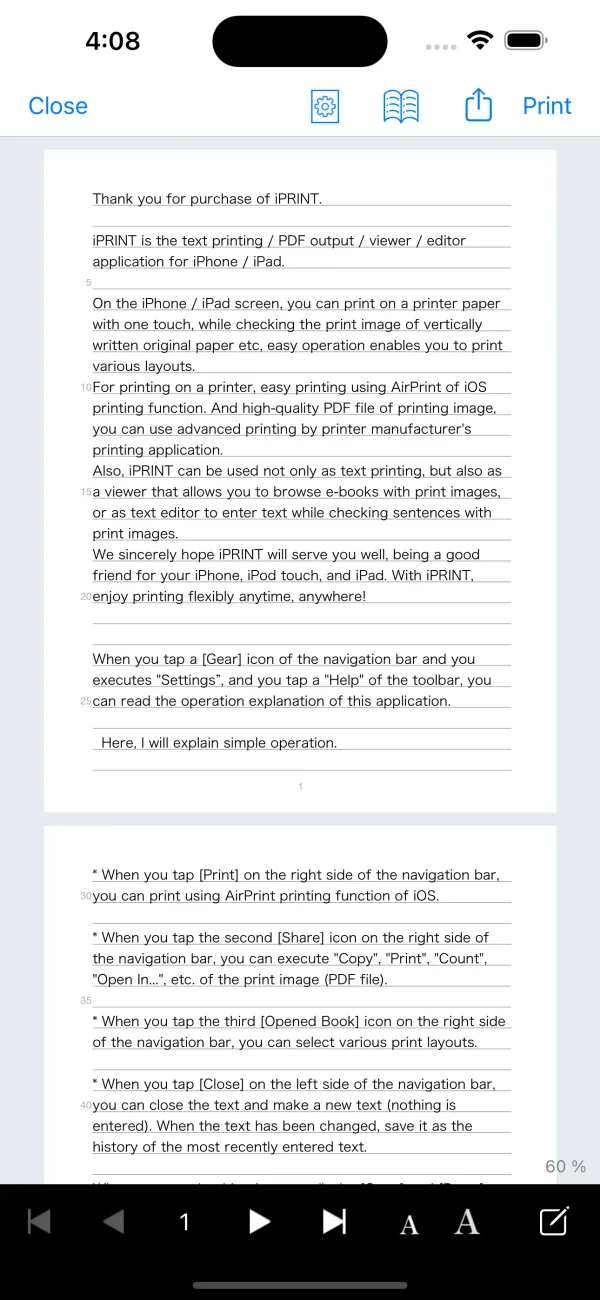
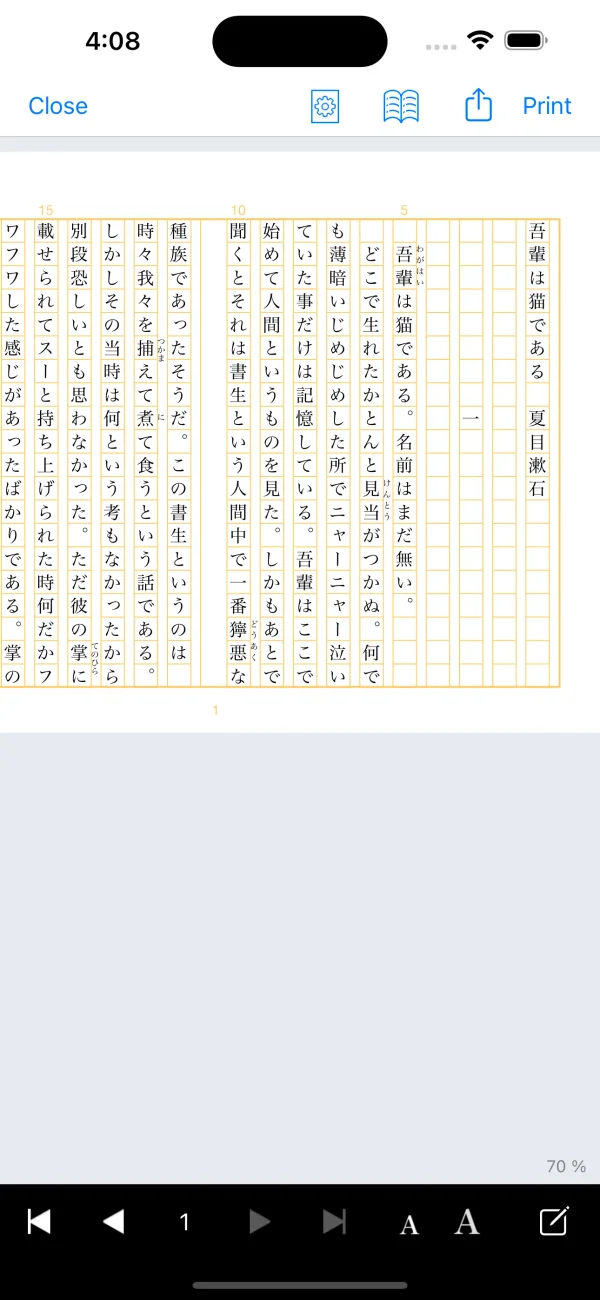
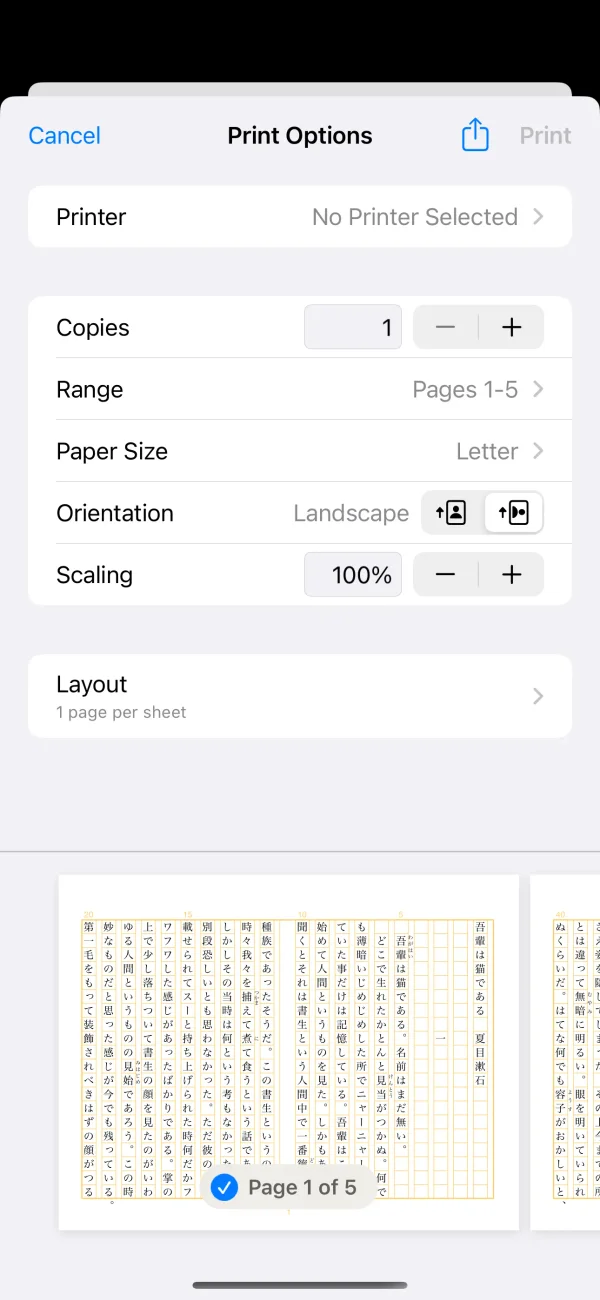
iPRINT is the text printing / PDF output / viewer / editor application for iPhone / iPad. iPRINT customized iText Pad, which has been popular as iOS advanced text editor, for printing on printer paper. iPRINT have specialized iText Pad's functions, such as vertical writing and the original paper layout "Aozora Bunko" style ruby display, for displaying printed images on printer paper. On the iPhone / iPad screen, you can print on a printer paper with one touch, while checking the print image of vertically written original paper etc, easy operation enables you to print various layouts.
For printing on a printer, easy printing using AirPrint of iOS printing function. And high-quality PDF file of printing image, you can use advanced printing by printer manufacturer's printing application. Even if you do not have a printer, it is also compatible with Convenience-Print that can be printed at convenience stores nationwide (Japanese only).
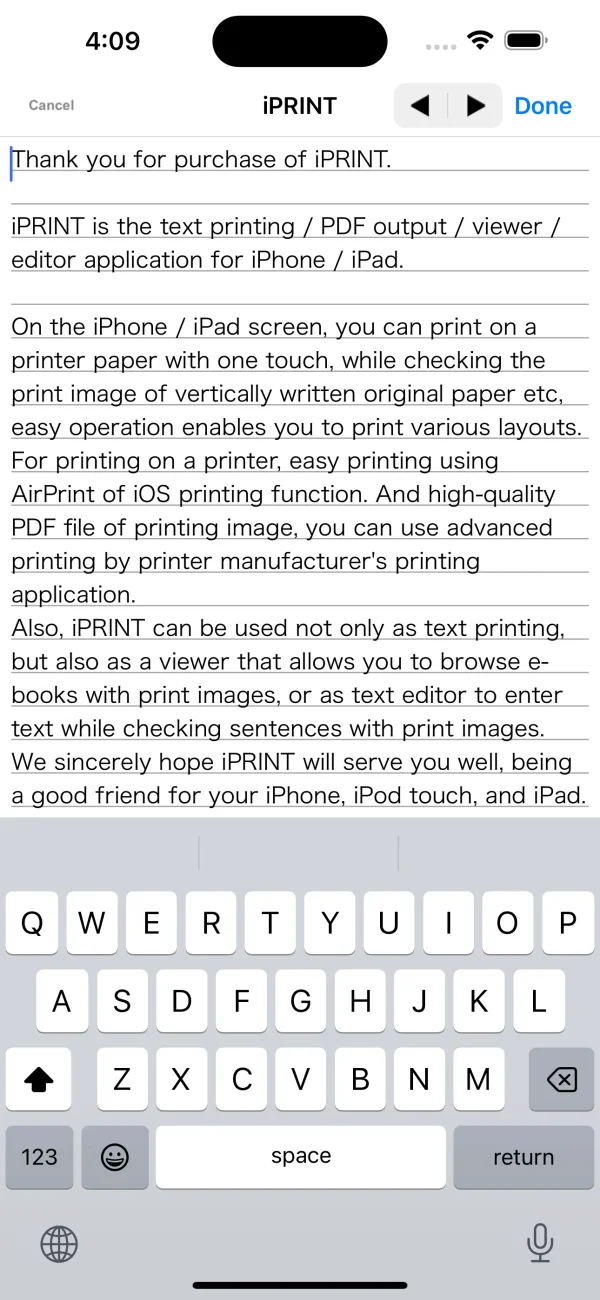
Also, iPRINT can be used not only as text printing, but also as a viewer that allows you to browse e-books with print images, or as text editor to enter text while checking sentences with print images.
We sincerely hope iPRINT will serve you well, being a good friend for your iPhone, iPod touch, and iPad. With iPRINT, enjoy printing flexibly anytime, anywhere!
iPRINT Features
* Text printing / PDF output / viewer / editor application.
* It supports printing of japanese manuscript paper.
* It supports vertical writing.
* It corresponds to ruby printing.
* You can customize the paper to be printed by settings.
* A variety of print layouts can be selected.
* Output high-quality PDF file.
* Easy printing using AirPrint of iOS printing function is supported.
* Cooperate with printer-specific application of printer manufacturer.
* It corresponds to Convenience-Print which can be printed at convenience store.
* You can view the text of the e-book with the print image.
* Text can be entered while checking sentences with print image.
* You can open a text file of another application.
* Up to 500 text files can be saved.
* The display size can be increased to 500%.
* It corresponds to the operation when the iPhone is set horizontally.
* The number of characters can be counted.
* "iWriters" can be used for text input of iPRINT.
Novedades
Versión 1.1 · 25/3/2024
1. Enhanced [Settings] and added a new item Page Numbers in Option.
Page Numbers Position - Center, Left, Right, Left/Right, and Right/Left
Page Numbers Format, Enter Start Page Number
2. Fixed the bugs and improved stability.
Privacidad de la aplicación
Lo que LIGHT,WAY. declara en App Store sobre cómo esta aplicación gestiona los datos.
-
No se recopilan datos
El desarrollador no recopila ningún dato de esta aplicación.
Las prácticas de privacidad pueden variar, por ejemplo, según las funciones que uses o tu edad.
Información
- Vendedor
- Michiaki Yamashita
- Categoría
- Productividad
- Versión
- 1.1
- Actualizado
- 25/3/2024
- Publicado
- 27/7/2018
- Tamaño
- 7,7 MB
- Requiere
- iOS 9.0 o posterior
- Clasificación por edad
- 4+
- Precio
- 2,99 €
- Idiomas
- Inglés, Japonés
- Copyright
- © 2024 LIGHT,WAY.
Quizá también te guste
-
 測量 座標計算Productividad
-
 HachiCalendar2 ProProductividad
-
 ShapeInfo PlusCalculadora geométrica
-
 Password Manager - Easy Pass2Productividad
-
 LogCalendarRastreador de tiempo
-
 直角三角形電卓 - TriangelProductividad
-
 HoujiProductividad
-
 Kurumaki CalendarProductividad
-
 Bear Focus Timer: Work & StudyProductividad
-
 Auto Refresh+ for SafariProductividad