
iPRINT - Text Printing
Print / PDF / Viewer / Editor
Được thiết kế cho iPhone, iPad, iPod touch
99.000đ
- Độ tuổi4+
- Danh mụcHiệu Suất
- Nhà phát triểnLIGHT,WAY.
- Ngôn ngữTiếng Anh+ 1 ngôn ngữ khác
- Kích thước7,7 MB
Liên kết đến trang App Store chính thức
Download.org không lưu trữ tệp nào của iPRINT - Text Printing. Nút này mở trang ứng dụng trên App Store, nơi LIGHT,WAY. phát hành ứng dụng. Trang được kiểm tra lần cuối: 12/11/2026.
Ảnh chụp màn hình
Giới thiệu
Nhà phát triển chưa cung cấp nội dung này bằng ngôn ngữ của bạn.
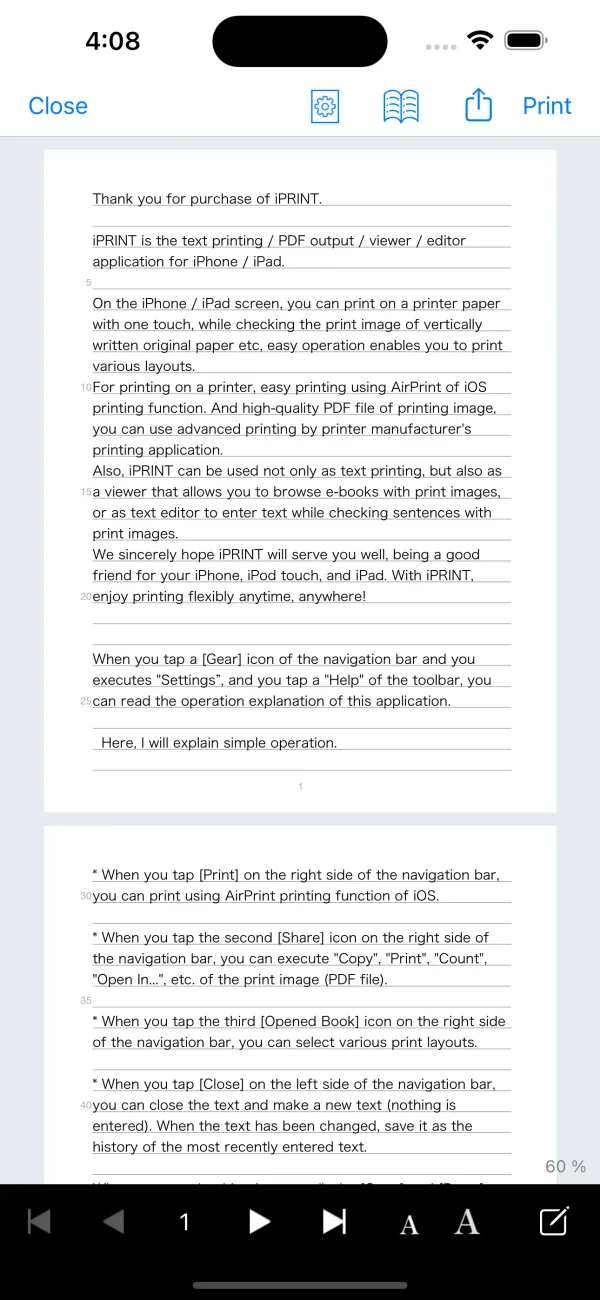
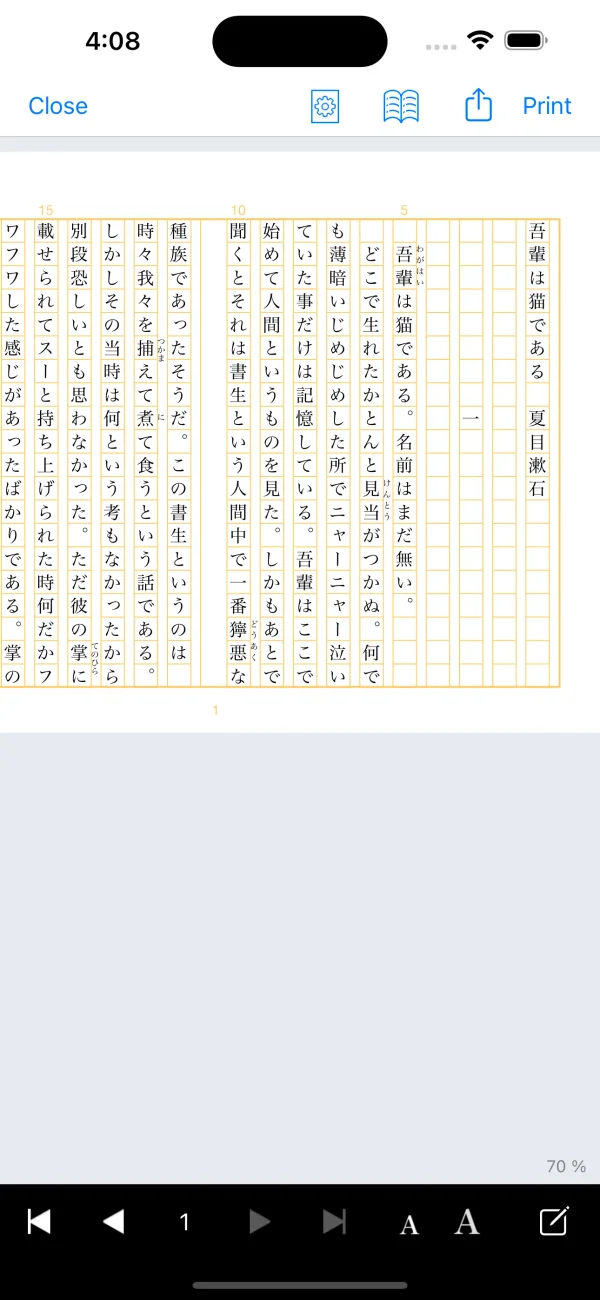
iPRINT is the text printing / PDF output / viewer / editor application for iPhone / iPad. iPRINT customized iText Pad, which has been popular as iOS advanced text editor, for printing on printer paper. iPRINT have specialized iText Pad's functions, such as vertical writing and the original paper layout "Aozora Bunko" style ruby display, for displaying printed images on printer paper. On the iPhone / iPad screen, you can print on a printer paper with one touch, while checking the print image of vertically written original paper etc, easy operation enables you to print various layouts.
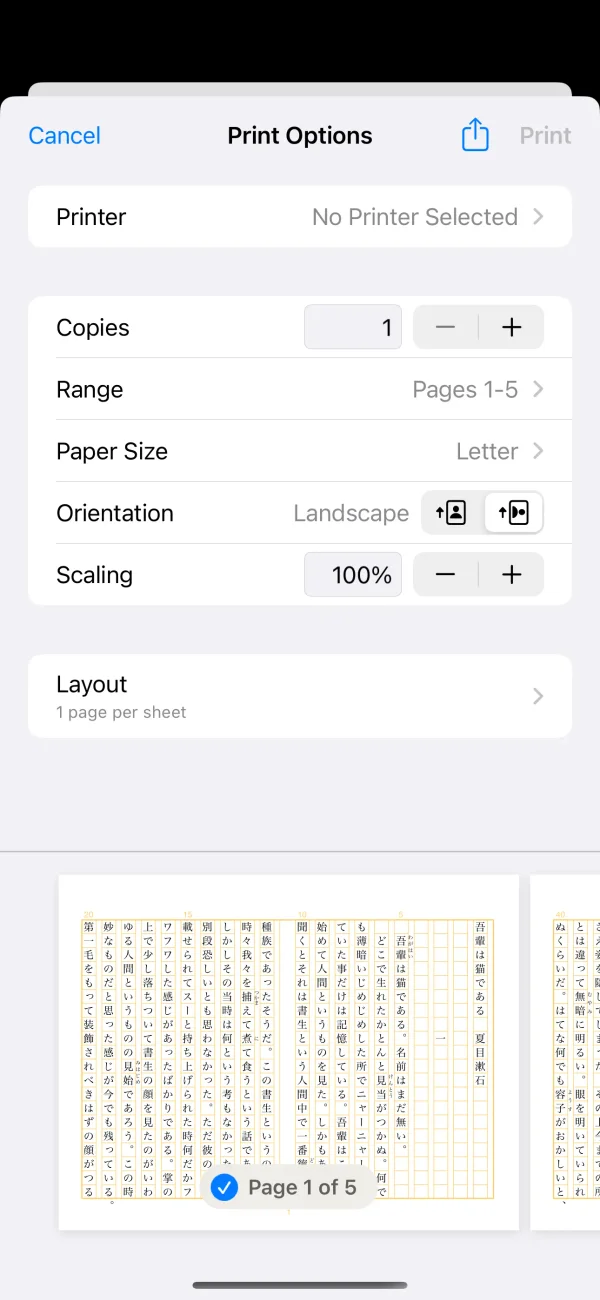
For printing on a printer, easy printing using AirPrint of iOS printing function. And high-quality PDF file of printing image, you can use advanced printing by printer manufacturer's printing application. Even if you do not have a printer, it is also compatible with Convenience-Print that can be printed at convenience stores nationwide (Japanese only).
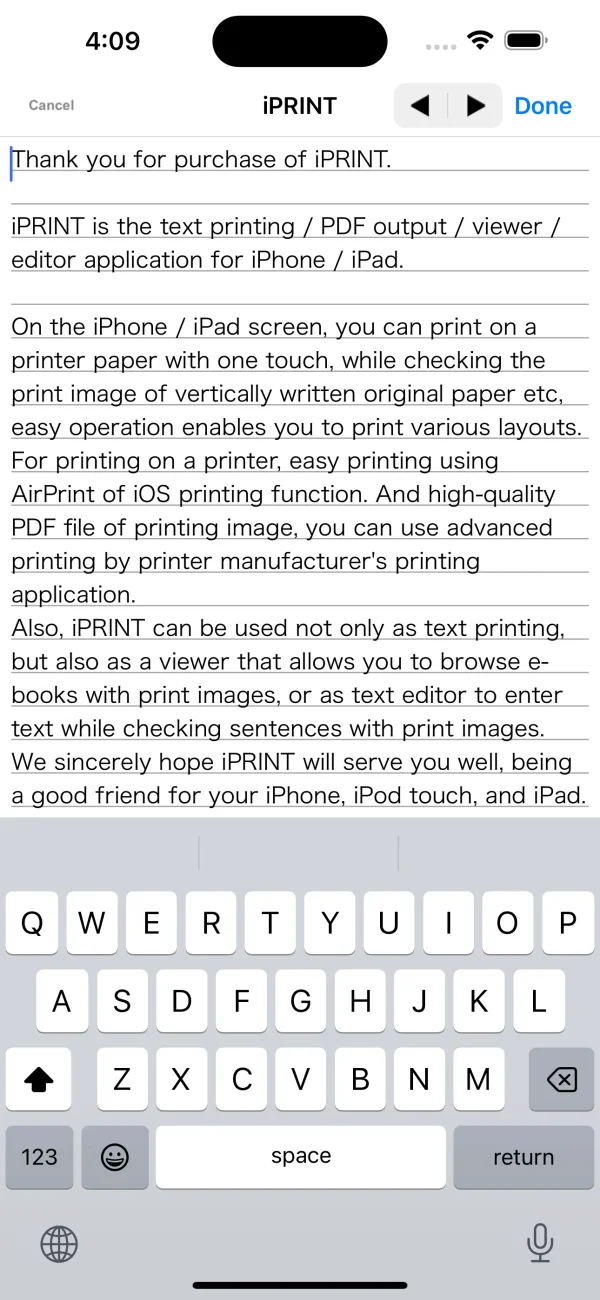
Also, iPRINT can be used not only as text printing, but also as a viewer that allows you to browse e-books with print images, or as text editor to enter text while checking sentences with print images.
We sincerely hope iPRINT will serve you well, being a good friend for your iPhone, iPod touch, and iPad. With iPRINT, enjoy printing flexibly anytime, anywhere!
iPRINT Features
* Text printing / PDF output / viewer / editor application.
* It supports printing of japanese manuscript paper.
* It supports vertical writing.
* It corresponds to ruby printing.
* You can customize the paper to be printed by settings.
* A variety of print layouts can be selected.
* Output high-quality PDF file.
* Easy printing using AirPrint of iOS printing function is supported.
* Cooperate with printer-specific application of printer manufacturer.
* It corresponds to Convenience-Print which can be printed at convenience store.
* You can view the text of the e-book with the print image.
* Text can be entered while checking sentences with print image.
* You can open a text file of another application.
* Up to 500 text files can be saved.
* The display size can be increased to 500%.
* It corresponds to the operation when the iPhone is set horizontally.
* The number of characters can be counted.
* "iWriters" can be used for text input of iPRINT.
Có gì mới
Phiên bản 1.1 · 25/03/2024
1. Enhanced [Settings] and added a new item Page Numbers in Option.
Page Numbers Position - Center, Left, Right, Left/Right, and Right/Left
Page Numbers Format, Enter Start Page Number
2. Fixed the bugs and improved stability.
Quyền riêng tư của ứng dụng
Những gì LIGHT,WAY. khai báo trên App Store về cách ứng dụng này xử lý dữ liệu.
-
Dữ liệu không được thu thập
Nhà phát triển không thu thập bất kỳ dữ liệu nào từ ứng dụng này.
Phương thức đảm bảo quyền riêng tư có thể khác nhau, chẳng hạn như tuỳ theo các tính năng bạn sử dụng hoặc độ tuổi của bạn.
Thông tin
- Người bán
- Michiaki Yamashita
- Danh mục
- Hiệu Suất
- Phiên bản
- 1.1
- Cập nhật
- 25/03/2024
- Phát hành
- 27/07/2018
- Kích thước
- 7,7 MB
- Yêu cầu
- iOS 9.0 trở lên
- Độ tuổi
- 4+
- Giá
- 99.000đ
- Ngôn ngữ
- Tiếng Anh, Tiếng Nhật
- Bản quyền
- © 2024 LIGHT,WAY.
Có thể bạn cũng thích
-
 測量 座標計算Hiệu Suất
-
 HachiCalendar2 ProHiệu Suất
-
 ShapeInfo PlusMáy tính hình học hình học
-
 Password Manager - Easy Pass2Hiệu Suất
-
 LogCalendar - Time TrackerHiệu Suất
-
 直角三角形電卓 - TriangelHiệu Suất
-
 HoujiHiệu Suất
-
 Kurumaki CalendarHiệu Suất
-
 Bear Focus Timer: Work & StudyHiệu Suất
-
 Auto Refresh+ for SafariHiệu Suất