- Clasificación por edad4+
- CategoríaUtilidades
- DesarrolladorYongdae Park
- IdiomasInglés+ 9 más
- Tamaño16,4 MB
Es posible que KeyCorder no esté disponible en App Store en este momento
No se pudo acceder a la ficha de la tienda en nuestra última comprobación. El enlace sigue llevando a la página oficial de App Store.
Capturas de pantalla


Acerca de
El desarrollador no ha proporcionado este texto en tu idioma.
KeyCorder is a free Korean keyboard, redesigned from scratch.
One key holds the plain, aspirated and tense consonants,
so the whole layout fits in five columns — and the keys get bigger.
Nothing you type leaves your device.
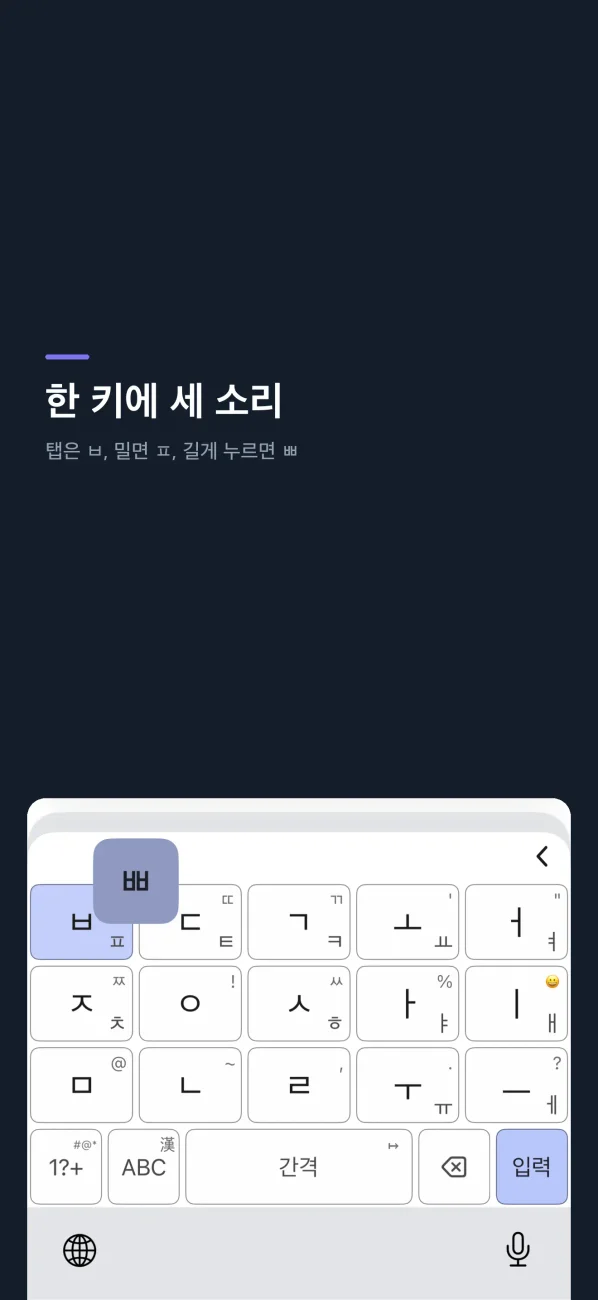
■ One key, three sounds
· Tap → plain (ㅂ)
· Slide → aspirated (ㅍ)
· Hold → tense (ㅃ)
Tap twice quickly and it picks the right one from context.
■ Same key twice? It works it out
On layouts where one key carries several letters, a repeat tap is
ambiguous: is ㄱㄱ the single letter ㅋ, or a final ㄱ followed by an
initial ㄱ? Usually you have to break it up yourself with a slide or a pause.
KeyCorder decides from a dictionary instead.
· 5-key, 7-key, full QWERTY — picks between ㅋ and final+initial
· Simple-vowel — decides between the tense ㄲ and two separate letters
· Cheonjiin — type straight through even when a final and the next
initial share a key (장마, 안녕), no slide needed
If it read you wrong, one tap on the suggestion bar switches it.
■ Features
· 5-key Korean input, repeat-tap auto-resolution tuned per layout
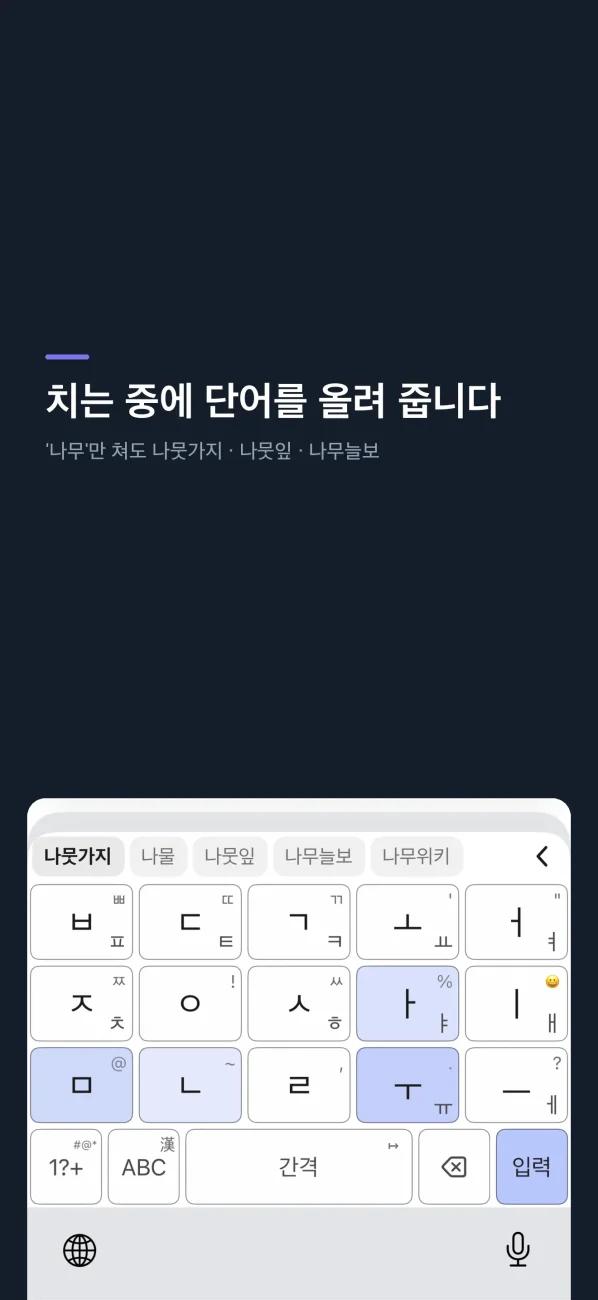
· Word suggestions — next-word prediction, initial-consonant search, emoji hints
· Emoji, symbols and Hanja conversion
· Clipboard history with pinning
· Press effects (ripple, bolt, snow, petal, ice) that react to touch
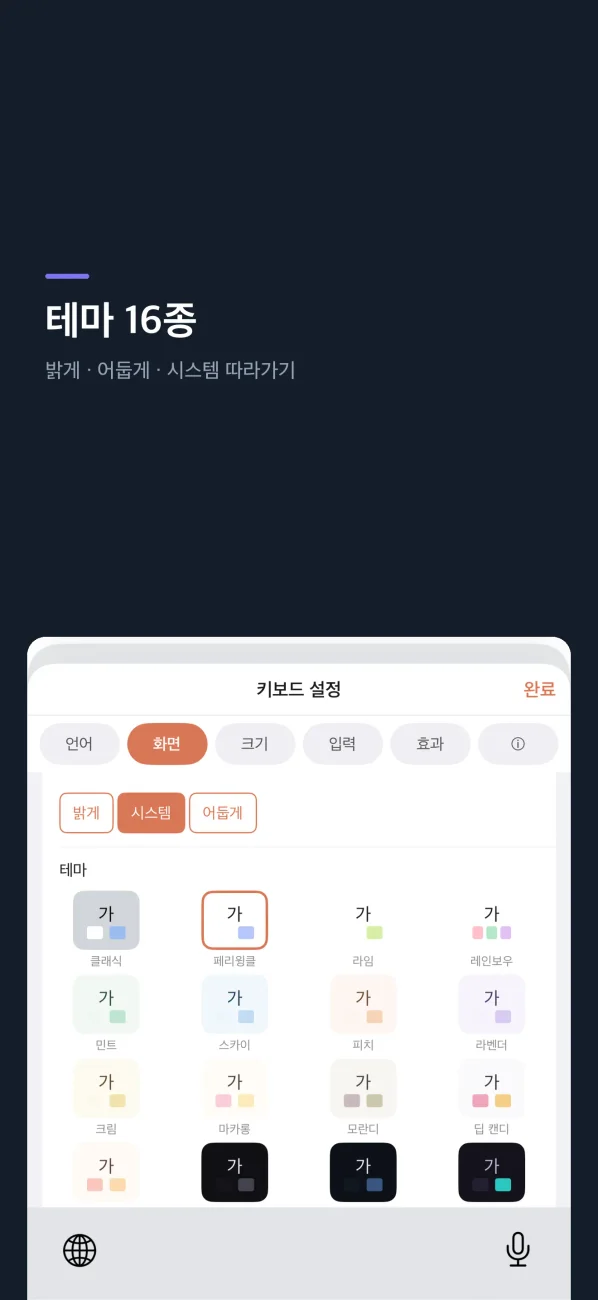
· 16 themes, bundled fonts, your photo as keyboard background
· Key size, font size, weight and border — all adjustable
· Learned-word manager: review and delete what it learned
· Typing stats with weekly speed graph
· Split keyboard & one-handed mode
· Number-only fields open a large number pad automatically
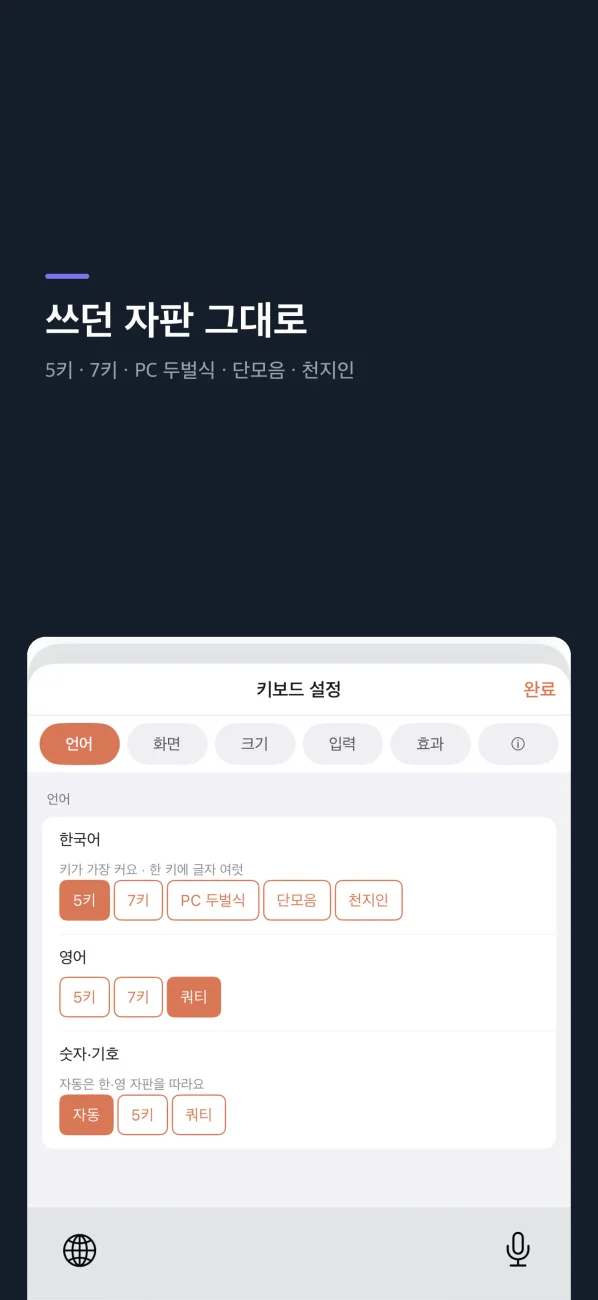
· Layouts: 5-key, 7-key, full QWERTY, simple-vowel, Cheonjiin
· Korean + English
On first launch you pick a layout and a look (calm, vivid, neon, elegant);
theme, font and press effect are set together. Reopen it anytime.
■ Privacy by default
No data collection, no servers, no ads or trackers.
The keyboard sends nothing you type anywhere, and learned data
is even excluded from iCloud backup.
Full Access is used only for clipboard history, haptic feedback,
and sharing settings between the app and the keyboard.
Clipboard history stays on-device, is excluded from iCloud backup,
and can be disabled or cleared at any time from the keyboard panel.
Every feature is free.
Feedback: https://corderlabs.com/keycorder/feedback
Novedades
Versión 1.0.4 · 8/9/2026
Improved the accuracy and stability of Korean double-tap autocorrection, including repeated taps, verb forms ending in 하다, and deleting and retyping text.
Privacidad de la aplicación
Lo que Yongdae Park declara en App Store sobre cómo esta aplicación gestiona los datos.
-
No se recopilan datos
El desarrollador no recopila ningún dato de esta aplicación.
Las prácticas de privacidad pueden variar, por ejemplo, según las funciones que uses o tu edad.
Información
- Vendedor
- Yongdae Park
- Categoría
- Utilidades
- Versión
- 1.0.4
- Actualizado
- 8/9/2026
- Publicado
- 31/8/2026
- Tamaño
- 16,4 MB
- Requiere
- iOS 15.0 o posterior
- Clasificación por edad
- 4+
- Idiomas
- Inglés, Neerlandés, Francés, Alemán, Italiano, Coreano, Portugués, Ruso, Español, Turco
- Copyright
- © 2026 박용대