- Độ tuổi4+
- Danh mụcTiện Ích
- Nhà phát triểnYongdae Park
- Ngôn ngữTiếng Anh+ 9 ngôn ngữ khác
- Kích thước16,4 MB
KeyCorder hiện có thể không có trên App Store
Ở lần kiểm tra gần nhất, chúng tôi không truy cập được trang trên cửa hàng. Liên kết vẫn dẫn đến trang App Store chính thức.
Ảnh chụp màn hình


Giới thiệu
Nhà phát triển chưa cung cấp nội dung này bằng ngôn ngữ của bạn.
KeyCorder is a free Korean keyboard, redesigned from scratch.
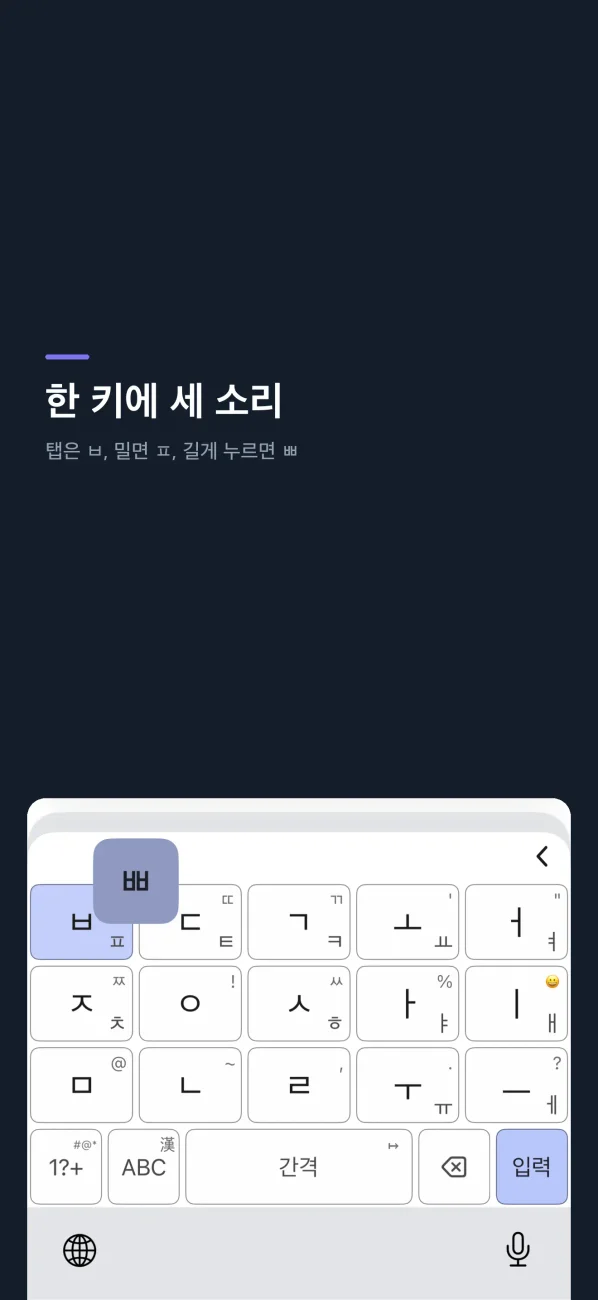
One key holds the plain, aspirated and tense consonants,
so the whole layout fits in five columns — and the keys get bigger.
Nothing you type leaves your device.
■ One key, three sounds
· Tap → plain (ㅂ)
· Slide → aspirated (ㅍ)
· Hold → tense (ㅃ)
Tap twice quickly and it picks the right one from context.
■ Same key twice? It works it out
On layouts where one key carries several letters, a repeat tap is
ambiguous: is ㄱㄱ the single letter ㅋ, or a final ㄱ followed by an
initial ㄱ? Usually you have to break it up yourself with a slide or a pause.
KeyCorder decides from a dictionary instead.
· 5-key, 7-key, full QWERTY — picks between ㅋ and final+initial
· Simple-vowel — decides between the tense ㄲ and two separate letters
· Cheonjiin — type straight through even when a final and the next
initial share a key (장마, 안녕), no slide needed
If it read you wrong, one tap on the suggestion bar switches it.
■ Features
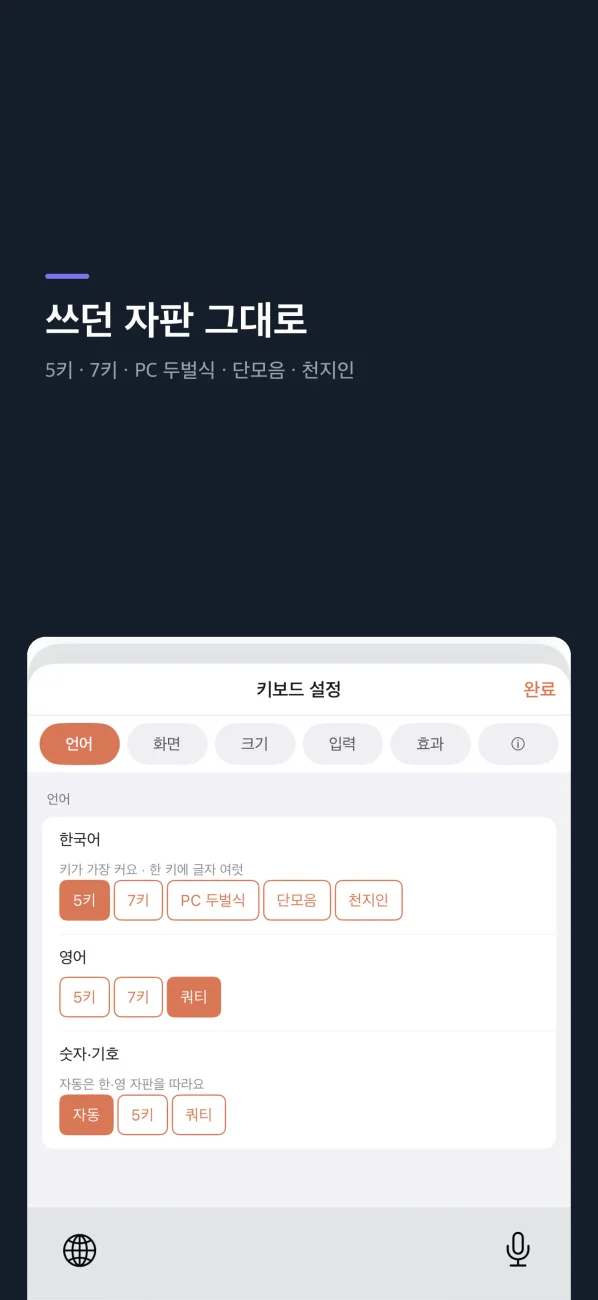
· 5-key Korean input, repeat-tap auto-resolution tuned per layout
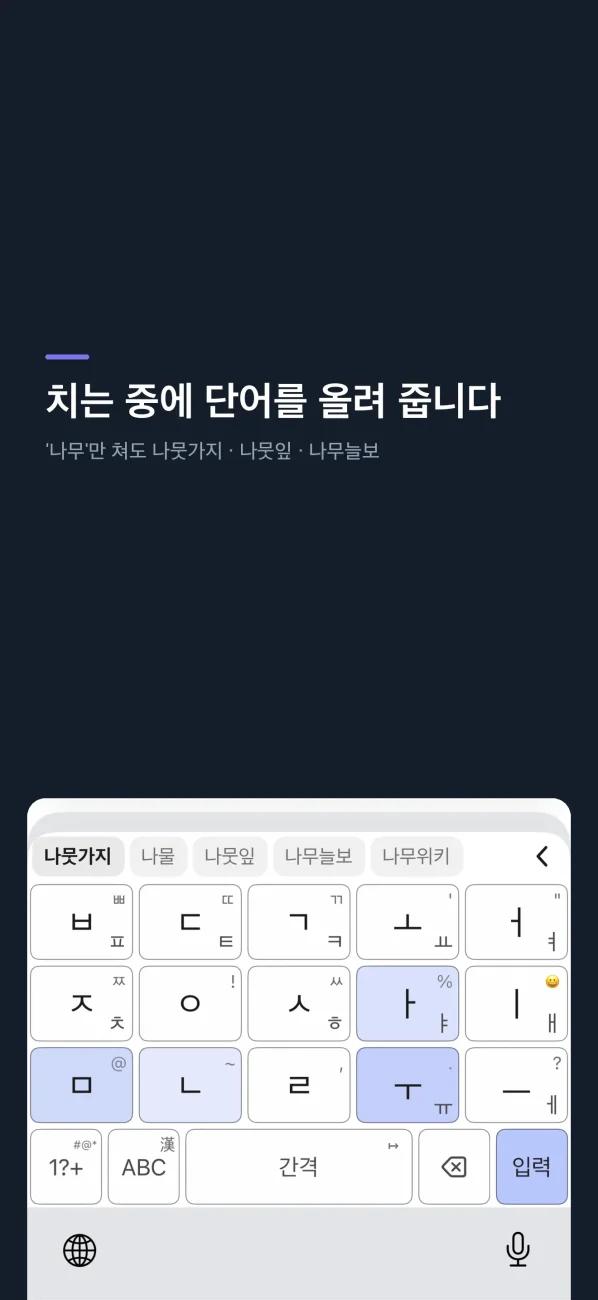
· Word suggestions — next-word prediction, initial-consonant search, emoji hints
· Emoji, symbols and Hanja conversion
· Clipboard history with pinning
· Press effects (ripple, bolt, snow, petal, ice) that react to touch
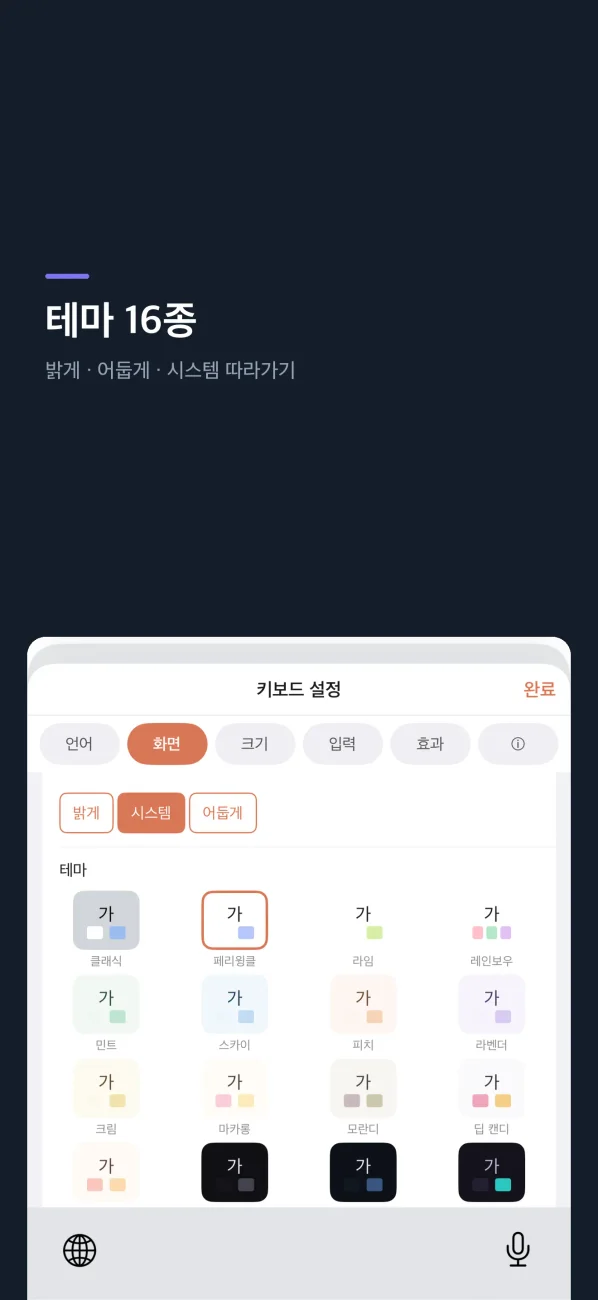
· 16 themes, bundled fonts, your photo as keyboard background
· Key size, font size, weight and border — all adjustable
· Learned-word manager: review and delete what it learned
· Typing stats with weekly speed graph
· Split keyboard & one-handed mode
· Number-only fields open a large number pad automatically
· Layouts: 5-key, 7-key, full QWERTY, simple-vowel, Cheonjiin
· Korean + English
On first launch you pick a layout and a look (calm, vivid, neon, elegant);
theme, font and press effect are set together. Reopen it anytime.
■ Privacy by default
No data collection, no servers, no ads or trackers.
The keyboard sends nothing you type anywhere, and learned data
is even excluded from iCloud backup.
Full Access is used only for clipboard history, haptic feedback,
and sharing settings between the app and the keyboard.
Clipboard history stays on-device, is excluded from iCloud backup,
and can be disabled or cleared at any time from the keyboard panel.
Every feature is free.
Feedback: https://corderlabs.com/keycorder/feedback
Có gì mới
Phiên bản 1.0.4 · 08/09/2026
Improved the accuracy and stability of Korean double-tap autocorrection, including repeated taps, verb forms ending in 하다, and deleting and retyping text.
Quyền riêng tư của ứng dụng
Những gì Yongdae Park khai báo trên App Store về cách ứng dụng này xử lý dữ liệu.
-
Dữ liệu không được thu thập
Nhà phát triển không thu thập bất kỳ dữ liệu nào từ ứng dụng này.
Phương thức đảm bảo quyền riêng tư có thể khác nhau, chẳng hạn như tuỳ theo các tính năng bạn sử dụng hoặc độ tuổi của bạn.
Thông tin
- Người bán
- Yongdae Park
- Danh mục
- Tiện Ích
- Phiên bản
- 1.0.4
- Cập nhật
- 08/09/2026
- Phát hành
- 31/08/2026
- Kích thước
- 16,4 MB
- Yêu cầu
- iOS 15.0 trở lên
- Độ tuổi
- 4+
- Ngôn ngữ
- Tiếng Anh, Tiếng Hà Lan, Tiếng Pháp, Tiếng Đức, Tiếng Ý, Tiếng Hàn, Tiếng Bồ Đào Nha, Tiếng Nga, Tiếng Tây Ban Nha, Tiếng Thổ Nhĩ Kỳ
- Bản quyền
- © 2026 박용대