Label Magic
Shipping Label Printer
Diseñada para iPhone, iPad, Mac
Gratis · Compras en la aplicación
- Clasificación por edad4+
- CategoríaProductividad
- DesarrolladorDavid Kahler
- IdiomasInglés
- Tamaño1,9 MB
Enlaza a la página oficial de App Store
Download.org no aloja ningún archivo de Label Magic. El botón abre la página de la aplicación en App Store, donde la publica David Kahler. Ficha comprobada por última vez el 15/11/2026.
Capturas de pantalla


Acerca de
El desarrollador no ha proporcionado este texto en tu idioma.
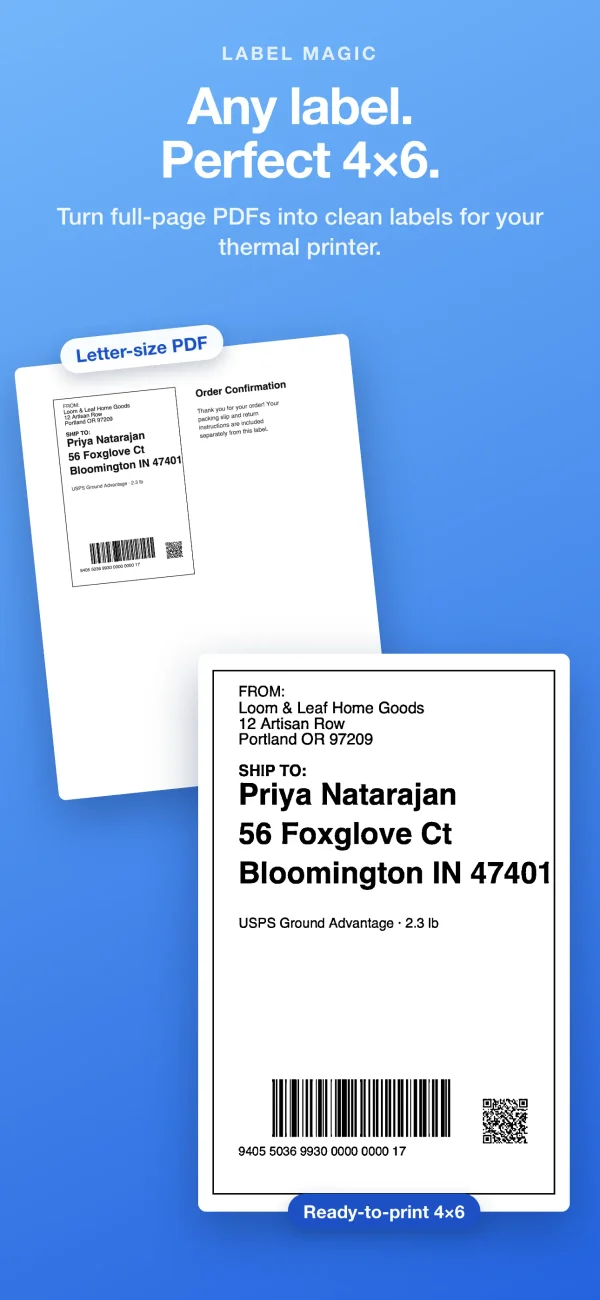
Stop trimming shipping labels with scissors. Label Magic finds the label on any PDF, screenshot, or image, crops it to a perfect 4x6, and sends it straight to your direct-thermal printer — no photo editor, no guesswork, no wasted labels.
Whether it's an emailed PDF or an image, Label Magic automatically detects exactly where the label is and lines it up for a clean print every time.
HOW IT WORKS
• Point Label Magic at a folder — it lists every file that looks like it could contain a label, with a live thumbnail for each one.
• Smart filtering keeps the list focused, so you're not hunting through unrelated files.
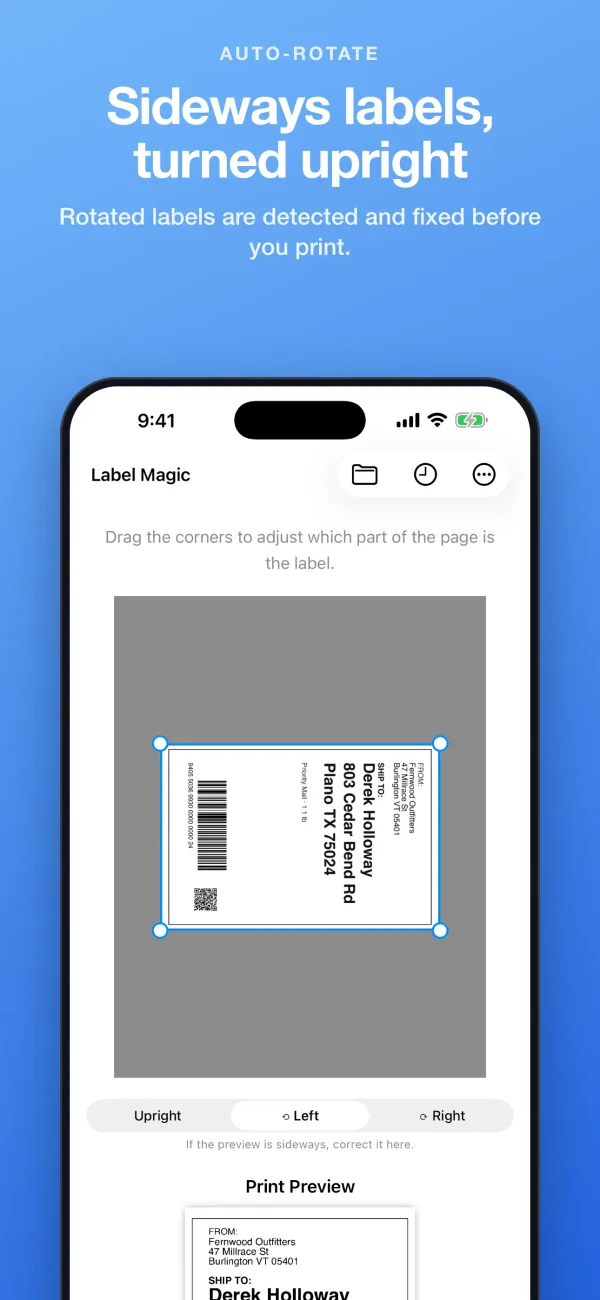
• The label is detected automatically. If it's not quite right, drag the corners to adjust the crop yourself.
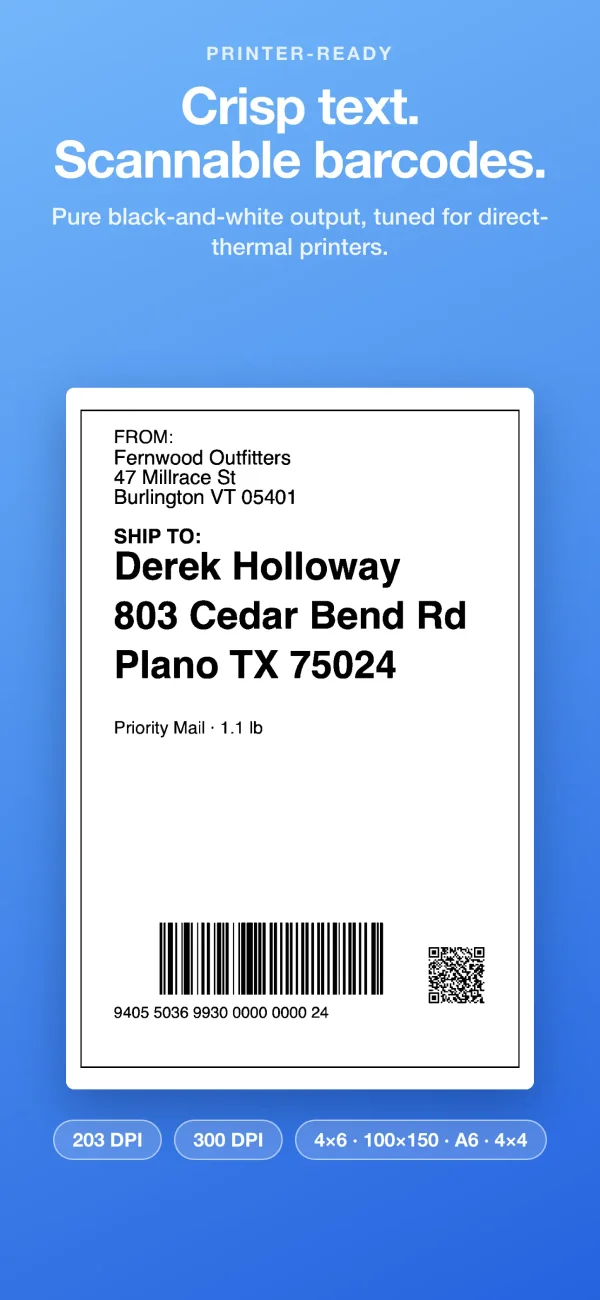
• Preview the exact 4x6 output before you print, then send it to your thermal printer.
BUILT FOR REAL-WORLD LABELS
Return labels, marketplace shipping labels, carrier PDFs, and screenshots all come in different shapes and sizes. Label Magic doesn't assume a fixed layout — it looks at the actual page and finds the label wherever it sits, so oddly formatted return labels print just as cleanly as a tidy carrier PDF.
WHO IT'S FOR
If you sell online, process returns, or just ship packages often, Label Magic turns "open the PDF, zoom in, screenshot it, crop it, print it" into two clicks. It's built specifically for direct-thermal label printers, so there's no wasted ink and no full sheet of paper for one small label.
No accounts, no subscriptions, no cloud upload — your files stay on your device. Pick a file, check the crop, print.
Free to download. Print 10 labels free, then unlock unlimited printing with a one-time purchase.
Novedades
Versión 1.3.0 · 6/11/2026
Labels from multi-page PDFs: step through each page and print them all at once. A new printer setup with a free test label checks your size and resolution. Plus better detection of tricky labels: upside-down pages, browser headers and footers, A4 pages, and labels next to packing slips.
Privacidad de la aplicación
Lo que David Kahler declara en App Store sobre cómo esta aplicación gestiona los datos.
-
No se recopilan datos
El desarrollador no recopila ningún dato de esta aplicación.
Las prácticas de privacidad pueden variar, por ejemplo, según las funciones que uses o tu edad.
Información
- Vendedor
- David Kahler
- Categoría
- Productividad
- Versión
- 1.3.0
- Actualizado
- 6/11/2026
- Publicado
- 16/8/2026
- Tamaño
- 1,9 MB
- Requiere
- iOS 17.0 o posterior
- Clasificación por edad
- 4+
- Precio
- Gratis
- Compras en la aplicación
- Sí
- Idiomas
- Inglés
- Copyright
- © David Kahler
Quizá también te guste
-
 Print 2 ShipProductividad
-
 Shiply: Etiquetas de envíoEtiquetas térmicas 4x6
-
 Percentage Calculator offlineProductividad
-
 Habit Tracker - HabitoXRutina, objetivos y Pomodoro
-
 TaskPrint | Thermal PrinterPrint labels, notes & receipts
-
 Z1 Label FactoryProductividad
-
 Talkie Tongue: Text to SpeechProductividad
-
 Label Printer: Address StickerProductividad
-
 DeskStateModo escritorio en tu pantalla
-
 ΣCasa (Sigma Casa) - SmartHomeProductividad