Label Magic
Shipping Label Printer
Designed for iPhone, iPad, Mac
Free · In-app purchases
- Age rating4+
- CategoryProductivity
- DeveloperDavid Kahler
- LanguagesEnglish
- Size1.9 MB
Links to the official App Store page
Download.org hosts no file of Label Magic. The button opens its official App Store page, published by David Kahler. Listing last checked on Nov 15, 2026.
Screenshots


About
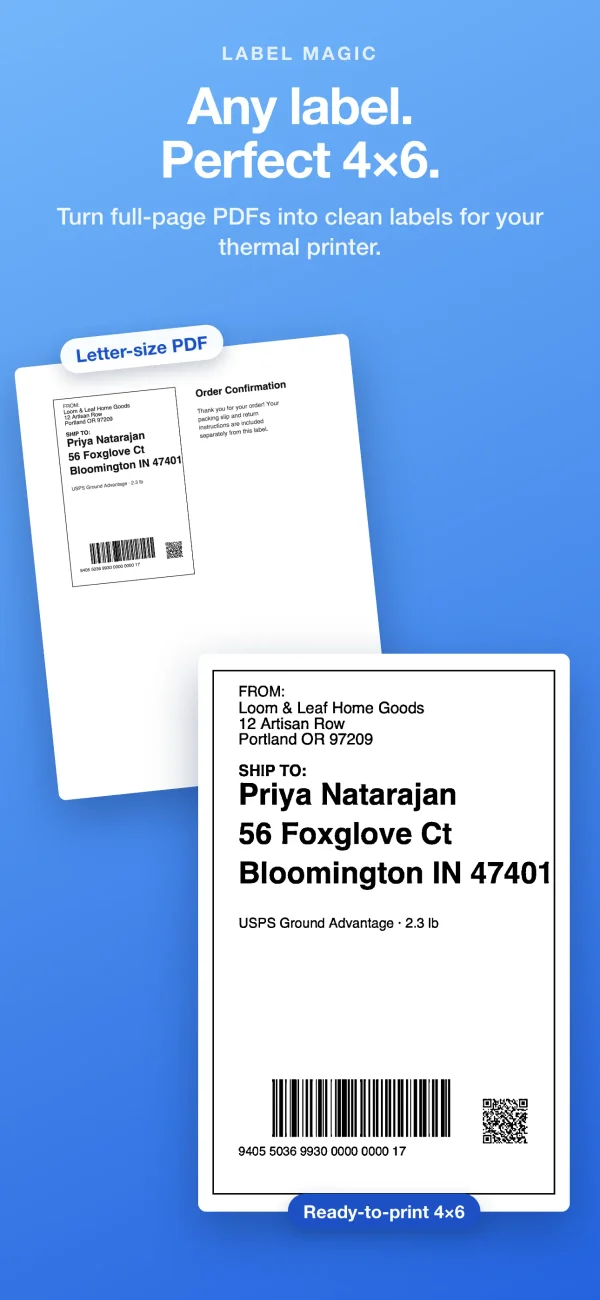
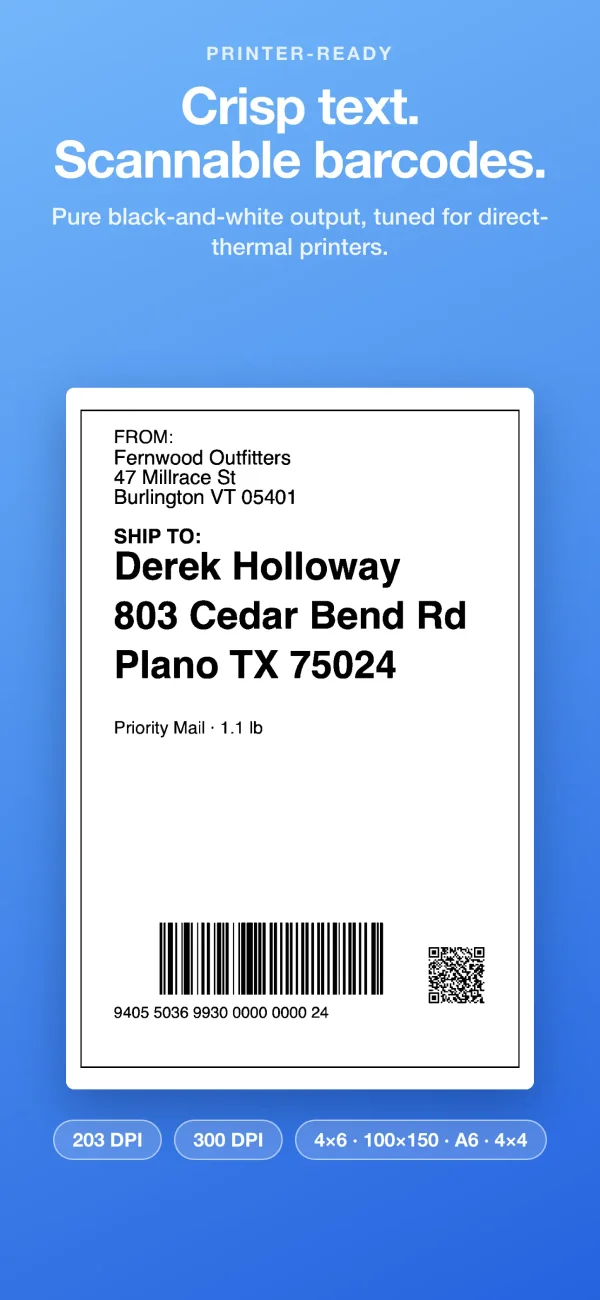
Stop trimming shipping labels with scissors. Label Magic finds the label on any PDF, screenshot, or image, crops it to a perfect 4x6, and sends it straight to your direct-thermal printer — no photo editor, no guesswork, no wasted labels.
Whether it's an emailed PDF or an image, Label Magic automatically detects exactly where the label is and lines it up for a clean print every time.
HOW IT WORKS
• Point Label Magic at a folder — it lists every file that looks like it could contain a label, with a live thumbnail for each one.
• Smart filtering keeps the list focused, so you're not hunting through unrelated files.
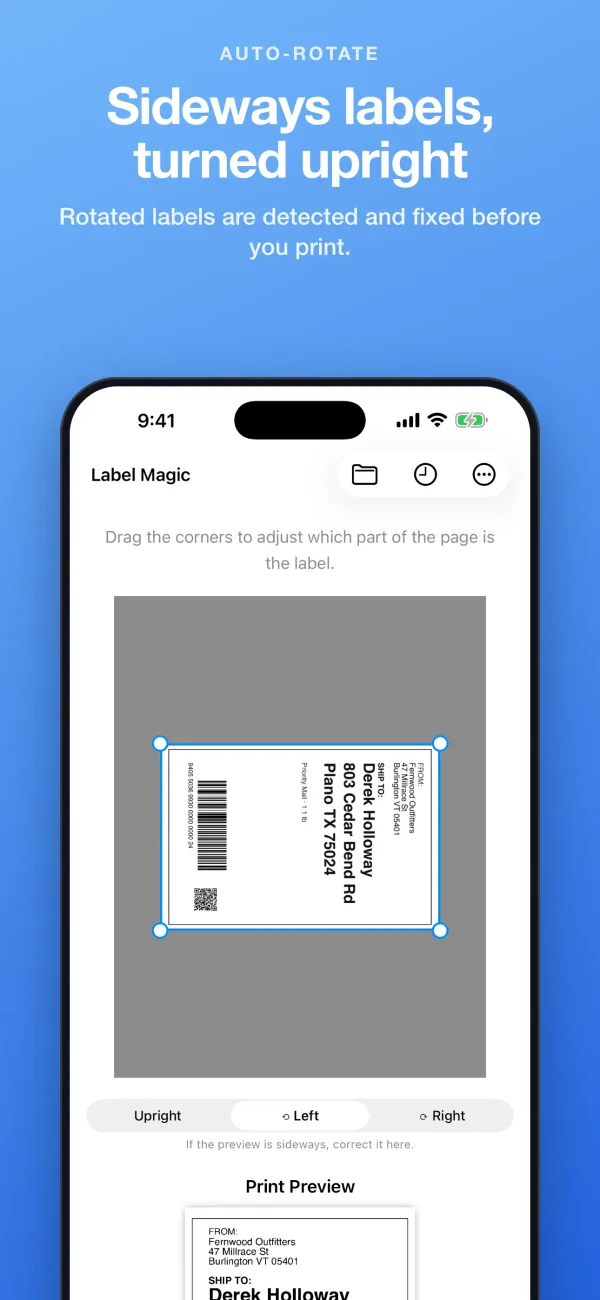
• The label is detected automatically. If it's not quite right, drag the corners to adjust the crop yourself.
• Preview the exact 4x6 output before you print, then send it to your thermal printer.
BUILT FOR REAL-WORLD LABELS
Return labels, marketplace shipping labels, carrier PDFs, and screenshots all come in different shapes and sizes. Label Magic doesn't assume a fixed layout — it looks at the actual page and finds the label wherever it sits, so oddly formatted return labels print just as cleanly as a tidy carrier PDF.
WHO IT'S FOR
If you sell online, process returns, or just ship packages often, Label Magic turns "open the PDF, zoom in, screenshot it, crop it, print it" into two clicks. It's built specifically for direct-thermal label printers, so there's no wasted ink and no full sheet of paper for one small label.
No accounts, no subscriptions, no cloud upload — your files stay on your device. Pick a file, check the crop, print.
Free to download. Print 10 labels free, then unlock unlimited printing with a one-time purchase.
What’s new
Version 1.3.0 · Nov 6, 2026
Labels from multi-page PDFs: step through each page and print them all at once. A new printer setup with a free test label checks your size and resolution. Plus better detection of tricky labels: upside-down pages, browser headers and footers, A4 pages, and labels next to packing slips.
App privacy
What David Kahler declares on the App Store about how this app handles data.
-
Data not collected
The developer does not collect any data from this app.
Privacy practices may vary, for example with the features you use or your age.
Information
- Seller
- David Kahler
- Category
- Productivity
- Version
- 1.3.0
- Updated
- Nov 6, 2026
- Released
- Aug 16, 2026
- Size
- 1.9 MB
- Requires
- iOS 17.0 or later
- Age rating
- 4+
- Price
- Free
- In-app purchases
- Yes
- Languages
- English
- Copyright
- © David Kahler
You might also like
-
 Print 2 ShipCrop & print shipping labels
-
 Shiply: 4x6 Label PrintThermal Shipping Labels
-
 Percentage Calculator offlinePercentage Calculator % Solver
-
 Habit Tracker - HabitoXDaily Routine, Streaks & Focus
-
 TaskPrint | Thermal PrinterPrint labels, notes & receipts
-
 Z1 Label FactoryLabels, smart'n'simple
-
 Talkie Tongue: Text to SpeechPocket Sounding Speech Reader
-
 Label Printer: Address StickerAvery Design and Print
-
 DeskStateDesktop mode for any display
-
 ΣCasa (Sigma Casa) - SmartHomeProductivity