- Clasificación por edad4+
- CategoríaProductividad
- DesarrolladorDiego Jenzer
- IdiomasInglés+ 5 más
- Tamaño34,3 MB
Enlaza a la página oficial de App Store
Download.org no aloja ningún archivo de Local Transcript. El botón abre la página de la aplicación en App Store, donde la publica Diego Jenzer. Ficha comprobada por última vez el 16/11/2026.
Capturas de pantalla


Acerca de
El desarrollador no ha proporcionado este texto en tu idioma.
Local Transcript turns your iPhone into the microphone for Local Transcript on your Mac or Windows PC.
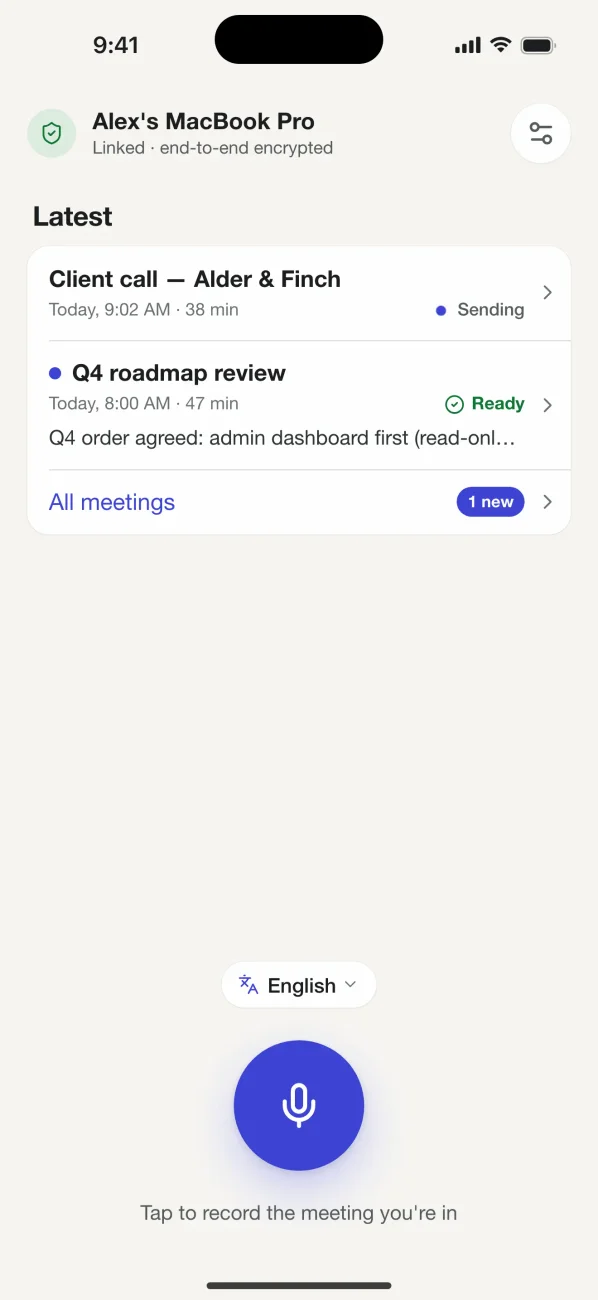
Put the phone on the table and record the meeting. The recording goes to your own computer, which transcribes it on its own hardware, and the transcript comes back to your phone.
REQUIRES THE DESKTOP APP
This is a companion app. It pairs with Local Transcript for Mac or Windows, version 0.6.72 or newer, a free download from localtranscript.com. Without it, the iPhone app still records and plays your recordings back, but nothing transcribes them.
WHY IT IS DIFFERENT
• Your recordings are transcribed on your own computer, with local speech models. They are never sent to a cloud or AI service, and we never run speech recognition on our servers.
• No account, no sign-in, no subscription.
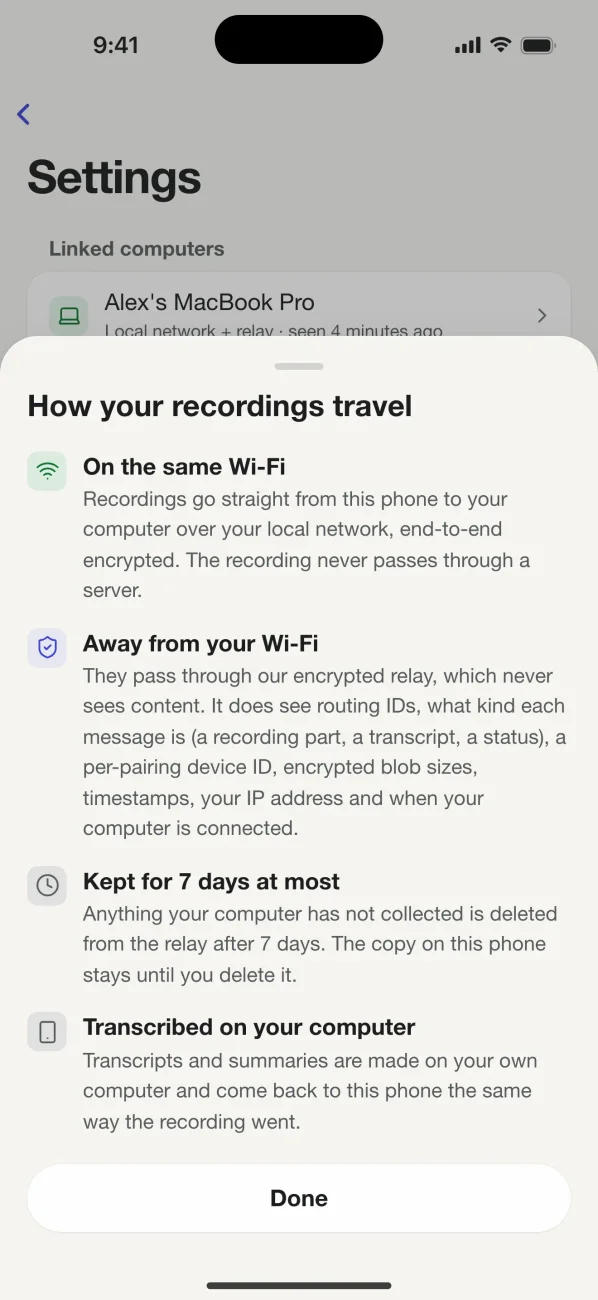
• On the same Wi-Fi, the recording goes straight from your phone to your computer. No server is involved.
• Away from your Wi-Fi, it travels through our relay, end-to-end encrypted with keys only your two devices hold. The relay cannot read it, and anything your computer has not collected is deleted after 7 days.
• No analytics, no crash reporting, no advertising identifier, no tracking.
HOW IT WORKS
1. Install Local Transcript on your computer and switch on the phone companion in Settings › Integrations.
2. Scan the pairing code it shows.
3. Record. When your computer has transcribed the meeting, the transcript appears on your phone.
ON YOUR PHONE
• One-tap recording that keeps going with the screen locked
• A phone call pauses the recording, and it resumes when the call ends
• Mark a moment while you record, and jump straight back to it later
• Choose the meeting's language, or let your computer detect it
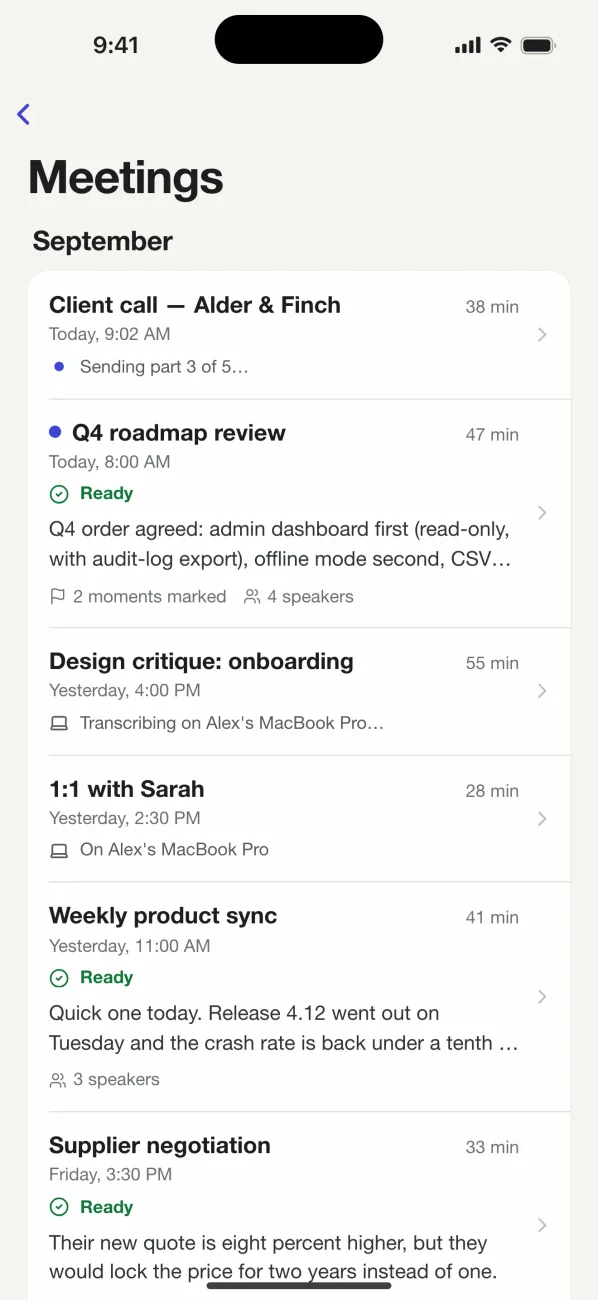
• See where every recording is: sending, on your computer, transcribing, ready
• Read the transcript by speaker, play the recording back, and share the text
• If you make a summary on your computer, it comes back with the transcript
• In English, German, French, Italian, Spanish and Portuguese
Built for people who cannot let a cloud service read their meetings: lawyers, doctors, journalists, works councils, and anyone whose conversations have to stay on hardware they control.
Privacidad de la aplicación
Lo que Diego Jenzer declara en App Store sobre cómo esta aplicación gestiona los datos.
-
Datos no vinculados a ti
Pueden recopilarse, pero no se vinculan a tu identidad.
- Contenido del usuario
- Identificadores
Las prácticas de privacidad pueden variar, por ejemplo, según las funciones que uses o tu edad.
Información
- Vendedor
- Diego Jenzer
- Categoría
- Productividad
- Versión
- 1.0.0
- Actualizado
- 19/10/2026
- Publicado
- 19/10/2026
- Tamaño
- 34,3 MB
- Requiere
- iOS 16.0 o posterior
- Clasificación por edad
- 4+
- Precio
- Gratis
- Idiomas
- Inglés, Francés, Alemán, Italiano, Portugués, Español
- Copyright
- © 2026 Diego Jenzer
Quizá también te guste
-
 Apex Voice NotesProductividad
-
 Meeting RecallProductividad
-
 LifeTape:AI Watch RecorderProductividad
-
 Transcripción by SalbittiAudio a texto y resúmenes
-
 Leer PDF en Voz Alta: LectorTexto a Audio, IA sin Conexión
-
 LocalTranscript: Audio to TextTexto y subtítulos privados
-
 Zapyso: AI Meeting NotesProductividad
-
 CalcaProductividad
-
 Phonic DictationProductividad
-
 Verbatim IQ: Voz a TextoNotas y Grabador de Reuniones