
- Age rating4+
- CategoryProductivity
- DeveloperDiego Jenzer
- LanguagesEnglish+ 5 more
- Size34.3 MB
Links to the official App Store page
Download.org hosts no file of Local Transcript. The button opens its official App Store page, published by Diego Jenzer. Listing last checked on Nov 16, 2026.
Screenshots
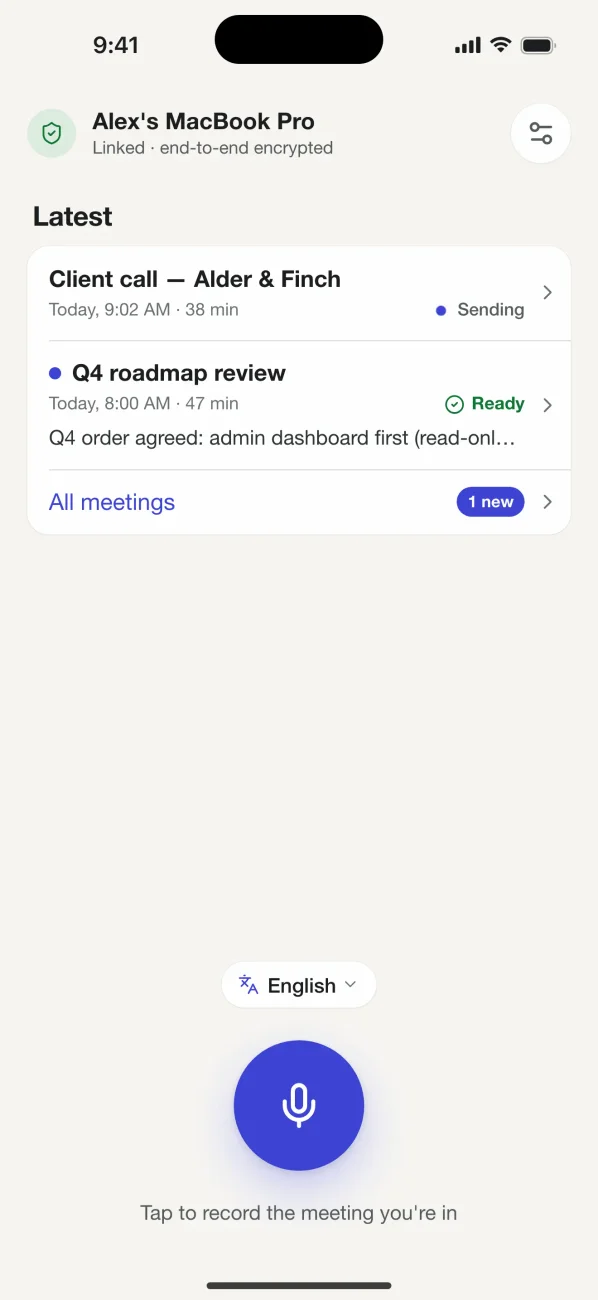


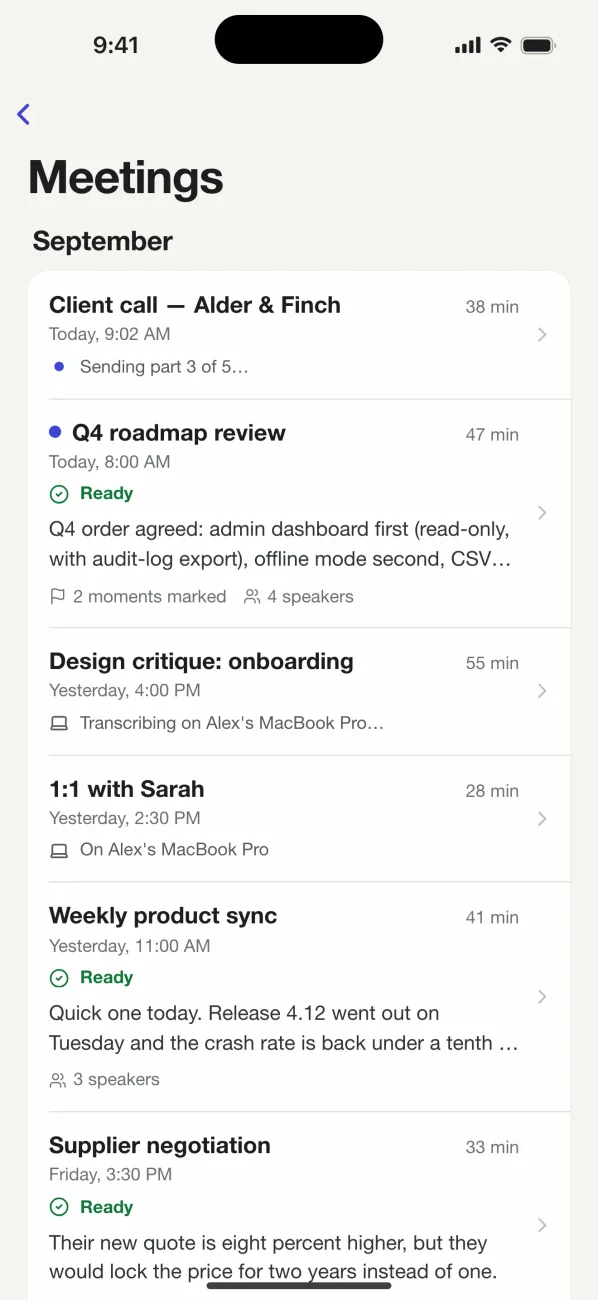
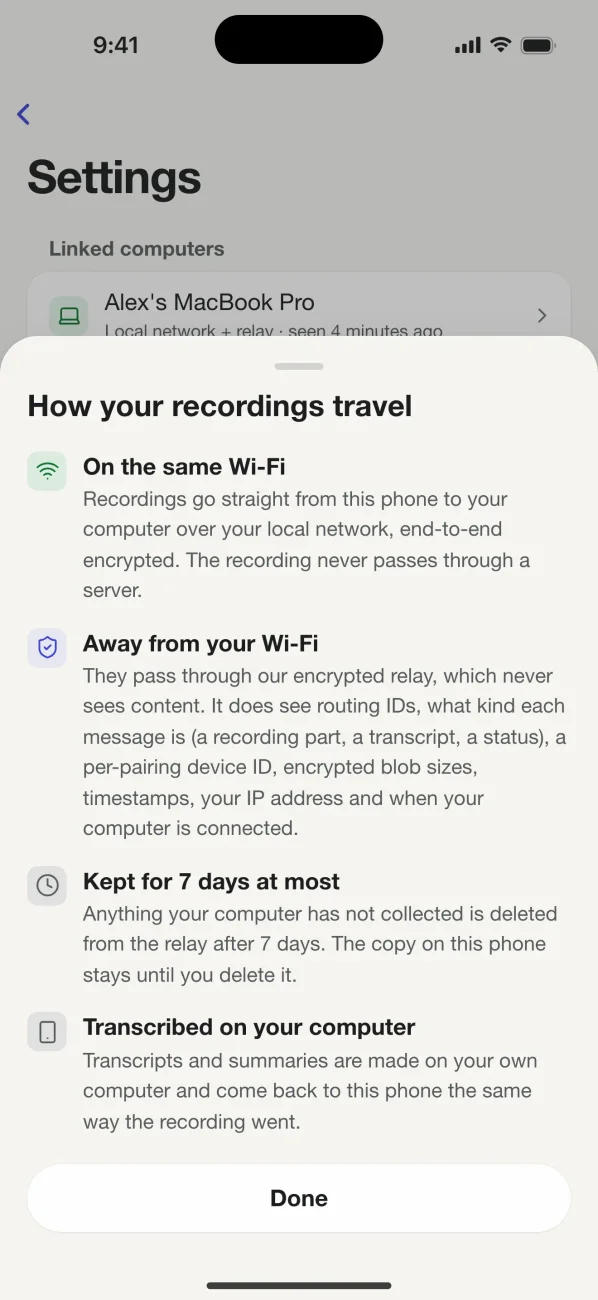
About
Local Transcript turns your iPhone into the microphone for Local Transcript on your Mac or Windows PC.
Put the phone on the table and record the meeting. The recording goes to your own computer, which transcribes it on its own hardware, and the transcript comes back to your phone.
REQUIRES THE DESKTOP APP
This is a companion app. It pairs with Local Transcript for Mac or Windows, version 0.6.72 or newer, a free download from localtranscript.com. Without it, the iPhone app still records and plays your recordings back, but nothing transcribes them.
WHY IT IS DIFFERENT
• Your recordings are transcribed on your own computer, with local speech models. They are never sent to a cloud or AI service, and we never run speech recognition on our servers.
• No account, no sign-in, no subscription.
• On the same Wi-Fi, the recording goes straight from your phone to your computer. No server is involved.
• Away from your Wi-Fi, it travels through our relay, end-to-end encrypted with keys only your two devices hold. The relay cannot read it, and anything your computer has not collected is deleted after 7 days.
• No analytics, no crash reporting, no advertising identifier, no tracking.
HOW IT WORKS
1. Install Local Transcript on your computer and switch on the phone companion in Settings › Integrations.
2. Scan the pairing code it shows.
3. Record. When your computer has transcribed the meeting, the transcript appears on your phone.
ON YOUR PHONE
• One-tap recording that keeps going with the screen locked
• A phone call pauses the recording, and it resumes when the call ends
• Mark a moment while you record, and jump straight back to it later
• Choose the meeting's language, or let your computer detect it
• See where every recording is: sending, on your computer, transcribing, ready
• Read the transcript by speaker, play the recording back, and share the text
• If you make a summary on your computer, it comes back with the transcript
• In English, German, French, Italian, Spanish and Portuguese
Built for people who cannot let a cloud service read their meetings: lawyers, doctors, journalists, works councils, and anyone whose conversations have to stay on hardware they control.
App privacy
What Diego Jenzer declares on the App Store about how this app handles data.
-
Data not linked to you
May be collected but is not linked to your identity.
- User content
- Identifiers
Privacy practices may vary, for example with the features you use or your age.
Information
- Seller
- Diego Jenzer
- Category
- Productivity
- Version
- 1.0.0
- Updated
- Oct 19, 2026
- Released
- Oct 19, 2026
- Size
- 34.3 MB
- Requires
- iOS 16.0 or later
- Age rating
- 4+
- Price
- Free
- Languages
- English, French, German, Italian, Portuguese, Spanish
- Copyright
- © 2026 Diego Jenzer
You might also like
-
 Apex Voice NotesRecord. Transcribe. Share.
-
 Meeting RecallRecord meetings for NotebookLM
-
 LifeTape:AI Watch RecorderLife on Tape, Daily Recaps
-
 Transcription by SalbittiAudio to text and summaries
-
 Read PDF Out Loud: TTS VoiceText to Speech Reader Offline
-
 LocalTranscript: Audio to TextPrivate text & SRT subtitles
-
 Zapyso: AI Meeting NotesTranscribe & summarize offline
-
 CalcaAdvanced symbolic calculator
-
 Phonic DictationVoice-to-text everywhere
-
 Verbatim IQ: AI Voice to TextMeeting Recorder & Transcribe