
Log Cam Plus
Capture Photo with Useful Info
Diseñada para iPhone, iPad, iPod touch
3,99 €
- Clasificación por edad4+
- CategoríaFoto y vídeo
- DesarrolladorHeng Jia Liang
- IdiomasInglés
- Tamaño1,9 MB
Enlaza a la página oficial de App Store
Download.org no aloja ningún archivo de Log Cam Plus. El botón abre la página de la aplicación en App Store, donde la publica Heng Jia Liang. Ficha comprobada por última vez el 18/11/2026.
Capturas de pantalla



Acerca de
El desarrollador no ha proporcionado este texto en tu idioma.
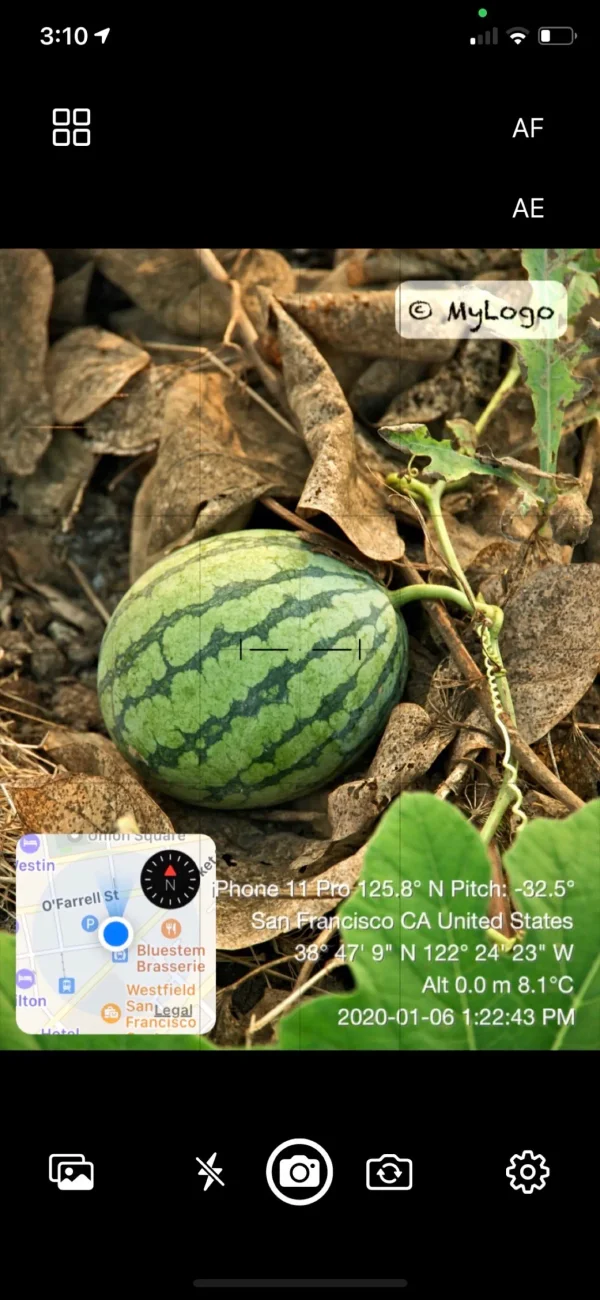
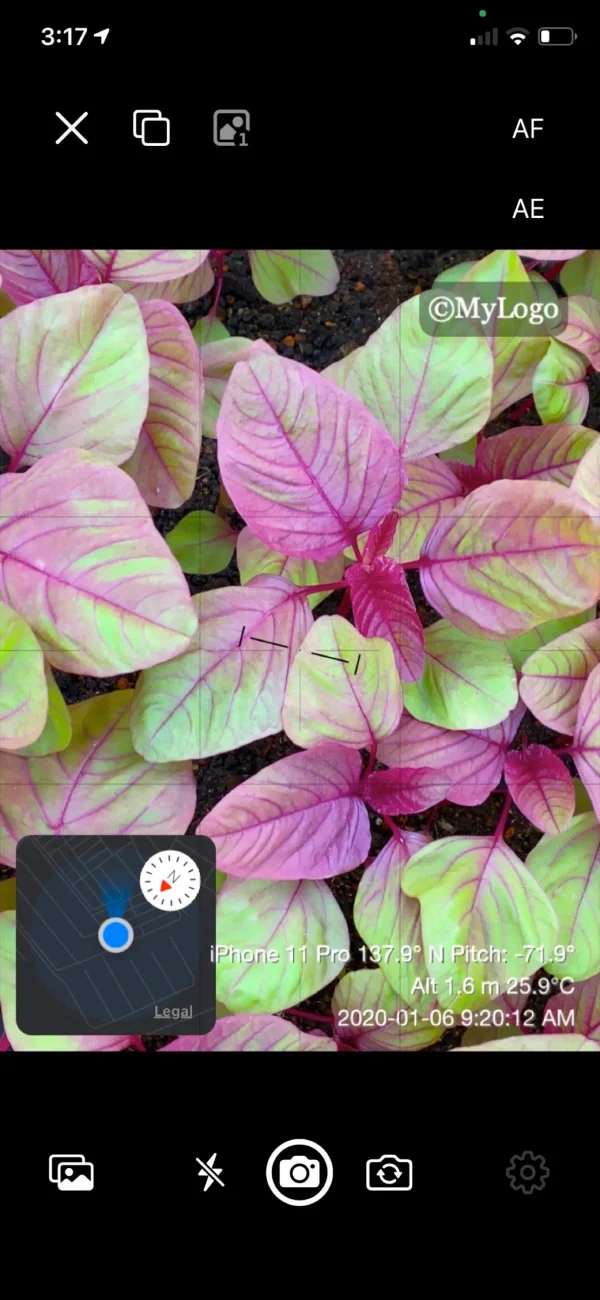
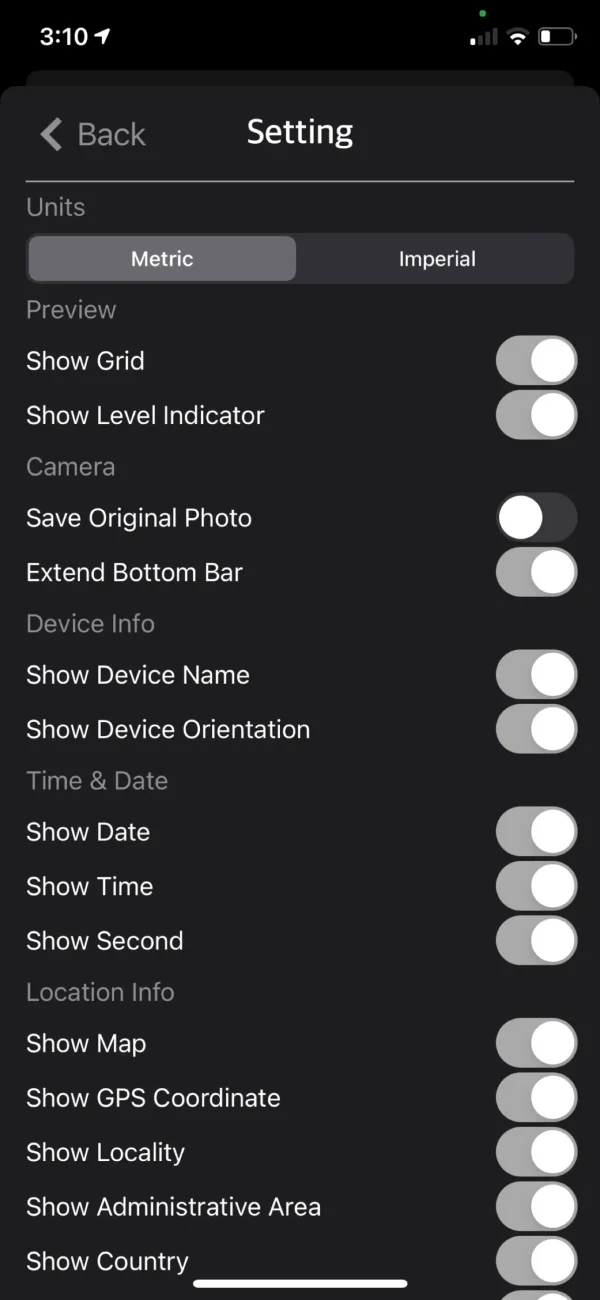
Log Cam enables you to capture photos with useful information embedded into them. The embedded information includes time, date, device name, location map, GPS coordinates, location name, altitude, temperature, and device orientation, including heading and pitch angle. You can create projects with customized settings.
Log Camincludes standard camera features:
• Pinch to Zoom
• Touch Focus
• Touch Exposure Control
• Show/Hide Grid
• Show/Hide Leveler
• Enable/Disable Flash
• Switch Front or Back Camera
• Support Landscape or Portrait Mode
• Photo Capture with EXIF Data
Log Cam features:
• Set Metric or Imperial units
• Enable/Disable Save Original Photo (no info embedded)
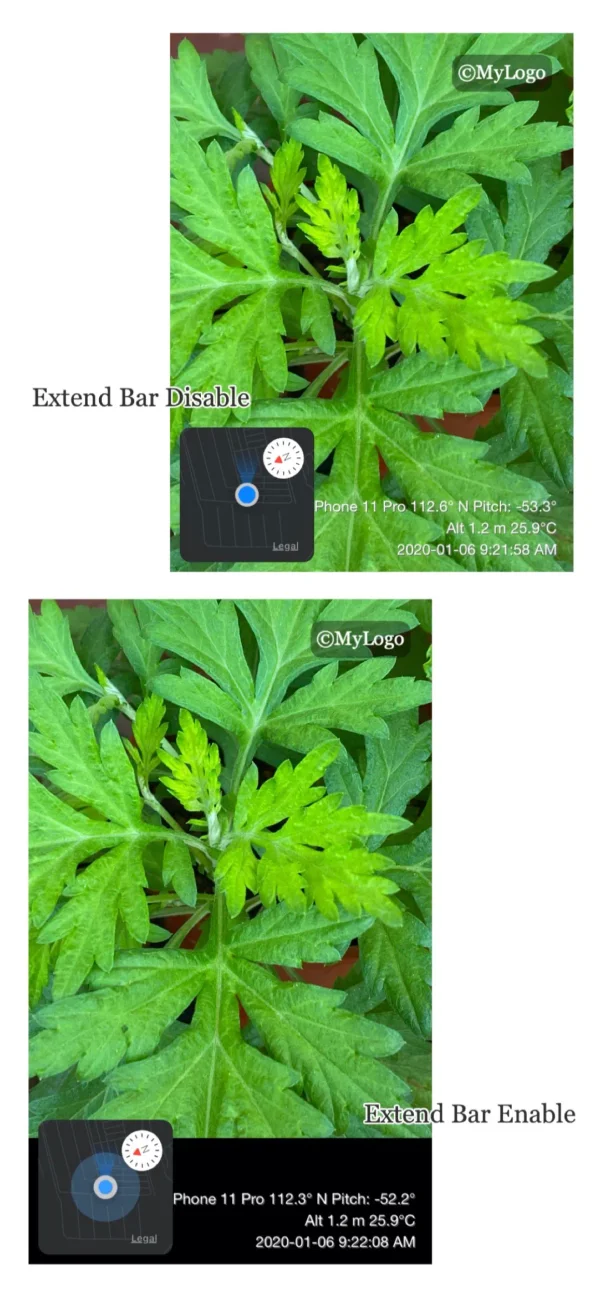
• Enable/Disable Extend Bottom Bar (info embedded below the bar for easy readability)
• Show/Hide Device Name
• Show/Hide Device Orientation, such as heading (0-360° relative to North) and pitch angle (0° - horizontal, looking up, e.g., 20.5°, or looking down, e.g., -15.6°)
• Show/Hide Time and Date
• Show/Hide Date
• Show/Hide Time
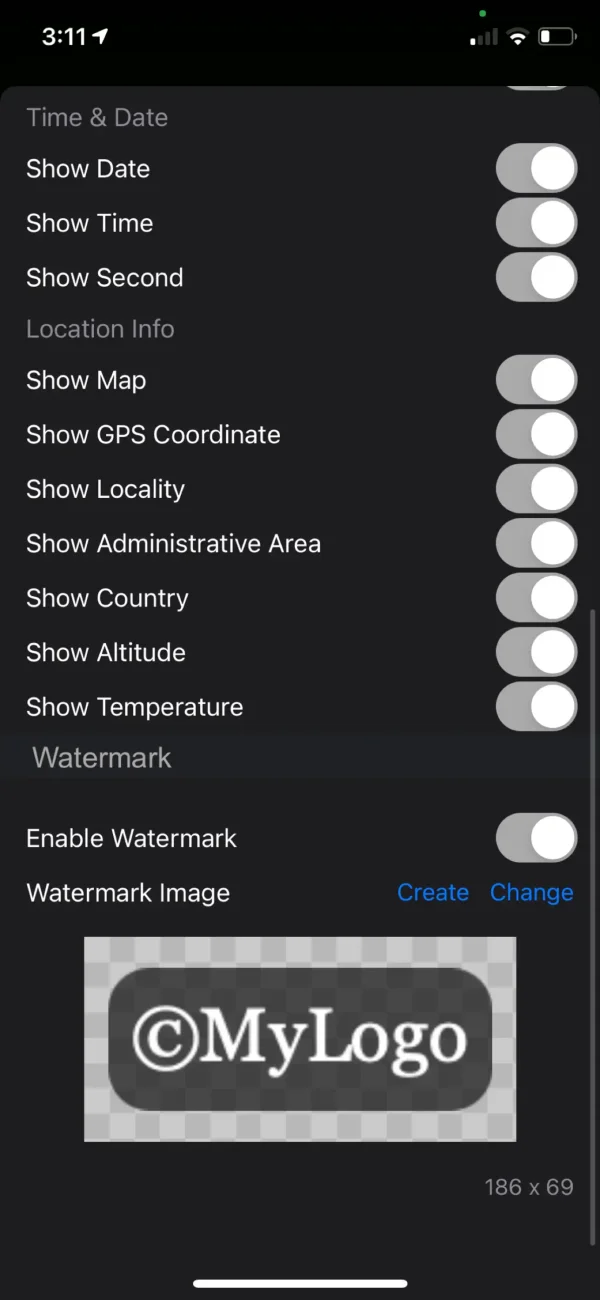
• Show/Hide Seconds
• Show/Hide Device Current Location
-• Show/Hide Device Location on Map with Compass *
-• Pinch to Zoom In/Out Location on Map *
-• Show/Hide Device GPS Coordinates
-• Show/Hide Current Location Locality *
-• Show/Hide Current Location Administrative Area *
-• Show/Hide Current Location Country *
• Show/Hide Device Altitude
• Show/Hide Current Location Temperature *
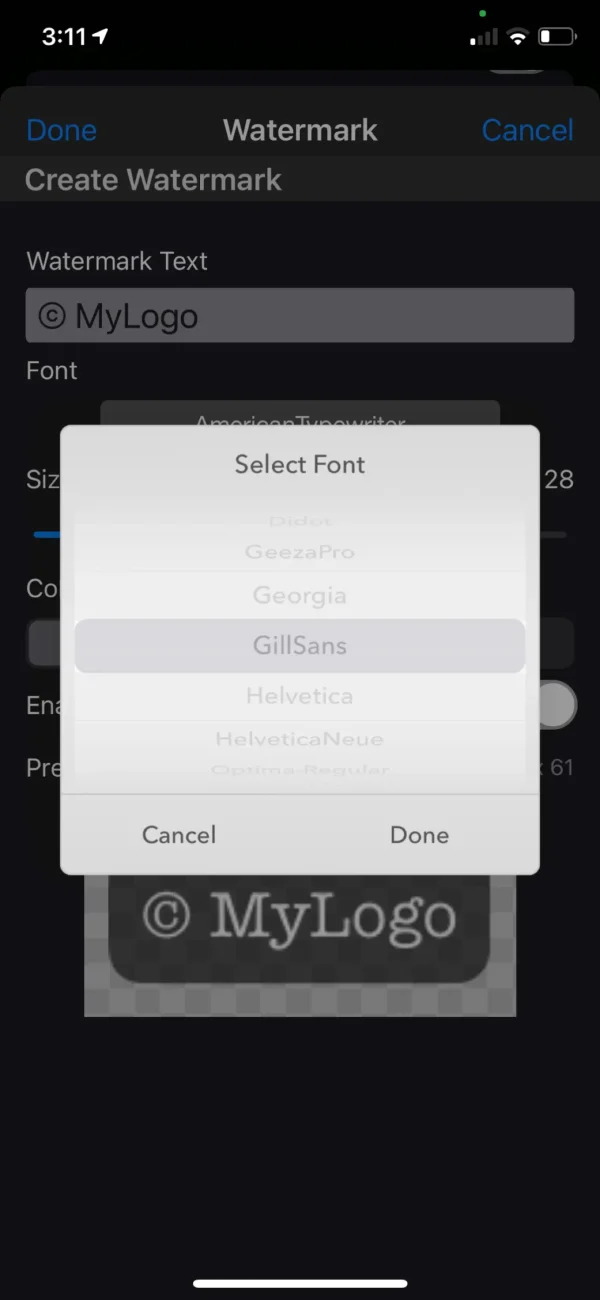
• Show/Hide Watermark
• Create Watermark with Easy-to-Use Watermark Creator
• Load Custom Watermark from Library
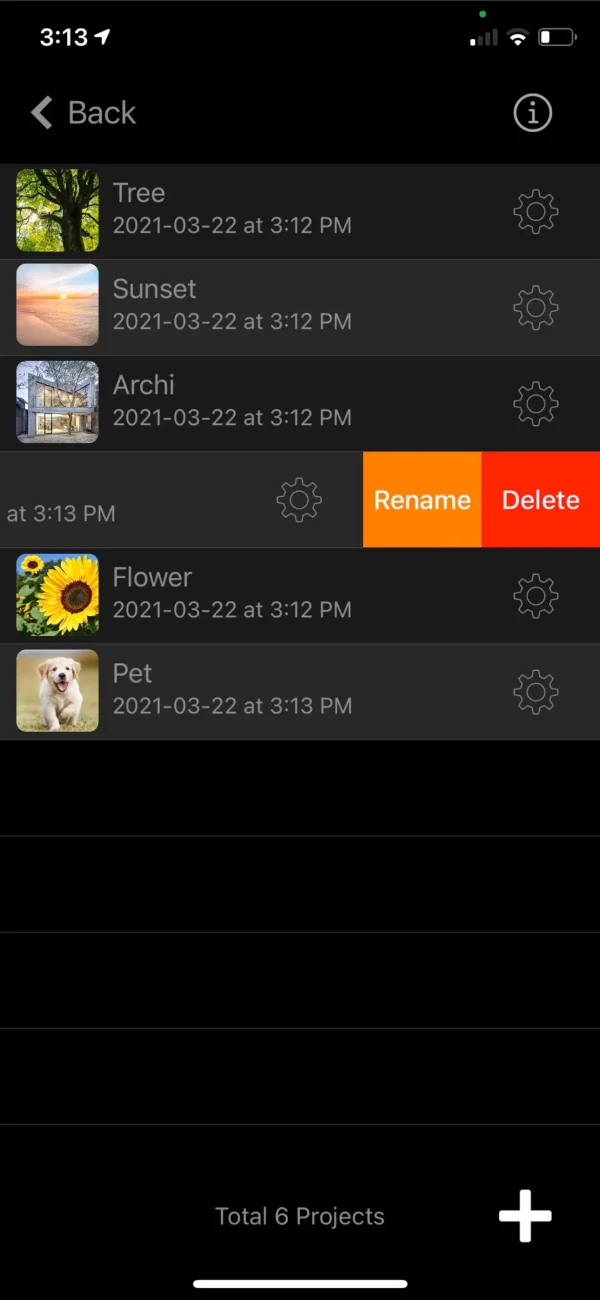
Create Custom Projects:
• Create custom projects with custom settings
• Rename/Delete custom projects
• Enable/Disable overlay image while capturing the next photo
• Select first or last image for overlay
• Show/Hide Capture Number
• Show/Hide Title
• Photos captured with custom projects are saved into custom albums in the photo library for fast and easy access. The album name matches the custom project title.
Usage:
• Scientific logs such as flora or fauna monitoring
• Long-duration photo log diaries
• Monitoring progress of building construction
• Capturing landscape time lapses over months or years
• Monitoring plant growth processes
• Travel photo logs
• And many more, depending on your imagination
Tips:
• Use the overlay image feature to capture objects in the same position repeatedly
• Device orientation is best for identifying object locations
• Use the leveler to capture perfectly horizontal images
[*] Features require an internet connection.
Thanks for your support! Visit nitrio.com for more apps for your iOS devices.
Novedades
Versión 1.4 · 14/11/2026
- minor bugs fixed
Privacidad de la aplicación
Lo que Heng Jia Liang declara en App Store sobre cómo esta aplicación gestiona los datos.
-
No se recopilan datos
El desarrollador no recopila ningún dato de esta aplicación.
Las prácticas de privacidad pueden variar, por ejemplo, según las funciones que uses o tu edad.
Información
- Vendedor
- Heng Jia Liang
- Categoría
- Foto y vídeo
- Versión
- 1.4
- Actualizado
- 14/11/2026
- Publicado
- 7/1/2020
- Tamaño
- 1,9 MB
- Requiere
- iOS 15 o posterior
- Clasificación por edad
- 4+
- Precio
- 3,99 €
- Idiomas
- Inglés
- Copyright
- © Heng Jia Liang
Quizá también te guste
-
 DSJ GeoTaggerFoto y vídeo
-
 rooomScan - 3D Scan AppFoto y vídeo
-
 Spectacular RecFoto y vídeo
-
 Photo Less - photo cleanerFoto y vídeo
-
 GeoFotoUTMFotografías georreferenciadas
-
 Interval Camera - Auto CaptureFoto y vídeo
-
 Immersal MapperFoto y vídeo
-
 inPhotos Photo OrganizerFoto y vídeo
-
 Video Editor · ·Foto y vídeo
-
 GPS Angular Camera AppFoto y vídeo