
Log Cam Plus
Capture Photo with Useful Info
Được thiết kế cho iPhone, iPad, iPod touch
119.000đ
- Độ tuổi4+
- Danh mụcẢnh & Video
- Nhà phát triểnHeng Jia Liang
- Ngôn ngữTiếng Anh
- Kích thước1,9 MB
Liên kết đến trang App Store chính thức
Download.org không lưu trữ tệp nào của Log Cam Plus. Nút này mở trang ứng dụng trên App Store, nơi Heng Jia Liang phát hành ứng dụng. Trang được kiểm tra lần cuối: 18/11/2026.
Ảnh chụp màn hình



Giới thiệu
Nhà phát triển chưa cung cấp nội dung này bằng ngôn ngữ của bạn.
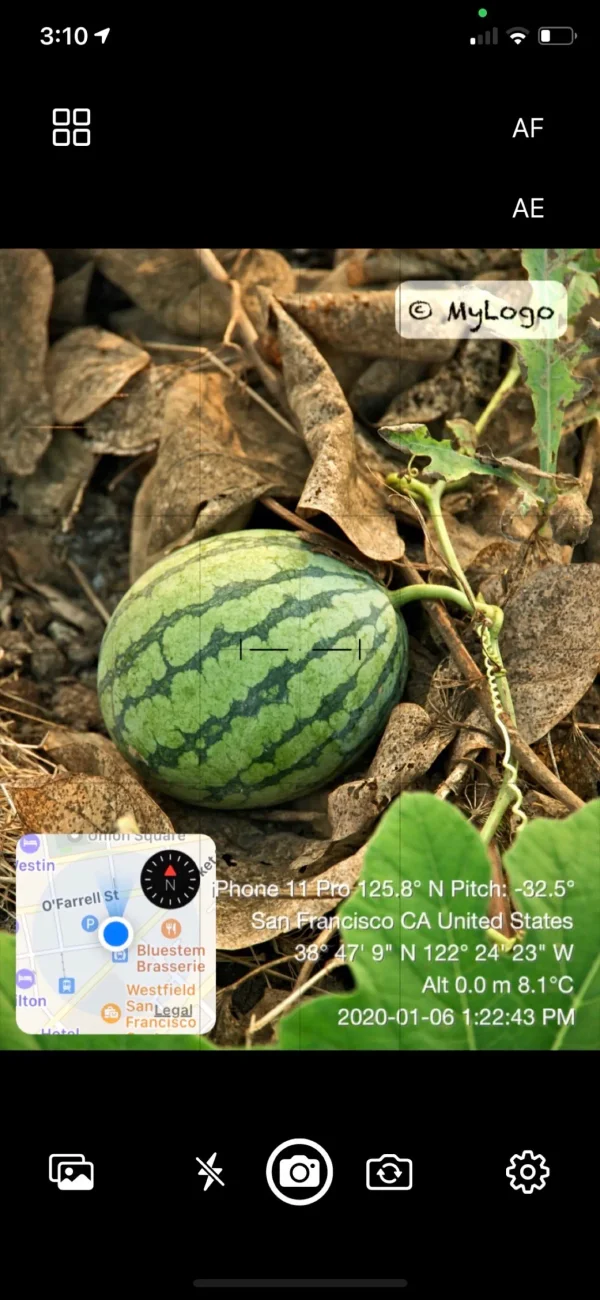
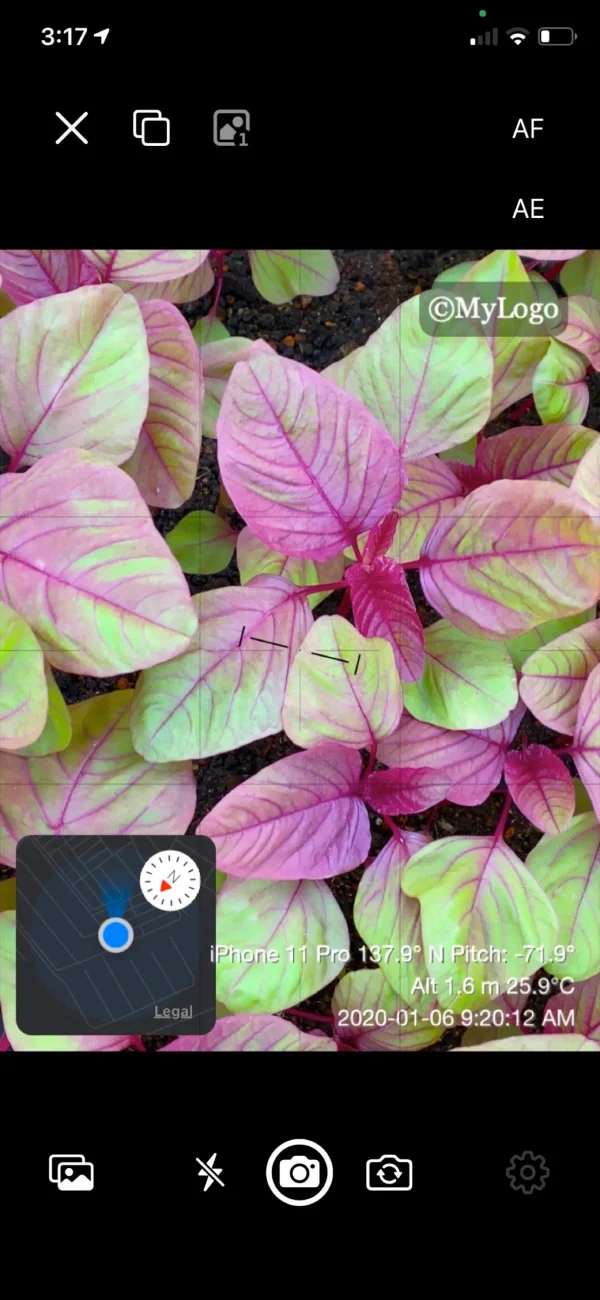
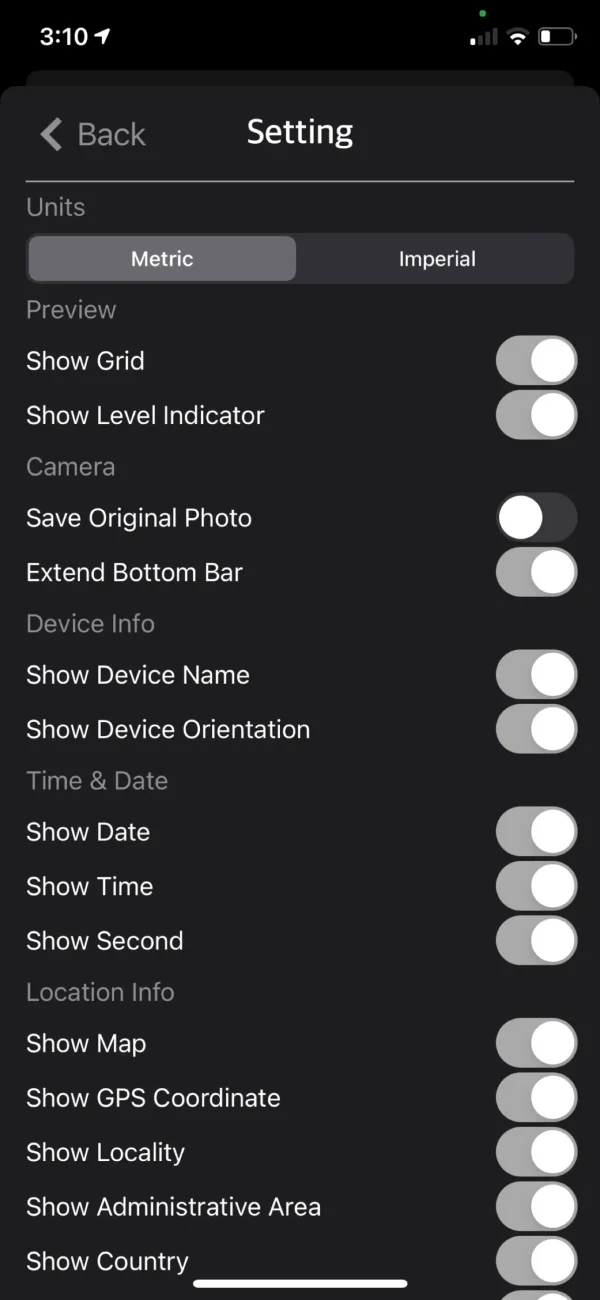
Log Cam enables you to capture photos with useful information embedded into them. The embedded information includes time, date, device name, location map, GPS coordinates, location name, altitude, temperature, and device orientation, including heading and pitch angle. You can create projects with customized settings.
Log Camincludes standard camera features:
• Pinch to Zoom
• Touch Focus
• Touch Exposure Control
• Show/Hide Grid
• Show/Hide Leveler
• Enable/Disable Flash
• Switch Front or Back Camera
• Support Landscape or Portrait Mode
• Photo Capture with EXIF Data
Log Cam features:
• Set Metric or Imperial units
• Enable/Disable Save Original Photo (no info embedded)
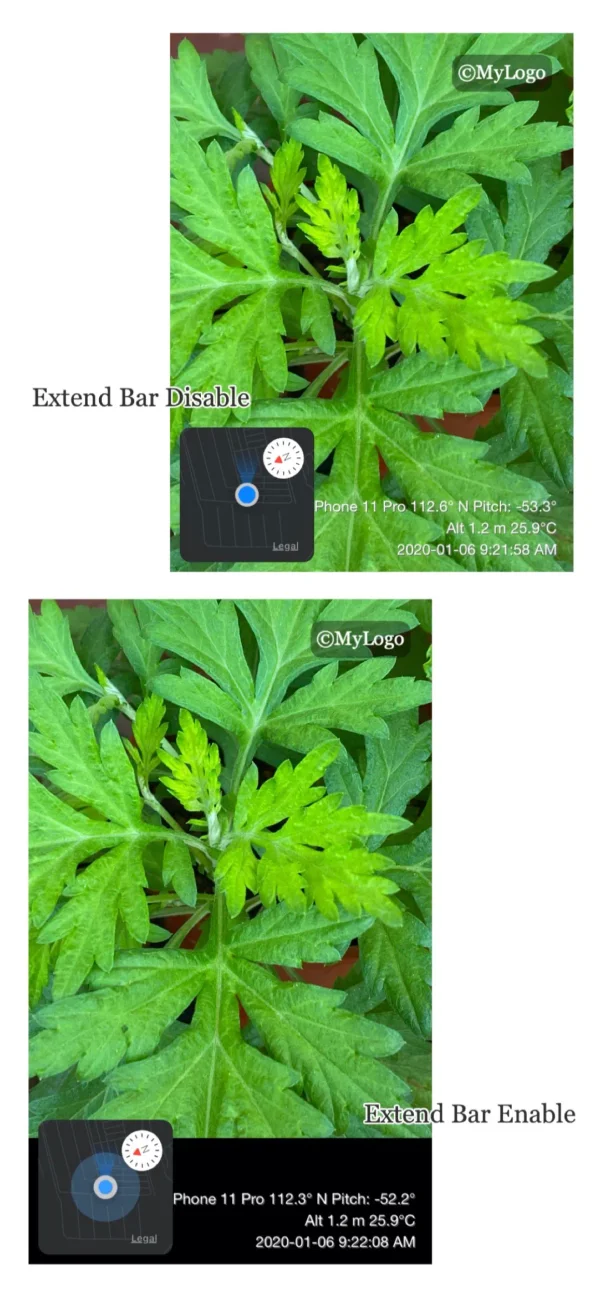
• Enable/Disable Extend Bottom Bar (info embedded below the bar for easy readability)
• Show/Hide Device Name
• Show/Hide Device Orientation, such as heading (0-360° relative to North) and pitch angle (0° - horizontal, looking up, e.g., 20.5°, or looking down, e.g., -15.6°)
• Show/Hide Time and Date
• Show/Hide Date
• Show/Hide Time
• Show/Hide Seconds
• Show/Hide Device Current Location
-• Show/Hide Device Location on Map with Compass *
-• Pinch to Zoom In/Out Location on Map *
-• Show/Hide Device GPS Coordinates
-• Show/Hide Current Location Locality *
-• Show/Hide Current Location Administrative Area *
-• Show/Hide Current Location Country *
• Show/Hide Device Altitude
• Show/Hide Current Location Temperature *
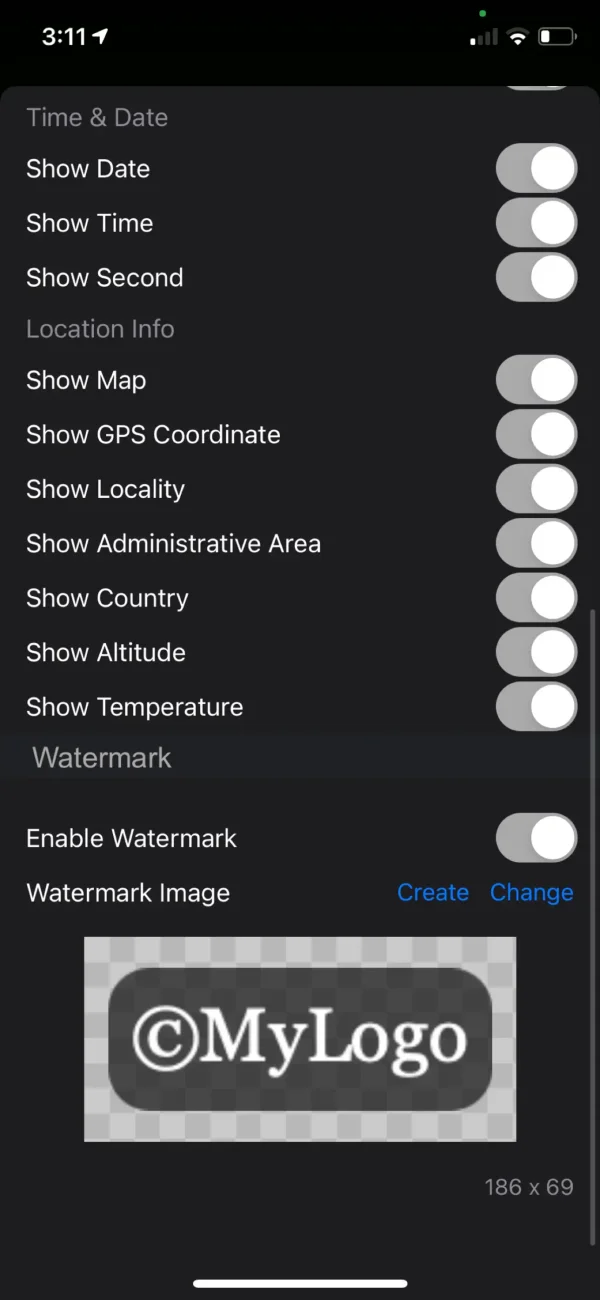
• Show/Hide Watermark
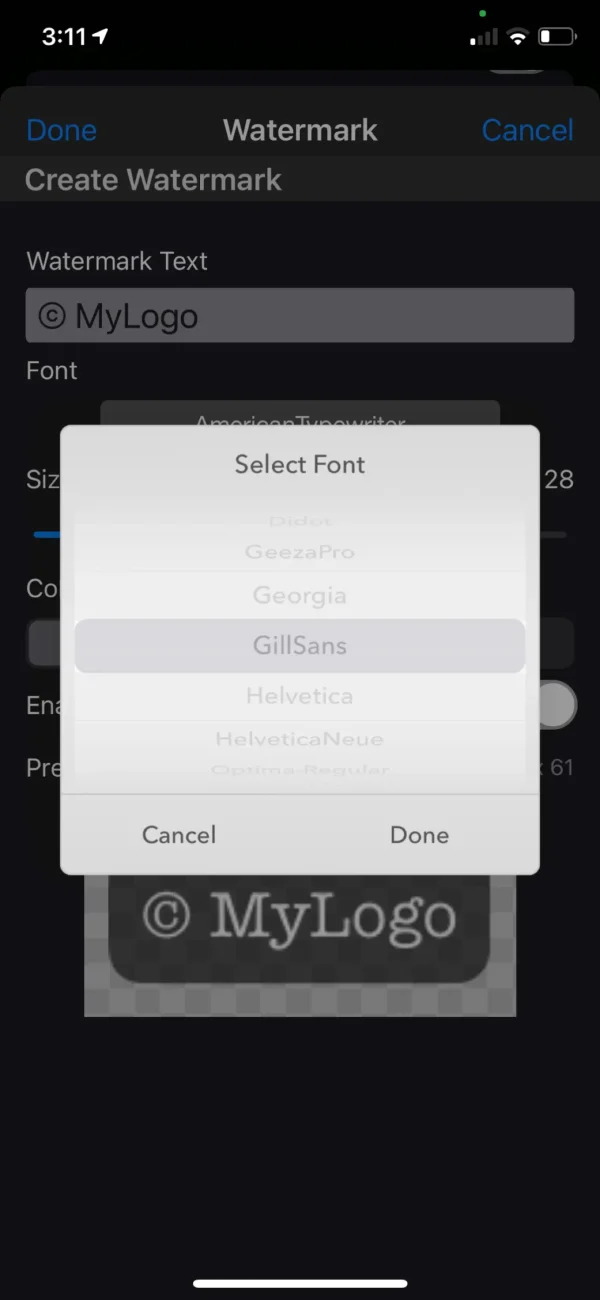
• Create Watermark with Easy-to-Use Watermark Creator
• Load Custom Watermark from Library
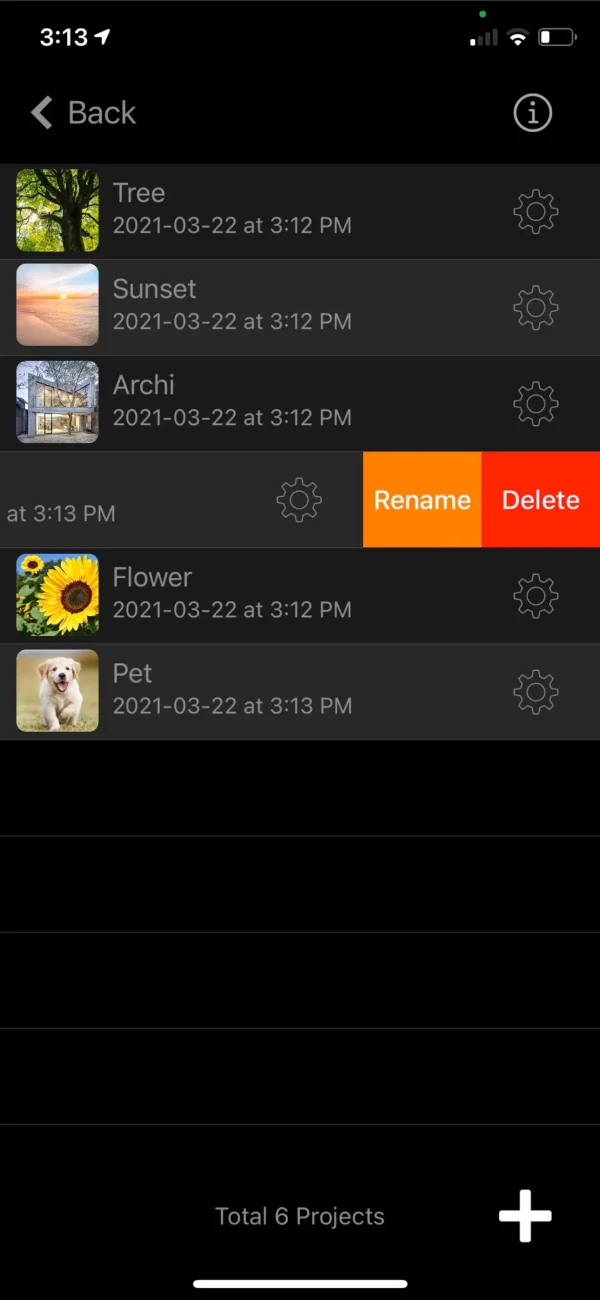
Create Custom Projects:
• Create custom projects with custom settings
• Rename/Delete custom projects
• Enable/Disable overlay image while capturing the next photo
• Select first or last image for overlay
• Show/Hide Capture Number
• Show/Hide Title
• Photos captured with custom projects are saved into custom albums in the photo library for fast and easy access. The album name matches the custom project title.
Usage:
• Scientific logs such as flora or fauna monitoring
• Long-duration photo log diaries
• Monitoring progress of building construction
• Capturing landscape time lapses over months or years
• Monitoring plant growth processes
• Travel photo logs
• And many more, depending on your imagination
Tips:
• Use the overlay image feature to capture objects in the same position repeatedly
• Device orientation is best for identifying object locations
• Use the leveler to capture perfectly horizontal images
[*] Features require an internet connection.
Thanks for your support! Visit nitrio.com for more apps for your iOS devices.
Có gì mới
Phiên bản 1.4 · 14/11/2026
- minor bugs fixed
Quyền riêng tư của ứng dụng
Những gì Heng Jia Liang khai báo trên App Store về cách ứng dụng này xử lý dữ liệu.
-
Dữ liệu không được thu thập
Nhà phát triển không thu thập bất kỳ dữ liệu nào từ ứng dụng này.
Phương thức đảm bảo quyền riêng tư có thể khác nhau, chẳng hạn như tuỳ theo các tính năng bạn sử dụng hoặc độ tuổi của bạn.
Thông tin
- Người bán
- Heng Jia Liang
- Danh mục
- Ảnh & Video
- Phiên bản
- 1.4
- Cập nhật
- 14/11/2026
- Phát hành
- 07/01/2020
- Kích thước
- 1,9 MB
- Yêu cầu
- iOS 15 trở lên
- Độ tuổi
- 4+
- Giá
- 119.000đ
- Ngôn ngữ
- Tiếng Anh
- Bản quyền
- © Heng Jia Liang
Có thể bạn cũng thích
-
 DSJ GeoTaggerẢnh & Video
-
 rooomScan - 3D Scan AppẢnh & Video
-
 Spectacular RecẢnh & Video
-
 Photo Less - photo cleanerẢnh & Video
-
 GeoFotoUTMẢnh & Video
-
 Interval Camera - Auto CaptureẢnh & Video
-
 Immersal MapperẢnh & Video
-
 inPhotosKho ảnh lớn, sửa ảnh & video
-
 Video Editor · ·Ảnh & Video
-
 GPS Angular Camera AppẢnh & Video