
- 対象年齢4+
- カテゴリ写真/ビデオ
- 開発元Heng Jia Liang
- 言語英語
- サイズ1.9 MB
App Storeの公式ページにリンクしています
Download.orgはLog Cam Plusのファイルを一切ホストしていません。ボタンを押すと、Heng Jia Liangが公開しているApp Storeのアプリページが開きます。ページの最終確認:2026/11/18。
スクリーンショット



概要
開発元はこのテキストをお使いの言語で提供していません。
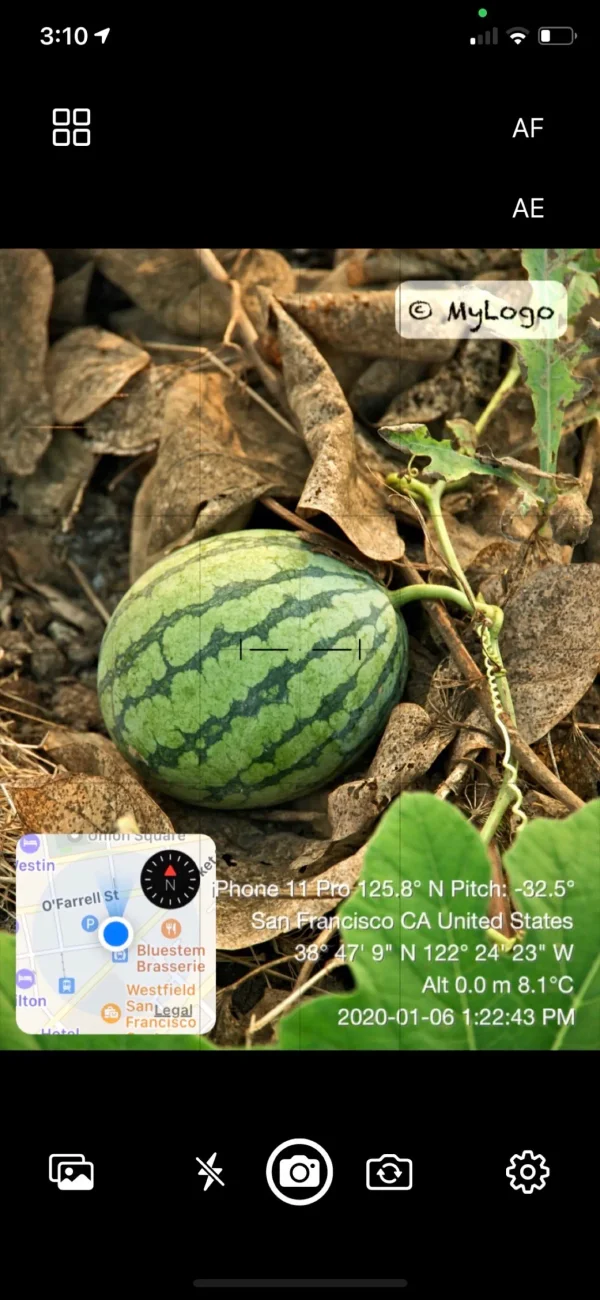
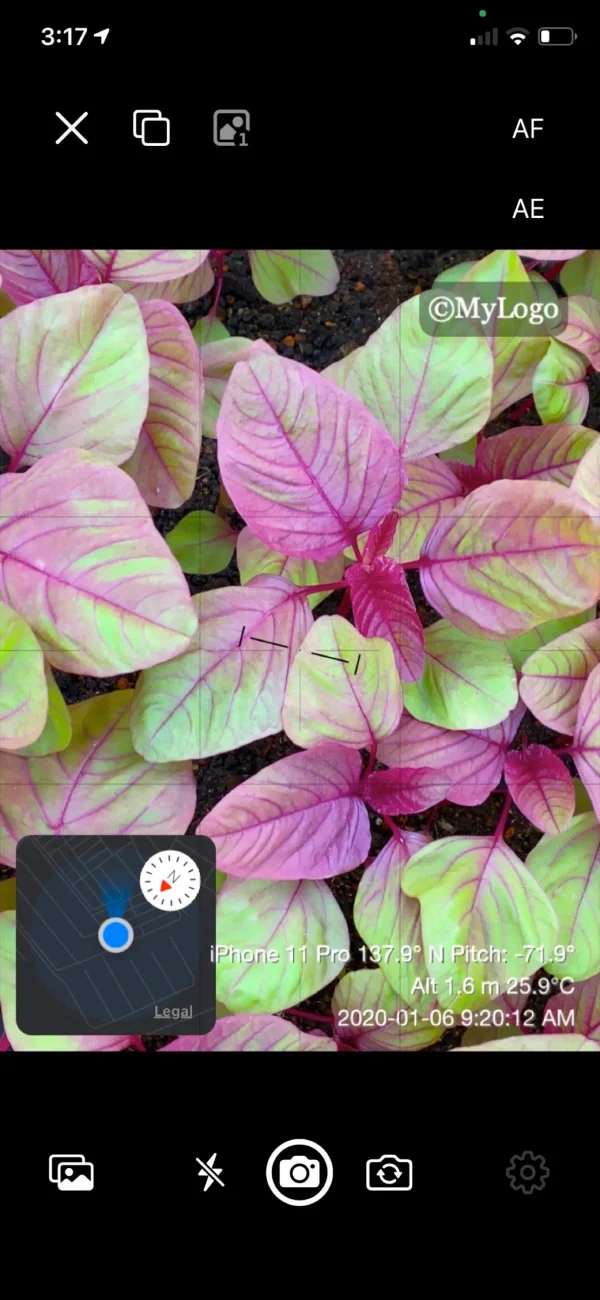
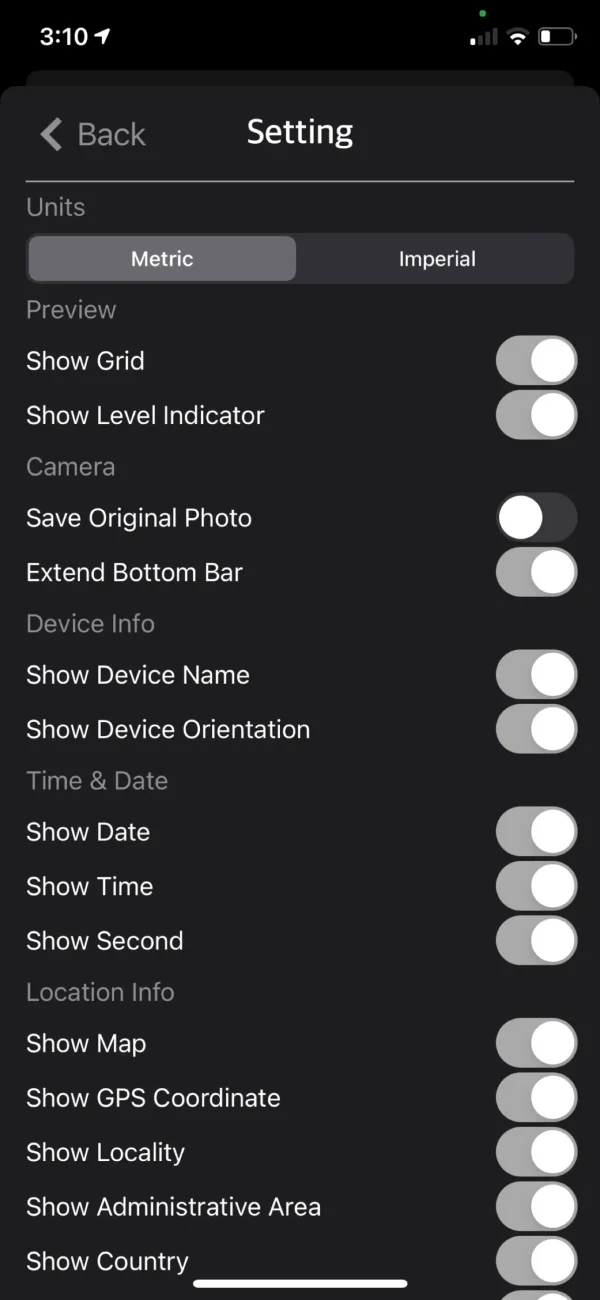
Log Cam enables you to capture photos with useful information embedded into them. The embedded information includes time, date, device name, location map, GPS coordinates, location name, altitude, temperature, and device orientation, including heading and pitch angle. You can create projects with customized settings.
Log Camincludes standard camera features:
• Pinch to Zoom
• Touch Focus
• Touch Exposure Control
• Show/Hide Grid
• Show/Hide Leveler
• Enable/Disable Flash
• Switch Front or Back Camera
• Support Landscape or Portrait Mode
• Photo Capture with EXIF Data
Log Cam features:
• Set Metric or Imperial units
• Enable/Disable Save Original Photo (no info embedded)
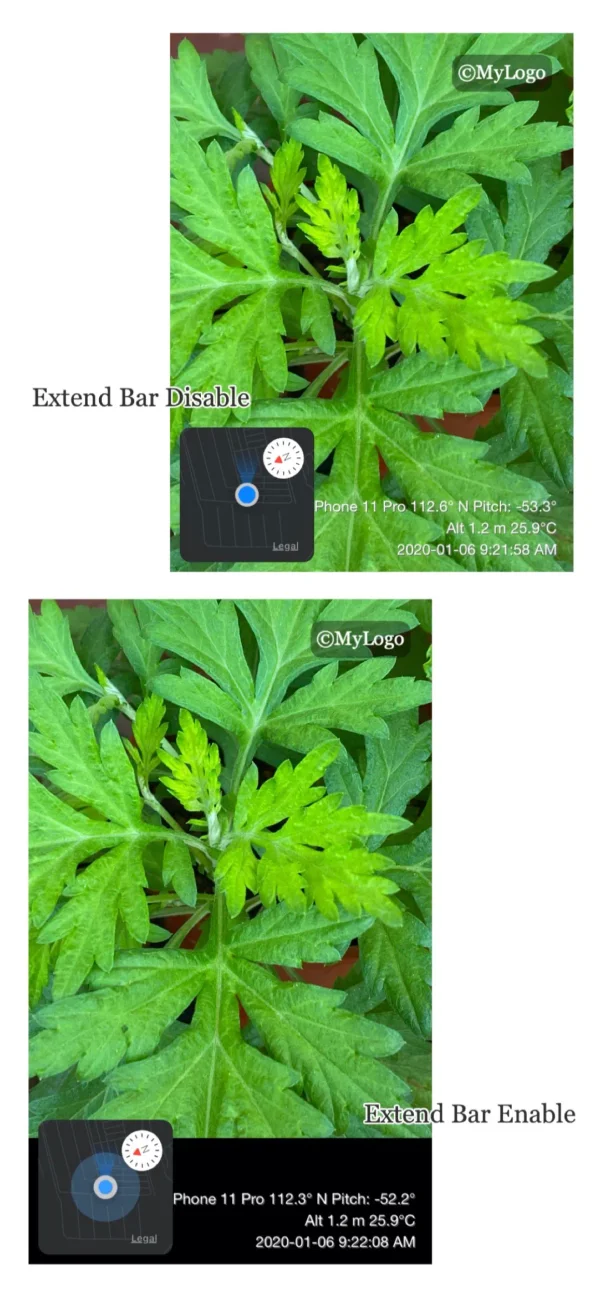
• Enable/Disable Extend Bottom Bar (info embedded below the bar for easy readability)
• Show/Hide Device Name
• Show/Hide Device Orientation, such as heading (0-360° relative to North) and pitch angle (0° - horizontal, looking up, e.g., 20.5°, or looking down, e.g., -15.6°)
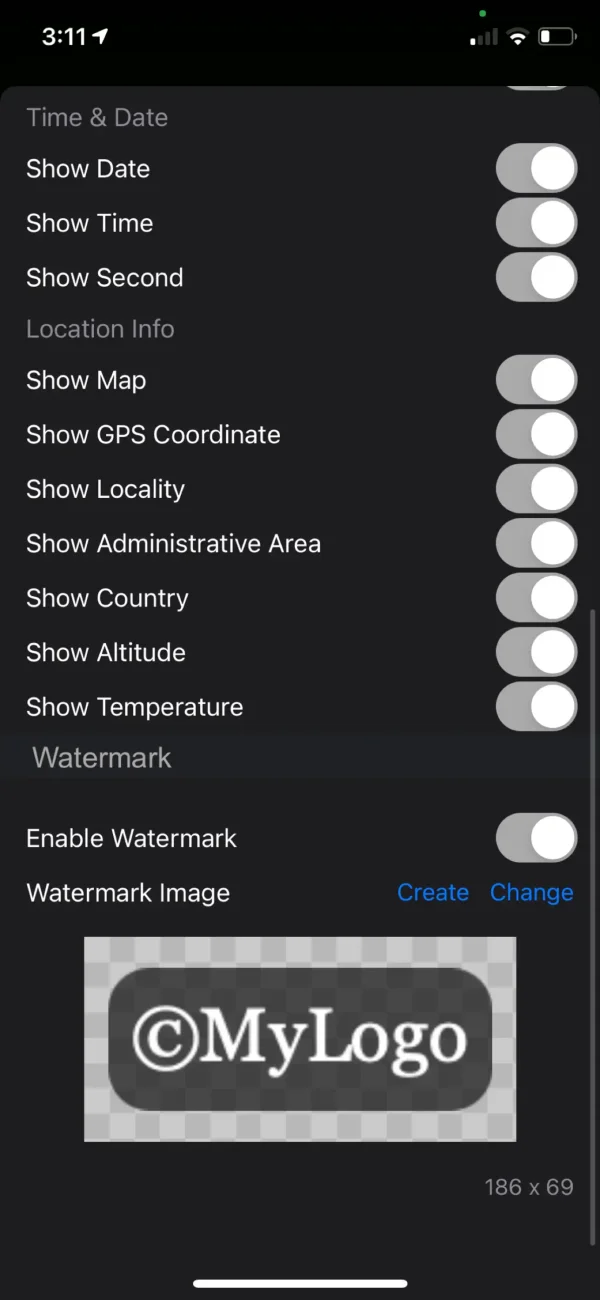
• Show/Hide Time and Date
• Show/Hide Date
• Show/Hide Time
• Show/Hide Seconds
• Show/Hide Device Current Location
-• Show/Hide Device Location on Map with Compass *
-• Pinch to Zoom In/Out Location on Map *
-• Show/Hide Device GPS Coordinates
-• Show/Hide Current Location Locality *
-• Show/Hide Current Location Administrative Area *
-• Show/Hide Current Location Country *
• Show/Hide Device Altitude
• Show/Hide Current Location Temperature *
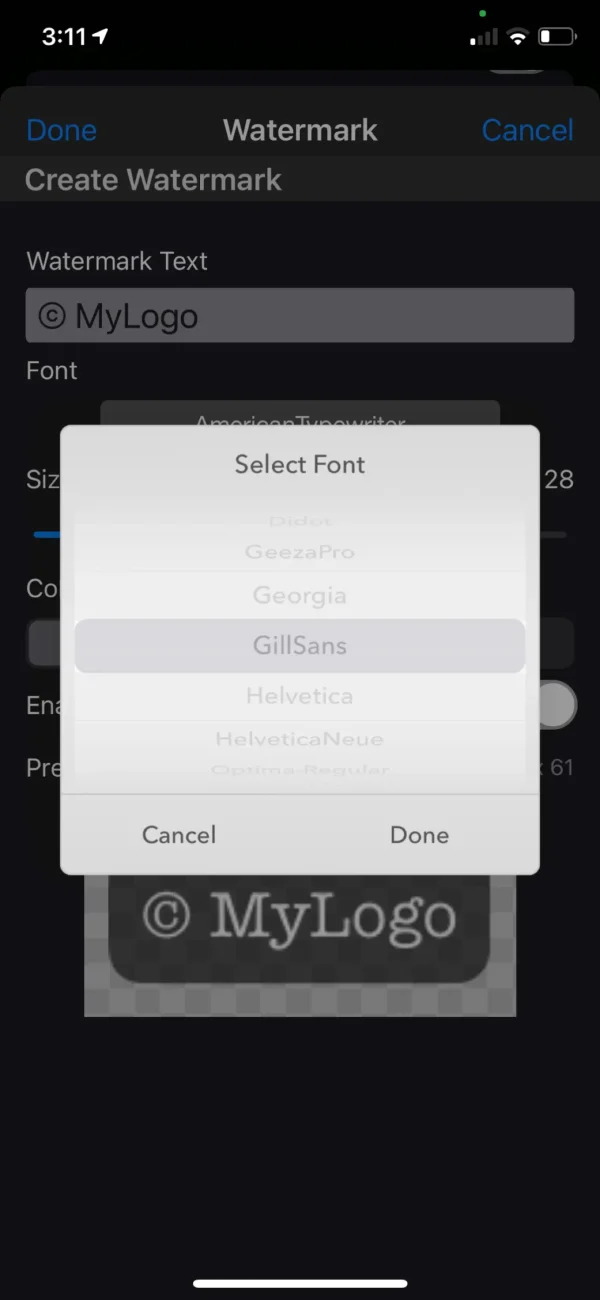
• Show/Hide Watermark
• Create Watermark with Easy-to-Use Watermark Creator
• Load Custom Watermark from Library
Create Custom Projects:
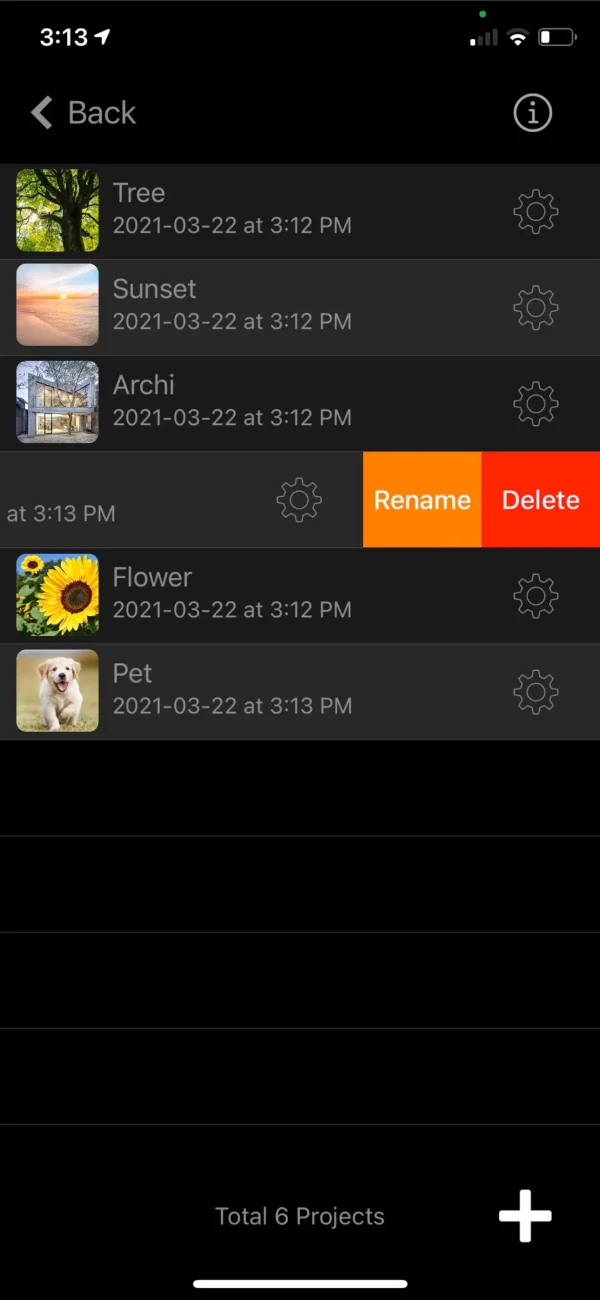
• Create custom projects with custom settings
• Rename/Delete custom projects
• Enable/Disable overlay image while capturing the next photo
• Select first or last image for overlay
• Show/Hide Capture Number
• Show/Hide Title
• Photos captured with custom projects are saved into custom albums in the photo library for fast and easy access. The album name matches the custom project title.
Usage:
• Scientific logs such as flora or fauna monitoring
• Long-duration photo log diaries
• Monitoring progress of building construction
• Capturing landscape time lapses over months or years
• Monitoring plant growth processes
• Travel photo logs
• And many more, depending on your imagination
Tips:
• Use the overlay image feature to capture objects in the same position repeatedly
• Device orientation is best for identifying object locations
• Use the leveler to capture perfectly horizontal images
[*] Features require an internet connection.
Thanks for your support! Visit nitrio.com for more apps for your iOS devices.
新機能
バージョン 1.4 · 2026/11/14
- minor bugs fixed
アプリのプライバシー
このアプリのデータの取り扱いについて、Heng Jia LiangがApp Storeで申告している内容です。
-
データの収集なし
開発元はこのアプリからデータを収集しません。
プライバシーの取り扱いは、ご利用の機能やお客様の年齢などに応じて異なる場合があります。
情報
- 販売元
- Heng Jia Liang
- カテゴリ
- 写真/ビデオ
- バージョン
- 1.4
- 更新日
- 2026/11/14
- リリース
- 2020/1/7
- サイズ
- 1.9 MB
- 必要条件
- iOS 15以降
- 対象年齢
- 4+
- 価格
- ¥600
- 言語
- 英語
- 著作権
- © Heng Jia Liang
こちらもおすすめ
-
 DSJ GeoTagger写真/ビデオ
-
 rooomScan - 3D Scan App写真/ビデオ
-
 Spectacular Rec写真/ビデオ
-
 Photo Less - photo cleanersmart photo organizer
-
 GeoFotoUTM写真/ビデオ
-
 インターバルカメラ - 自動撮影&フィルターセルフタイマーで連写・524種フィルター
-
 Immersal Mapper写真/ビデオ
-
 inPhotos - 温もりの記憶アルバム大量の写真を快適に閲覧・Live Photosと動画を編集
-
 Video Editor · ·写真/ビデオ
-
 GPS Angular Camera App写真/ビデオ