
- Clasificación por edad4+
- CategoríaUtilidades
- DesarrolladorMappedin, Inc.
- IdiomasInglés
- Tamaño17,1 MB
Enlaza a la página oficial de App Store
Download.org no aloja ningún archivo de Mappedin Scan. El botón abre la página de la aplicación en App Store, donde la publica Mappedin, Inc. Ficha comprobada por última vez el 15/11/2026.
Capturas de pantalla


Acerca de
El desarrollador no ha proporcionado este texto en tu idioma.
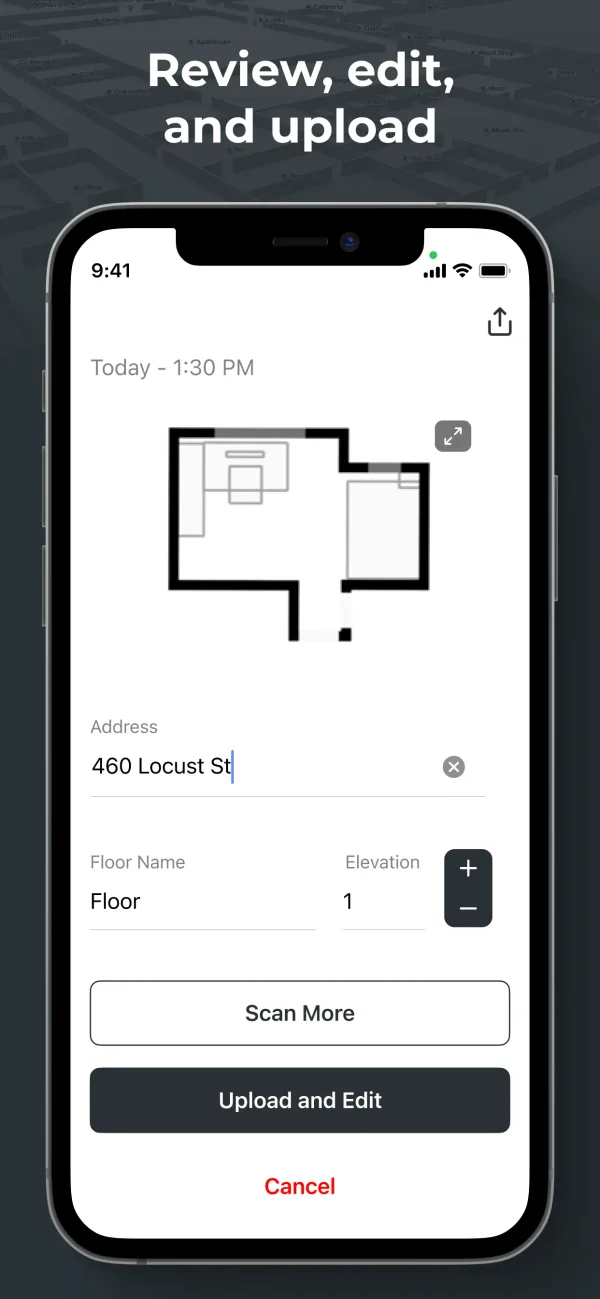
Indoor maps made easy. Mappedin makes it effortless to create beautifully rendered 3D maps. Quickly scan any space using LiDAR technology. Upload maps to Mappedin to unlock full editing features or export to open file types to be used anywhere.
Mappedin’s AI mapping technology does the heavy lifting. Automated features make the creation of smart, navigable 3D maps that are both accurate and easy. With Mappedin, you can quickly edit and publish your maps to help visitors find their way.
Use the Mappedin iOS App to:
- Scan any room and create a map in seconds
- Upload your maps to Mappedin for a full map editing experience
- Export your maps as a PDF, SVG, PNG, USDZ, and GeoJSON to use with any third-party software
Additional Mappedin features:
- Sign up and start mapping for free on mappedin.com
- Available plans to unlock more powerful mapping tools and features
- Place objects like walls, doors, and desks automatically with AI technology
- Add descriptions, images, and links
- Integrate and embed your map on any website
- Create routes to help visitors and crowds navigate spaces
The Mappedin iOS app requires a device with iOS 17 with the latest “RoomPlan API" LiDAR to scan and generate your indoor map. The following devices meet this requirement: iPhone 12 Pro, iPad Pro, or any later generations.
Have questions? Get in touch at help@mappedin.com.
Connect with us:
facebook.com/mappedin
twitter.com/mappedin
instagram.com/mappedinatwork
linkedin.com/company/mappedin
Novedades
Versión 2.4.0 · 20/10/2026
Manage Scans — choose what counts toward your floor plan
If you scanned a floor in several passes, you can now turn individual scans on
or off instead of accepting the whole merge.
• Every scan for a floor in one list, labelled with its wall count
• Switch one off to exclude it from the plan — nothing is deleted, so you can
switch it back on
• The plan previews live as you toggle, and Done saves it
Privacidad de la aplicación
Lo que Mappedin, Inc. declara en App Store sobre cómo esta aplicación gestiona los datos.
-
No se recopilan datos
El desarrollador no recopila ningún dato de esta aplicación.
Las prácticas de privacidad pueden variar, por ejemplo, según las funciones que uses o tu edad.
Información
- Vendedor
- Mappedin, Inc.
- Categoría
- Utilidades
- Versión
- 2.4.0
- Actualizado
- 20/10/2026
- Publicado
- 10/7/2023
- Tamaño
- 17,1 MB
- Requiere
- iOS 17.0 o posterior
- Clasificación por edad
- 4+
- Precio
- Gratis
- Idiomas
- Inglés
- Copyright
- © 2024 Mappedin
Quizá también te guste
-
 Room Scanner: medición de áreaMedición eficiente y precisa
-
 SiteScape - LiDAR 3D Scanner3D Scanning for Construction
-
 First Due UnifyUtilidades
-
 Escáner LiDAR 3D de HabitaciónMediciones rápidas y exactas
-
 Escáner de planes de IAEscanea espacios con LiDAR
-
 Medidor de Distancia: LiDAR 3DMedir Habitaciones, Distancias
-
 AiCam: Cámara de VigilanciaVigilabebés, mascotas y hogar
-
 OOrionTu asistente visual
-
 Medir Planos Casas y MedidasCinta Métrica AR y Medidor 3D
-
 Screens 5: VNC EscritorioAcceso rápido y seguro