
- Classification d’âge4+
- CatégorieUtilitaires
- DéveloppeurMappedin, Inc.
- LanguesAnglais
- Taille17,1 Mo
Renvoie vers la page App Store officielle
Download.org n’héberge aucun fichier de Mappedin Scan. Le bouton ouvre la page de l’application sur App Store, où Mappedin, Inc. la publie. Fiche vérifiée pour la dernière fois le 15/11/2026.
Captures d’écran


À propos
Le développeur n’a pas fourni ce texte dans votre langue.
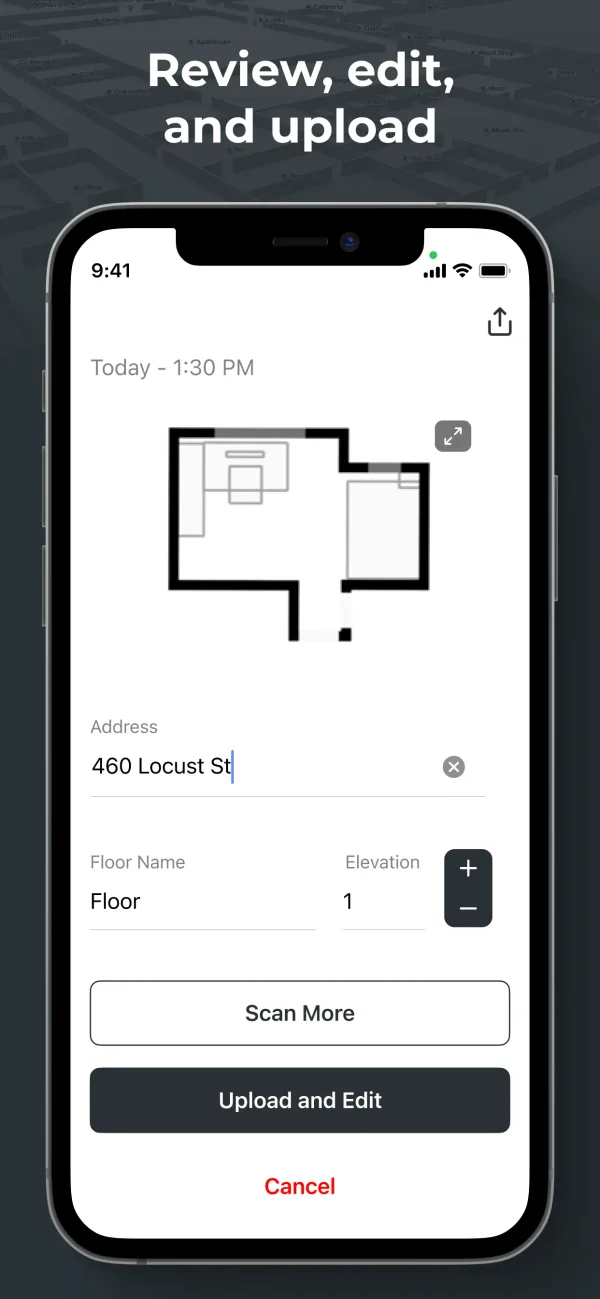
Indoor maps made easy. Mappedin makes it effortless to create beautifully rendered 3D maps. Quickly scan any space using LiDAR technology. Upload maps to Mappedin to unlock full editing features or export to open file types to be used anywhere.
Mappedin’s AI mapping technology does the heavy lifting. Automated features make the creation of smart, navigable 3D maps that are both accurate and easy. With Mappedin, you can quickly edit and publish your maps to help visitors find their way.
Use the Mappedin iOS App to:
- Scan any room and create a map in seconds
- Upload your maps to Mappedin for a full map editing experience
- Export your maps as a PDF, SVG, PNG, USDZ, and GeoJSON to use with any third-party software
Additional Mappedin features:
- Sign up and start mapping for free on mappedin.com
- Available plans to unlock more powerful mapping tools and features
- Place objects like walls, doors, and desks automatically with AI technology
- Add descriptions, images, and links
- Integrate and embed your map on any website
- Create routes to help visitors and crowds navigate spaces
The Mappedin iOS app requires a device with iOS 17 with the latest “RoomPlan API" LiDAR to scan and generate your indoor map. The following devices meet this requirement: iPhone 12 Pro, iPad Pro, or any later generations.
Have questions? Get in touch at help@mappedin.com.
Connect with us:
facebook.com/mappedin
twitter.com/mappedin
instagram.com/mappedinatwork
linkedin.com/company/mappedin
Nouveautés
Version 2.4.0 · 20/10/2026
Manage Scans — choose what counts toward your floor plan
If you scanned a floor in several passes, you can now turn individual scans on
or off instead of accepting the whole merge.
• Every scan for a floor in one list, labelled with its wall count
• Switch one off to exclude it from the plan — nothing is deleted, so you can
switch it back on
• The plan previews live as you toggle, and Done saves it
Confidentialité de l’application
Ce que Mappedin, Inc. déclare sur l’App Store au sujet du traitement des données par cette application.
-
Données non collectées
Le développeur ne collecte aucune donnée à partir de cette application.
Les pratiques en matière de confidentialité peuvent varier, notamment en fonction des fonctionnalités que vous utilisez ou de votre âge.
Informations
- Vendeur
- Mappedin, Inc.
- Catégorie
- Utilitaires
- Version
- 2.4.0
- Mis à jour
- 20/10/2026
- Publié
- 10/07/2023
- Taille
- 17,1 Mo
- Nécessite
- iOS 17.0 ou version ultérieure
- Classification d’âge
- 4+
- Prix
- Gratuit
- Langues
- Anglais
- Copyright
- © 2024 Mappedin
Vous aimerez peut-être aussi
-
 Room Scanner - Chambre ScanMesure précise et efficace
-
 SiteScape - LiDAR 3D Scanner3D Scanning for Architecture
-
 First Due UnifyUtilitaires
-
 Plans 3D avec LiDAR ScannerOutil de mesure intelligent
-
 Scanner de plan de chambre IAScannez des pièces avec LiDAR
-
 Mesure avec LiDAR & AR・Plan 3DMètre et Scanneur de Chambre
-
 AiCam : Caméra surveillance IABabyphone, animaux, sécurité
-
 OOrionVotre assistant visuel
-
 Plan Maison 3d - Mesure MetreMesurer Distance & Appartement
-
 Screens 5: VNC à distanceAccès rapide et sécurisé