
- Độ tuổi4+
- Danh mụcTiện Ích
- Nhà phát triểnMappedin, Inc.
- Ngôn ngữTiếng Anh
- Kích thước17,1 MB
Liên kết đến trang App Store chính thức
Download.org không lưu trữ tệp nào của Mappedin Scan. Nút này mở trang ứng dụng trên App Store, nơi Mappedin, Inc. phát hành ứng dụng. Trang được kiểm tra lần cuối: 15/11/2026.
Ảnh chụp màn hình

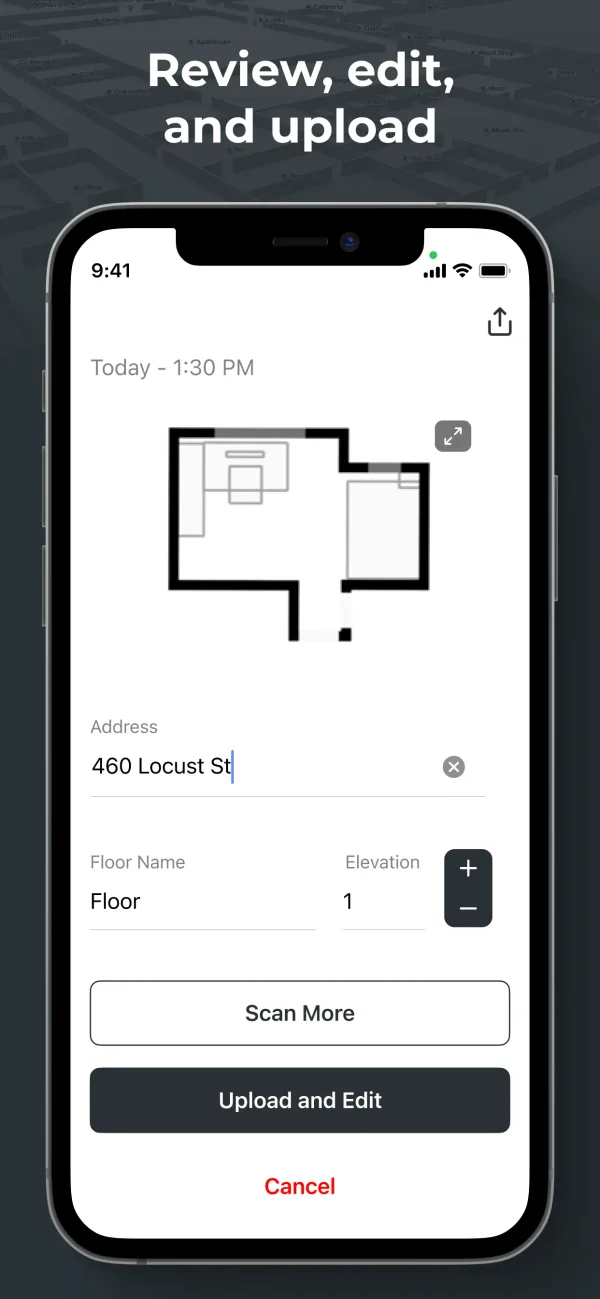

Giới thiệu
Nhà phát triển chưa cung cấp nội dung này bằng ngôn ngữ của bạn.
Indoor maps made easy. Mappedin makes it effortless to create beautifully rendered 3D maps. Quickly scan any space using LiDAR technology. Upload maps to Mappedin to unlock full editing features or export to open file types to be used anywhere.
Mappedin’s AI mapping technology does the heavy lifting. Automated features make the creation of smart, navigable 3D maps that are both accurate and easy. With Mappedin, you can quickly edit and publish your maps to help visitors find their way.
Use the Mappedin iOS App to:
- Scan any room and create a map in seconds
- Upload your maps to Mappedin for a full map editing experience
- Export your maps as a PDF, SVG, PNG, USDZ, and GeoJSON to use with any third-party software
Additional Mappedin features:
- Sign up and start mapping for free on mappedin.com
- Available plans to unlock more powerful mapping tools and features
- Place objects like walls, doors, and desks automatically with AI technology
- Add descriptions, images, and links
- Integrate and embed your map on any website
- Create routes to help visitors and crowds navigate spaces
The Mappedin iOS app requires a device with iOS 17 with the latest “RoomPlan API" LiDAR to scan and generate your indoor map. The following devices meet this requirement: iPhone 12 Pro, iPad Pro, or any later generations.
Have questions? Get in touch at help@mappedin.com.
Connect with us:
facebook.com/mappedin
twitter.com/mappedin
instagram.com/mappedinatwork
linkedin.com/company/mappedin
Có gì mới
Phiên bản 2.4.0 · 20/10/2026
Manage Scans — choose what counts toward your floor plan
If you scanned a floor in several passes, you can now turn individual scans on
or off instead of accepting the whole merge.
• Every scan for a floor in one list, labelled with its wall count
• Switch one off to exclude it from the plan — nothing is deleted, so you can
switch it back on
• The plan previews live as you toggle, and Done saves it
Quyền riêng tư của ứng dụng
Những gì Mappedin, Inc. khai báo trên App Store về cách ứng dụng này xử lý dữ liệu.
-
Dữ liệu không được thu thập
Nhà phát triển không thu thập bất kỳ dữ liệu nào từ ứng dụng này.
Phương thức đảm bảo quyền riêng tư có thể khác nhau, chẳng hạn như tuỳ theo các tính năng bạn sử dụng hoặc độ tuổi của bạn.
Thông tin
- Người bán
- Mappedin, Inc.
- Danh mục
- Tiện Ích
- Phiên bản
- 2.4.0
- Cập nhật
- 20/10/2026
- Phát hành
- 10/07/2023
- Kích thước
- 17,1 MB
- Yêu cầu
- iOS 17.0 trở lên
- Độ tuổi
- 4+
- Giá
- Miễn phí
- Ngôn ngữ
- Tiếng Anh
- Bản quyền
- © 2024 Mappedin
Có thể bạn cũng thích
-
 Room Scanner - Easy Measure RmTiện Ích
-
 SiteScape: LiDAR Scanner & CADTiện Ích
-
 First Due UnifyTiện Ích
-
 LiDAR Room Scanner: Floor PlanTiện Ích
-
 Máy quét kế hoạch phòng AIQuét phòng bằng LiDAR
-
 Room Planner: LiDAR Scanner 3DTiện Ích
-
 AiCam AI Smart Security CameraTiện Ích
-
 OOrionTrợ lý trực quan của bạn
-
 Thước Đo Chiều Dài AR CameraKhoảng Cách, Diện Tích Đất
-
 Screens 5: VNC Remote DesktopTiện Ích