MarkDown Reader - MD Viewer
Fast, clean Markdown viewing
Diseñada para iPhone, iPad, Mac
Gratis · Compras en la aplicación
- Clasificación por edad4+
- CategoríaProductividad
- DesarrolladorEdward Juden
- IdiomasInglés
- Tamaño3,9 MB
Enlaza a la página oficial de App Store
Download.org no aloja ningún archivo de MarkDown Reader - MD Viewer. El botón abre la página de la aplicación en App Store, donde la publica Edward Juden. Ficha comprobada por última vez el 16/11/2026.
Capturas de pantalla

Acerca de
El desarrollador no ha proporcionado este texto en tu idioma.
MarkDown Reader is a free, lightweight viewer for Markdown files. Double-click any .md file and read it beautifully rendered — no editor chrome, no distractions, just your document.
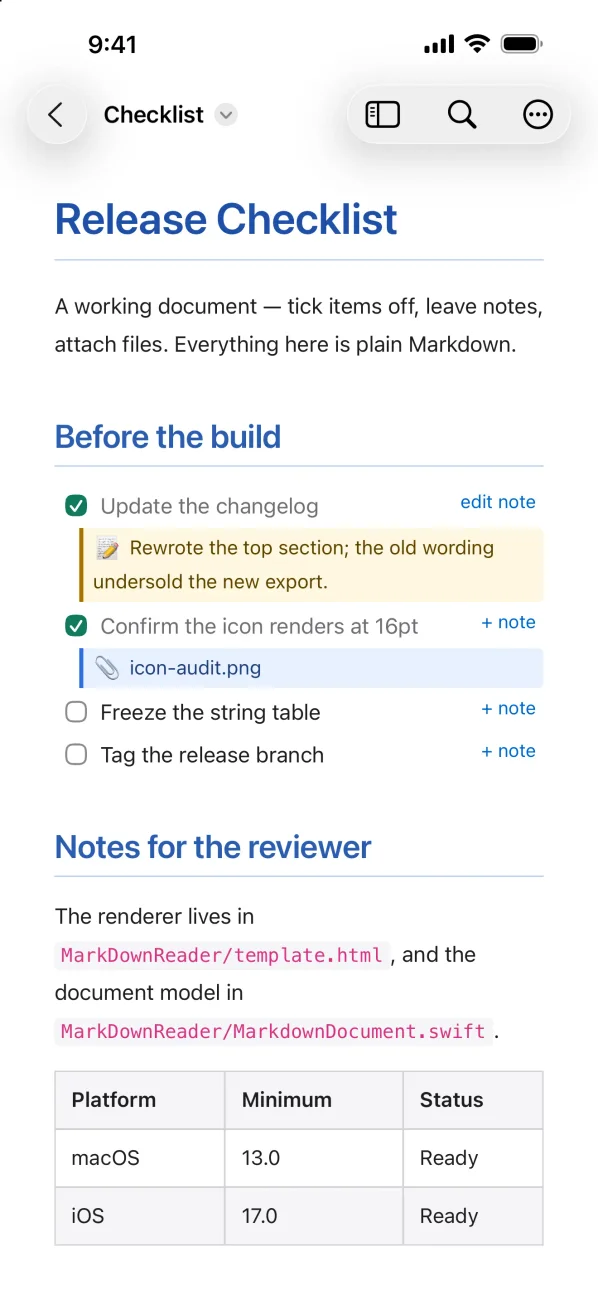
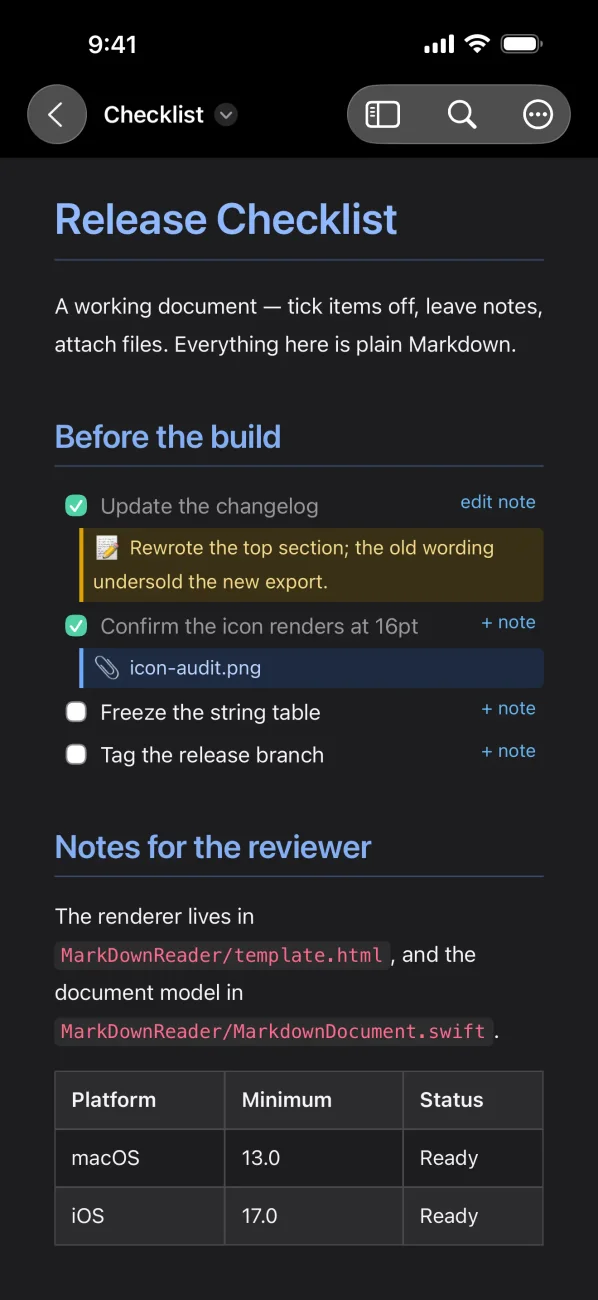
It also turns a checklist into somewhere to work. Tick a task and the change is written straight back to the file, one character, instantly. Add a note to any item and it is saved as an ordinary indented bullet, so every other Markdown tool still reads it. On the Mac, drag a file onto an item to attach it, and click the chip to open it again later.
Nothing is locked in a database. Everything this app writes is plain Markdown you can read in any editor.
- Clean rendering of headings, tables, code blocks, and images, in colour, light or dark
- Several documents in one window as tabs; drag Markdown files in from the Finder, and drag tabs between windows (macOS)
- Your windows and tabs come back when you reopen the app (macOS)
- Collapsible answers, superscripts, highlights and other HTML formatting tags
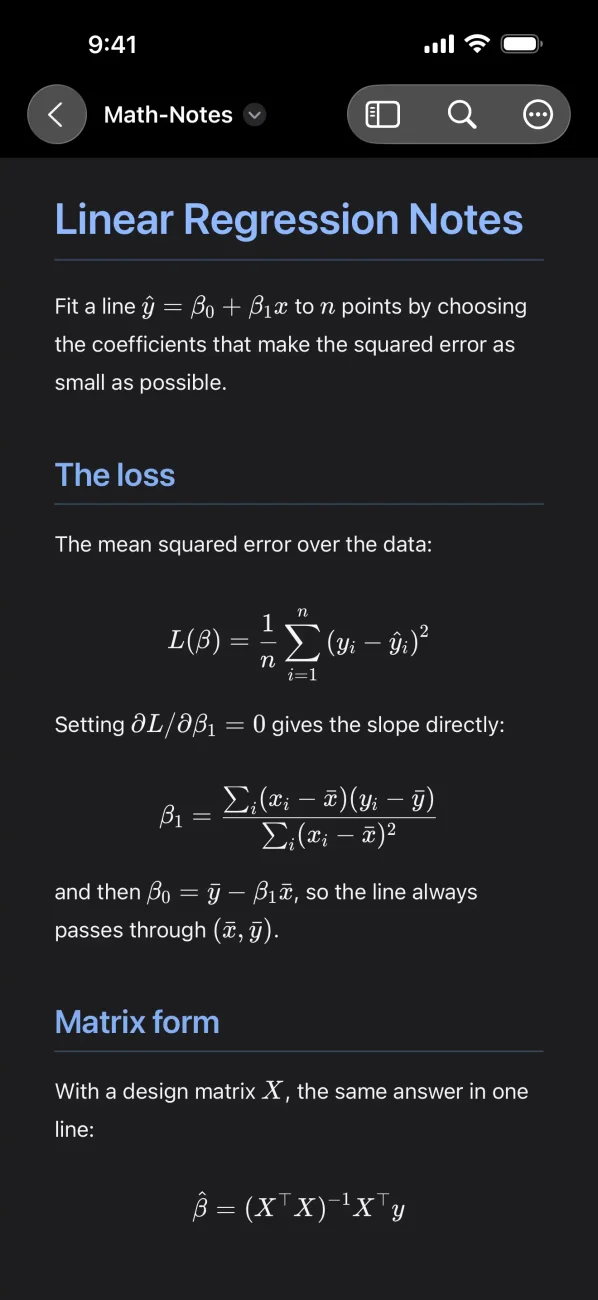
- LaTeX math, typeset offline: $…$ inline and $$…$$ display
- Interactive task lists: click a checkbox and the .md file updates instantly
- Notes on any checklist item, saved as plain Markdown
- Attach files to checklist items by dragging them in (macOS)
- Clickable file references: a path in a code span opens in your editor (macOS)
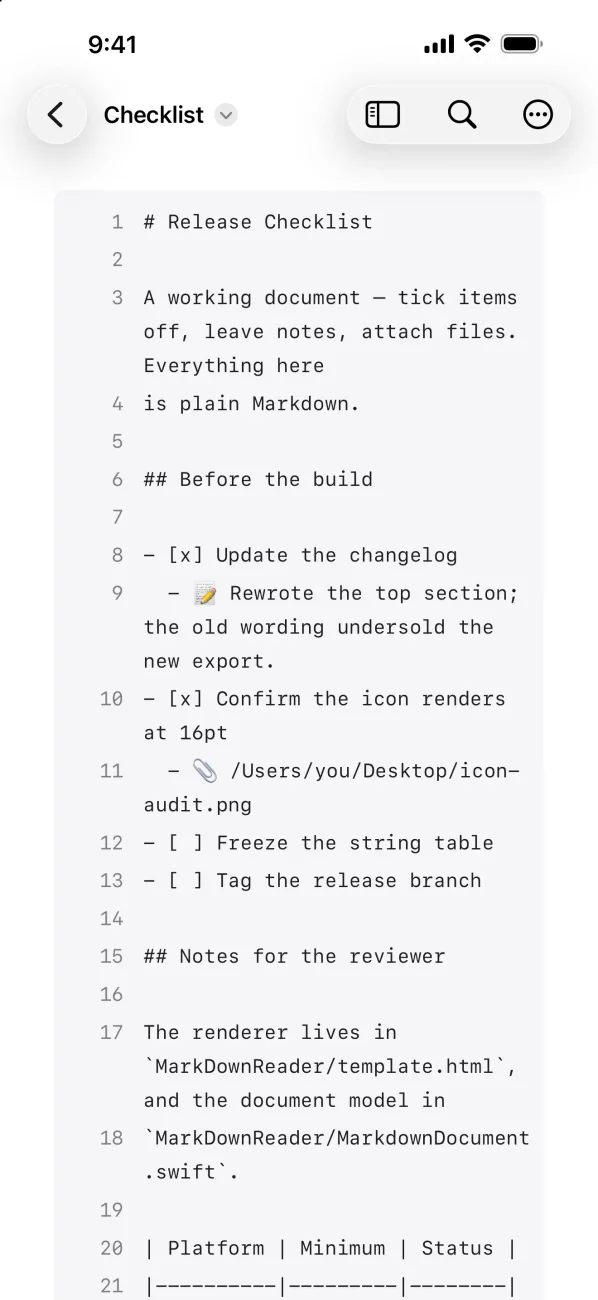
- Show Source: the file's raw text with line numbers, one keystroke away; on the Mac, edit it in place with a live preview beside the text
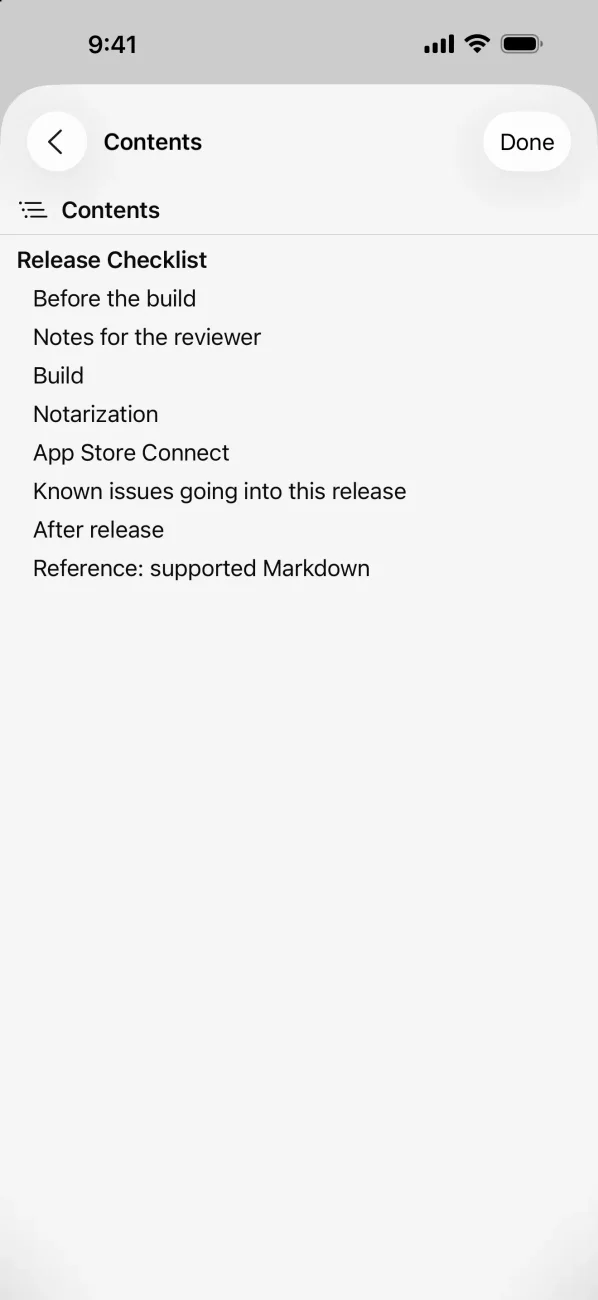
- Table of contents sidebar for long documents, highlighting the section you are reading; hide it, or the tabs, per window (macOS)
- Full-text search with match navigation
- Live reload — edit the file elsewhere and the view keeps up
- Safe saving: a tick or note never overwrites changes made in another app
- Use the full window width for wide documents (macOS)
- Zoom, print, and export to PDF; exported PDFs are always light
- Light or Dark on your terms: follow the system, or pin the reader to either
- Copy the document's path or reveal it in the Finder (macOS)
- Opens .md, .markdown, .mdown, .mkd, and .mkdn files
- Sandboxed and private: no accounts, no analytics, no data collection
- Free, with an optional tip jar that unlocks nothing
Novedades
Versión 1.9 · 26/10/2026
Light or Dark, your call.
• Appearance, in the document menu: follow the device, or keep the reader Light or Dark. The document browser follows too, and the choice is remembered.
• Exported PDFs are always light, like the Mac's, so they read the same for whoever you send them to.
• The Contents list highlights the section you are reading as you scroll.
• The document menu now sits in the toolbar's overflow on iPhone and behind the More button on iPad.
• Send Feedback opens our feedback page, and Support MarkDown Reader offers an optional tip. Tips unlock nothing; everything stays free.
Privacidad de la aplicación
Lo que Edward Juden declara en App Store sobre cómo esta aplicación gestiona los datos.
-
No se recopilan datos
El desarrollador no recopila ningún dato de esta aplicación.
Las prácticas de privacidad pueden variar, por ejemplo, según las funciones que uses o tu edad.
Información
- Vendedor
- SnickityBit Solutions, LLC
- Categoría
- Productividad
- Versión
- 1.9
- Actualizado
- 26/10/2026
- Publicado
- 22/7/2026
- Tamaño
- 3,9 MB
- Requiere
- iOS 17.0 o posterior
- Clasificación por edad
- 4+
- Precio
- Gratis
- Compras en la aplicación
- Sí
- Idiomas
- Inglés
- Copyright
- © 2026 SnickityBit Solutions, LLC
Quizá también te guste
-
 Marklens: Markdown ReaderProductividad
-
 Markflow — Markdown ReaderProductividad
-
 Markdown Viewer MobileProductividad
-
 Dawn - MarkdownProductividad
-
 Markdot: Visor Markdown MDEditor .md para documentos IA
-
 Marked — Markdown EditorProductividad
-
 .md ViewerProductividad
-
 Markdown Editor y LectorEscribe notas con vista previa
-
 One MarkdownProductividad
-
 Buzz - chat with your hiveProductividad