MarkDown Reader - MD Viewer
Fast, clean Markdown viewing
Được thiết kế cho iPhone, iPad, Mac
Miễn phí · Mua hàng trong ứng dụng
- Độ tuổi4+
- Danh mụcHiệu Suất
- Nhà phát triểnEdward Juden
- Ngôn ngữTiếng Anh
- Kích thước3,9 MB
Liên kết đến trang App Store chính thức
Download.org không lưu trữ tệp nào của MarkDown Reader - MD Viewer. Nút này mở trang ứng dụng trên App Store, nơi Edward Juden phát hành ứng dụng. Trang được kiểm tra lần cuối: 25/11/2026.
Ảnh chụp màn hình

Giới thiệu
Nhà phát triển chưa cung cấp nội dung này bằng ngôn ngữ của bạn.
MarkDown Reader is a free, lightweight viewer for Markdown files. Double-click any .md file and read it beautifully rendered — no editor chrome, no distractions, just your document.
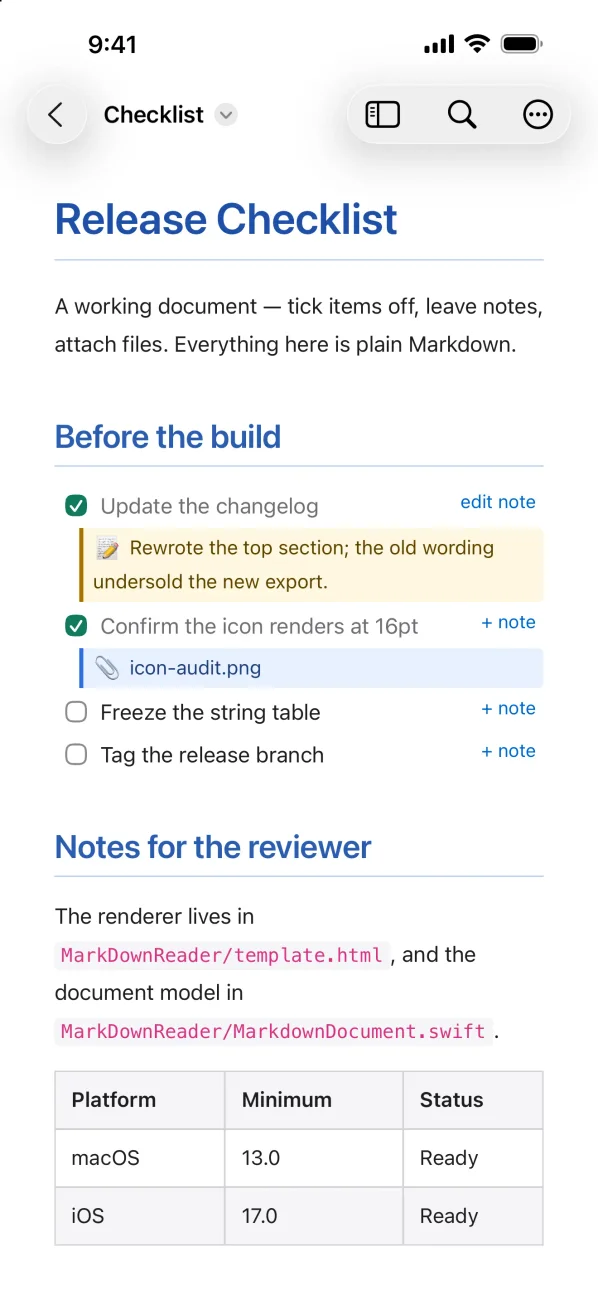
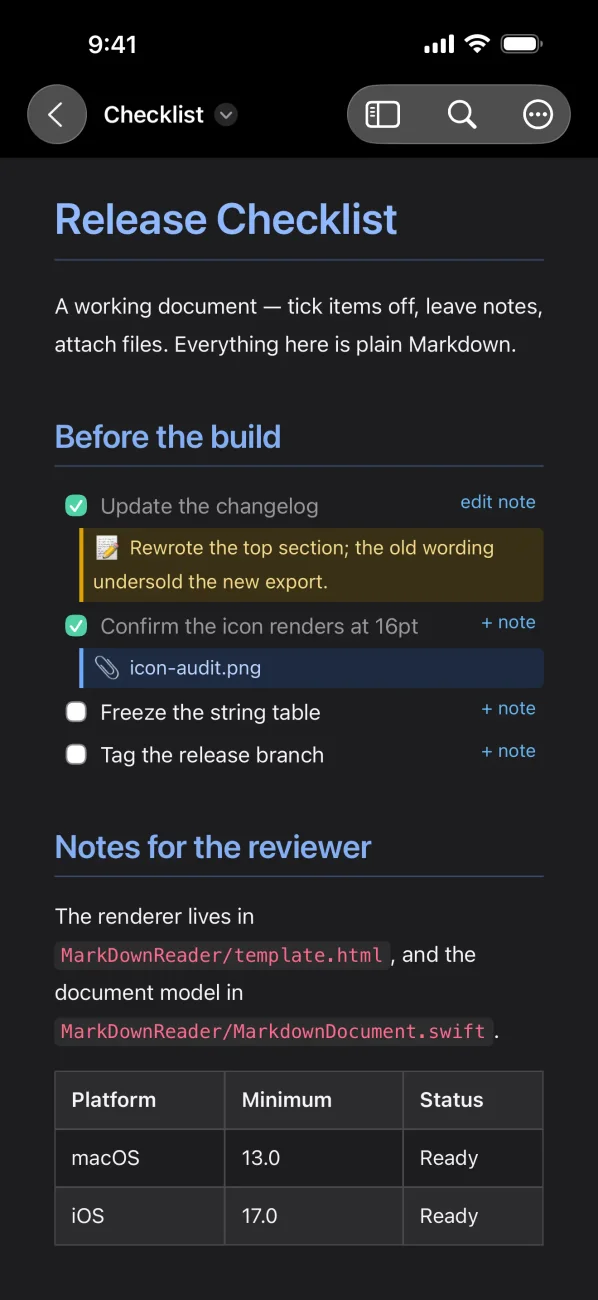
It also turns a checklist into somewhere to work. Tick a task and the change is written straight back to the file, one character, instantly. Add a note to any item and it is saved as an ordinary indented bullet, so every other Markdown tool still reads it. On the Mac, drag a file onto an item to attach it, and click the chip to open it again later.
Nothing is locked in a database. Everything this app writes is plain Markdown you can read in any editor.
- Clean rendering of headings, tables, code blocks, and images, in colour, light or dark
- Several documents in one window as tabs; drag Markdown files in from the Finder, and drag tabs between windows (macOS)
- Your windows and tabs come back when you reopen the app (macOS)
- Collapsible answers, superscripts, highlights and other HTML formatting tags
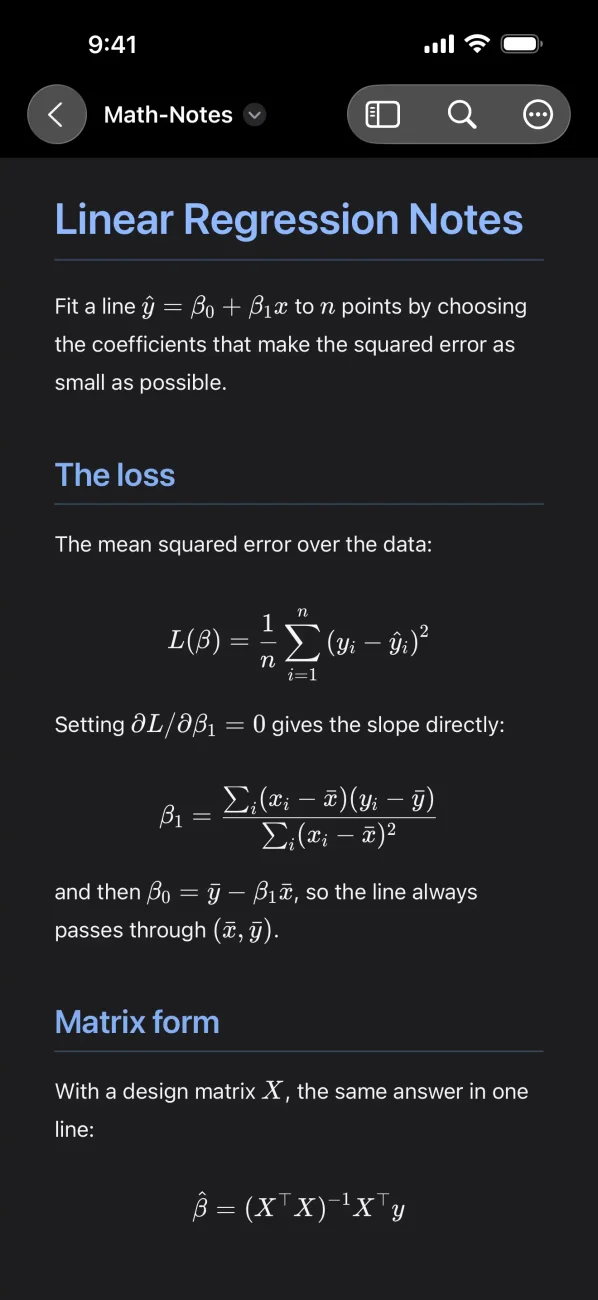
- LaTeX math, typeset offline: $…$ inline and $$…$$ display
- Interactive task lists: click a checkbox and the .md file updates instantly
- Notes on any checklist item, saved as plain Markdown
- Attach files to checklist items by dragging them in (macOS)
- Clickable file references: a path in a code span opens in your editor (macOS)
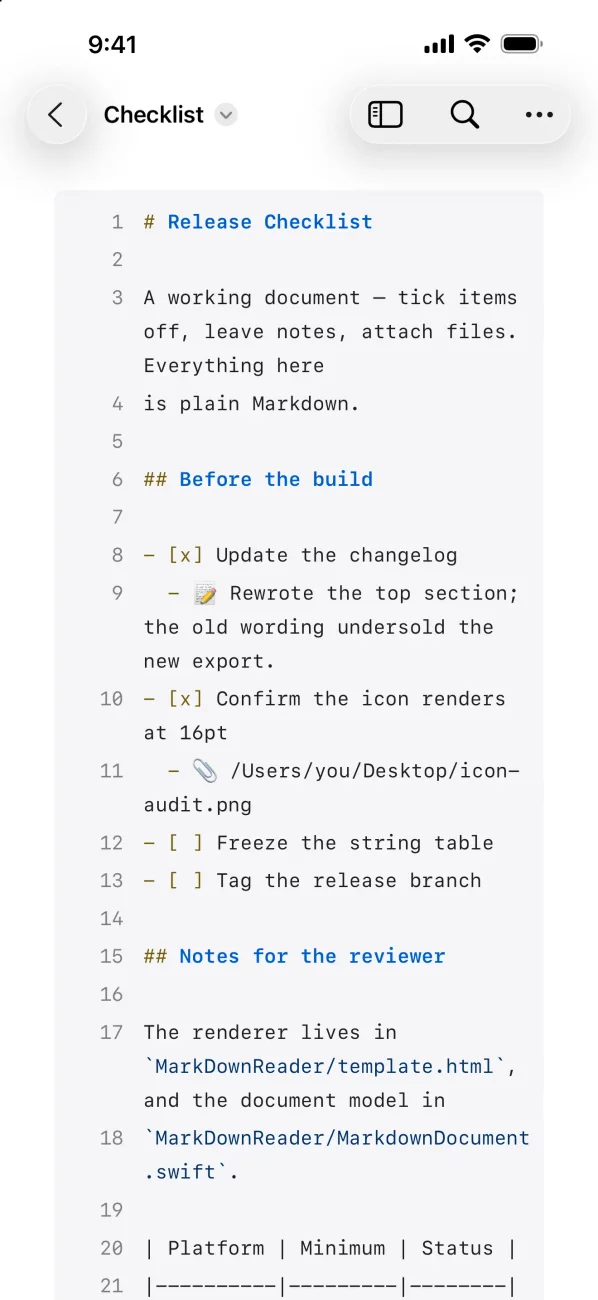
- Show Source: the file's raw text, syntax-coloured and line-numbered, one keystroke away and opening at the line you were reading; on the Mac, edit it in place with a live preview beside the text
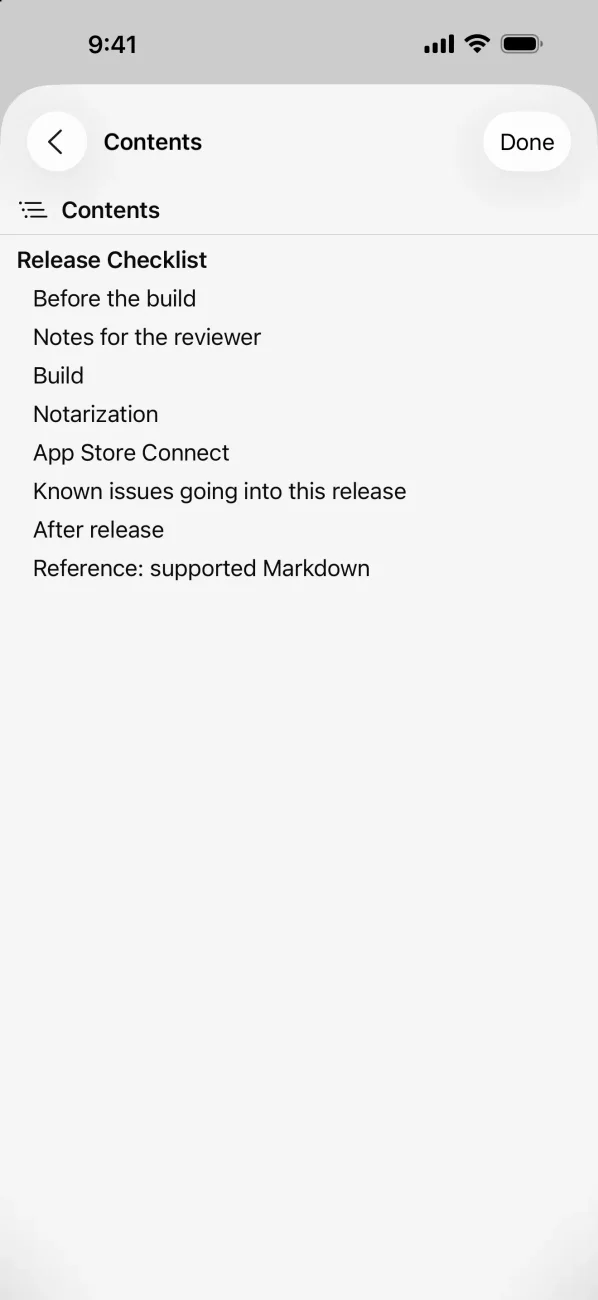
- Table of contents sidebar for long documents, highlighting the section you are reading; hide it, or the tabs, per window (macOS)
- Full-text search with match navigation
- Live reload — edit the file elsewhere and the view keeps up
- Safe saving: a tick or note never overwrites changes made in another app
- Use the full window width for wide documents (macOS)
- Zoom, print, and export to PDF; exported PDFs are always light
- Light or Dark on your terms: follow the system, or pin the reader to either
- Copy the document's path or reveal it in the Finder (macOS)
- Opens .md, .markdown, .mdown, .mkd, and .mkdn files
- Sandboxed and private: no accounts, no analytics, no data collection
- Free, with an optional tip jar that unlocks nothing
Có gì mới
Phiên bản 1.10 · 24/11/2026
A better Show Source, and checklists that keep up with you.
• Show Source colours the Markdown: headings, list markers, code, links and emphasis stand out from the text.
• Switching Show Source on or off keeps your place. The line you were reading stays at the top of the screen.
• Adding a note to an unchecked checklist item checks it off. If the item failed, uncheck it, and it stays unchecked.
• The Contents list keeps up when you scroll a long document quickly.
• A note with several paragraphs now opens in full in the note editor.
• A line that wraps onto a number, such as a year ("2026. We will…"), stays part of its paragraph instead of becoming a numbered list.
Quyền riêng tư của ứng dụng
Những gì Edward Juden khai báo trên App Store về cách ứng dụng này xử lý dữ liệu.
-
Dữ liệu không được thu thập
Nhà phát triển không thu thập bất kỳ dữ liệu nào từ ứng dụng này.
Phương thức đảm bảo quyền riêng tư có thể khác nhau, chẳng hạn như tuỳ theo các tính năng bạn sử dụng hoặc độ tuổi của bạn.
Thông tin
- Người bán
- SnickityBit Solutions, LLC
- Danh mục
- Hiệu Suất
- Phiên bản
- 1.10
- Cập nhật
- 24/11/2026
- Phát hành
- 22/07/2026
- Kích thước
- 3,9 MB
- Yêu cầu
- iOS 17.0 trở lên
- Độ tuổi
- 4+
- Giá
- Miễn phí
- Mua hàng trong ứng dụng
- Có
- Ngôn ngữ
- Tiếng Anh
- Bản quyền
- © 2026 SnickityBit Solutions, LLC
Có thể bạn cũng thích
-
 Marklens: Markdown ReaderHiệu Suất
-
 Markflow — Markdown ReaderHiệu Suất
-
 Markdown Viewer MobileHiệu Suất
-
 Dawn - MarkdownHiệu Suất
-
 Markdot: Trình đọc MarkdownSửa .md, AI, Mermaid, LaTeX
-
 Marked — Markdown EditorHiệu Suất
-
 .md ViewerHiệu Suất
-
 Markdown Editor and ReaderHiệu Suất
-
 One MarkdownHiệu Suất
-
 Buzz - chat with your hiveHiệu Suất