
Metadata
Photo EXIF Metadata Viewer
Diseñada para iPhone, iPad
Gratis · Compras en la aplicación
- Clasificación por edad4+
- CategoríaFoto y vídeo
- DesarrolladorThomas Coomer
- IdiomasInglés
- Tamaño5,4 MB
Enlaza a la página oficial de App Store
Download.org no aloja ningún archivo de Metadata. El botón abre la página de la aplicación en App Store, donde la publica Thomas Coomer. Ficha comprobada por última vez el 15/11/2026.
Capturas de pantalla

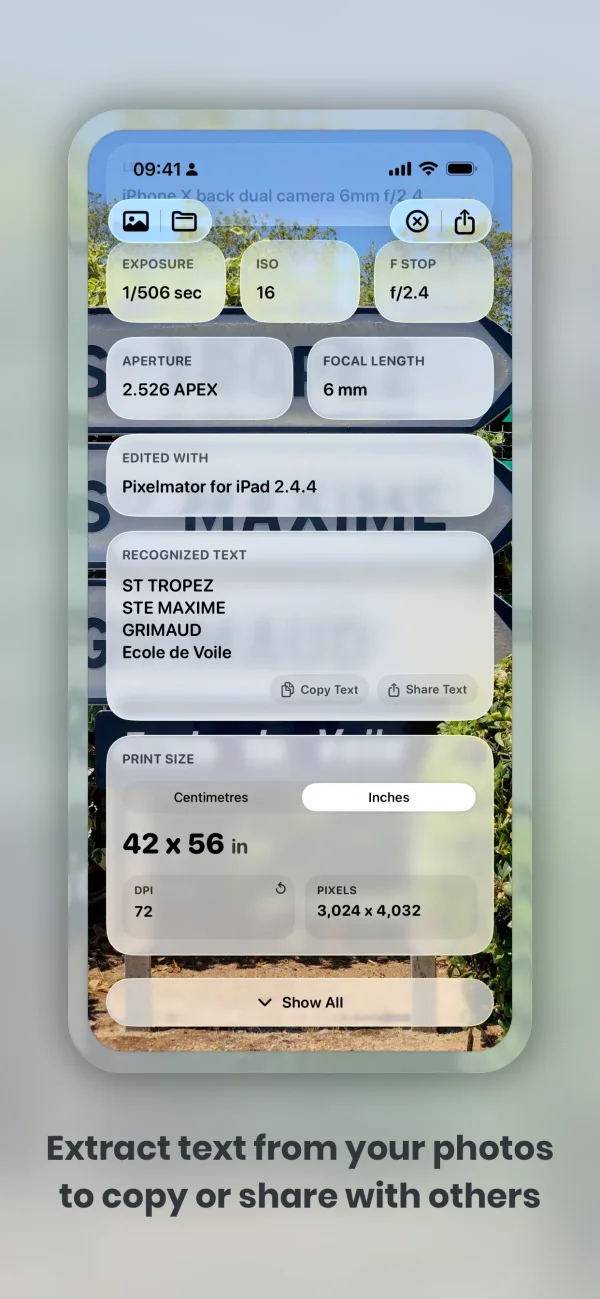
Acerca de
El desarrollador no ha proporcionado este texto en tu idioma.
Metadata is the modern photo metadata viewer for photographers, creators and visual professionals.
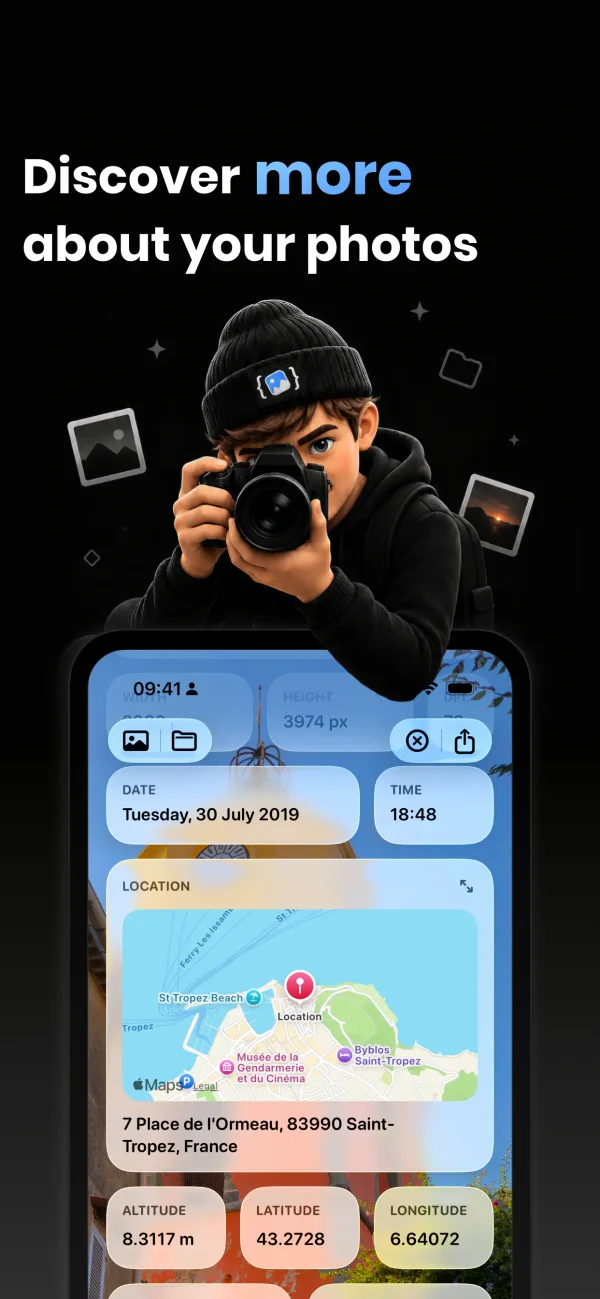
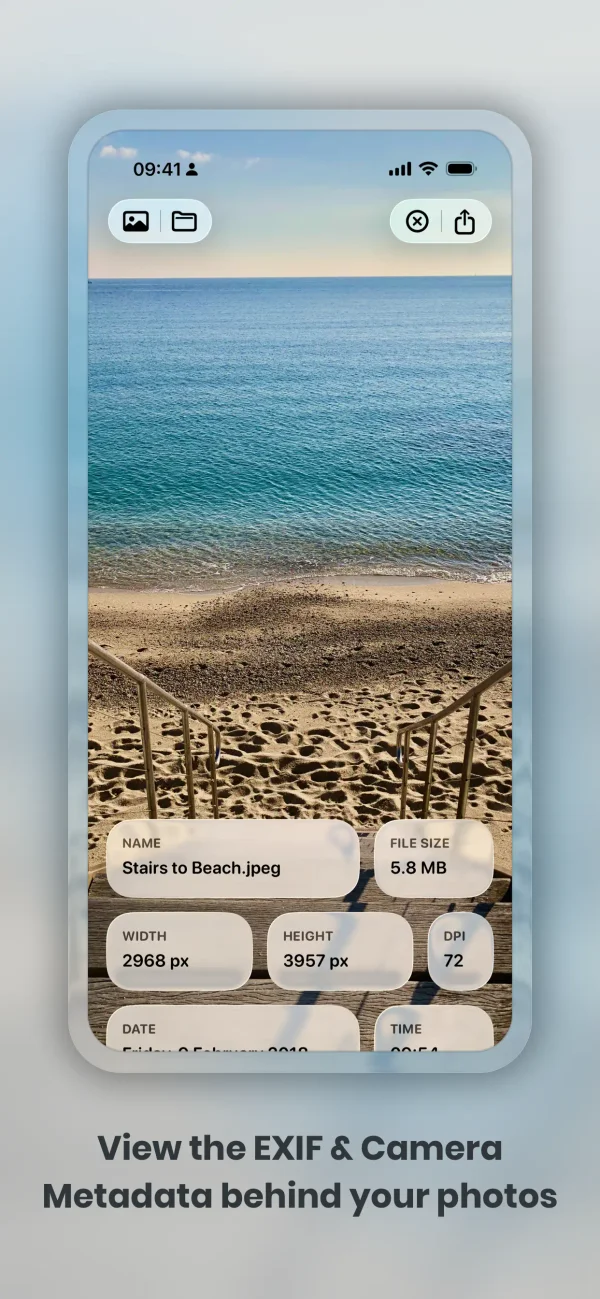
Import an image from Photos or Files and instantly discover the hidden information behind your photos. Explore detailed EXIF data, camera settings, image dimensions, DPI, file size, lens details, location information and more — all displayed in a beautiful interface designed for creative workflows.
Whether you shoot on iPhone, DSLR, mirrorless cameras or create artwork in professional editing apps, Metadata helps you inspect, analyse and better understand your images.
Perfect for:
• Photographers
• Designers
• Content creators
• Social media professionals
• Digital artists
• Print studios
• Creative agencies
FEATURES
• View detailed photo metadata and EXIF information
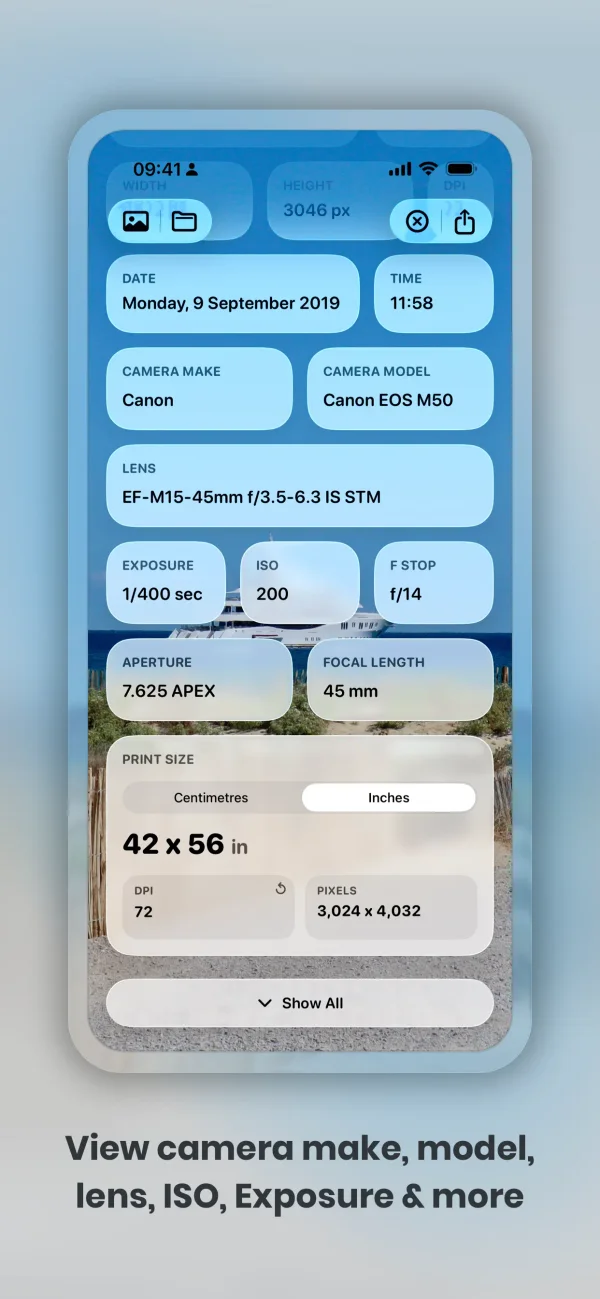
• Inspect ISO, aperture, exposure, focal length and lens details
• See image dimensions, DPI, colour profile and file size
• View device and location information stored in photos
• Import images from Photos, Files and other apps
• Drag and Drop support for fast professional workflows
• Fast, elegant and modern design
• Optimised for creators and creative professionals
METADATA PRO
Unlock advanced creative tools with Metadata Pro:
• Extract text directly from photos using on-device text recognition
• Copy and share recognised text instantly
• Access advanced photography metadata and camera information
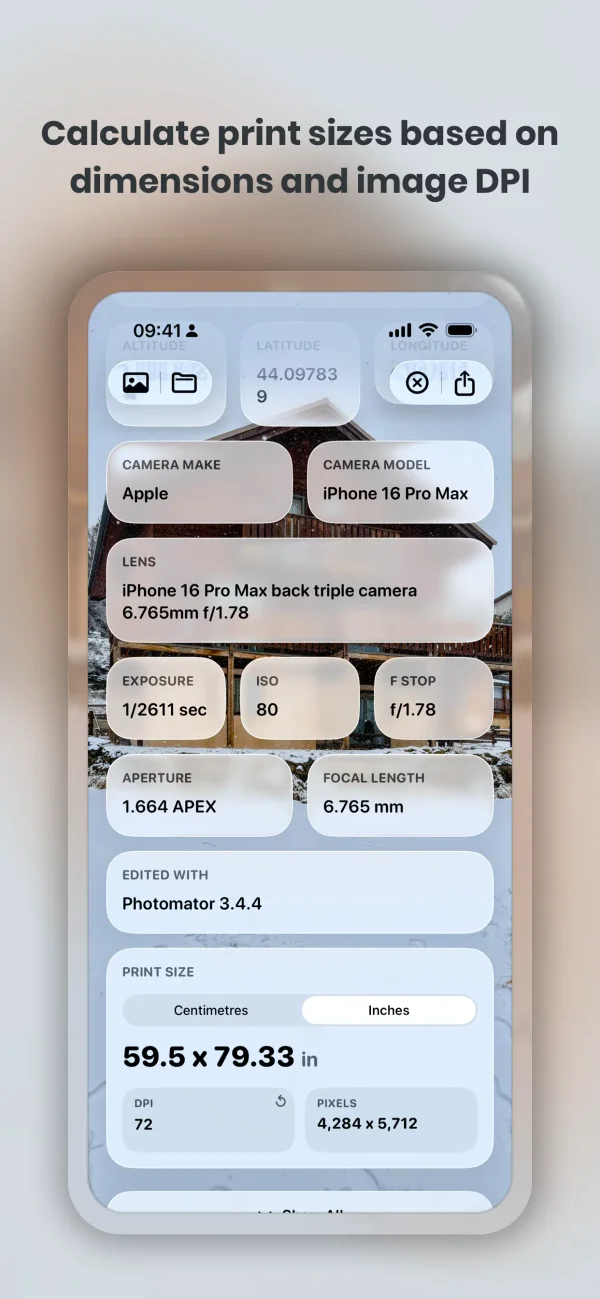
• Calculate print sizes with the built-in DPI calculator
• Check image dimensions for print and production workflows
From analysing exported artwork to checking professional camera settings before print, Metadata gives creators a powerful way to inspect and understand their images anywhere.
- Subscription Details -
Subscriptions will be charged to your iTunes account at confirmation of purchase. Your subscription will automatically renew unless automatic renewal is turned off at least 24 hours before the end of the current period. Your account will be charged for renewal within 24 hours prior to the end of the current period. You can manage your subscriptions and automatic renewal status in Account Settings after purchase. Price may vary by location.
Privacy Policy: https://smudge.app/privacy
Terms and Conditions: https://smudge.app/app-terms
Novedades
Versión 2.0 · 26/5/2026
This update includes a brand new design, with simplified and improved navigation, more data from each image and improved support for Liquid Glass.
Privacidad de la aplicación
Lo que Thomas Coomer declara en App Store sobre cómo esta aplicación gestiona los datos.
-
No se recopilan datos
El desarrollador no recopila ningún dato de esta aplicación.
Las prácticas de privacidad pueden variar, por ejemplo, según las funciones que uses o tu edad.
Información
- Vendedor
- Thomas Coomer
- Categoría
- Foto y vídeo
- Versión
- 2.0
- Actualizado
- 26/5/2026
- Publicado
- 14/3/2017
- Tamaño
- 5,4 MB
- Requiere
- iOS 26.4 o posterior
- Clasificación por edad
- 4+
- Precio
- Gratis
- Compras en la aplicación
- Sí
- Idiomas
- Inglés
- Copyright
- © 2017 - 2026 Thomas Coomer
Quizá también te guste
-
 EXIF MetadataView, edit photo location
-
 Exif Metadata Editor - ImagesFoto y vídeo
-
 Camera Anglecamera with level
-
 EXIF MetadataーMetadata RemoverExif photo detailsーExif viewer
-
 xMeta - Photo & Video MetadataFoto y vídeo
-
 Exif Metadatos Foto Editor GPSEditar fecha y ubicación lote
-
 Editor EXIF de Fotos DNGGPS Fecha y Metadatos
-
 Ver Metadatos EXIF GPS de FotoCámara, fecha y ubicación
-
 Textograph: Add Text on PhotoFoto y vídeo
-
 backAR Green ScreenFoto y vídeo