- Clasificación por edad4+
- CategoríaUtilidades
- DesarrolladorShingo Morimoto
- IdiomasJaponés+ 1 más
- Tamaño9,5 MB
Enlaza a la página oficial de App Store
Download.org no aloja ningún archivo de Mobile SLAM. El botón abre la página de la aplicación en App Store, donde la publica Shingo Morimoto. Ficha comprobada por última vez el 23/11/2026.
Capturas de pantalla
Acerca de
El desarrollador no ha proporcionado este texto en tu idioma.
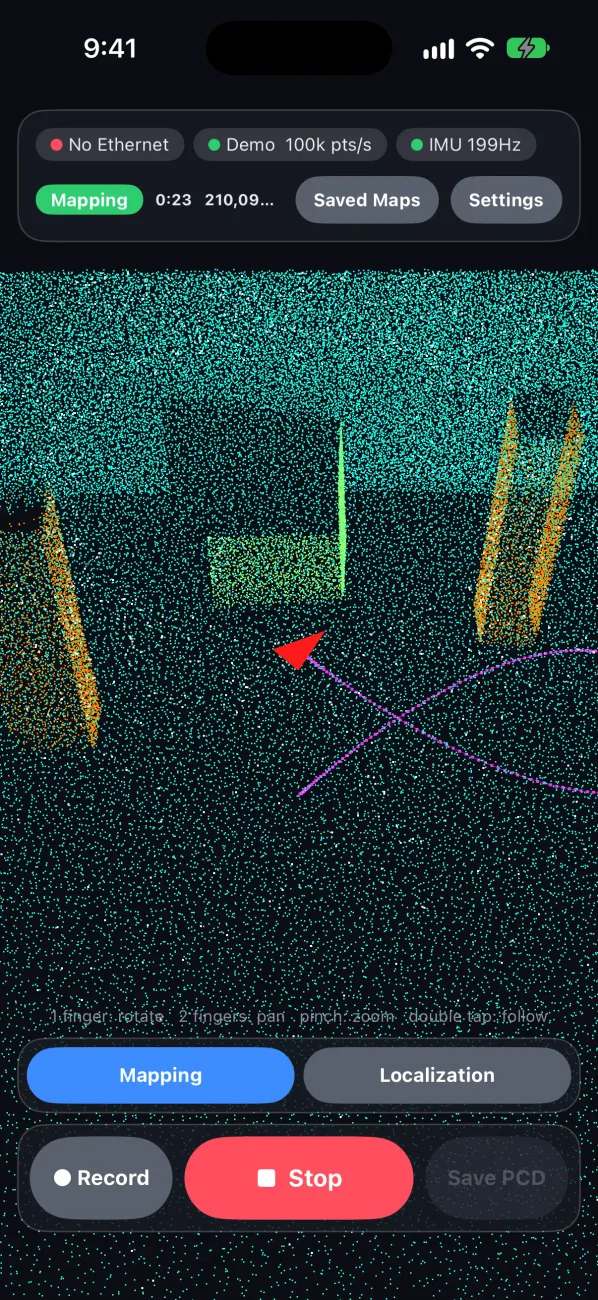
Connect a Livox Mid-360 LiDAR to your iPhone with a wired Ethernet adapter and build 3D maps on the spot while you walk. No PC or ROS needed.
FEATURES
• Live view: receive the LiDAR point cloud and IMU data and view them in 3D
• Mapping (SLAM): build a 3D map as you walk, using LiDAR-inertial odometry
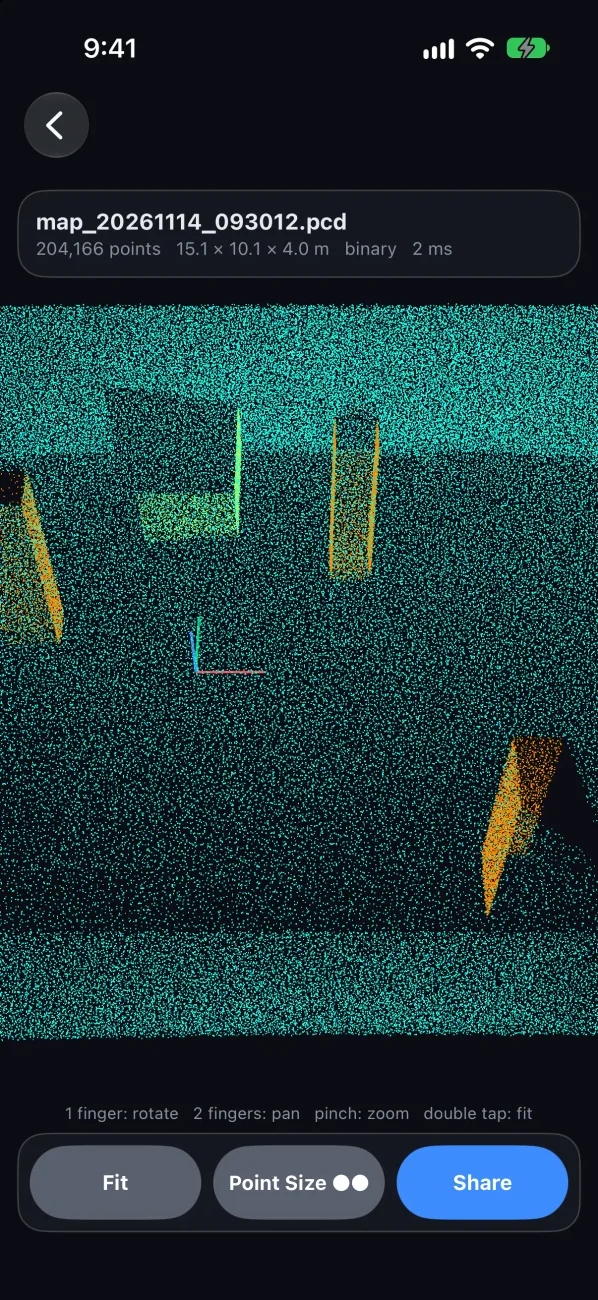
• Save and view PCD: save maps as PCD files and view them in 3D in the app; export them from the Files app or the share sheet
• Localization: estimate your position against a saved map. Tap the map to give a starting pose, or let the app search for it
• rosbag recording: record the IMU and point cloud (with per-point timestamps) as a ROS 2 bag (MCAP), ready for ros2 bag play and Foxglove
• SLAM from a rosbag: replay a recorded bag, or one made on a PC, to build maps and localize
• SFTP upload: send maps and bags to a PC or server; save several destinations and create the key pair in the app
• SLAM parameters: tune resolutions, noise and more in Settings
• Mid-360 network settings: view and change the sensor's IP address and data destination from the app
• Demo mode: try every step with simulated data, no hardware needed
REQUIREMENTS
• Livox Mid-360 and a 9–27 V power supply
• A wired Ethernet adapter for iPhone / iPad (USB-C, or via the Lightning to USB 3 Camera Adapter)
• In the iPhone's Ethernet settings, set the IP address manually to the Mid-360's destination (host) IP (192.168.1.50 by default)
PRIVACY
The app collects no data. Maps and recordings stay on your iPhone and are sent only to a server you choose when you use SFTP upload.
Livox and Mid-360 are trademarks of their respective owners. This app is independent and not affiliated with Livox.
Novedades
Versión 1.2 · 18/11/2026
• rosbag recording: "● Record" now saves a ROS 2 bag (MCAP) with the IMU and the point cloud with per-point timestamps — while idle, mapping or localizing
• SLAM from a rosbag: build maps and localize while replaying a bag (MCAP uncompressed / zstd / lz4, PointCloud2 or Livox CustomMsg)
• SFTP upload: send PCDs and bags to a PC or server; save several destinations and copy the public key of a key pair made in the app
• Advanced SLAM parameters in Settings
Privacidad de la aplicación
Lo que Shingo Morimoto declara en App Store sobre cómo esta aplicación gestiona los datos.
-
No se recopilan datos
El desarrollador no recopila ningún dato de esta aplicación.
Las prácticas de privacidad pueden variar, por ejemplo, según las funciones que uses o tu edad.
Información
- Vendedor
- Shingo Morimoto
- Categoría
- Utilidades
- Versión
- 1.2
- Actualizado
- 18/11/2026
- Publicado
- 14/11/2026
- Tamaño
- 9,5 MB
- Requiere
- iOS 17.0 o posterior
- Clasificación por edad
- 4+
- Precio
- Gratis
- Idiomas
- Japonés, Inglés
- Copyright
- © 2026 schan-lab