- Age rating4+
- CategoryUtilities
- DeveloperShingo Morimoto
- LanguagesJapanese+ 1 more
- Size9.5 MB
Links to the official App Store page
Download.org hosts no file of Mobile SLAM. The button opens its official App Store page, published by Shingo Morimoto. Listing last checked on Nov 23, 2026.
Screenshots
About
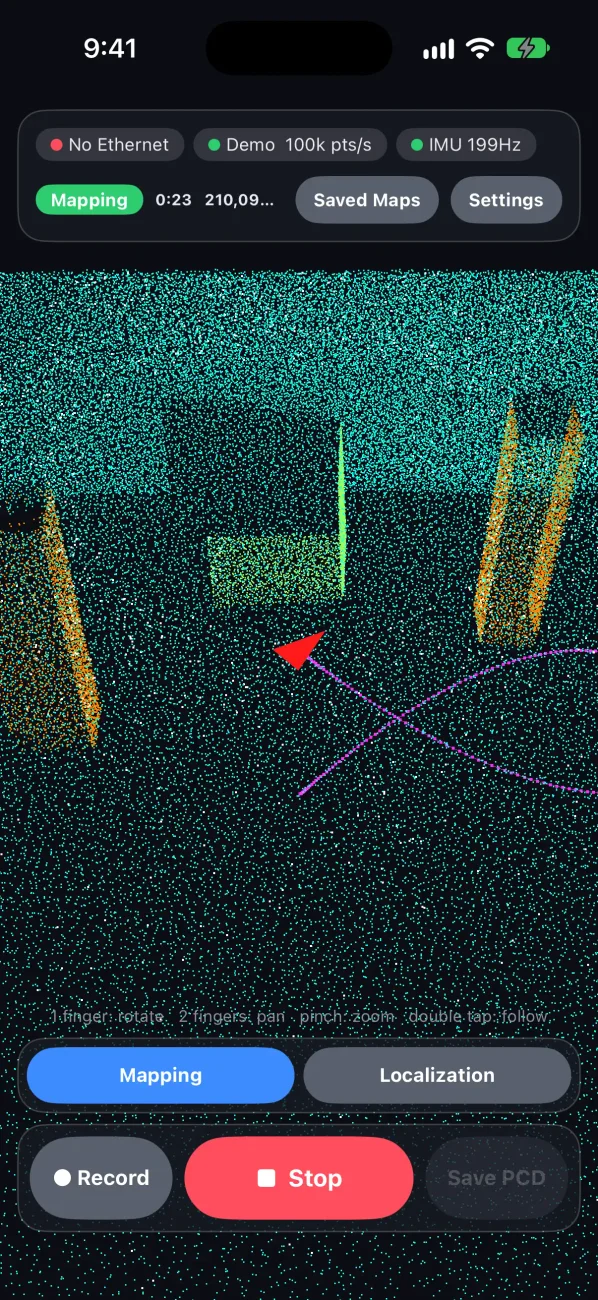
Connect a Livox Mid-360 LiDAR to your iPhone with a wired Ethernet adapter and build 3D maps on the spot while you walk. No PC or ROS needed.
FEATURES
• Live view: receive the LiDAR point cloud and IMU data and view them in 3D
• Mapping (SLAM): build a 3D map as you walk, using LiDAR-inertial odometry
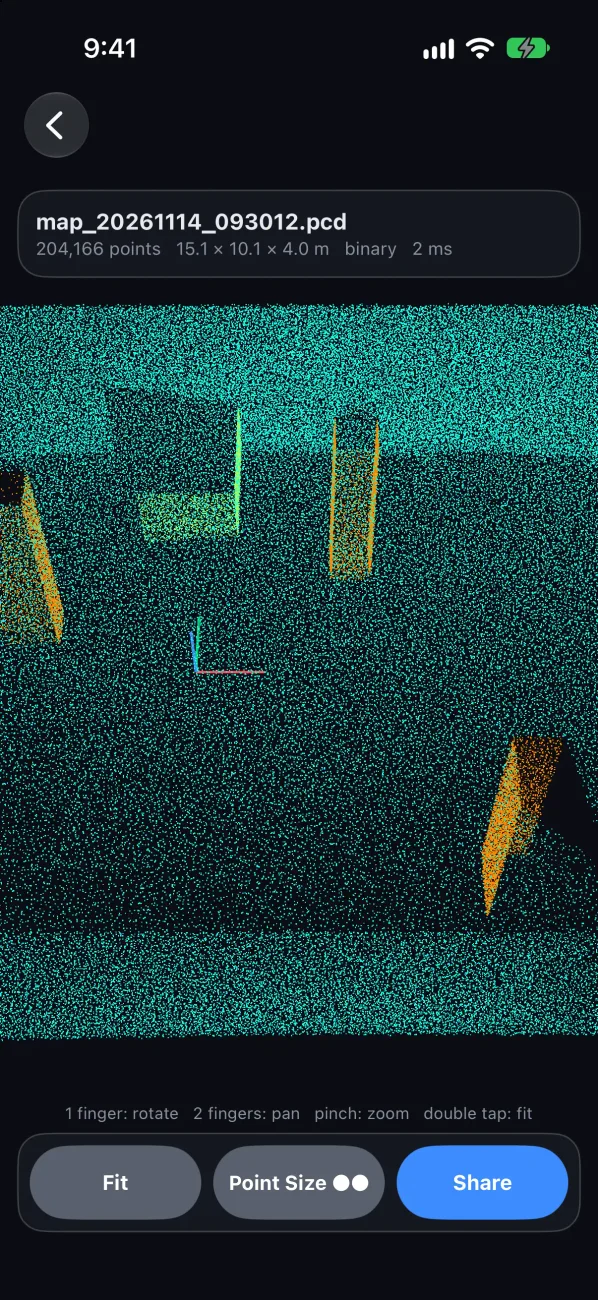
• Save and view PCD: save maps as PCD files and view them in 3D in the app; export them from the Files app or the share sheet
• Localization: estimate your position against a saved map. Tap the map to give a starting pose, or let the app search for it
• rosbag recording: record the IMU and point cloud (with per-point timestamps) as a ROS 2 bag (MCAP), ready for ros2 bag play and Foxglove
• SLAM from a rosbag: replay a recorded bag, or one made on a PC, to build maps and localize
• SFTP upload: send maps and bags to a PC or server; save several destinations and create the key pair in the app
• SLAM parameters: tune resolutions, noise and more in Settings
• Mid-360 network settings: view and change the sensor's IP address and data destination from the app
• Demo mode: try every step with simulated data, no hardware needed
REQUIREMENTS
• Livox Mid-360 and a 9–27 V power supply
• A wired Ethernet adapter for iPhone / iPad (USB-C, or via the Lightning to USB 3 Camera Adapter)
• In the iPhone's Ethernet settings, set the IP address manually to the Mid-360's destination (host) IP (192.168.1.50 by default)
PRIVACY
The app collects no data. Maps and recordings stay on your iPhone and are sent only to a server you choose when you use SFTP upload.
Livox and Mid-360 are trademarks of their respective owners. This app is independent and not affiliated with Livox.
What’s new
Version 1.2 · Nov 18, 2026
• rosbag recording: "● Record" now saves a ROS 2 bag (MCAP) with the IMU and the point cloud with per-point timestamps — while idle, mapping or localizing
• SLAM from a rosbag: build maps and localize while replaying a bag (MCAP uncompressed / zstd / lz4, PointCloud2 or Livox CustomMsg)
• SFTP upload: send PCDs and bags to a PC or server; save several destinations and copy the public key of a key pair made in the app
• Advanced SLAM parameters in Settings
App privacy
What Shingo Morimoto declares on the App Store about how this app handles data.
-
Data not collected
The developer does not collect any data from this app.
Privacy practices may vary, for example with the features you use or your age.
Information
- Seller
- Shingo Morimoto
- Category
- Utilities
- Version
- 1.2
- Updated
- Nov 18, 2026
- Released
- Nov 14, 2026
- Size
- 9.5 MB
- Requires
- iOS 17.0 or later
- Age rating
- 4+
- Languages
- Japanese, English
- Copyright
- © 2026 schan-lab
You might also like
-
 GeoDiveExaUtilities
-
 mapry農業Utilities
-
 PWood AIAn AI app for Wood Analysis
-
 Twinform: 3D Scanner & LiDARScan Rooms & Objects, Measure
-
 CrowsEyeFrigate NVR, Natively
-
 ShellbeeZigbee2MQTT Controller
-
 WTW PRO 2Utilities
-
 RayStudio MobileUtilities
-
 mapry測量Utilities
-
 Mobile Comfy CreatorRun ComfyUI & SwarmUI anywhere