- Classification d’âge4+
- CatégorieUtilitaires
- DéveloppeurShingo Morimoto
- LanguesJaponais+ 1 de plus
- Taille9,5 Mo
Mobile SLAM n’est peut-être pas disponible sur App Store pour le moment
La fiche de la boutique était inaccessible lors de notre dernière vérification. Le lien mène toujours à la page App Store officielle.
Captures d’écran
À propos
Le développeur n’a pas fourni ce texte dans votre langue.
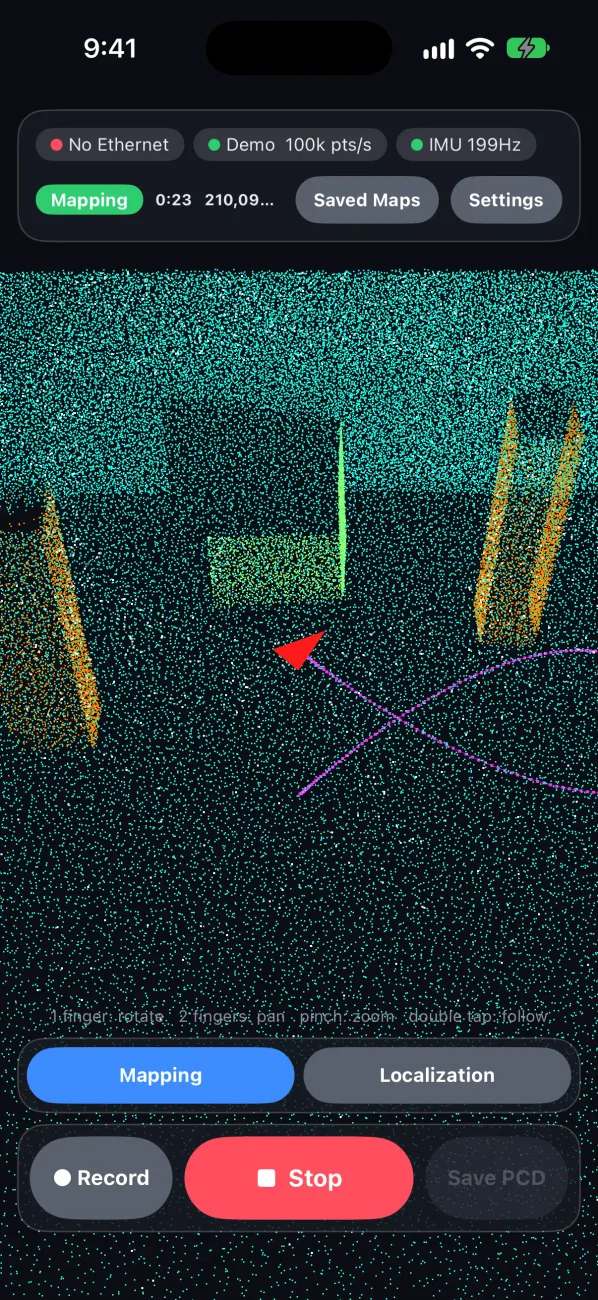
Connect a Livox Mid-360 LiDAR to your iPhone with a wired Ethernet adapter and build 3D maps on the spot while you walk. No PC or ROS needed.
FEATURES
• Live view: receive the LiDAR point cloud and IMU data and view them in 3D
• Mapping (SLAM): build a 3D map as you walk, using LiDAR-inertial odometry
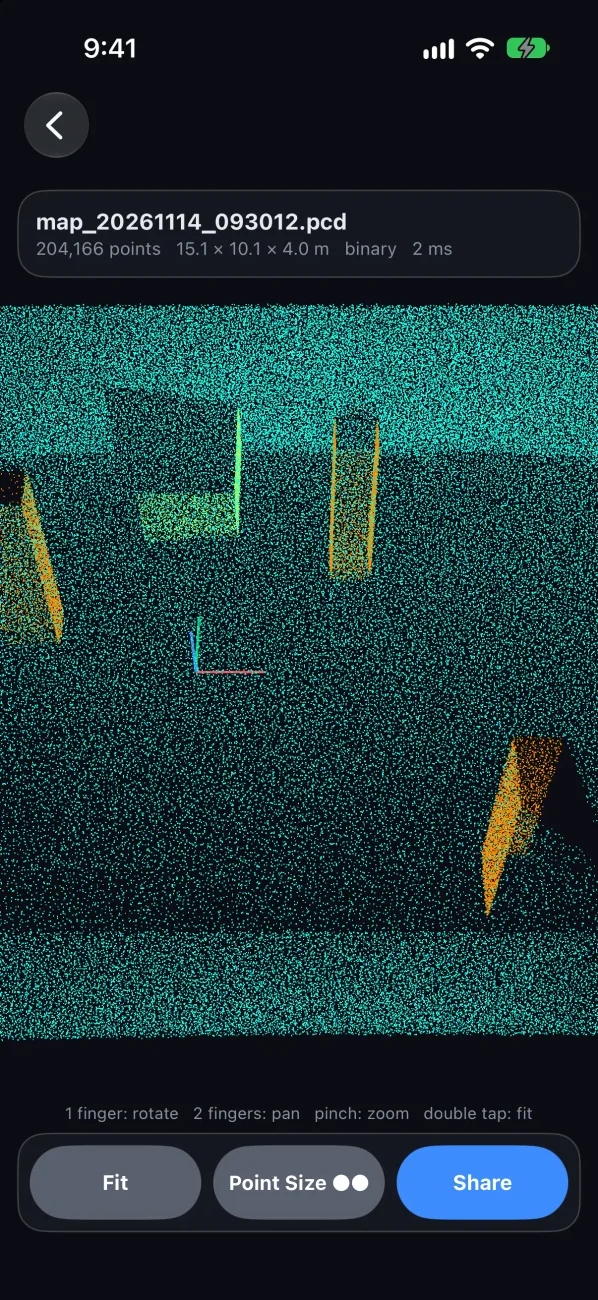
• Save and view PCD: save maps as PCD files and view them in 3D in the app; export them from the Files app or the share sheet
• Localization: estimate your position against a saved map. Tap the map to give a starting pose, or let the app search for it
• rosbag recording: record the IMU and point cloud (with per-point timestamps) as a ROS 2 bag (MCAP), ready for ros2 bag play and Foxglove
• SLAM from a rosbag: replay a recorded bag, or one made on a PC, to build maps and localize
• SFTP upload: send maps and bags to a PC or server; save several destinations and create the key pair in the app
• SLAM parameters: tune resolutions, noise and more in Settings
• Mid-360 network settings: view and change the sensor's IP address and data destination from the app
• Demo mode: try every step with simulated data, no hardware needed
REQUIREMENTS
• Livox Mid-360 and a 9–27 V power supply
• A wired Ethernet adapter for iPhone / iPad (USB-C, or via the Lightning to USB 3 Camera Adapter)
• In the iPhone's Ethernet settings, set the IP address manually to the Mid-360's destination (host) IP (192.168.1.50 by default)
PRIVACY
The app collects no data. Maps and recordings stay on your iPhone and are sent only to a server you choose when you use SFTP upload.
Livox and Mid-360 are trademarks of their respective owners. This app is independent and not affiliated with Livox.
Nouveautés
Version 1.2 · 18/11/2026
• rosbag recording: "● Record" now saves a ROS 2 bag (MCAP) with the IMU and the point cloud with per-point timestamps — while idle, mapping or localizing
• SLAM from a rosbag: build maps and localize while replaying a bag (MCAP uncompressed / zstd / lz4, PointCloud2 or Livox CustomMsg)
• SFTP upload: send PCDs and bags to a PC or server; save several destinations and copy the public key of a key pair made in the app
• Advanced SLAM parameters in Settings
Confidentialité de l’application
Ce que Shingo Morimoto déclare sur l’App Store au sujet du traitement des données par cette application.
-
Données non collectées
Le développeur ne collecte aucune donnée à partir de cette application.
Les pratiques en matière de confidentialité peuvent varier, notamment en fonction des fonctionnalités que vous utilisez ou de votre âge.
Informations
- Vendeur
- Shingo Morimoto
- Catégorie
- Utilitaires
- Version
- 1.2
- Mis à jour
- 18/11/2026
- Publié
- 14/11/2026
- Taille
- 9,5 Mo
- Nécessite
- iOS 17.0 ou version ultérieure
- Classification d’âge
- 4+
- Langues
- Japonais, Anglais
- Copyright
- © 2026 schan-lab