My Time-Tracker
Time by client and project
Diseñada para iPhone, iPad, Mac
Gratis · Compras en la aplicación
- Clasificación por edad4+
- CategoríaProductividad
- DesarrolladorOlly Klassen
- IdiomasInglés+ 3 más
- Tamaño9,3 MB
Enlaza a la página oficial de App Store
Download.org no aloja ningún archivo de My Time-Tracker. El botón abre la página de la aplicación en App Store, donde la publica Olly Klassen. Ficha comprobada por última vez el 26/11/2026.
Capturas de pantalla

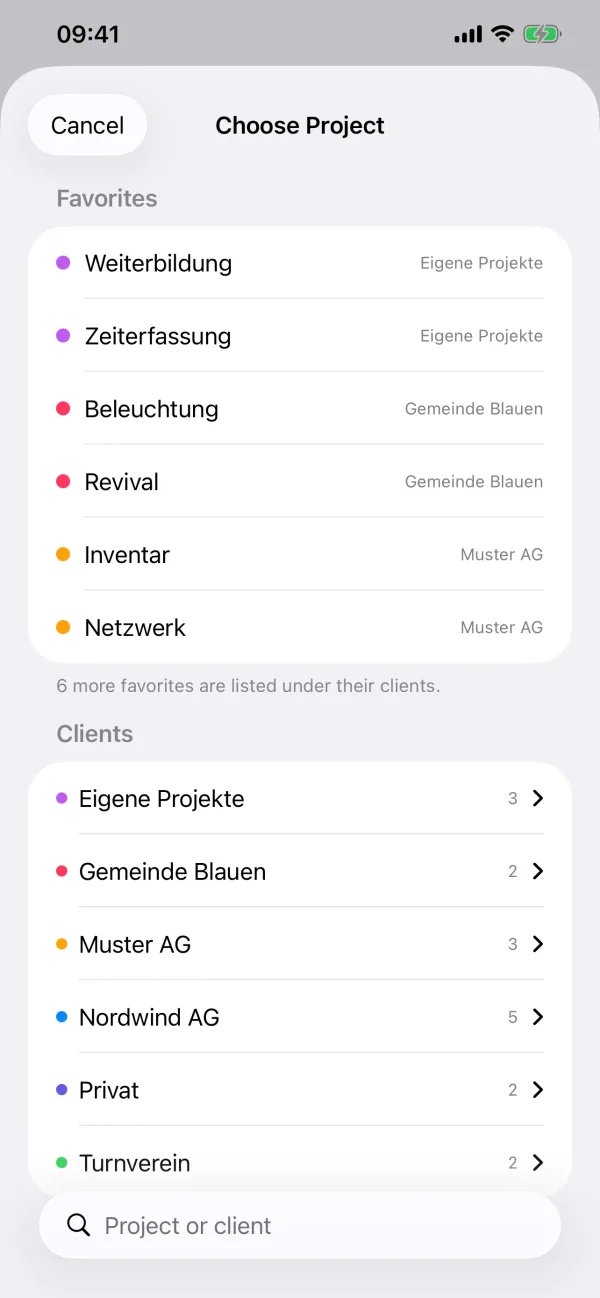
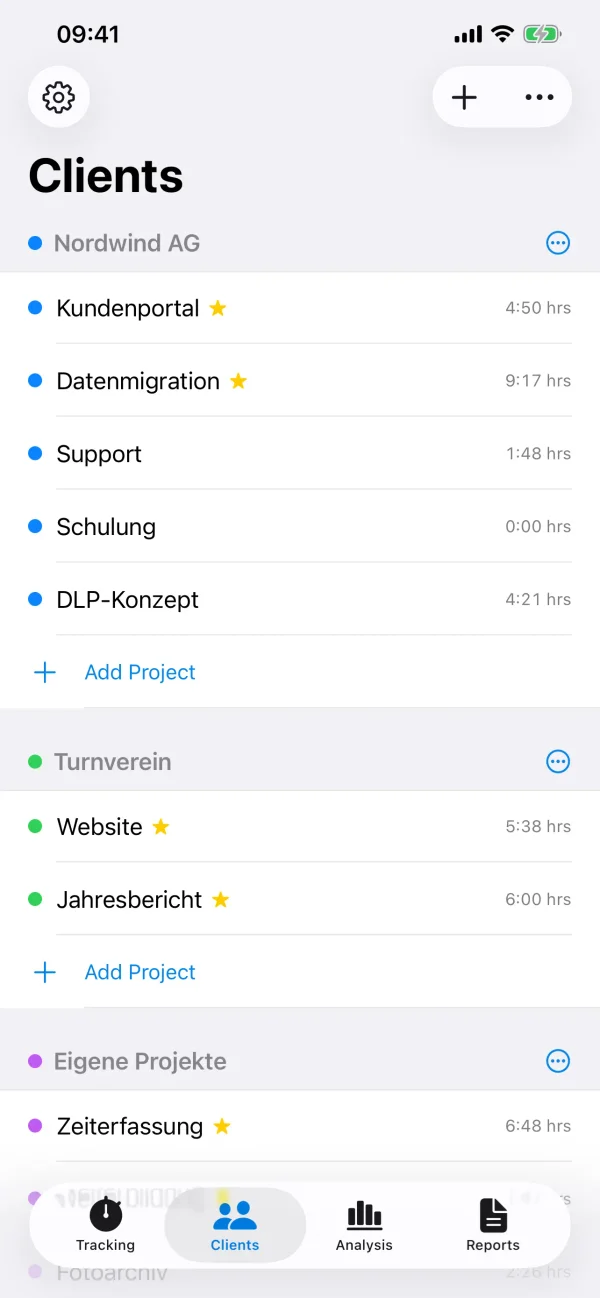
Acerca de
El desarrollador no ha proporcionado este texto en tu idioma.
My Time-Tracker records your working time where it happens: on a client's project.
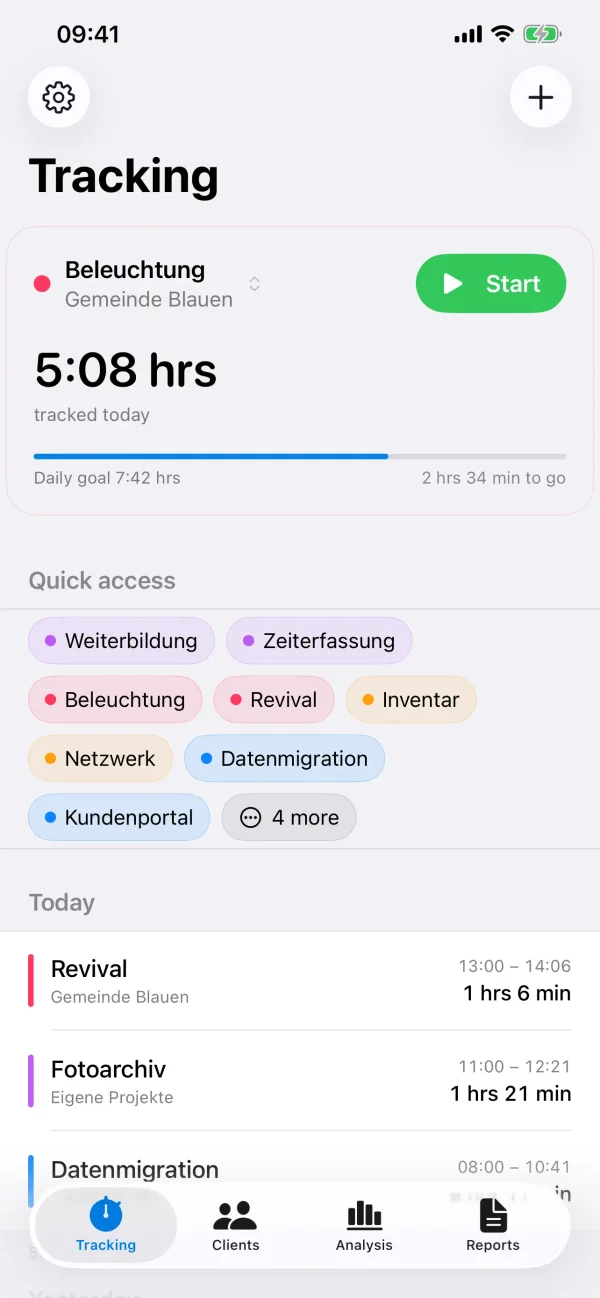
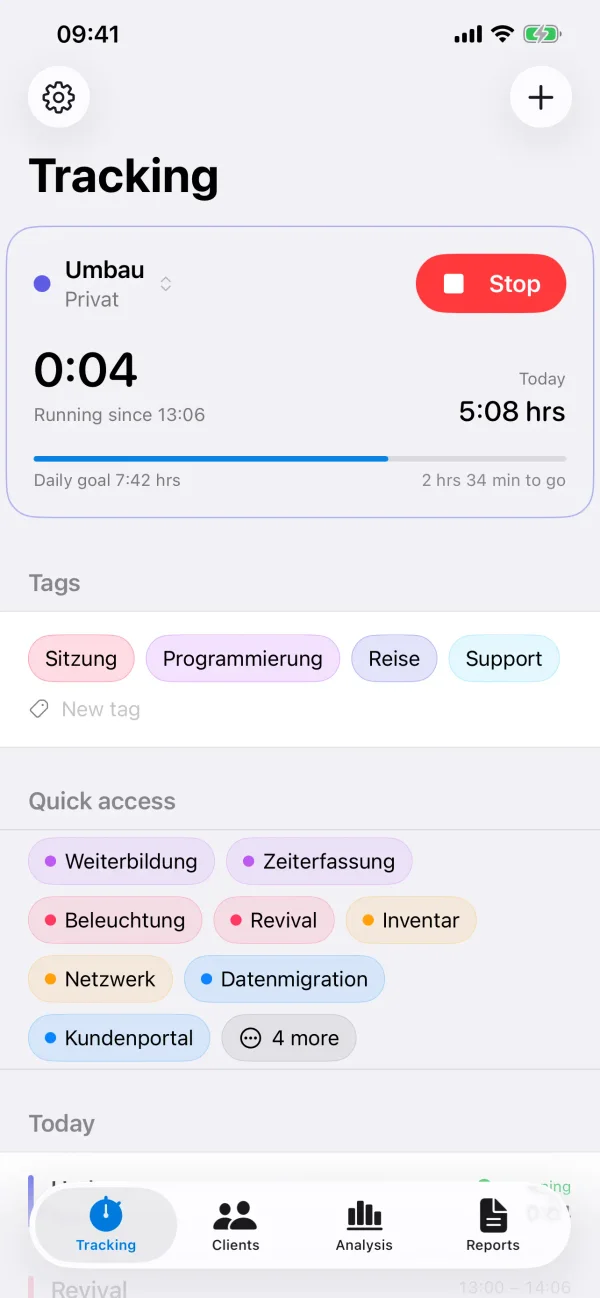
TRACKING
• Start and stop with one tap – on iPhones with an Action button even while the device is locked
• Switch to another project mid-run: the app stops and starts again without a gap
• If a timer runs past midnight, stopping it creates two entries – so daily totals stay correct
• Correct any entry afterwards, add a note, or move it to a different project
• Deleted entries go to the trash – undo with a tap, a shake or ⌘Z, and restore them until a period you choose runs out
• Tags on entries – across clients and projects, “Meeting” or “Travel” for instance; a project can add them to new entries automatically
ALWAYS WITHIN REACH
• Live Activity on the Lock Screen and in the Dynamic Island, counting along
• Widgets for the Home and Lock Screen, plus a control for Control Center; you choose which projects the widget offers to start
• Apple Watch: start, stop, switch project – and a complication for your watch face
• On the Mac the app lives in the menu bar: read the state and switch projects without opening a window
REPORTS
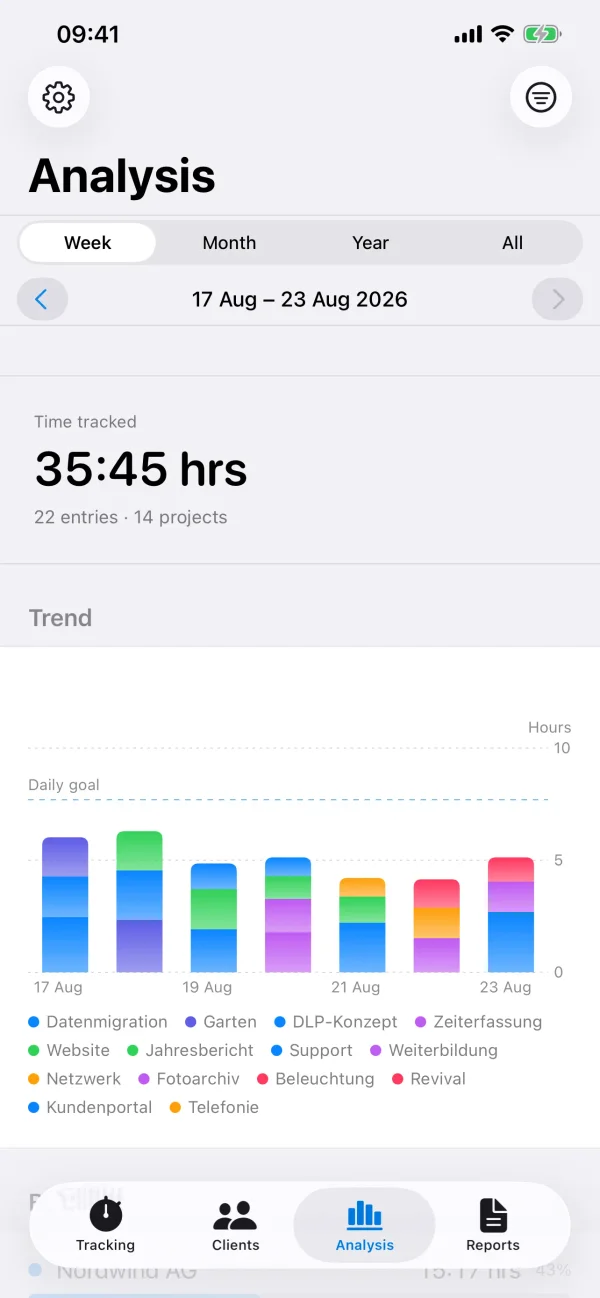
• Time by client and project – for a week, a month, a year or all of it
• Totals by tag, with a filter to match
• Stacked chart with a fixed color per project
• Optional daily goal with progress, balance and a forecast for when you are done
• CSV export for Numbers and Excel
• Reports: a timesheet as a PDF per company and period (week, month or a range you choose) – with the company name as the title, daily totals and a breakdown by project. Stored exactly as created
YOUR DATA STAYS YOURS
• No account, no server, no analytics, tracking or advertising services
• Entries live on your device and in your private iCloud database, syncing automatically between iPhone, iPad, Mac and Watch
The interface is available in German, English, French and Italian.
FREE AND UNLIMITED
For free you track time for one client with three projects. The one-time purchase “Time-Tracker Unlimited” removes both limits – no subscription. Everything else is included without it: reports, CSV export, widgets, Apple Watch, the Action button and iCloud sync.
Novedades
Versión 1.2 · 25/11/2026
New: Forgotten timers
Forgot to stop the timer after work? Time-Tracker notices and makes fixing it easy.
• If a timer runs longer than you set (default: 3 hours), a notification asks – on your iPhone and, when it’s locked, on your Apple Watch. Right in the notification: “Stop now”, “Stop at reminder time” or “Still running”.
• When you open the app, it asks “When did you stop?” and suggests likely times. One tap fixes the entry.
• End of workday: get a reminder at a set time – or have the timer stop automatically.
• Long runs turn orange – in the app, on the Live Activity and in the widget.
• Suspicious entries are flagged, and the app points them out before you create a timesheet.
In the manual: stop the timer with Shortcuts automations, for example when you leave the office Wi-Fi.
Privacidad de la aplicación
Lo que Olly Klassen declara en App Store sobre cómo esta aplicación gestiona los datos.
-
No se recopilan datos
El desarrollador no recopila ningún dato de esta aplicación.
Las prácticas de privacidad pueden variar, por ejemplo, según las funciones que uses o tu edad.
Información
- Vendedor
- Olly Klassen
- Categoría
- Productividad
- Versión
- 1.2
- Actualizado
- 25/11/2026
- Publicado
- 2/9/2026
- Tamaño
- 9,3 MB
- Requiere
- iOS 18.0 o posterior
- Clasificación por edad
- 4+
- Precio
- Gratis
- Compras en la aplicación
- Sí
- Idiomas
- Inglés, Francés, Alemán, Italiano
- Copyright
- © Olly Klassen
Quizá también te guste
-
 My Time Tracker & TimelinesProductividad
-
 Work Log: Billable Hours & PayProductividad
-
 English TrailProductividad
-
 Timen - Time TrackingProductividad
-
 Transcribir voz sin conexiónAudio y vídeo a texto
-
 Hourly: Horas y SueldoControl de Turnos y Jornada
-
 SimpleTime – Control de horasUn toque pone en marcha
-
 OCR ServerProductividad
-
 MetaGrid ProProductividad
-
 FLEXOPTIX AppProductividad