- 対象年齢4+
- カテゴリ仕事効率化
- 開発元Olly Klassen
- 言語英語ほか3言語
- サイズ9.3 MB
App Storeの公式ページにリンクしています
Download.orgはMy Time-Trackerのファイルを一切ホストしていません。ボタンを押すと、Olly Klassenが公開しているApp Storeのアプリページが開きます。ページの最終確認:2026/11/26。
スクリーンショット

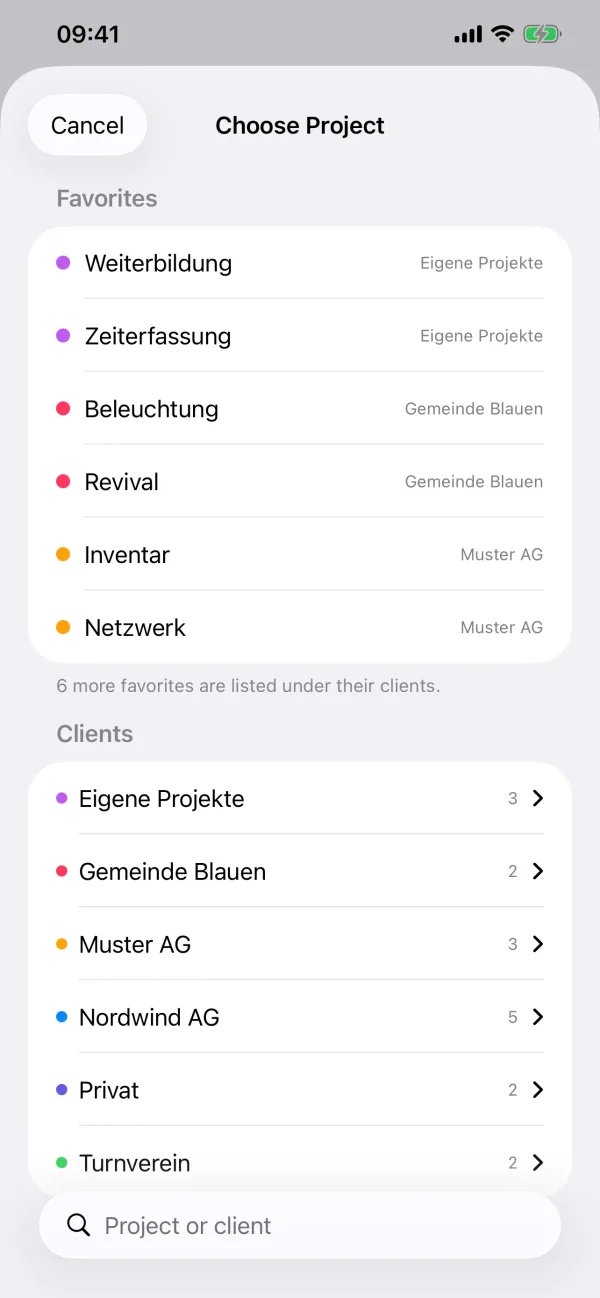
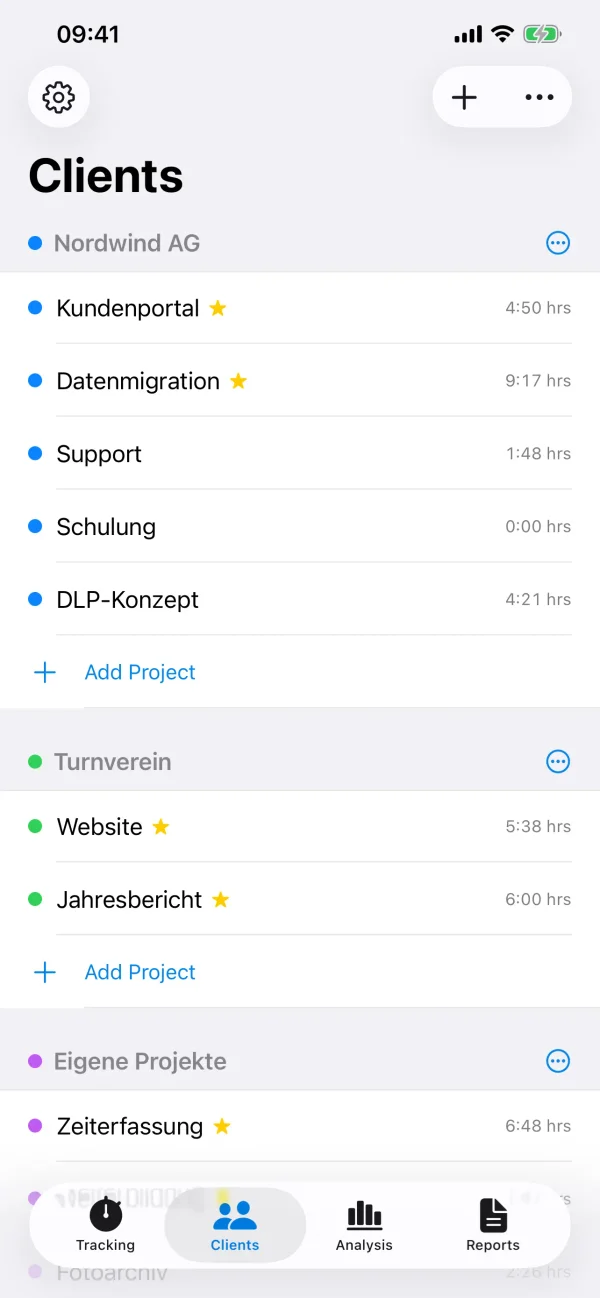
概要
開発元はこのテキストをお使いの言語で提供していません。
My Time-Tracker records your working time where it happens: on a client's project.
TRACKING
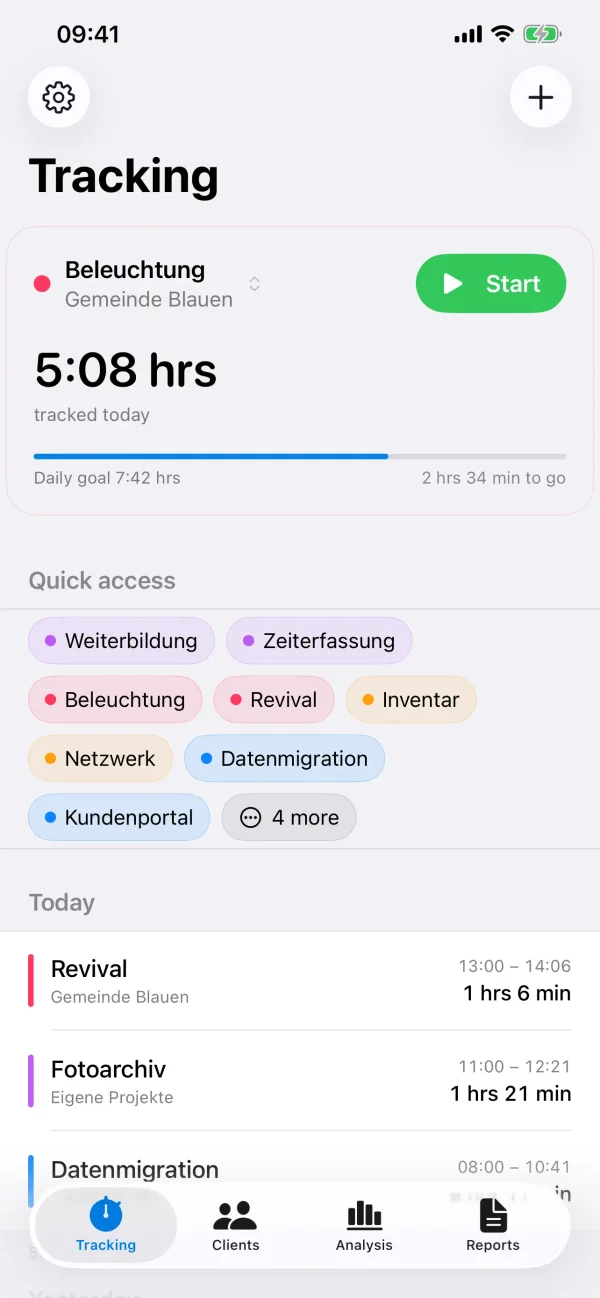
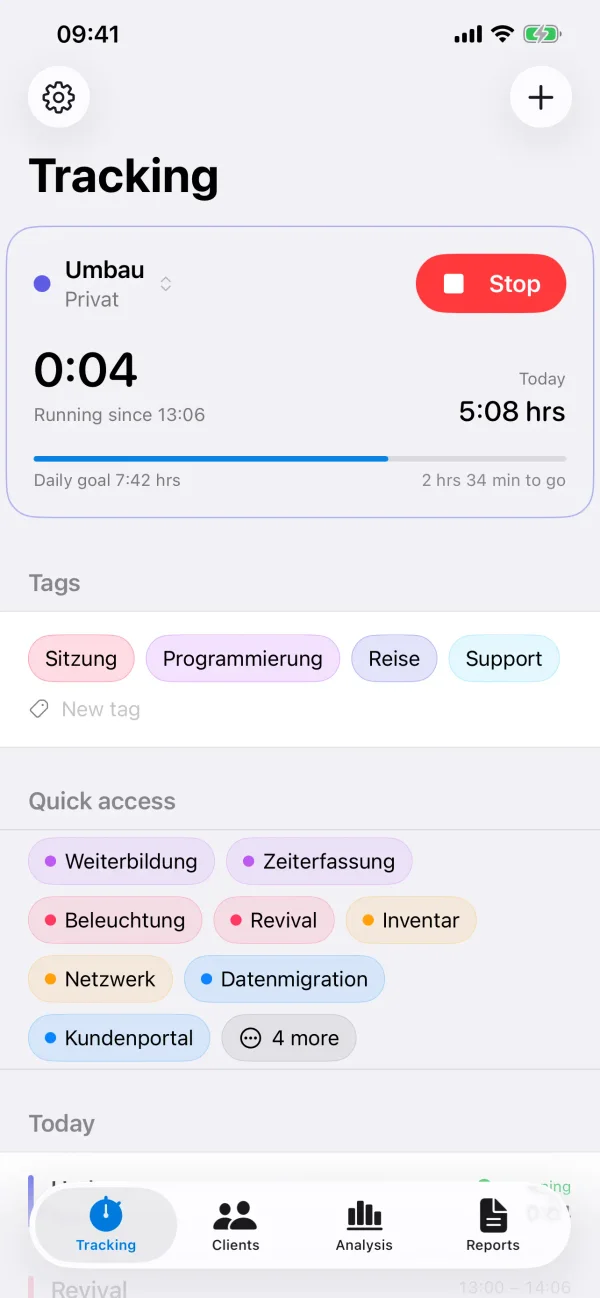
• Start and stop with one tap – on iPhones with an Action button even while the device is locked
• Switch to another project mid-run: the app stops and starts again without a gap
• If a timer runs past midnight, stopping it creates two entries – so daily totals stay correct
• Correct any entry afterwards, add a note, or move it to a different project
• Deleted entries go to the trash – undo with a tap, a shake or ⌘Z, and restore them until a period you choose runs out
• Tags on entries – across clients and projects, “Meeting” or “Travel” for instance; a project can add them to new entries automatically
ALWAYS WITHIN REACH
• Live Activity on the Lock Screen and in the Dynamic Island, counting along
• Widgets for the Home and Lock Screen, plus a control for Control Center; you choose which projects the widget offers to start
• Apple Watch: start, stop, switch project – and a complication for your watch face
• On the Mac the app lives in the menu bar: read the state and switch projects without opening a window
REPORTS
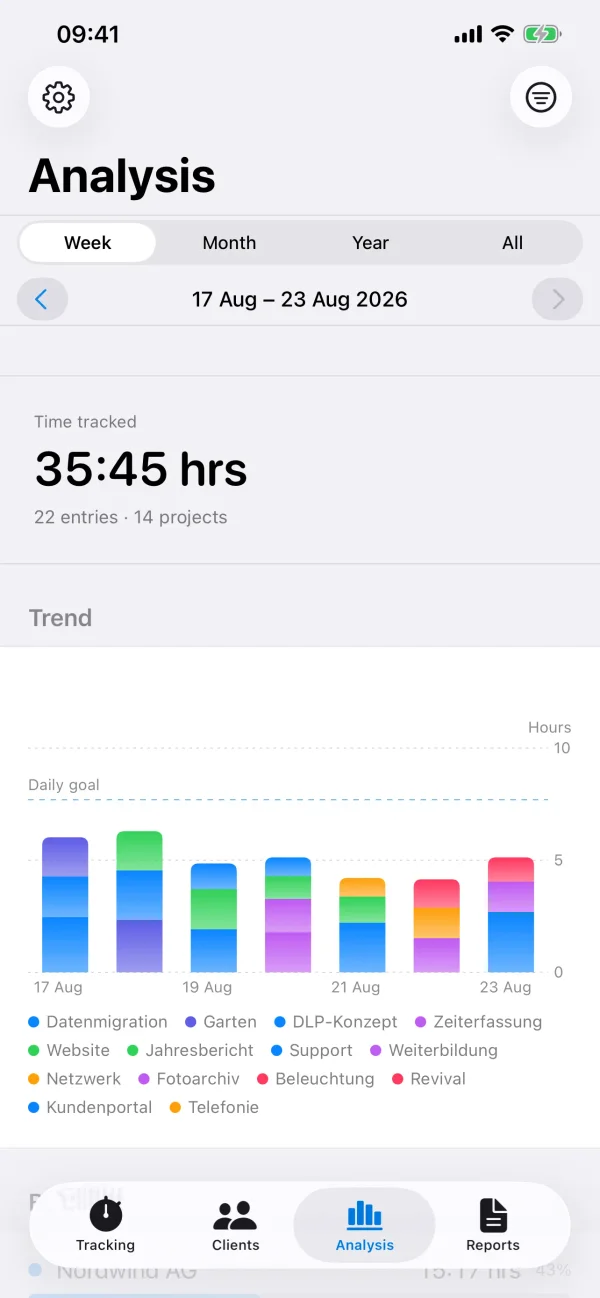
• Time by client and project – for a week, a month, a year or all of it
• Totals by tag, with a filter to match
• Stacked chart with a fixed color per project
• Optional daily goal with progress, balance and a forecast for when you are done
• CSV export for Numbers and Excel
• Reports: a timesheet as a PDF per company and period (week, month or a range you choose) – with the company name as the title, daily totals and a breakdown by project. Stored exactly as created
YOUR DATA STAYS YOURS
• No account, no server, no analytics, tracking or advertising services
• Entries live on your device and in your private iCloud database, syncing automatically between iPhone, iPad, Mac and Watch
The interface is available in German, English, French and Italian.
FREE AND UNLIMITED
For free you track time for one client with three projects. The one-time purchase “Time-Tracker Unlimited” removes both limits – no subscription. Everything else is included without it: reports, CSV export, widgets, Apple Watch, the Action button and iCloud sync.
新機能
バージョン 1.2 · 2026/11/25
New: Forgotten timers
Forgot to stop the timer after work? Time-Tracker notices and makes fixing it easy.
• If a timer runs longer than you set (default: 3 hours), a notification asks – on your iPhone and, when it’s locked, on your Apple Watch. Right in the notification: “Stop now”, “Stop at reminder time” or “Still running”.
• When you open the app, it asks “When did you stop?” and suggests likely times. One tap fixes the entry.
• End of workday: get a reminder at a set time – or have the timer stop automatically.
• Long runs turn orange – in the app, on the Live Activity and in the widget.
• Suspicious entries are flagged, and the app points them out before you create a timesheet.
In the manual: stop the timer with Shortcuts automations, for example when you leave the office Wi-Fi.
アプリのプライバシー
このアプリのデータの取り扱いについて、Olly KlassenがApp Storeで申告している内容です。
-
データの収集なし
開発元はこのアプリからデータを収集しません。
プライバシーの取り扱いは、ご利用の機能やお客様の年齢などに応じて異なる場合があります。
情報
- 販売元
- Olly Klassen
- カテゴリ
- 仕事効率化
- バージョン
- 1.2
- 更新日
- 2026/11/25
- リリース
- 2026/9/2
- サイズ
- 9.3 MB
- 必要条件
- iOS 18.0以降
- 対象年齢
- 4+
- 価格
- 無料
- アプリ内課金
- あり
- 言語
- 英語, フランス語, ドイツ語, イタリア語
- 著作権
- © Olly Klassen
こちらもおすすめ
-
 My Time Tracker & Timelines仕事効率化
-
 ぽちログ - 打刻タイムカードと工数・勤怠の記録アプリフリーランスと副業の作業時間・出退勤を時給つきでシンプル集計
-
 English Trail学習の足跡を記録し、学習の歩みを追跡
-
 Timen - Time Tracking仕事効率化
-
 プライベート音声文字起こし録音・動画をオフライン処理
-
 Hourly: Shift & Hours Tracker仕事効率化
-
 SimpleTime – 時間記録ワンタップで計測開始
-
 OCR Serverあなたのスマートフォンを OCR サーバーにする
-
 MetaGrid Pro仕事効率化
-
 FLEXOPTIX App仕事効率化