My Time-Tracker
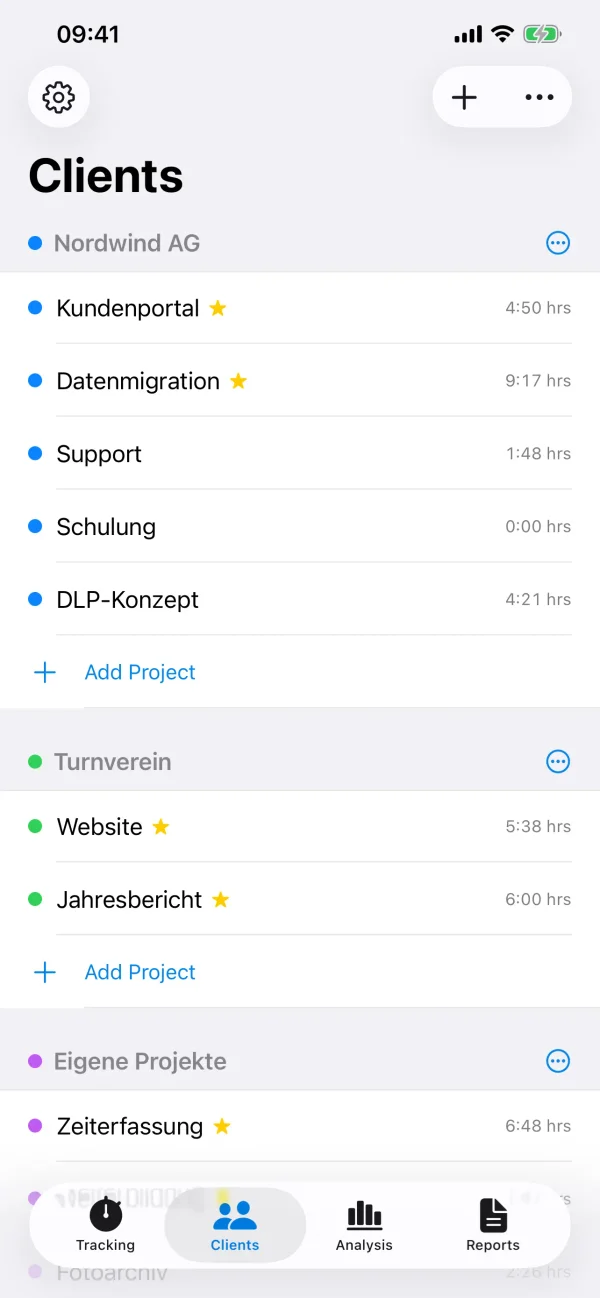
Time by client and project
Designed for iPhone, iPad, Mac
Free · In-app purchases
- Age rating4+
- CategoryProductivity
- DeveloperOlly Klassen
- LanguagesEnglish+ 3 more
- Size9.0 MB
Links to the official App Store page
Download.org hosts no file of My Time-Tracker. The button opens its official App Store page, published by Olly Klassen. Listing last checked on Nov 17, 2026.
Screenshots

About
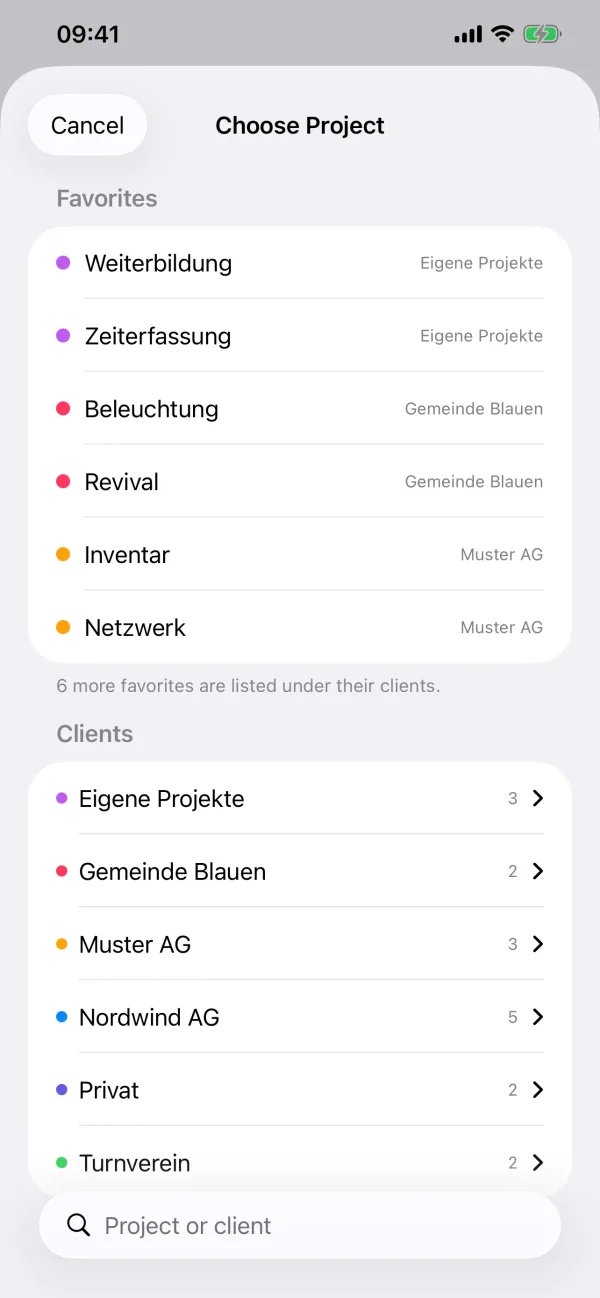
My Time-Tracker records your working time where it happens: on a client's project.
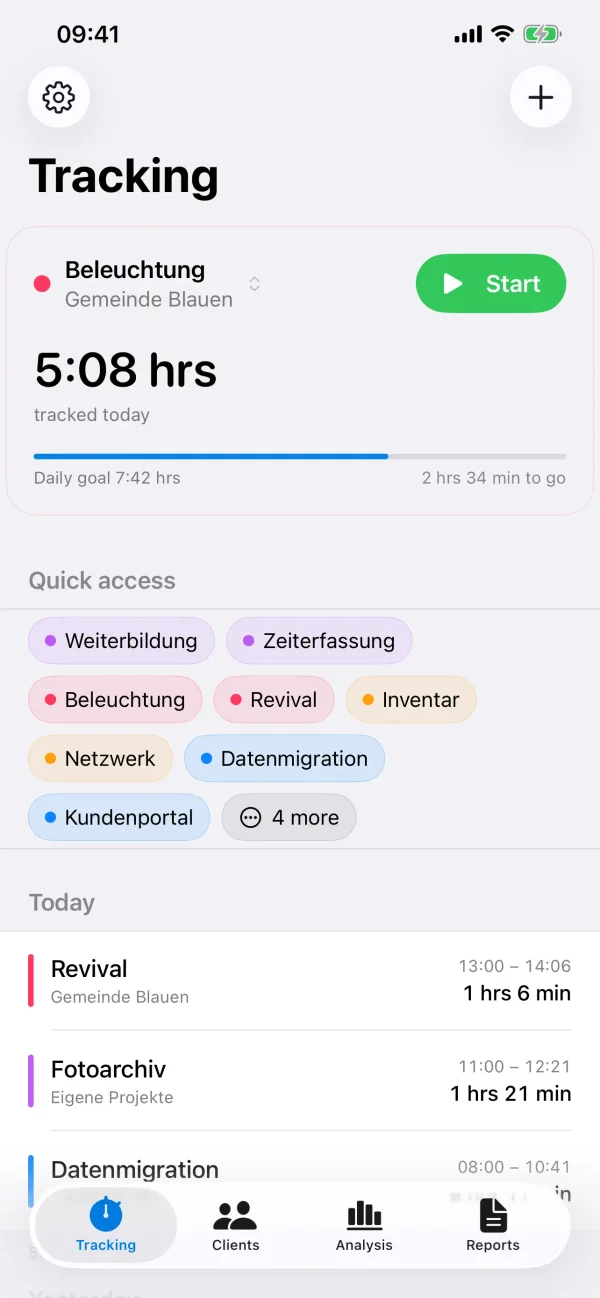
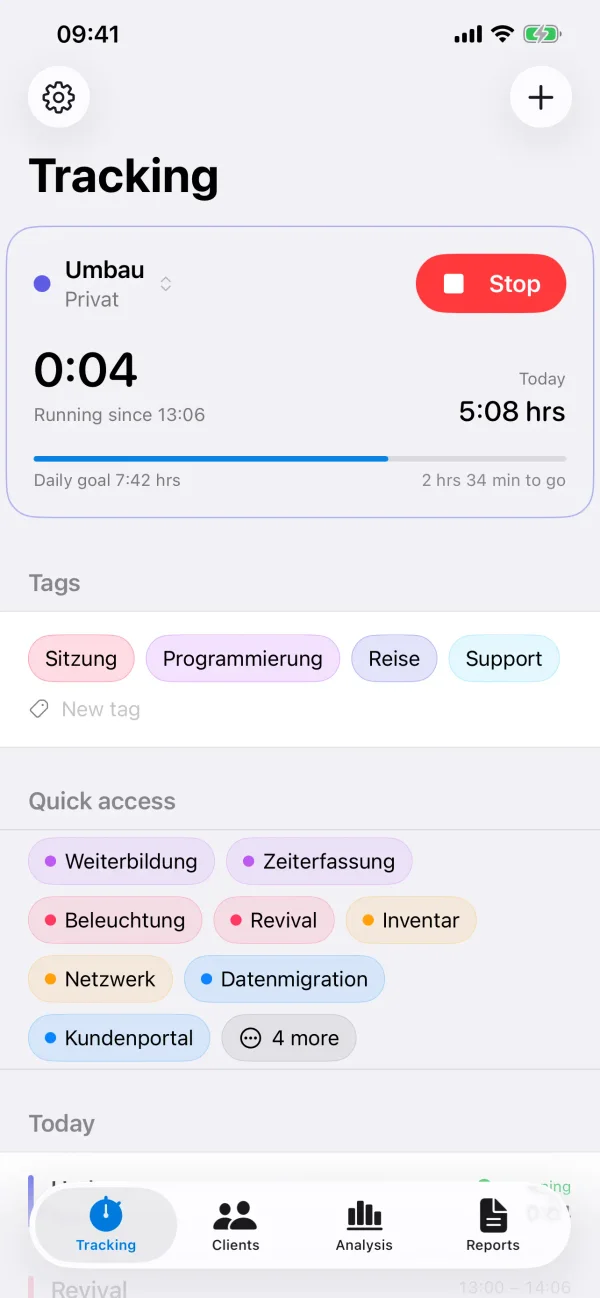
TRACKING
• Start and stop with one tap – on iPhones with an Action button even while the device is locked
• Switch to another project mid-run: the app stops and starts again without a gap
• If a timer runs past midnight, stopping it creates two entries – so daily totals stay correct
• Correct any entry afterwards, add a note, or move it to a different project
• Deleted entries go to the trash – undo with a tap, a shake or ⌘Z, and restore them until a period you choose runs out
• Tags on entries – across clients and projects, “Meeting” or “Travel” for instance; a project can add them to new entries automatically
ALWAYS WITHIN REACH
• Live Activity on the Lock Screen and in the Dynamic Island, counting along
• Widgets for the Home and Lock Screen, plus a control for Control Center; you choose which projects the widget offers to start
• Apple Watch: start, stop, switch project – and a complication for your watch face
• On the Mac the app lives in the menu bar: read the state and switch projects without opening a window
REPORTS
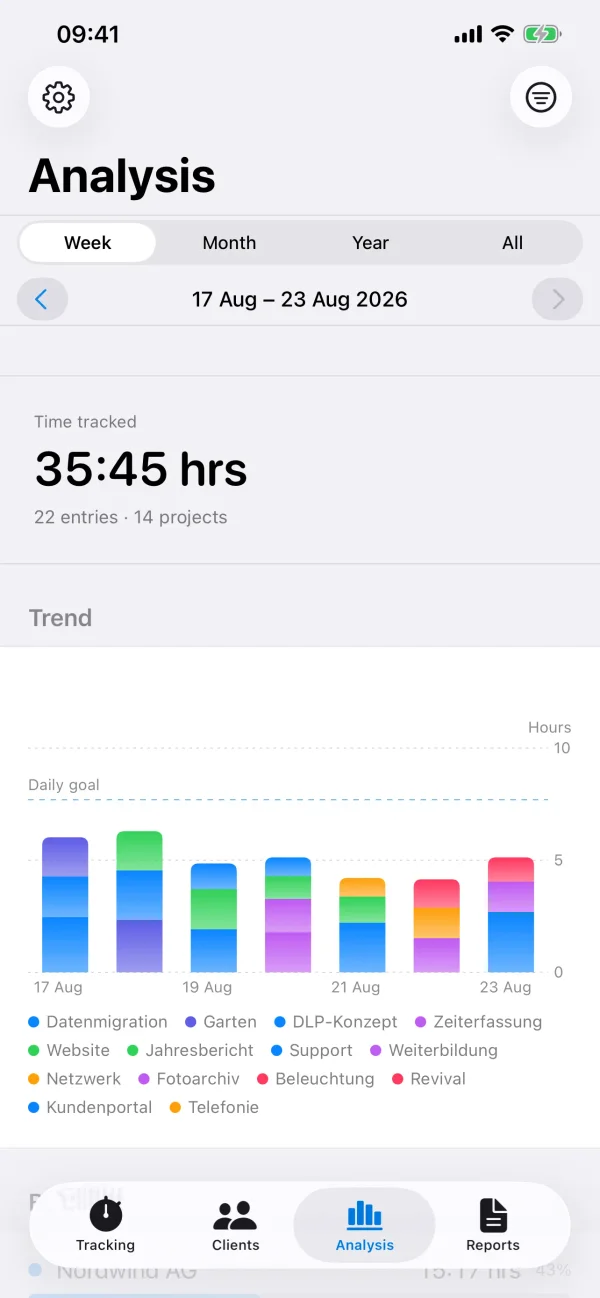
• Time by client and project – for a week, a month, a year or all of it
• Totals by tag, with a filter to match
• Stacked chart with a fixed color per project
• Optional daily goal with progress, balance and a forecast for when you are done
• CSV export for Numbers and Excel
• Reports: a timesheet as a PDF per company and period (week, month or a range you choose) – with the company name as the title, daily totals and a breakdown by project. Stored exactly as created
YOUR DATA STAYS YOURS
• No account, no server, no analytics, tracking or advertising services
• Entries live on your device and in your private iCloud database, syncing automatically between iPhone, iPad, Mac and Watch
The interface is available in German, English, French and Italian.
FREE AND UNLIMITED
For free you track time for one client with three projects. The one-time purchase “Time-Tracker Unlimited” removes both limits – no subscription. Everything else is included without it: reports, CSV export, widgets, Apple Watch, the Action button and iCloud sync.
What’s new
Version 1.1 · Nov 10, 2026
New: Trash
Deleted entries no longer disappear right away. They go to the trash (Settings › Trash), where you can restore them. After a period you choose – 7, 30 or 90 days, or never – they are deleted permanently.
Deleted something by mistake? “Undo” appears right afterwards. You can also shake your iPhone or press ⌘Z on Mac and iPad to bring the entry back.
Please update all your devices: older versions don’t know about the trash and still show deleted entries.
App privacy
What Olly Klassen declares on the App Store about how this app handles data.
-
Data not collected
The developer does not collect any data from this app.
Privacy practices may vary, for example with the features you use or your age.
Information
- Seller
- Olly Klassen
- Category
- Productivity
- Version
- 1.1
- Updated
- Nov 10, 2026
- Released
- Sep 2, 2026
- Size
- 9.0 MB
- Requires
- iOS 18.0 or later
- Age rating
- 4+
- Price
- Free
- In-app purchases
- Yes
- Languages
- English, French, German, Italian
- Copyright
- © Olly Klassen
You might also like
-
 My Time Tracker & TimelinesHours Log, Timesheet & Goals
-
 Work Log: Billable Hours & PayFreelance timesheet & clients
-
 English TrailRecord study journey
-
 Timen - Time TrackingTrack time, invoice clients
-
 Private Transcriber OfflineOn-Device Audio Transcription
-
 Hourly: Shift & Hours TrackerTime Clock, Work Log & Pay
-
 SimpleTime – Time TrackerOne tap starts the clock
-
 OCR ServerMake Your Phone an OCR Server
-
 MetaGrid ProTouch Control for Desktop Apps
-
 FLEXOPTIX AppProductivity