Nodebook: PDF Notes & Mind Map
EPUB reader, study flashcards
Diseñada para iPhone, iPad, iPod touch
Gratis · Compras en la aplicación
- Clasificación por edad17+
- CategoríaProductividad
- DesarrolladorKamil Zabiegala
- IdiomasInglés
- Tamaño145,4 MB
Enlaza a la página oficial de App Store
Download.org no aloja ningún archivo de Nodebook: PDF Notes & Mind Map. El botón abre la página de la aplicación en App Store, donde la publica Kamil Zabiegala. Ficha comprobada por última vez el 23/11/2026.
Capturas de pantalla

Acerca de
El desarrollador no ha proporcionado este texto en tu idioma.
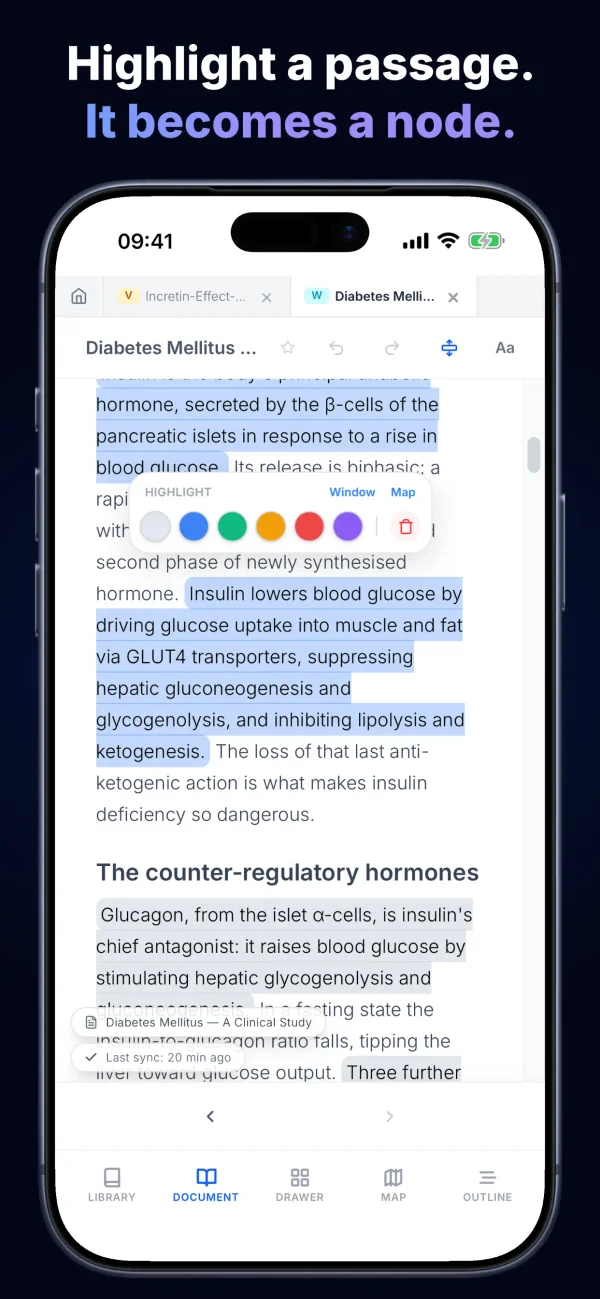
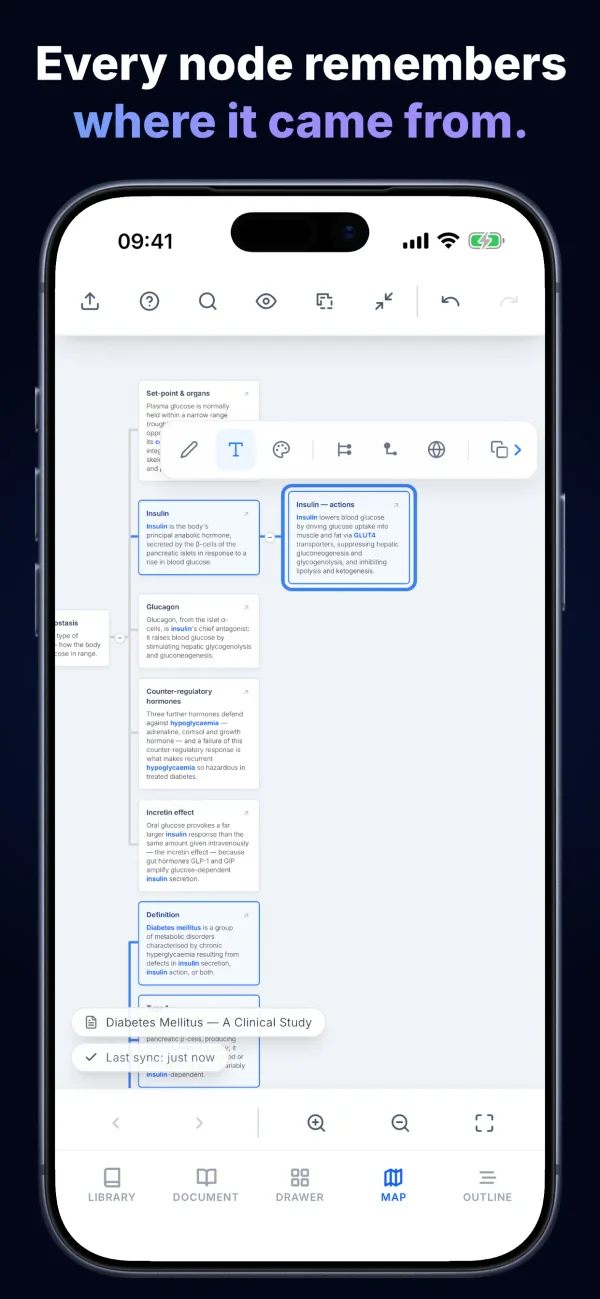
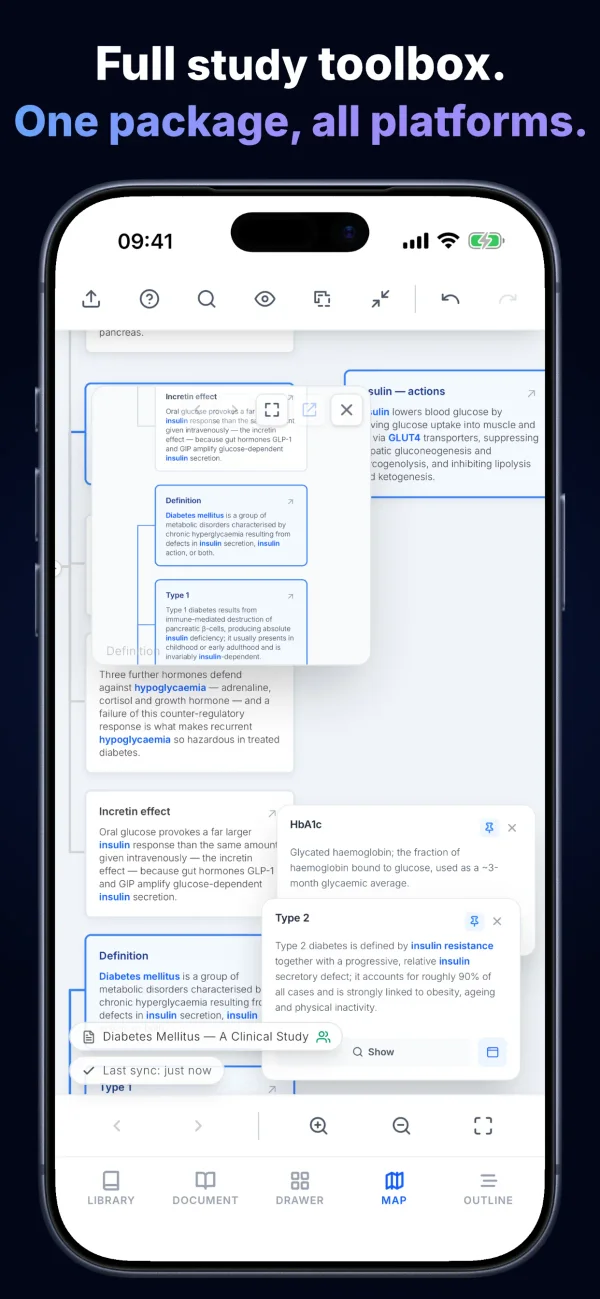
Nodebook combines a document reader with an infinite mind map. Highlight a passage in a PDF, EPUB, video, audio file or web page, and it appears on your canvas as a node, linked to the exact place it came from.
There is nothing to set up. You read, you select a passage, you choose a colour — and the map builds itself.
For students, researchers, writers and teachers working with more sources than anyone can keep in their head.
READ EVERY FORMAT · Free
• Open PDFs, EPUBs, text files and imported web pages, as well as video and audio.
• Read continuously or page by page, with chapters and bookmarks.
• Every document reopens exactly where you left it.
• Documents live on your device.
ANNOTATE THE PAGE · Free
• Built-in OCR reads scanned books word by word in 12 languages, so a scan highlights like any PDF.
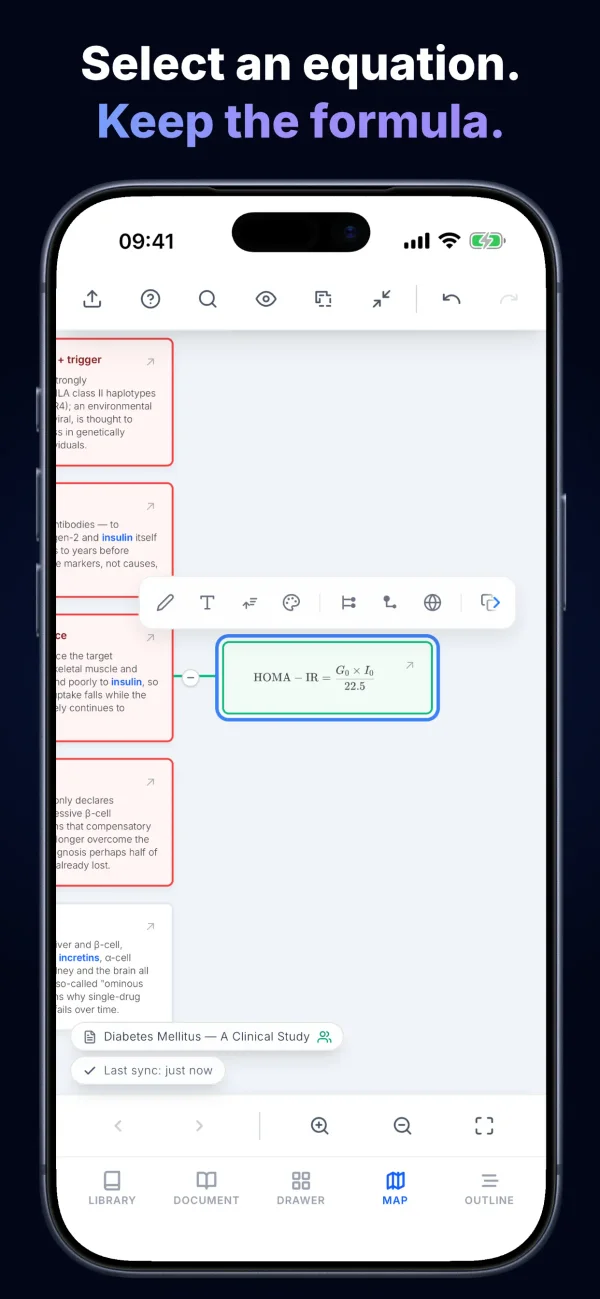
• Select an equation, handwritten or printed, and Nodebook renders it as LaTeX.
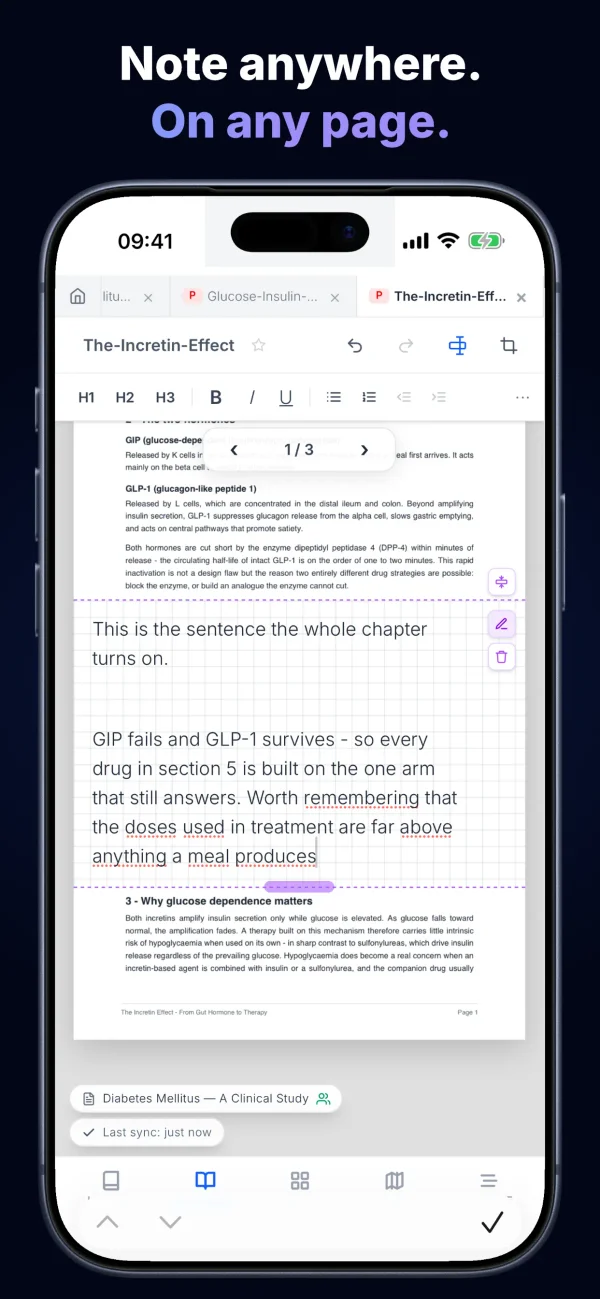
• Write, underline and draw on the page with a stylus, finger or mouse.
• Crop any part of a page — diagram, table, photo — and send it to the map.
• Insert a notepad mid-page: the PDF opens up for a comment that stays attached to that paragraph.
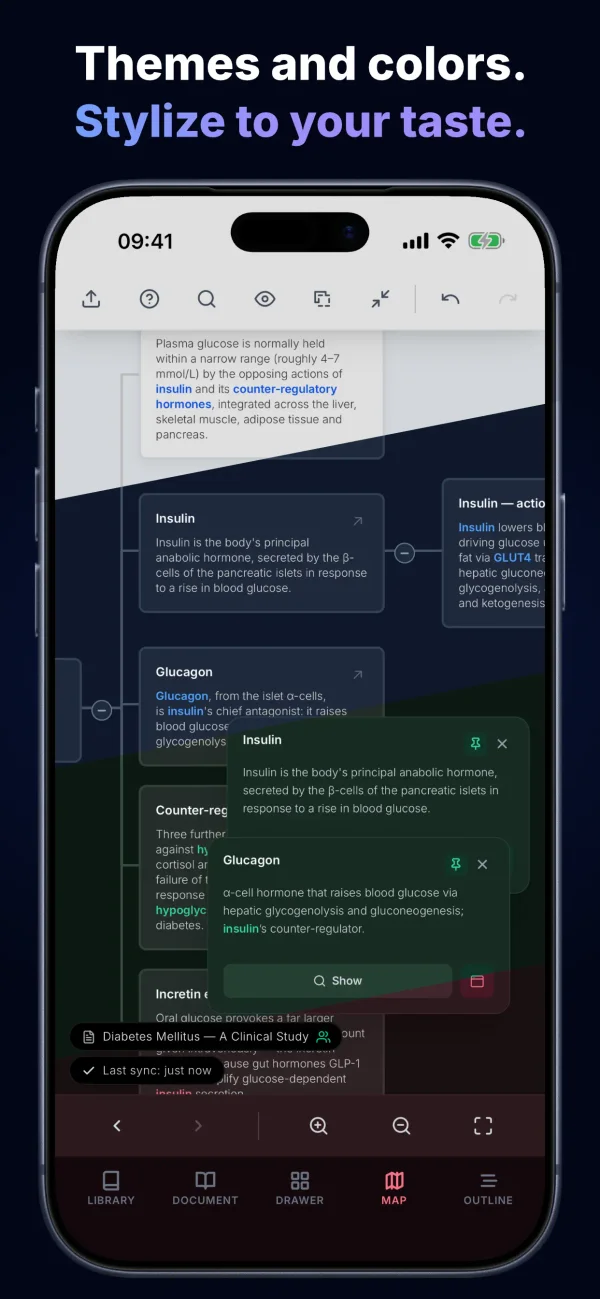
• Six highlight colours let you follow six separate threads.
BUILD THE MAP · Nodebook Plus
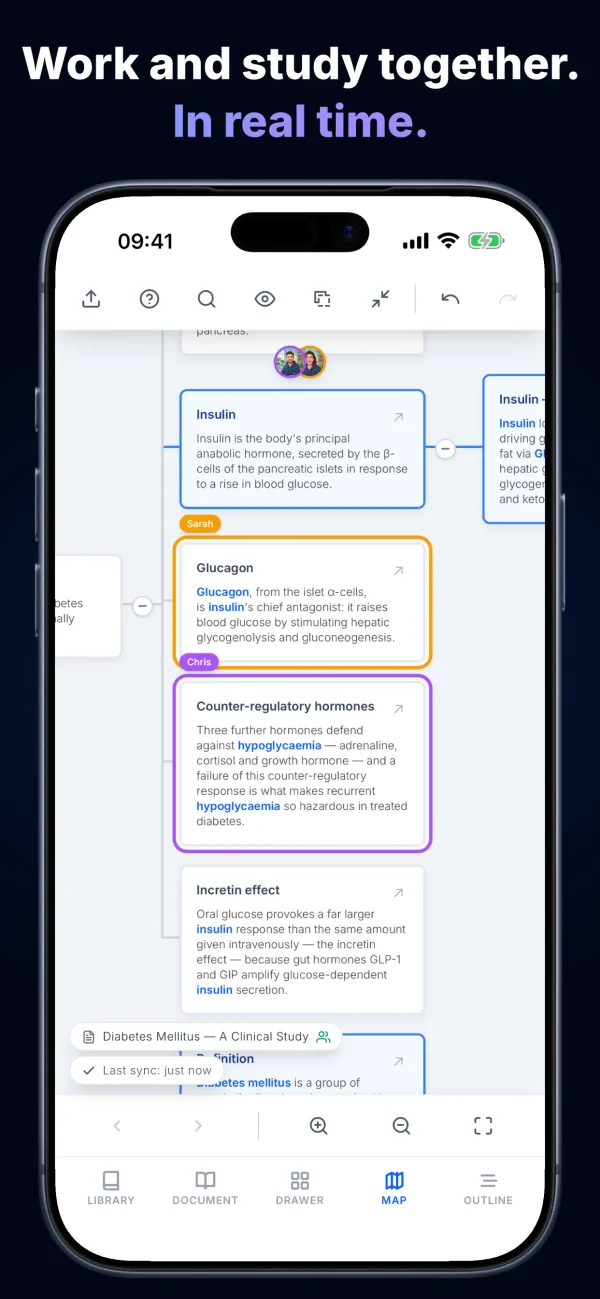
• An infinite canvas with no templates and no limit on nodes or depth.
• Drag a single node or a whole branch to reorganise your thinking.
• Drop one node onto another to merge them, and separate them later.
• Set snippets aside in the drawer, and keep a mini-map in view as you read.
• Export the map as a PDF or a FreeMind file, and the outline as a Word document.
• Back everything up into one .nodebook file and pick what to restore.
OUTLINE AND SEARCH · Nodebook Plus
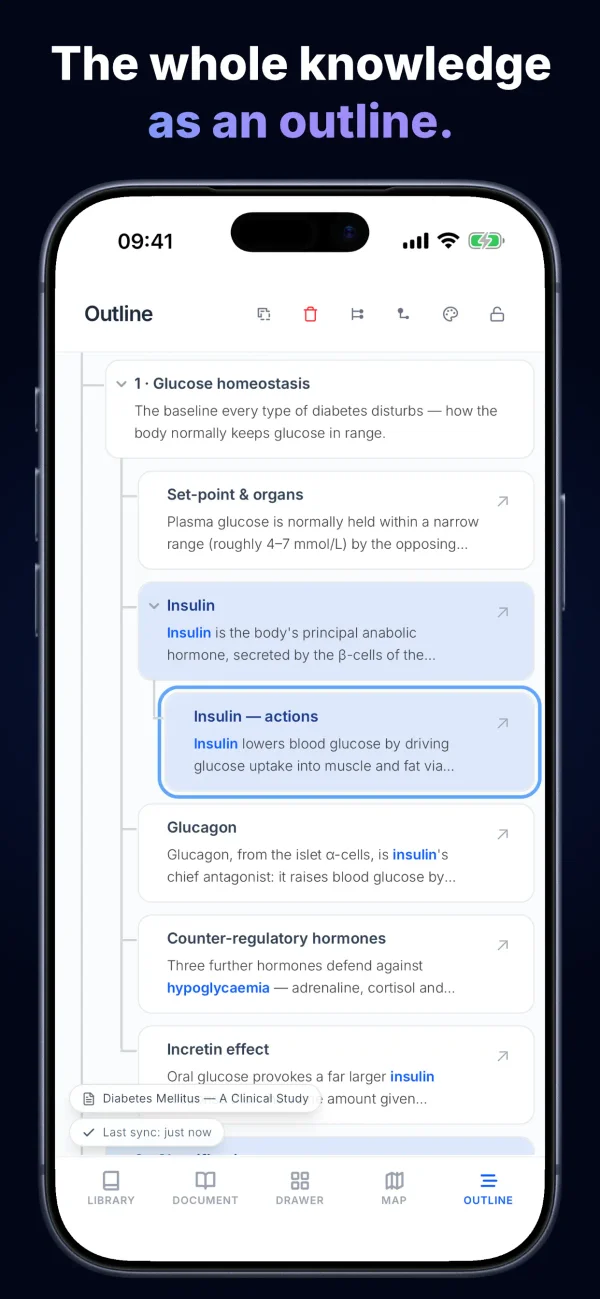
• View the same map as a classic indented outline, and edit titles and text in it.
• Search the full text of every snippet, filter by tag or colour, and retag or recolour in bulk.
CONNECT YOUR NOTES · Nodebook Plus
• Create wiki-links between notes: start typing a title and Nodebook suggests matches.
• Click one and a preview shows you the target without losing your place.
REVISE WITH FLASHCARDS · Nodebook Plus
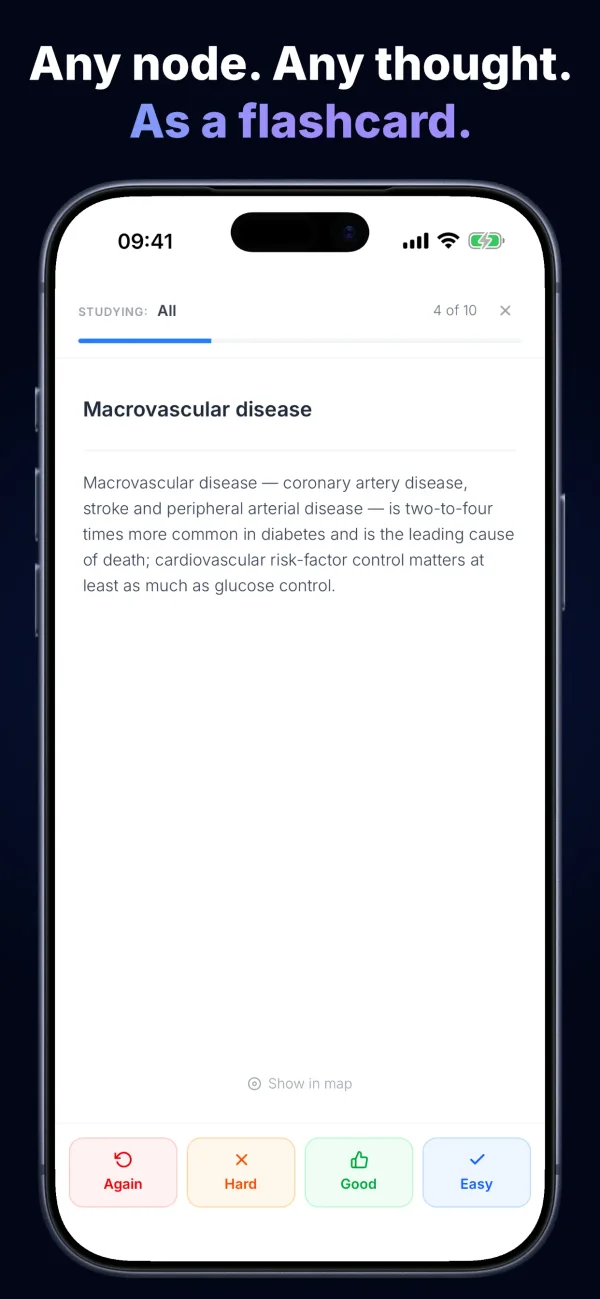
• Turn any snippet into a flashcard and review it with spaced repetition.
• Group cards by area, tag or source, or build your own sets.
WRITE YOUR OWN DOCUMENTS · Nodebook Plus
• A rich-text editor with headings, lists and quotations.
• Draw vector diagrams inside the text, erase single strokes and undo freely.
WORK TOGETHER · Nodebook Max
• Share a project as a viewer or an editor, and watch the other person's highlights appear live as you work.
• Send a file to another account with all your highlights and drawings intact.
• Every project keeps a version history with dates and authors, and restores to any point.
PLANS
• Nodebook is free to install, with the reader and its annotation tools included.
• Buy Nodebook Plus once — $39.99 — for full offline functionality, including mind maps creating and editing, flashcards and more.
• Subscribe to Nodebook Max for the cloud: sync across your devices, collaboration and version history. $8.99 a month, or $89.99 a year.
Max renews automatically. Payment is charged to your Apple Account when you confirm the purchase, and again within 24 hours before each period ends, unless you turn off auto-renew at least 24 hours earlier. Manage or cancel it in your Apple Account settings. Prices are shown in your local currency.
Terms of Use: https://nodebook.me/terms
Privacy Policy: https://nodebook.me/privacy
Novedades
Versión 1.0.9 · 17/11/2026
- Touchpad navigation and gestures improvements.
- Improved floating mini-map handling for different screens.
- With the reader half-open, the map now centers on the visible area.
- Purchasing workflow bug fixes.
Privacidad de la aplicación
Lo que Kamil Zabiegala declara en App Store sobre cómo esta aplicación gestiona los datos.
-
Datos vinculados a ti
Pueden recopilarse y vincularse a tu identidad.
- Compras
- Información de contacto
- Contenido del usuario
- Identificadores
Las prácticas de privacidad pueden variar, por ejemplo, según las funciones que uses o tu edad.
Información
- Vendedor
- Kamil Zabiegala
- Categoría
- Productividad
- Versión
- 1.0.9
- Actualizado
- 17/11/2026
- Publicado
- 29/9/2026
- Tamaño
- 145,4 MB
- Requiere
- iOS 15.0 o posterior
- Clasificación por edad
- 17+
- Precio
- Gratis
- Compras en la aplicación
- Sí
- Idiomas
- Inglés
- Copyright
- © 2026 Nodebook
Quizá también te guste
-
 Noteday: Notes, PDF & NotebookProductividad
-
 28H Japan Student Work HoursProductividad
-
 Nib - Private NotesProductividad
-
 Xen Note - PDF Markup & NotesProductividad
-
 Scribbl: Notes & PDF MarkupProductividad
-
 Pensieve NoteProductividad
-
 TaktyoPiensa en árboles. Avanza.
-
 VARAK PDF: Editar y EscanearFirmar, rellenar formularios
-
 HighlighterAI.comProductividad