
Notes Basic
Simple notes with plain text
Diseñada para iPhone, iPad, iPod touch
Gratis
- Clasificación por edad4+
- CategoríaProductividad
- DesarrolladorYudai Abe
- IdiomasInglés+ 4 más
- Tamaño24,3 MB
Enlaza a la página oficial de App Store
Download.org no aloja ningún archivo de Notes Basic. El botón abre la página de la aplicación en App Store, donde la publica Yudai Abe. Ficha comprobada por última vez el 17/11/2026.
Capturas de pantalla


Acerca de
El desarrollador no ha proporcionado este texto en tu idioma.
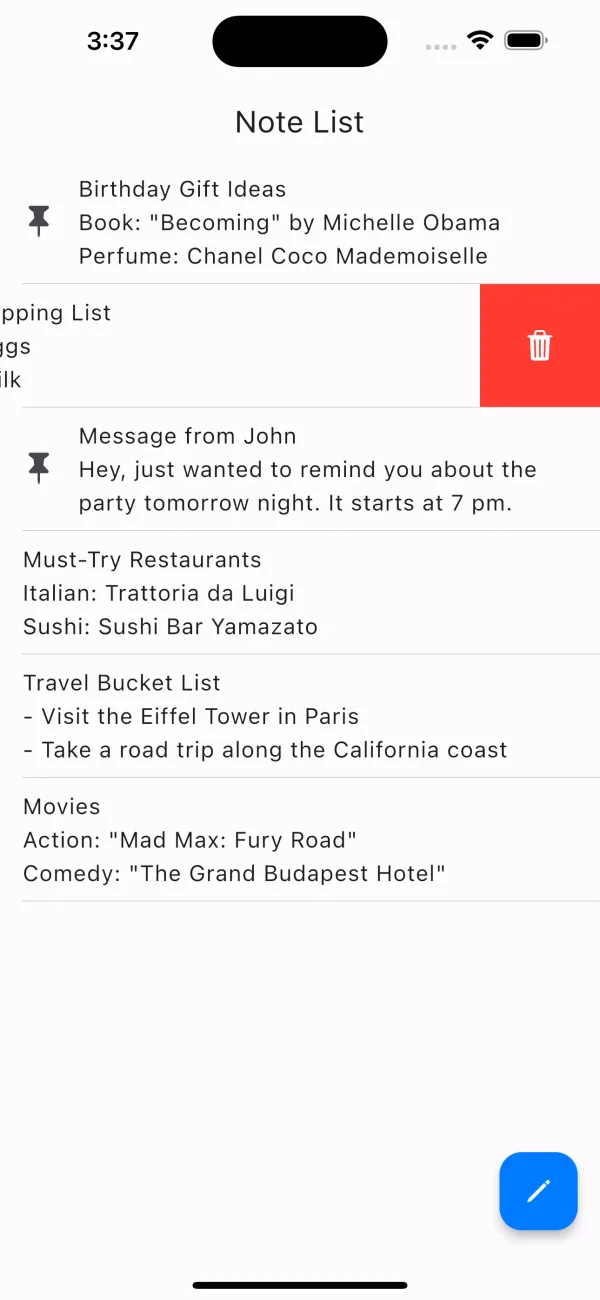
■ "Note List" Screen
The screen displays a list of saved notes.
When you edit a note, it will automatically appear at the top of the list.
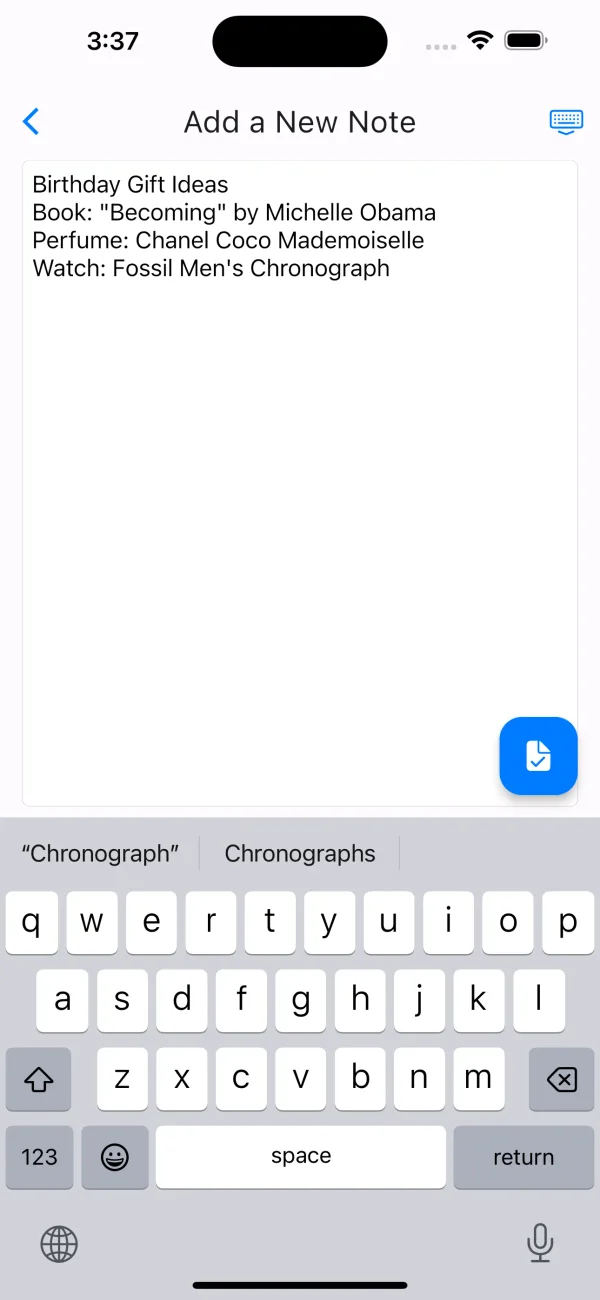
■ Add a note
1. Tap the button at the bottom right of the "Note List" screen.
2. After editing on the "Add a New Note" screen, tap the button at the bottom right to save.
*If you go back with a swipe, changes will not be saved.
■ Edit a note
1. Tap the note you want to edit on the "Note List" screen.
2. After making changes on the "Edit the Note" screen, tap the button at the bottom right to save the changes.
*If you go back with a swipe, changes will not be saved.
■ Pin/unpin a note
When you pin a note, it will remain at the top of the "Note List" screen.
Pinned notes will show a pushpin icon.
1. On the "Note List" screen, swipe to the right on the note you want to pin.
2. An orange pin icon button will appear, so tap it.
* To unpin a note, perform the same action.
■ Delete a note
1. On the "Note List" screen, swipe to the left on the note you want to delete.
2. A red trash can icon button will appear, so tap it.
3. A confirmation message will appear, so tap "Delete Note."
* Deleted notes cannot be restored.
Novedades
Versión 1.6.1 · 19/3/2026
Improved app stability.
Privacidad de la aplicación
Lo que Yudai Abe declara en App Store sobre cómo esta aplicación gestiona los datos.
-
Datos usados para rastrearte
Pueden usarse para rastrearte en aplicaciones y sitios web propiedad de otras empresas.
- Identificadores
-
Datos no vinculados a ti
Pueden recopilarse, pero no se vinculan a tu identidad.
- Identificadores
- Diagnóstico
Las prácticas de privacidad pueden variar, por ejemplo, según las funciones que uses o tu edad.
Información
- Vendedor
- Yudai Abe
- Categoría
- Productividad
- Versión
- 1.6.1
- Actualizado
- 19/3/2026
- Publicado
- 11/8/2023
- Tamaño
- 24,3 MB
- Requiere
- iOS 13.0 o posterior
- Clasificación por edad
- 4+
- Precio
- Gratis
- Idiomas
- Inglés, Francés, Japonés, Chino simplificado, Español
- Copyright
- © 2023 Yudai Abe
Quizá también te guste
-
 BasicNotesAppProductividad
-
 Notepad Notes: Bloc de NotasLista de tareas y apuntes
-
 Comet NotesProductividad
-
 MyNote -Simple note app-Productividad
-
 BriskNoteProductividad
-
 NotasSencillasNotas, Lista de verificación
-
 Simple Notes - Tomar notasNotas rápidas y organizadas!
-
 Note Taker: Easy NotesProductividad
-
 Note!Productividad
-
 NoteSpace - lists and notesProductividad