
Notes Basic
Simple notes with plain text
Designed for iPhone, iPad, iPod touch
Free
- Age rating4+
- CategoryProductivity
- DeveloperYudai Abe
- LanguagesEnglish+ 4 more
- Size24.3 MB
Links to the official App Store page
Download.org hosts no file of Notes Basic. The button opens its official App Store page, published by Yudai Abe. Listing last checked on Nov 17, 2026.
Screenshots


About
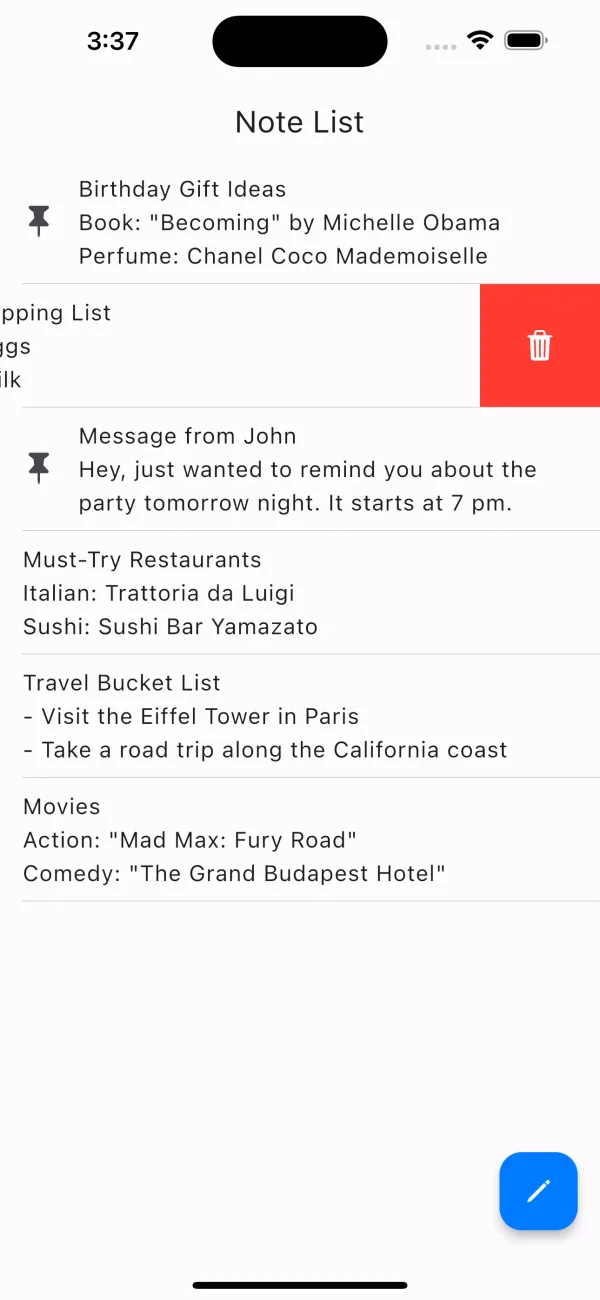
■ "Note List" Screen
The screen displays a list of saved notes.
When you edit a note, it will automatically appear at the top of the list.
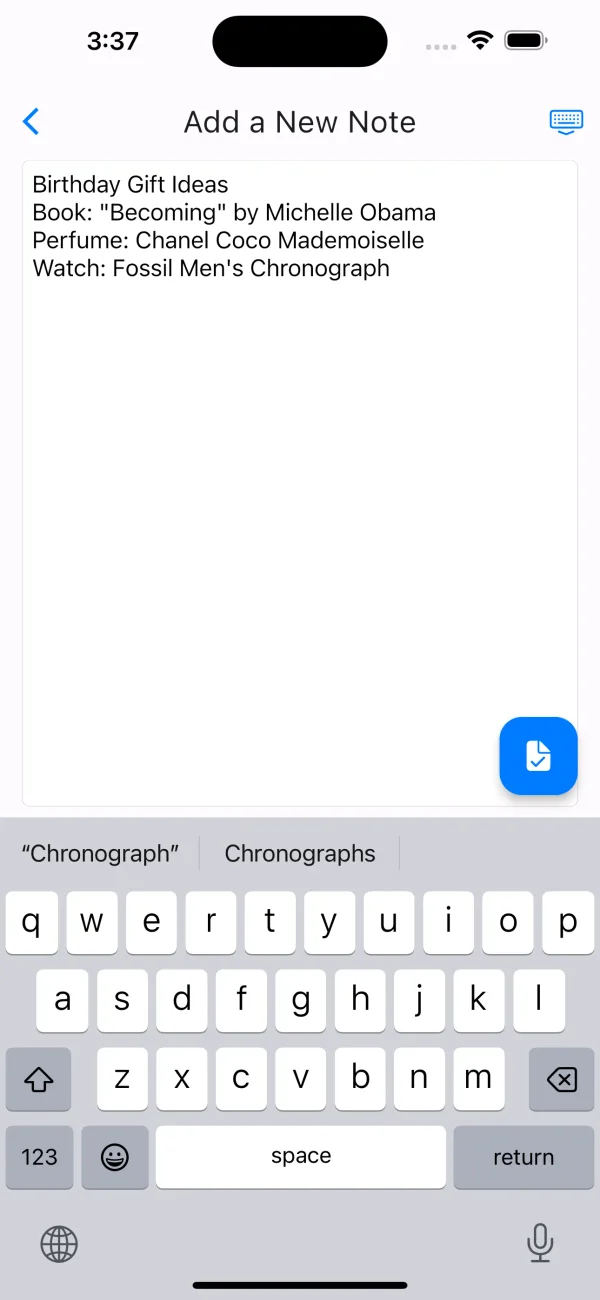
■ Add a note
1. Tap the button at the bottom right of the "Note List" screen.
2. After editing on the "Add a New Note" screen, tap the button at the bottom right to save.
*If you go back with a swipe, changes will not be saved.
■ Edit a note
1. Tap the note you want to edit on the "Note List" screen.
2. After making changes on the "Edit the Note" screen, tap the button at the bottom right to save the changes.
*If you go back with a swipe, changes will not be saved.
■ Pin/unpin a note
When you pin a note, it will remain at the top of the "Note List" screen.
Pinned notes will show a pushpin icon.
1. On the "Note List" screen, swipe to the right on the note you want to pin.
2. An orange pin icon button will appear, so tap it.
* To unpin a note, perform the same action.
■ Delete a note
1. On the "Note List" screen, swipe to the left on the note you want to delete.
2. A red trash can icon button will appear, so tap it.
3. A confirmation message will appear, so tap "Delete Note."
* Deleted notes cannot be restored.
What’s new
Version 1.6.1 · Mar 19, 2026
Improved app stability.
App privacy
What Yudai Abe declares on the App Store about how this app handles data.
-
Data used to track you
May be used to track you across apps and websites owned by other companies.
- Identifiers
-
Data not linked to you
May be collected but is not linked to your identity.
- Identifiers
- Diagnostics
Privacy practices may vary, for example with the features you use or your age.
Information
- Seller
- Yudai Abe
- Category
- Productivity
- Version
- 1.6.1
- Updated
- Mar 19, 2026
- Released
- Aug 11, 2023
- Size
- 24.3 MB
- Requires
- iOS 13.0 or later
- Age rating
- 4+
- Price
- Free
- Languages
- English, French, Japanese, Simplified Chinese, Spanish
- Copyright
- © 2023 Yudai Abe
You might also like
-
 BasicNotesAppProductivity
-
 Notepad Notes: Simple NotebookChecklist, To Do List & Memo
-
 Comet NotesProductivity
-
 MyNote -Simple note app-Suitable for memo pad,list pad
-
 BriskNoteNew tab notes that sync
-
 EasyNote - Simple NotepadMemo, Checklist, To-Do
-
 Simple Notes - Take notesTake notes simply and quickly!
-
 Note Taker: Easy NotesChecklist & Notebook
-
 Note!The ultimate simple notes app!
-
 NoteSpace - lists and notesNotes,lists,reminders,tasks