
Notes Basic
Simple notes with plain text
Entwickelt für iPhone, iPad, iPod touch
Kostenlos
- Altersfreigabe4+
- KategorieProduktivität
- EntwicklerYudai Abe
- SprachenEnglisch+ 4 weitere
- Größe24,3 MB
Verlinkt auf die offizielle App Store-Seite
Download.org hostet keine Datei von Notes Basic. Die Schaltfläche öffnet die App-Seite bei App Store, wo Yudai Abe die App veröffentlicht. Eintrag zuletzt geprüft am 17.11.2026.
Screenshots


Info
Der Entwickler hat diesen Text nicht in Ihrer Sprache bereitgestellt.
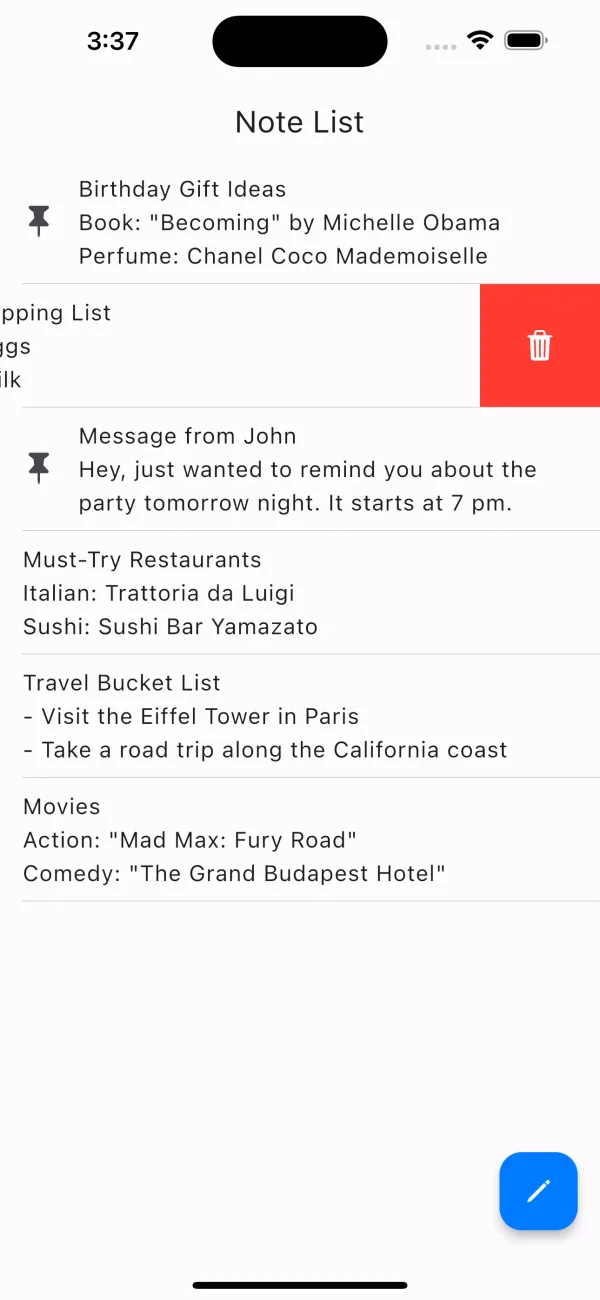
■ "Note List" Screen
The screen displays a list of saved notes.
When you edit a note, it will automatically appear at the top of the list.
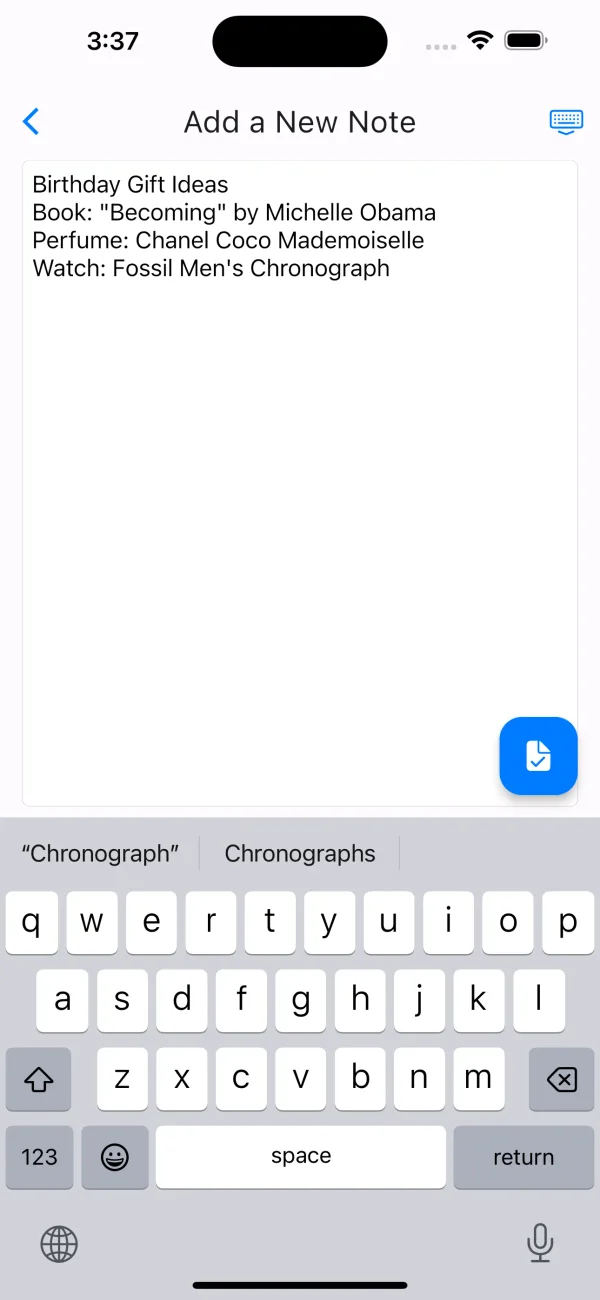
■ Add a note
1. Tap the button at the bottom right of the "Note List" screen.
2. After editing on the "Add a New Note" screen, tap the button at the bottom right to save.
*If you go back with a swipe, changes will not be saved.
■ Edit a note
1. Tap the note you want to edit on the "Note List" screen.
2. After making changes on the "Edit the Note" screen, tap the button at the bottom right to save the changes.
*If you go back with a swipe, changes will not be saved.
■ Pin/unpin a note
When you pin a note, it will remain at the top of the "Note List" screen.
Pinned notes will show a pushpin icon.
1. On the "Note List" screen, swipe to the right on the note you want to pin.
2. An orange pin icon button will appear, so tap it.
* To unpin a note, perform the same action.
■ Delete a note
1. On the "Note List" screen, swipe to the left on the note you want to delete.
2. A red trash can icon button will appear, so tap it.
3. A confirmation message will appear, so tap "Delete Note."
* Deleted notes cannot be restored.
Neue Funktionen
Version 1.6.1 · 19.03.2026
Improved app stability.
App-Datenschutz
Was Yudai Abe im App Store zum Umgang dieser App mit Daten angibt.
-
Daten, die zum Tracking Ihrer Person verwendet werden
Können verwendet werden, um Sie über Apps und Websites anderer Unternehmen hinweg zu verfolgen.
- Kennungen
-
Nicht mit Ihnen verknüpfte Daten
Können erfasst werden, sind aber nicht mit Ihrer Identität verknüpft.
- Kennungen
- Diagnose
Die Datenschutzpraktiken können variieren, zum Beispiel je nach den von Ihnen verwendeten Funktionen oder Ihrem Alter.
Informationen
- Anbieter
- Yudai Abe
- Kategorie
- Produktivität
- Version
- 1.6.1
- Aktualisiert
- 19.03.2026
- Veröffentlicht
- 11.08.2023
- Größe
- 24,3 MB
- Erfordert
- iOS 13.0 oder neuer
- Altersfreigabe
- 4+
- Preis
- Kostenlos
- Sprachen
- Englisch, Französisch, Japanisch, Vereinf. Chinesisch, Spanisch
- Copyright
- © 2023 Yudai Abe
Das könnte Ihnen auch gefallen
-
 BasicNotesAppProduktivität
-
 Notepad Notes: Notizen & ListeNotizbuch, Checkliste, To-Do
-
 Comet NotesProduktivität
-
 MyNote -Simple note app-Produktivität
-
 BriskNoteProduktivität
-
 EinfacheNotizen - Easy NoteNotiz, Memo, Checkliste, To-Do
-
 Simple Notes - Notizen machenNotizen schnell und einfach!
-
 Note Taker: Easy NotesProduktivität
-
 Note!Produktivität
-
 NoteSpace - lists and notesProduktivität