Papyra: PDF Edit Studio
Edit text, scans & forms
Diseñada para iPhone, iPad
Gratis
- Clasificación por edad4+
- CategoríaProductividad
- DesarrolladorERDINC COSGUN
- IdiomasInglés+ 1 más
- Tamaño5,8 MB
Enlaza a la página oficial de App Store
Download.org no aloja ningún archivo de Papyra: PDF Edit Studio. El botón abre la página de la aplicación en App Store, donde la publica ERDINC COSGUN. Ficha comprobada por última vez el 12/11/2026.
Capturas de pantalla

Acerca de
El desarrollador no ha proporcionado este texto en tu idioma.
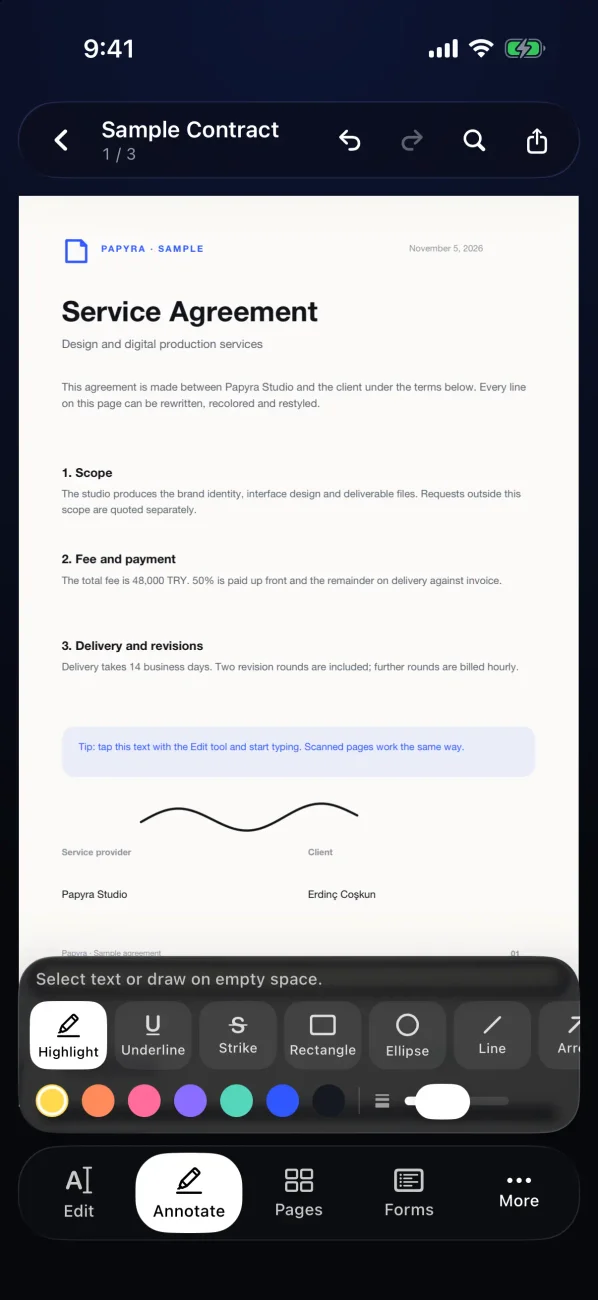
Papyra is a calm PDF studio for iPhone and iPad. Change the words in an editable PDF — and change the text on a flattened, scanned document too.
EDIT TEXT — EVEN IN SCANS
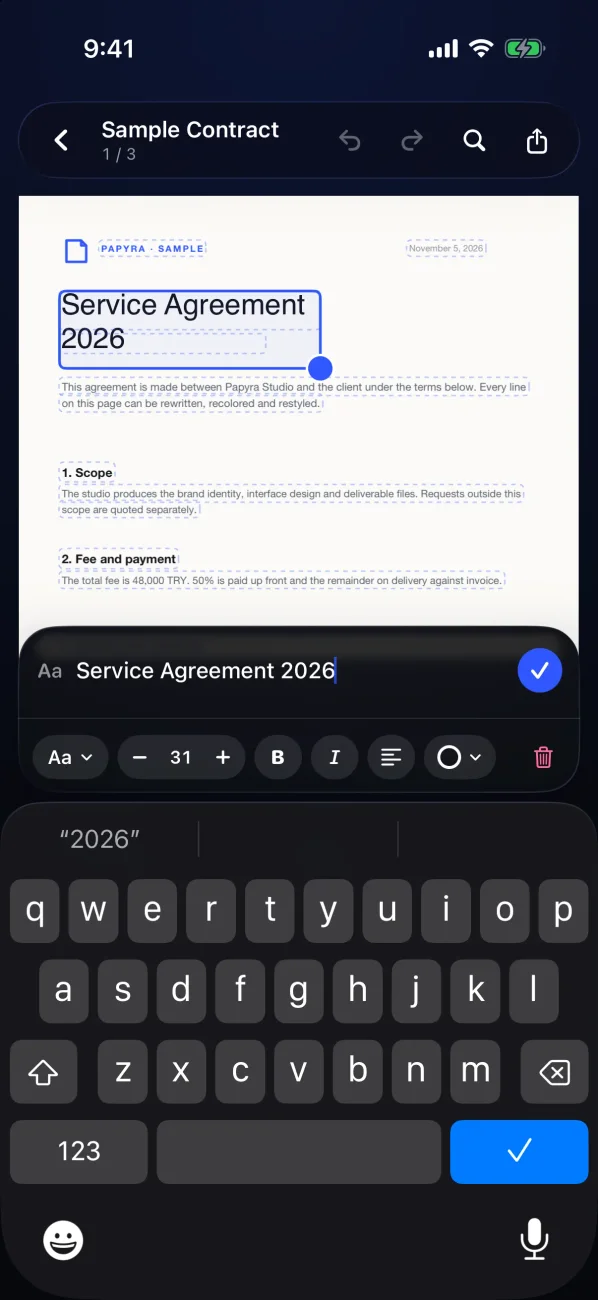
• Tap a line and type the new wording. Papyra keeps the font size and the paper background.
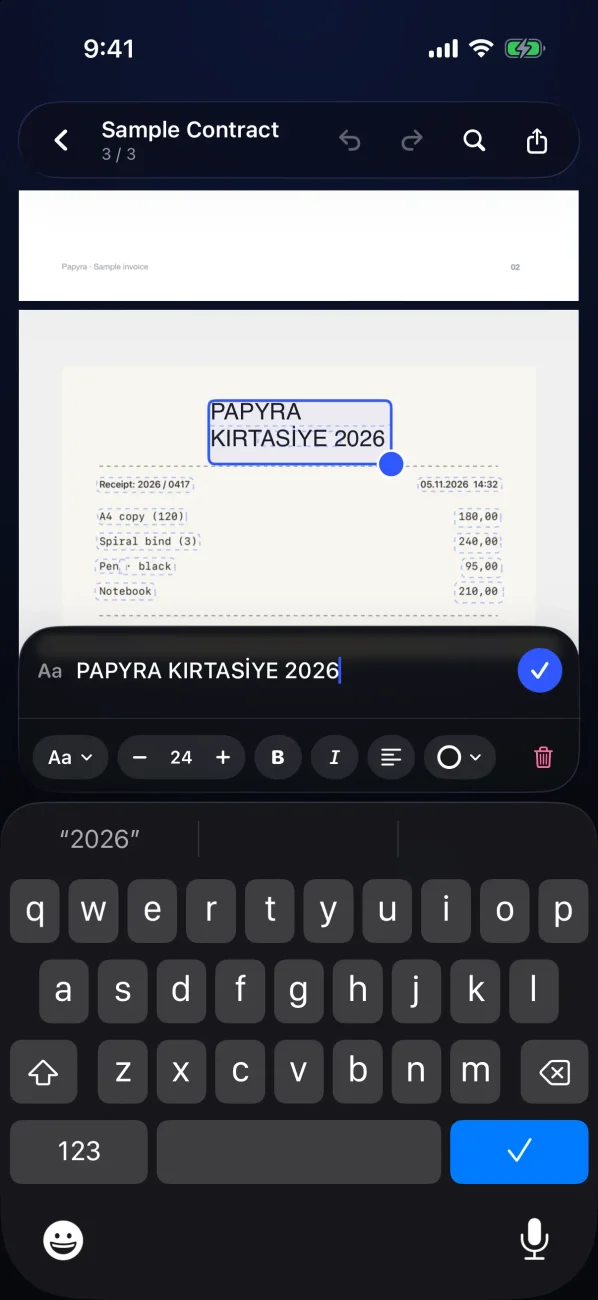
• Scanned pages are recognized with on-device OCR; there is no extra step.
• Change the font, size, color and alignment; move or resize the text.
• Add a new text box anywhere with Add Text.
MARK UP AND SIGN
• Highlight, underline, strike through, draw, add shapes, stamps and notes.
• Draw a signature once and place it on any page at any size.
• Natural Apple Pencil drawing.
FORMS, PAGES AND REDACTION
• Fill existing PDF form fields: text, checkboxes, choices.
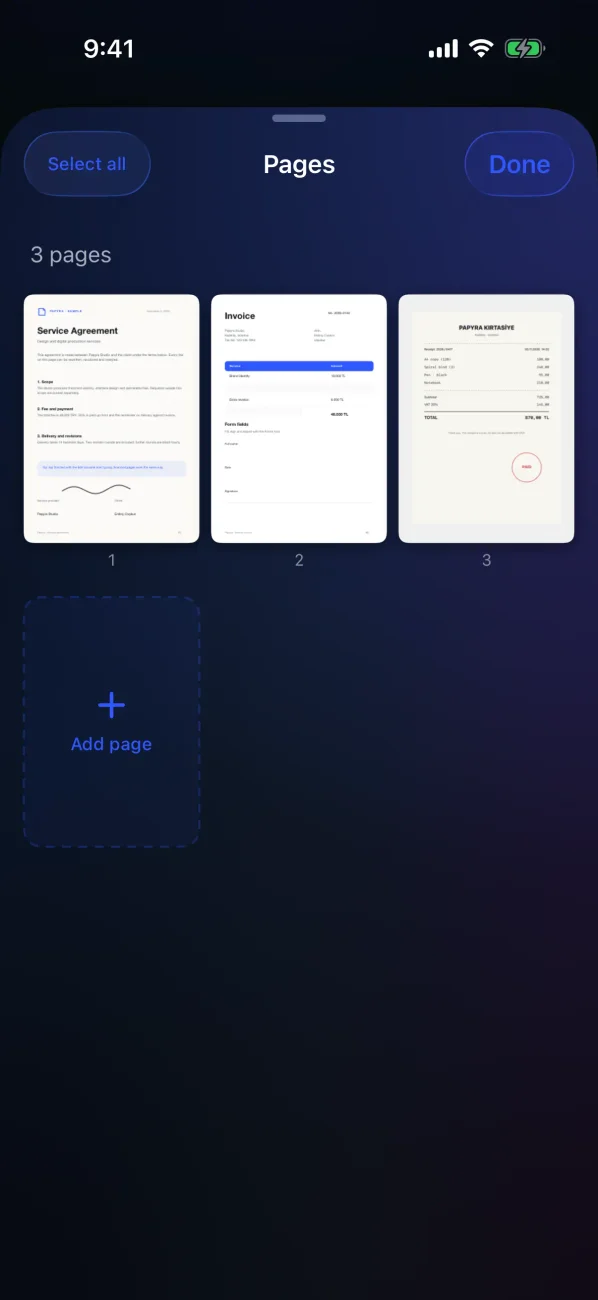
• Reorder, rotate, duplicate, delete, insert, extract and merge pages.
• Redact for real: the page is rewritten and the text underneath is gone.
EXPORT
• Flatten annotations, compress, pick a page range.
• Add password protection and restrict copying.
• Make scans searchable with on-device OCR.
• Share as PDF, print, or export text.
PRIVACY
• No account, no ads, no tracking, no analytics.
• Documents never leave your device and nothing is uploaded.
• OCR and document summaries run on device.
• Face ID app lock; biometric data never reaches Papyra.
DESIGN
• Native iOS 26 Liquid Glass interface.
• The tools you use most stay within reach; the rest appears when it makes sense.
• One flow on iPhone and iPad, with a page rail on the bigger screen.
• Turkish and English interface.
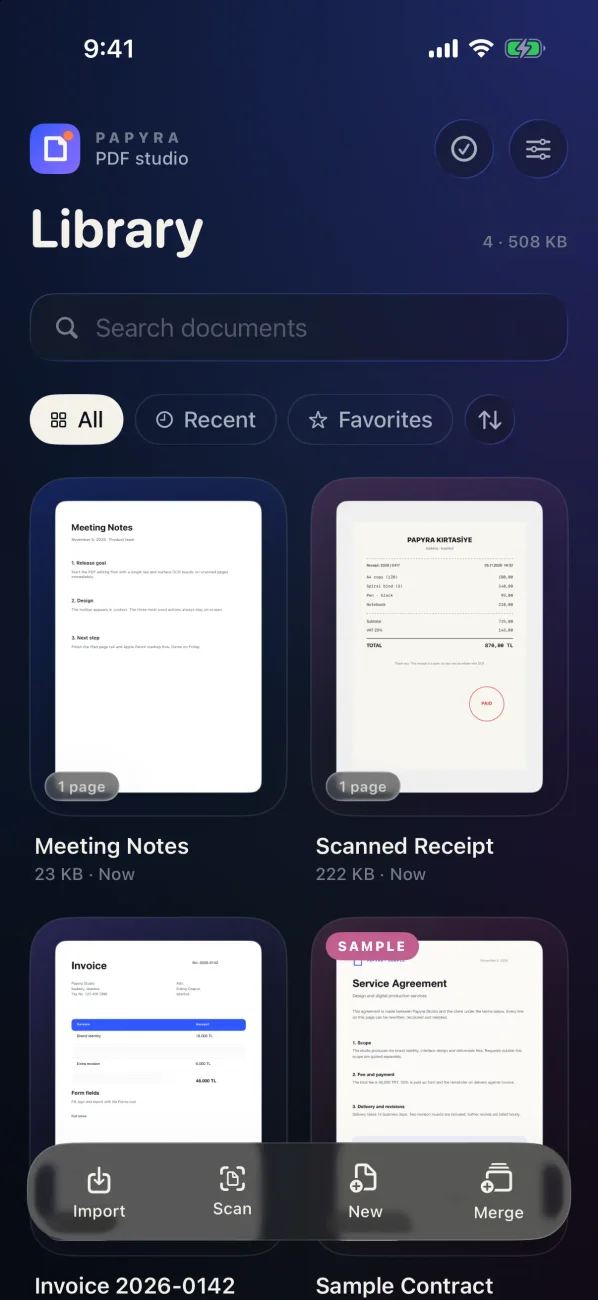
To try it, open the sample contract, tap Edit, and change the title. The scanned receipt page demonstrates OCR.
Novedades
Versión 1.0.2 · 9/11/2026
Added a foldable layout for iPhone Duo and updated the PDF text editing experience.
Privacidad de la aplicación
Lo que ERDINC COSGUN declara en App Store sobre cómo esta aplicación gestiona los datos.
-
No se recopilan datos
El desarrollador no recopila ningún dato de esta aplicación.
Las prácticas de privacidad pueden variar, por ejemplo, según las funciones que uses o tu edad.
Información
- Vendedor
- ERDINC COSGUN
- Categoría
- Productividad
- Versión
- 1.0.2
- Actualizado
- 9/11/2026
- Publicado
- 6/11/2026
- Tamaño
- 5,8 MB
- Requiere
- iOS 26.0 o posterior
- Clasificación por edad
- 4+
- Precio
- Gratis
- Idiomas
- Inglés, Turco
- Copyright
- © 2026 Erdinç Coşgun
Quizá también te guste
-
 PDFing: PDF Editor & OCRProductividad
-
 PDF Edit Studio: Editor & SignProductividad
-
 Council AI Assistant5 modelos IA, 1 respuesta
-
 Cartas formales para imprimirPlantillas, membrete y PDF A4
-
 Passport Photo Booth: ID PhotoPassport Booth, ID Photo Maker
-
 PDFEditor: Editor de Texto PDFCambia y corrige el texto
-
 Dot - AI Personal AssistantProductividad
-
 NeatNotes : Notas y listasnotas adhesivas, recordatorios
-
 FreePDF: Escáner y ConversorEscanea, convierte y une PDF
-
 WeeNote Notes and WidgetProductividad