- Age rating4+
- CategoryProductivity
- DeveloperERDINC COSGUN
- LanguagesEnglish+ 1 more
- Size5.8 MB
Links to the official App Store page
Download.org hosts no file of Papyra: PDF Edit Studio. The button opens its official App Store page, published by ERDINC COSGUN. Listing last checked on Nov 12, 2026.
Screenshots

About
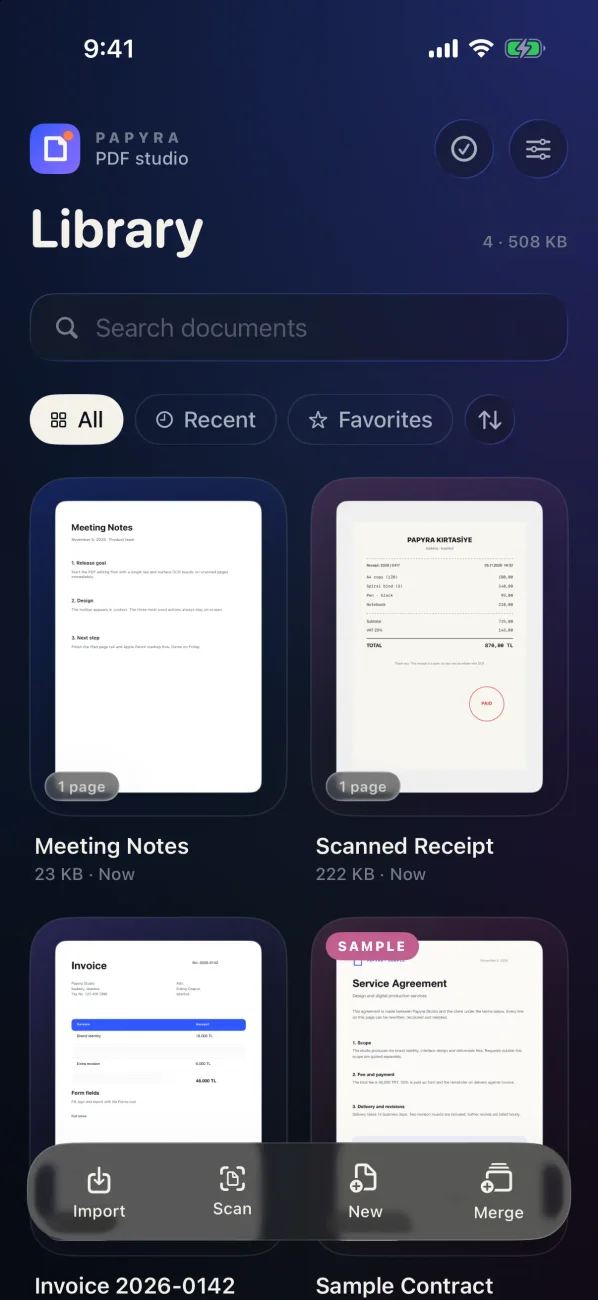
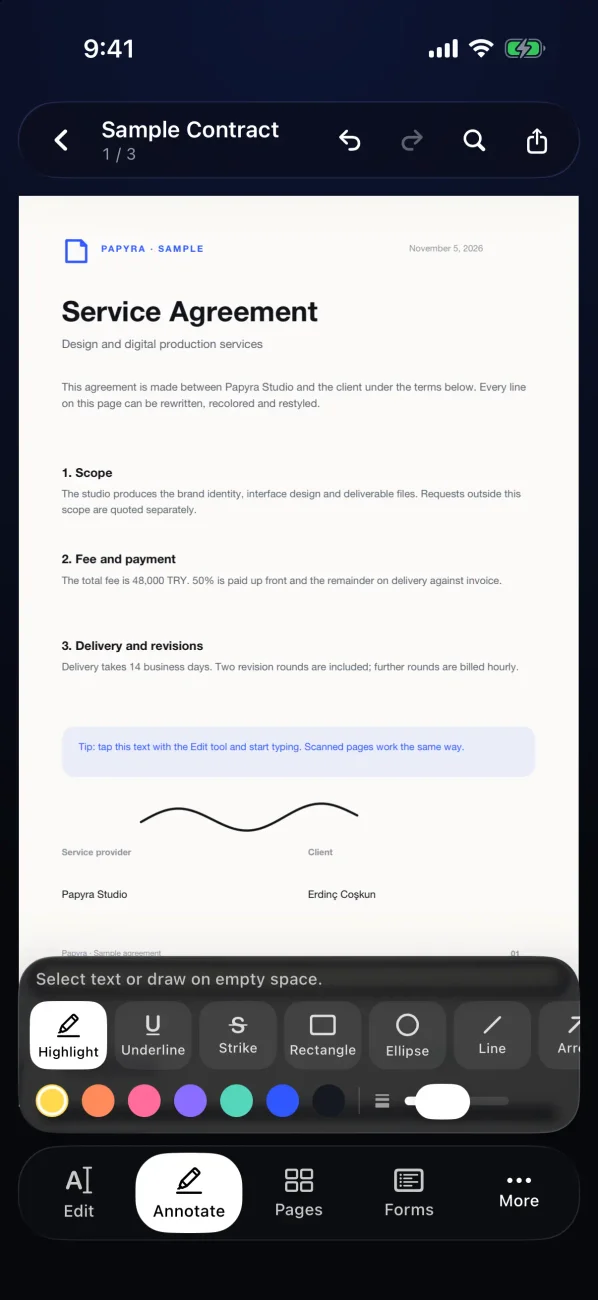
Papyra is a calm PDF studio for iPhone and iPad. Change the words in an editable PDF — and change the text on a flattened, scanned document too.
EDIT TEXT — EVEN IN SCANS
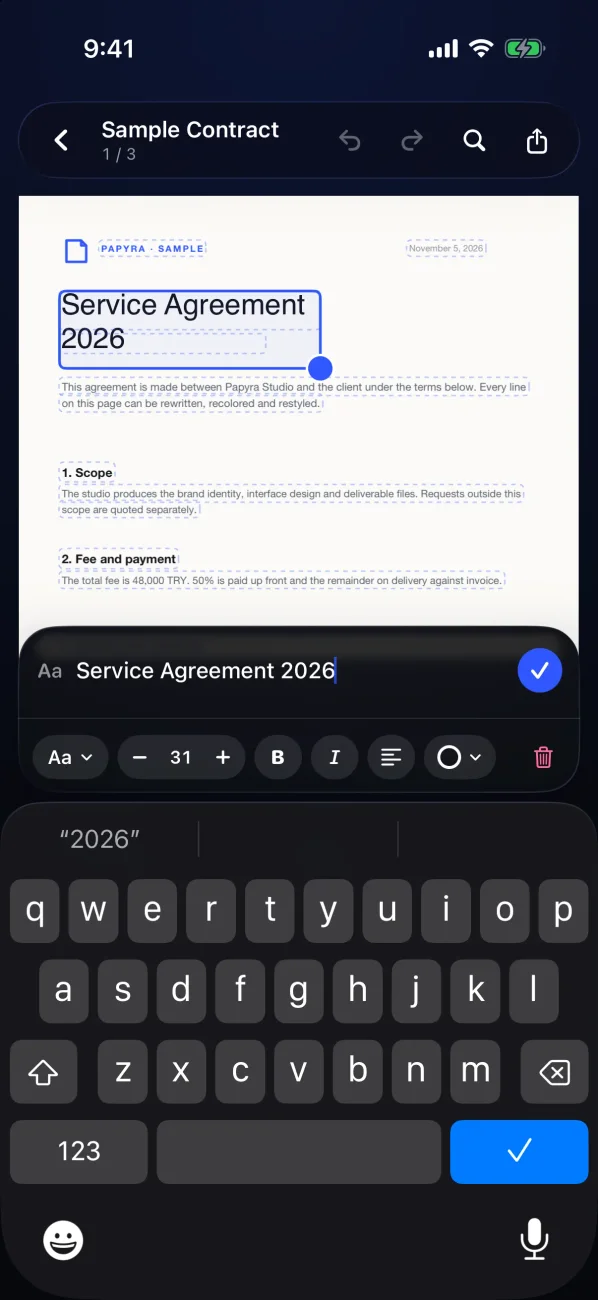
• Tap a line and type the new wording. Papyra keeps the font size and the paper background.
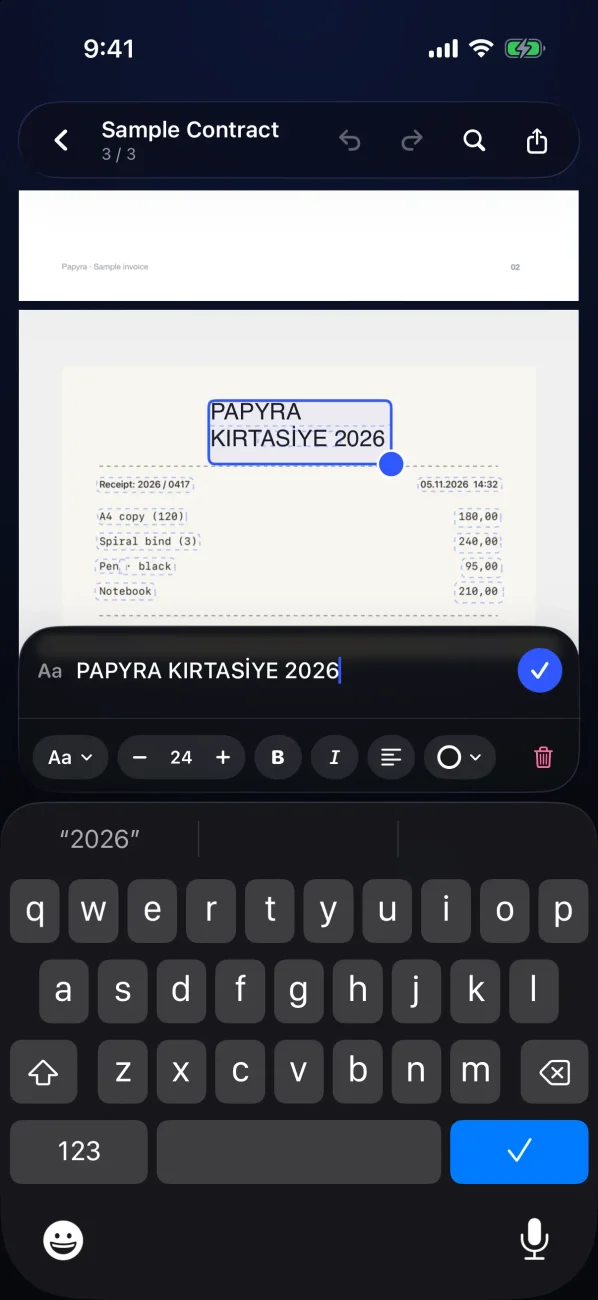
• Scanned pages are recognized with on-device OCR; there is no extra step.
• Change the font, size, color and alignment; move or resize the text.
• Add a new text box anywhere with Add Text.
MARK UP AND SIGN
• Highlight, underline, strike through, draw, add shapes, stamps and notes.
• Draw a signature once and place it on any page at any size.
• Natural Apple Pencil drawing.
FORMS, PAGES AND REDACTION
• Fill existing PDF form fields: text, checkboxes, choices.
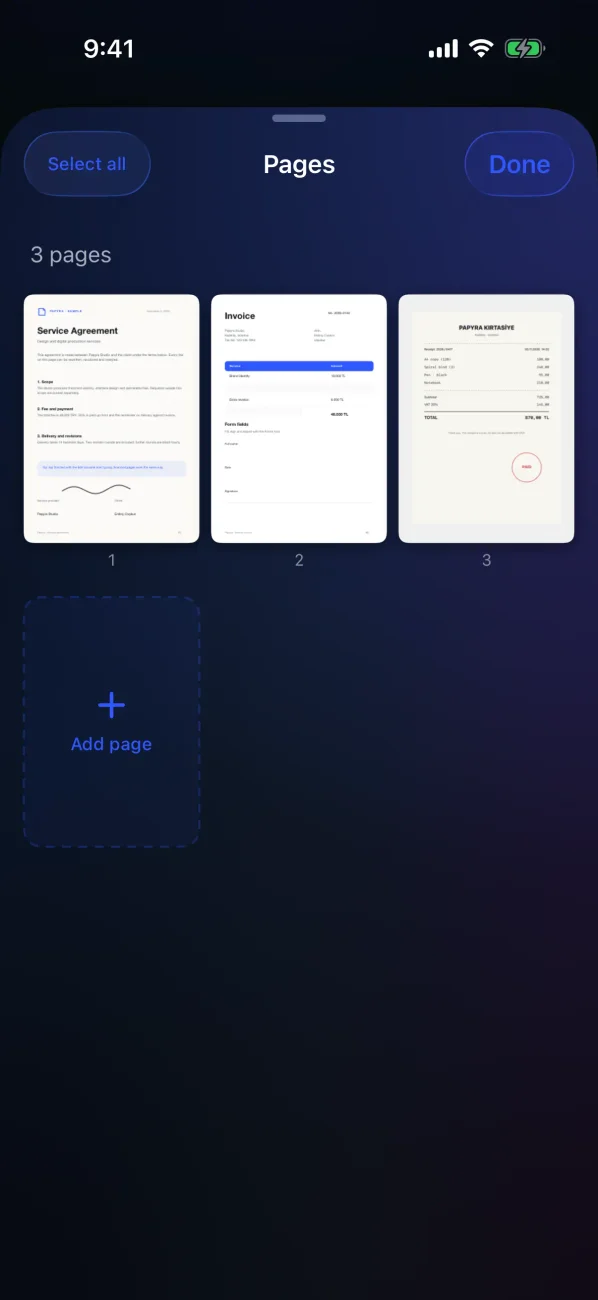
• Reorder, rotate, duplicate, delete, insert, extract and merge pages.
• Redact for real: the page is rewritten and the text underneath is gone.
EXPORT
• Flatten annotations, compress, pick a page range.
• Add password protection and restrict copying.
• Make scans searchable with on-device OCR.
• Share as PDF, print, or export text.
PRIVACY
• No account, no ads, no tracking, no analytics.
• Documents never leave your device and nothing is uploaded.
• OCR and document summaries run on device.
• Face ID app lock; biometric data never reaches Papyra.
DESIGN
• Native iOS 26 Liquid Glass interface.
• The tools you use most stay within reach; the rest appears when it makes sense.
• One flow on iPhone and iPad, with a page rail on the bigger screen.
• Turkish and English interface.
To try it, open the sample contract, tap Edit, and change the title. The scanned receipt page demonstrates OCR.
What’s new
Version 1.0.2 · Nov 9, 2026
Added a foldable layout for iPhone Duo and updated the PDF text editing experience.
App privacy
What ERDINC COSGUN declares on the App Store about how this app handles data.
-
Data not collected
The developer does not collect any data from this app.
Privacy practices may vary, for example with the features you use or your age.
Information
- Seller
- ERDINC COSGUN
- Category
- Productivity
- Version
- 1.0.2
- Updated
- Nov 9, 2026
- Released
- Nov 6, 2026
- Size
- 5.8 MB
- Requires
- iOS 26.0 or later
- Age rating
- 4+
- Price
- Free
- Languages
- English, Turkish
- Copyright
- © 2026 Erdinç Coşgun
You might also like
-
 PDFing: PDF Editor & OCRRead, edit and organize PDFs
-
 PDF Edit Studio: Editor & SignConvert to Word, Merge, Redact
-
 Council AI AssistantFive minds. One answer.
-
 Letter Printer: PDF WriterFormal Letterhead Templates
-
 Passport Photo Booth: Photo IDPassport Booth, ID Photo Maker
-
 PDF Text Editor ‑ Edit PDFChange & rewrite existing text
-
 Dot - AI Personal AssistantLearns Skills and Remembers
-
 NeatNotes : Notes and listsnotepad, stickies, reminders
-
 FreePDF: PDF Converter & ScanPDF Tools Converter Scanner
-
 WeeNote Notes and WidgetA Playful Way to Jot It Down