
Peekside: Screen Mirroring
Local Screen Share & Mirroring
Diseñada para iPhone, iPad, Mac
Gratis · Compras en la aplicación
- Clasificación por edad4+
- CategoríaProductividad
- DesarrolladorRoxyKovu LLC
- IdiomasInglés
- Tamaño11,0 MB
Enlaza a la página oficial de App Store
Download.org no aloja ningún archivo de Peekside: Screen Mirroring. El botón abre la página de la aplicación en App Store, donde la publica RoxyKovu LLC. Ficha comprobada por última vez el 23/11/2026.
Capturas de pantalla
Acerca de
El desarrollador no ha proporcionado este texto en tu idioma.
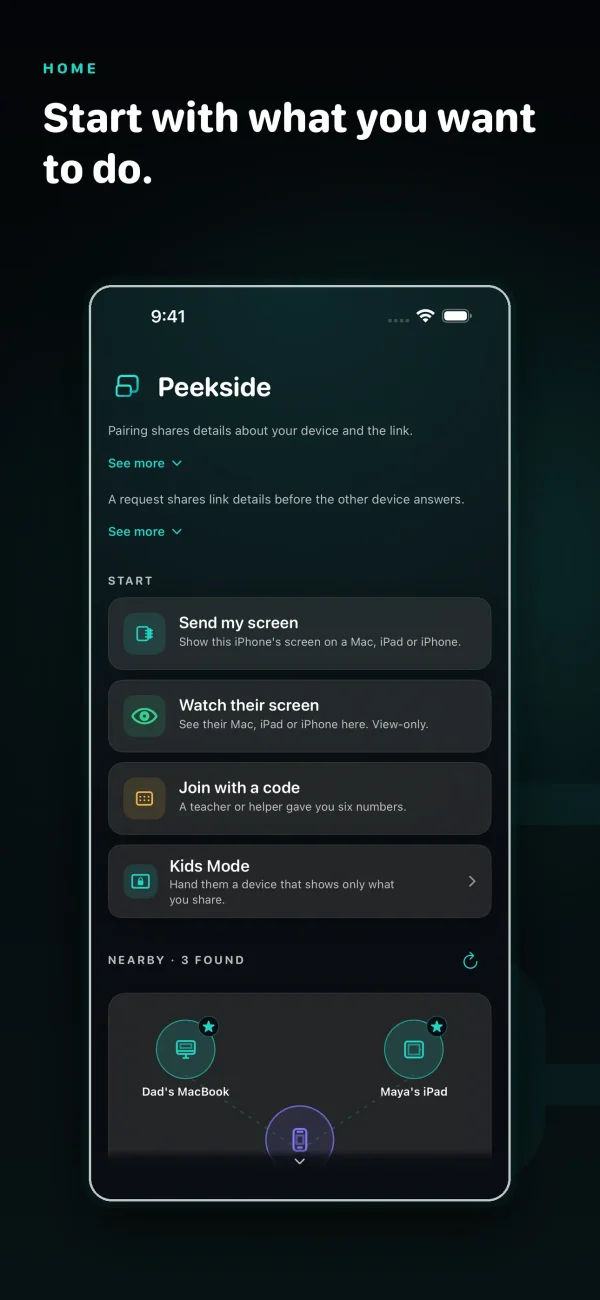
Peekside puts one screen on another screen, over your own Wi-Fi. An iPhone, iPad, or Mac can send. An iPhone, iPad, or Mac can watch. Use two compatible devices, such as an iPhone and a Mac.
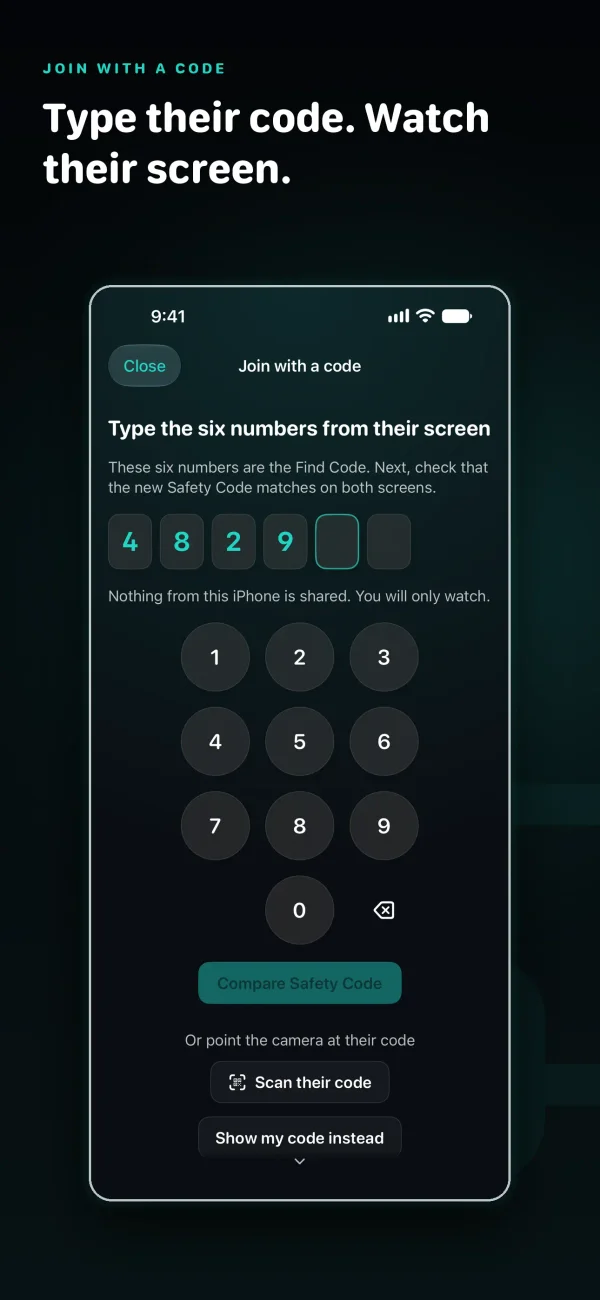
Your screen and sound stay on your local network. Peekside sends them straight to the other device. There is no relay, account or sign-in.
Pair once, then tap a device and pick what you want: send your screen, watch theirs, or read their captions. Nothing starts until the other person allows it on their device.
FREE CORE
* No watermark
* No session time limit imposed by Peekside
* One watcher at a time
* App audio with the live picture
* Adaptive quality for changing Wi-Fi conditions
* A connection HUD with latency and bitrate
* Automatic reconnection after brief network changes
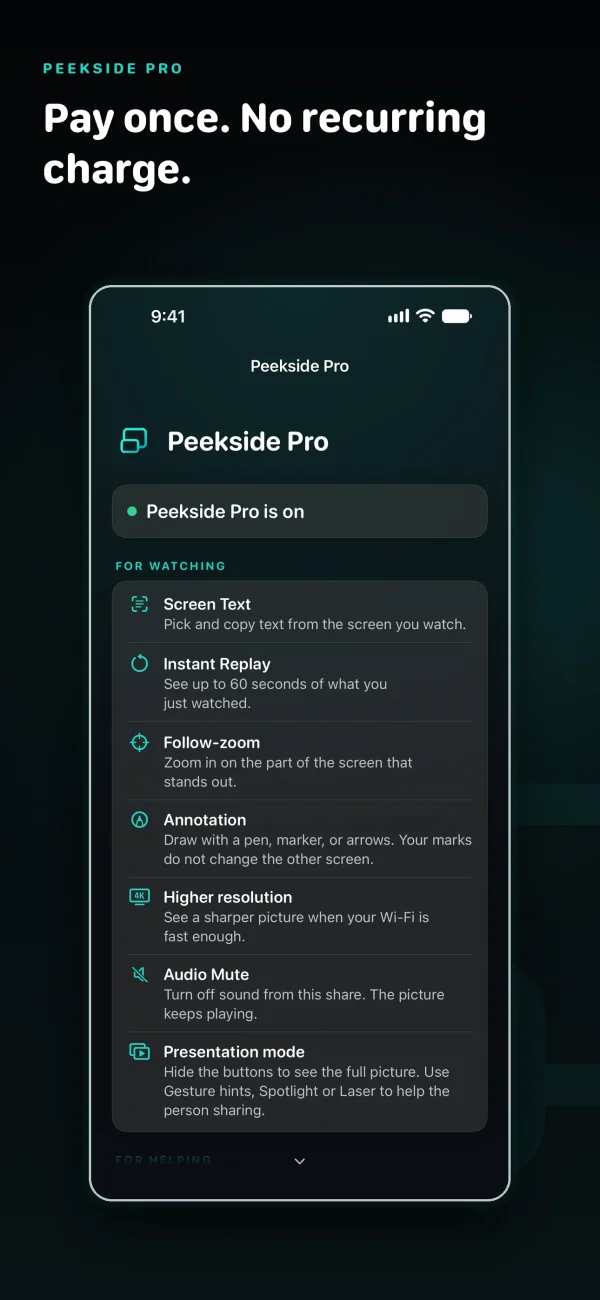
PEEKSIDE PRO, ONE-TIME PURCHASE
* Screen Text, copy text straight out of the moving picture
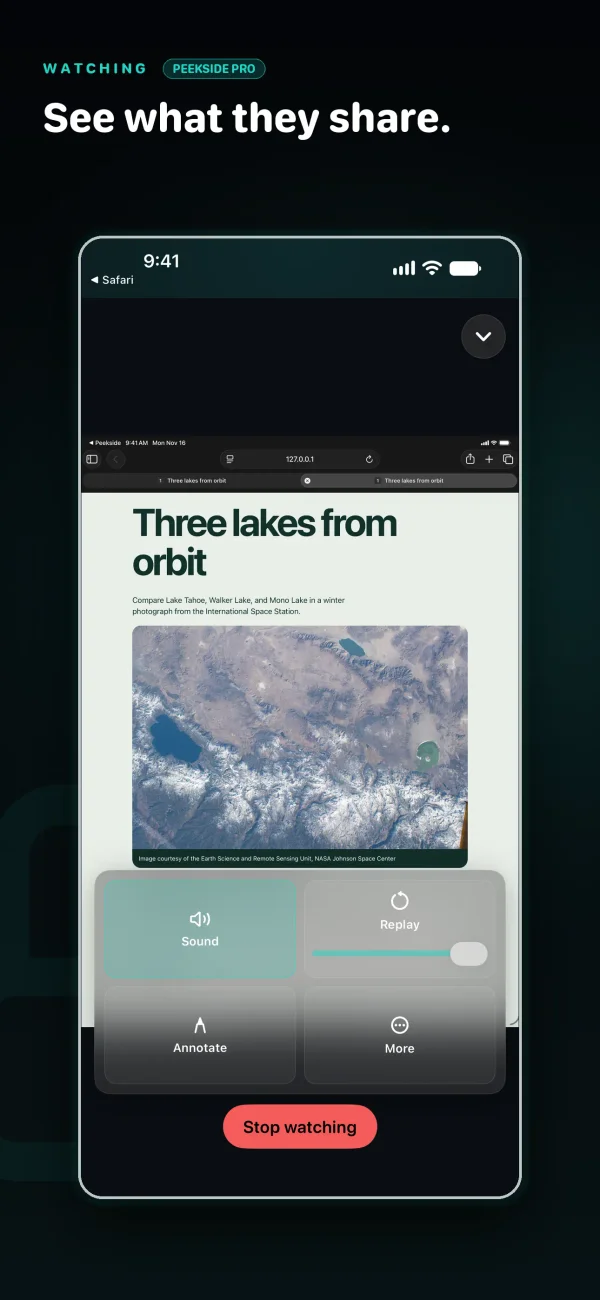
* Instant Replay, rewind up to 60 seconds without saving a recording
* Follow-zoom, keep the busy part of the screen framed
* Annotation, draw on the feed with pen, highlighter, and arrows
* Higher resolution when the link can carry it
* Guidance, point and draw on the other screen to walk someone through something
* Companion Cue, type a line that appears along the bottom of their screen
* Audio Mute, silence the mirrored sound on your device while the picture keeps playing
* Presentation mode, a clean full-screen feed with the controls hidden
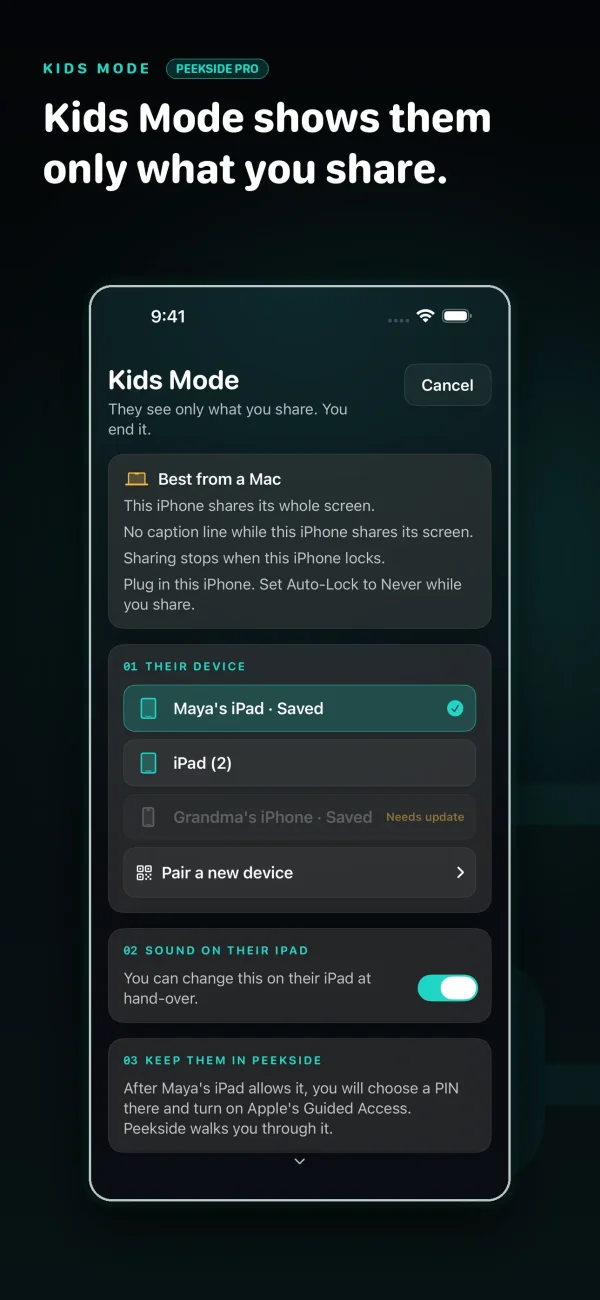
* Kids Mode, hand your child a device that shows only what you share, until you end it with a PIN
HONEST LIMITS
New saved recordings are paused in Peekside 1.1.1. Previously saved files are still where you saved them. Instant Replay is available.
Peekside is view-only. The watching device cannot tap, type, or drive the device it is watching.
An iPhone or iPad sends its screen or its captions, one or the other, not both in the same session. A Mac can send both at once.
Protected video appears black. That is the operating system blocking capture, and Peekside does not work around it. Sharing stops when the sharer's iPhone or iPad locks, and there it always starts through Apple's own picker.
Kids Mode keeps a child in Peekside only when a grown-up turns on Apple's Guided Access on that device. Peekside cannot lock a device by itself. Kids Mode never shows you the child's screen, and it works with one device at a time.
Peekside needs two devices on the same Wi-Fi network. It does not work over the internet, by design. Some features need Peekside Pro.
Novedades
Versión 1.1.1 · 18/11/2026
Pairing and first-run steps are clearer, including what to do when a connection fails. Kids Mode asks you to confirm the PIN before handing over the child’s device. On Mac, Peekside’s menu bar icon changes shape as a mirror connects and reconnects. Screen Text replaces the old name for Peekside’s tool for copying text from the mirrored screen. You choose when your device appears on Wi-Fi. From More, you can hide incoming captions, report a concern, or block a paired device. New saved recordings are paused. You can still use Instant Replay.
Privacidad de la aplicación
Lo que RoxyKovu LLC declara en App Store sobre cómo esta aplicación gestiona los datos.
-
No se recopilan datos
El desarrollador no recopila ningún dato de esta aplicación.
Las prácticas de privacidad pueden variar, por ejemplo, según las funciones que uses o tu edad.
Información
- Vendedor
- RoxyKovu LLC
- Categoría
- Productividad
- Versión
- 1.1.1
- Actualizado
- 18/11/2026
- Publicado
- 6/8/2026
- Tamaño
- 11,0 MB
- Requiere
- iOS 17.0 o posterior
- Clasificación por edad
- 4+
- Precio
- Gratis
- Compras en la aplicación
- Sí
- Idiomas
- Inglés
- Copyright
- © 2026 RoxyKovu LLC
Quizá también te guste
-
 MobileOffizeProductividad
-
 Remember: Until It’s DoneProductividad
-
 Noti.MeProductividad
-
 DeskJoin ScreenProductividad
-
 Screenshot to TextProductividad
-
 Jaibi: Expense TrackerProductividad
-
 AltRDP: escritorio remotoPC sin monitor a 60 fps remoto
-
 Focus-Attention Self-ControlProductividad
-
 Foldline: Firmar PDF y eSignComprimir, unir y rellenar
-
 Port Orchard Ford ConnectProductividad