
Peekside: Screen Mirroring
Local Screen Share & Mirroring
Dirancang untuk iPhone, iPad, Mac
Gratis · Pembelian dalam aplikasi
- Batasan usia4+
- KategoriProduktivitas
- PengembangRoxyKovu LLC
- BahasaInggris
- Ukuran11,0 MB
Tertaut ke halaman resmi App Store
Download.org tidak menyimpan file Peekside: Screen Mirroring apa pun. Tombol ini membuka halaman aplikasi di App Store, tempat RoxyKovu LLC menerbitkannya. Halaman terakhir diperiksa pada 23/11/2026.
Tangkapan layar
Tentang
Pengembang belum menyediakan teks ini dalam bahasa Anda.
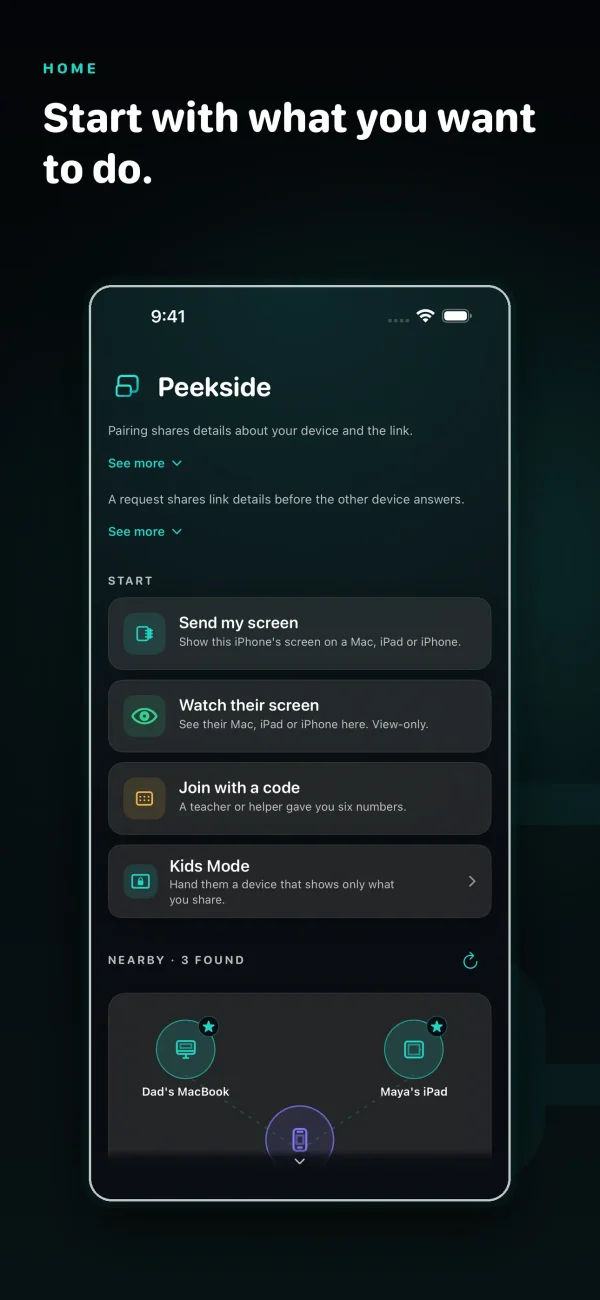
Peekside puts one screen on another screen, over your own Wi-Fi. An iPhone, iPad, or Mac can send. An iPhone, iPad, or Mac can watch. Use two compatible devices, such as an iPhone and a Mac.
Your screen and sound stay on your local network. Peekside sends them straight to the other device. There is no relay, account or sign-in.
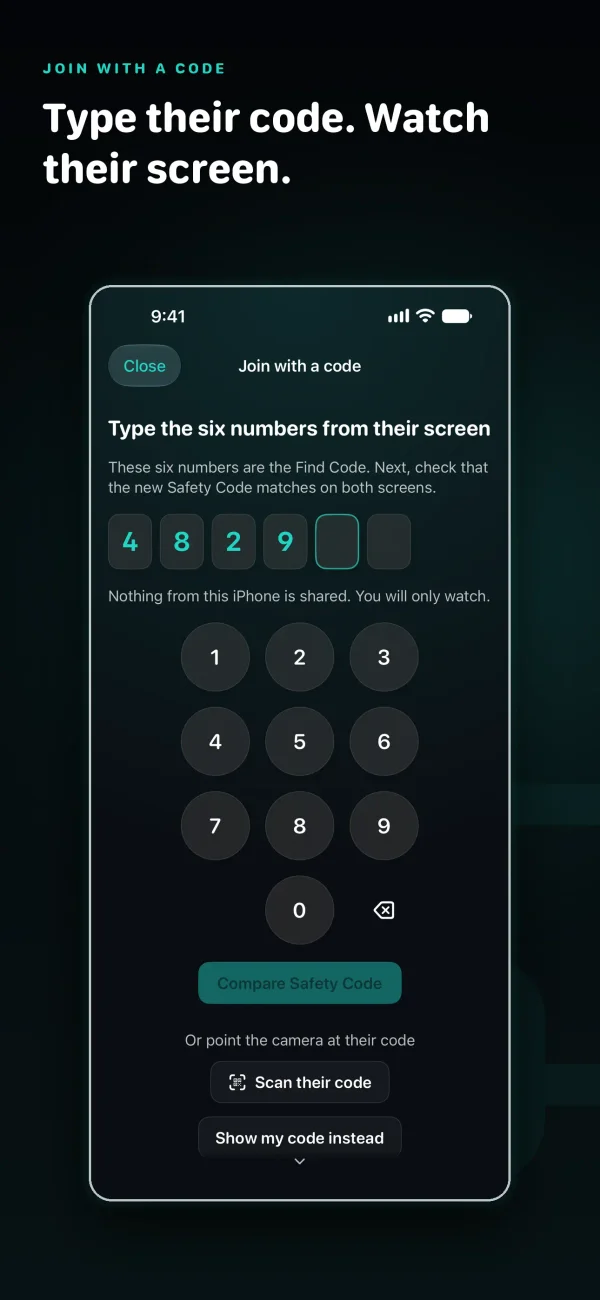
Pair once, then tap a device and pick what you want: send your screen, watch theirs, or read their captions. Nothing starts until the other person allows it on their device.
FREE CORE
* No watermark
* No session time limit imposed by Peekside
* One watcher at a time
* App audio with the live picture
* Adaptive quality for changing Wi-Fi conditions
* A connection HUD with latency and bitrate
* Automatic reconnection after brief network changes
PEEKSIDE PRO, ONE-TIME PURCHASE
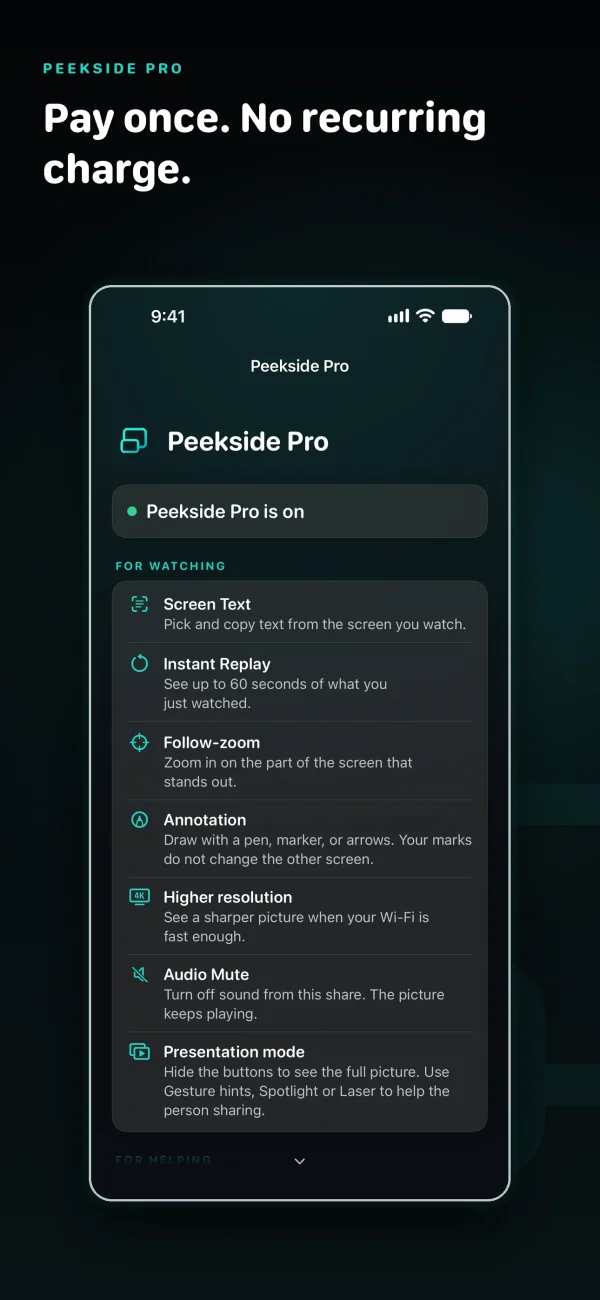
* Screen Text, copy text straight out of the moving picture
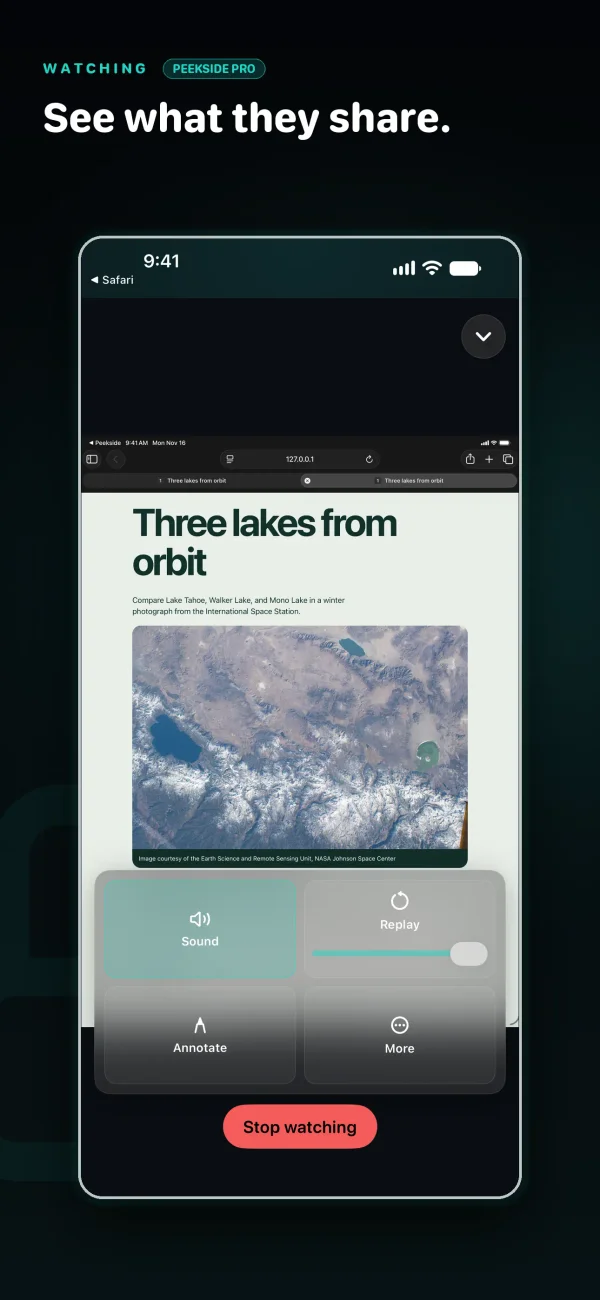
* Instant Replay, rewind up to 60 seconds without saving a recording
* Follow-zoom, keep the busy part of the screen framed
* Annotation, draw on the feed with pen, highlighter, and arrows
* Higher resolution when the link can carry it
* Guidance, point and draw on the other screen to walk someone through something
* Companion Cue, type a line that appears along the bottom of their screen
* Audio Mute, silence the mirrored sound on your device while the picture keeps playing
* Presentation mode, a clean full-screen feed with the controls hidden
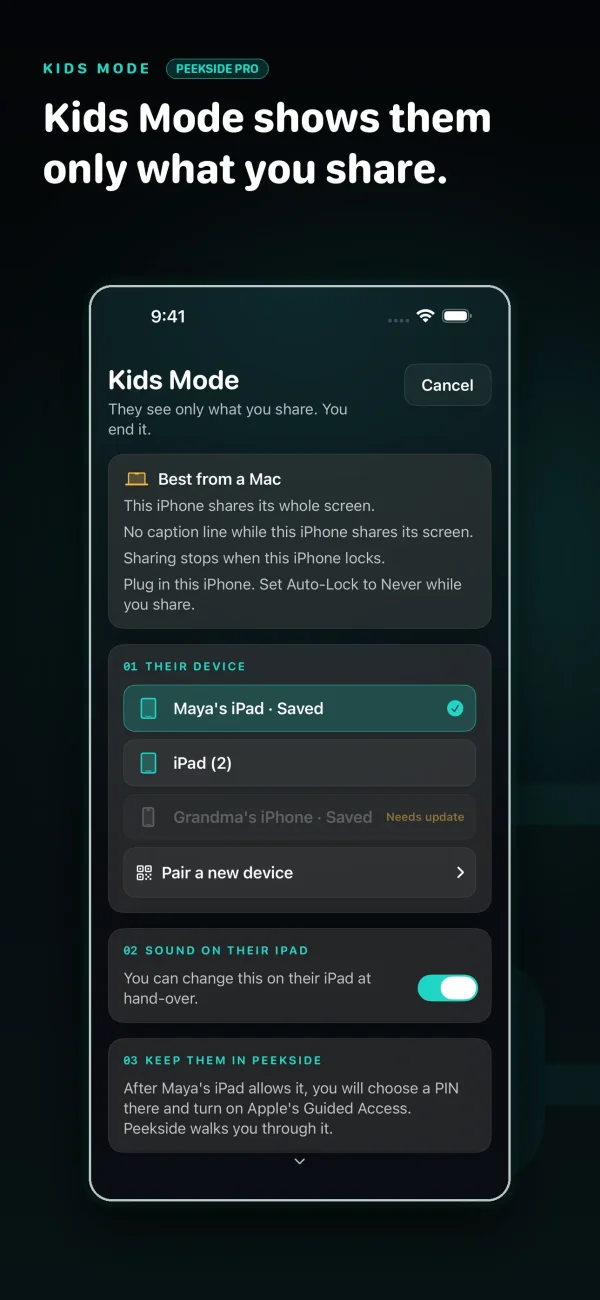
* Kids Mode, hand your child a device that shows only what you share, until you end it with a PIN
HONEST LIMITS
New saved recordings are paused in Peekside 1.1.1. Previously saved files are still where you saved them. Instant Replay is available.
Peekside is view-only. The watching device cannot tap, type, or drive the device it is watching.
An iPhone or iPad sends its screen or its captions, one or the other, not both in the same session. A Mac can send both at once.
Protected video appears black. That is the operating system blocking capture, and Peekside does not work around it. Sharing stops when the sharer's iPhone or iPad locks, and there it always starts through Apple's own picker.
Kids Mode keeps a child in Peekside only when a grown-up turns on Apple's Guided Access on that device. Peekside cannot lock a device by itself. Kids Mode never shows you the child's screen, and it works with one device at a time.
Peekside needs two devices on the same Wi-Fi network. It does not work over the internet, by design. Some features need Peekside Pro.
Yang baru
Versi 1.1.1 · 18/11/2026
Pairing and first-run steps are clearer, including what to do when a connection fails. Kids Mode asks you to confirm the PIN before handing over the child’s device. On Mac, Peekside’s menu bar icon changes shape as a mirror connects and reconnects. Screen Text replaces the old name for Peekside’s tool for copying text from the mirrored screen. You choose when your device appears on Wi-Fi. From More, you can hide incoming captions, report a concern, or block a paired device. New saved recordings are paused. You can still use Instant Replay.
Privasi aplikasi
Yang dinyatakan RoxyKovu LLC di App Store tentang cara aplikasi ini menangani data.
-
Data tidak dikumpulkan
Pengembang tidak mengumpulkan data apa pun dari aplikasi ini.
Praktik privasi dapat bervariasi, misalnya berdasarkan fitur yang Anda gunakan atau usia Anda.
Informasi
- Penjual
- RoxyKovu LLC
- Kategori
- Produktivitas
- Versi
- 1.1.1
- Diperbarui
- 18/11/2026
- Dirilis
- 6/8/2026
- Ukuran
- 11,0 MB
- Memerlukan
- iOS 17.0 atau yang lebih baru
- Batasan usia
- 4+
- Harga
- Gratis
- Pembelian dalam aplikasi
- Ya
- Bahasa
- Inggris
- Hak cipta
- © 2026 RoxyKovu LLC
Mungkin Anda juga suka
-
 MobileOffizeProduktivitas
-
 Remember: Until It’s DoneProduktivitas
-
 Noti.MeProduktivitas
-
 DeskJoin ScreenProduktivitas
-
 Screenshot to TextProduktivitas
-
 Catatan Keuangan: JaibiAnggaran, struk & tagihan
-
 AltRDP: High-Quality RemoteProduktivitas
-
 Focus-Attention Self-ControlProduktivitas
-
 Foldline: eSign & PDF ReaderProduktivitas
-
 Port Orchard Ford ConnectProduktivitas