
Peekside: Screen Mirroring
Local Screen Share & Mirroring
iPhone, iPad, Mac向けに設計
無料 · アプリ内課金
- 対象年齢4+
- カテゴリ仕事効率化
- 開発元RoxyKovu LLC
- 言語英語
- サイズ11.0 MB
App Storeの公式ページにリンクしています
Download.orgはPeekside: Screen Mirroringのファイルを一切ホストしていません。ボタンを押すと、RoxyKovu LLCが公開しているApp Storeのアプリページが開きます。ページの最終確認:2026/11/23。
スクリーンショット
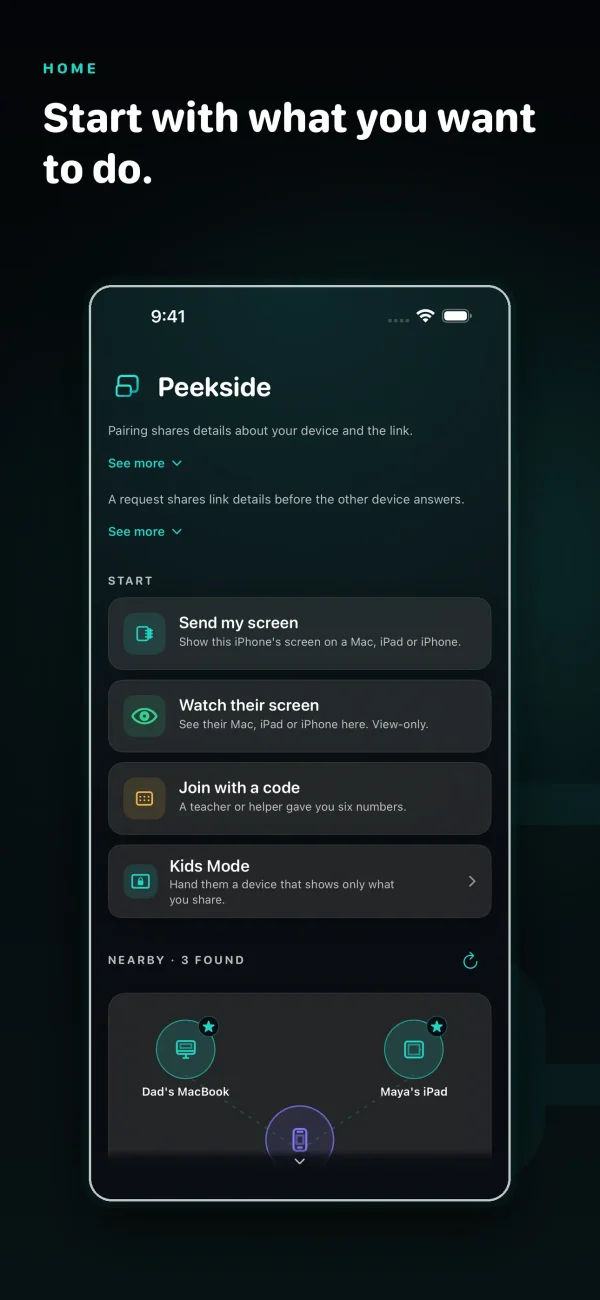
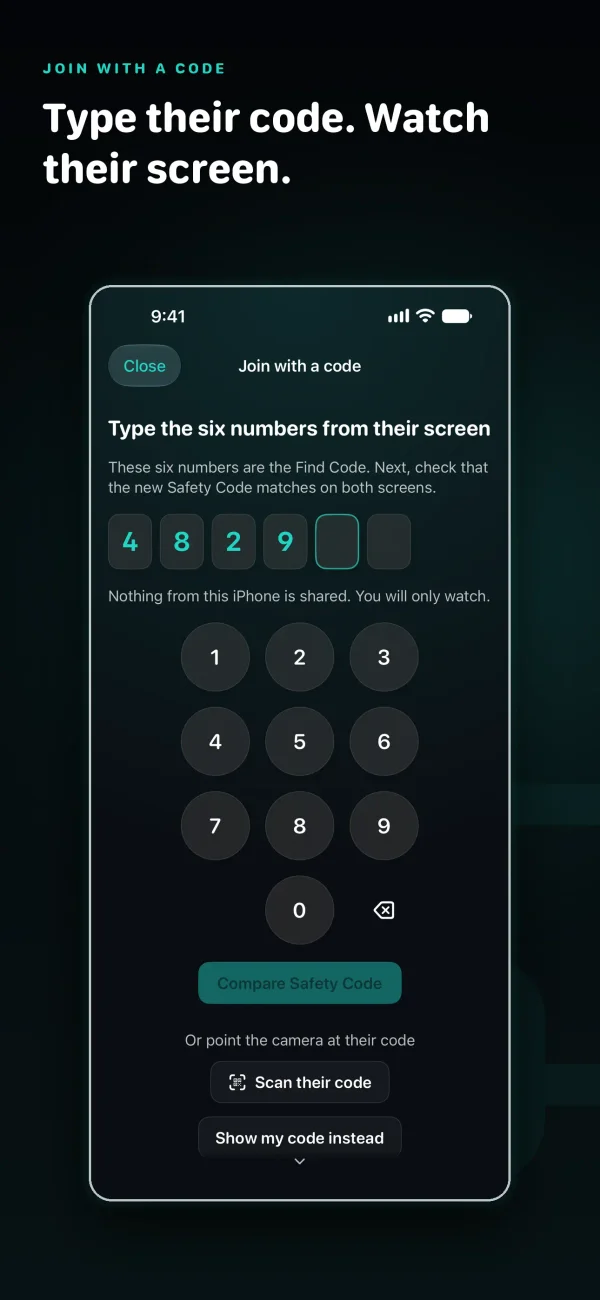
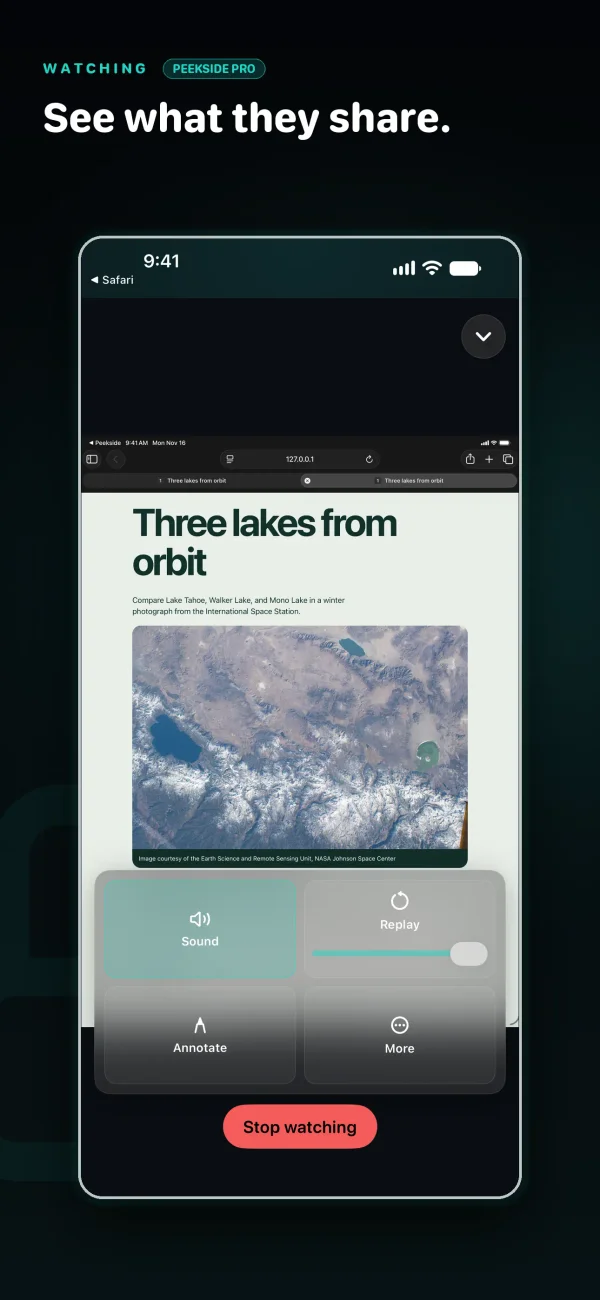
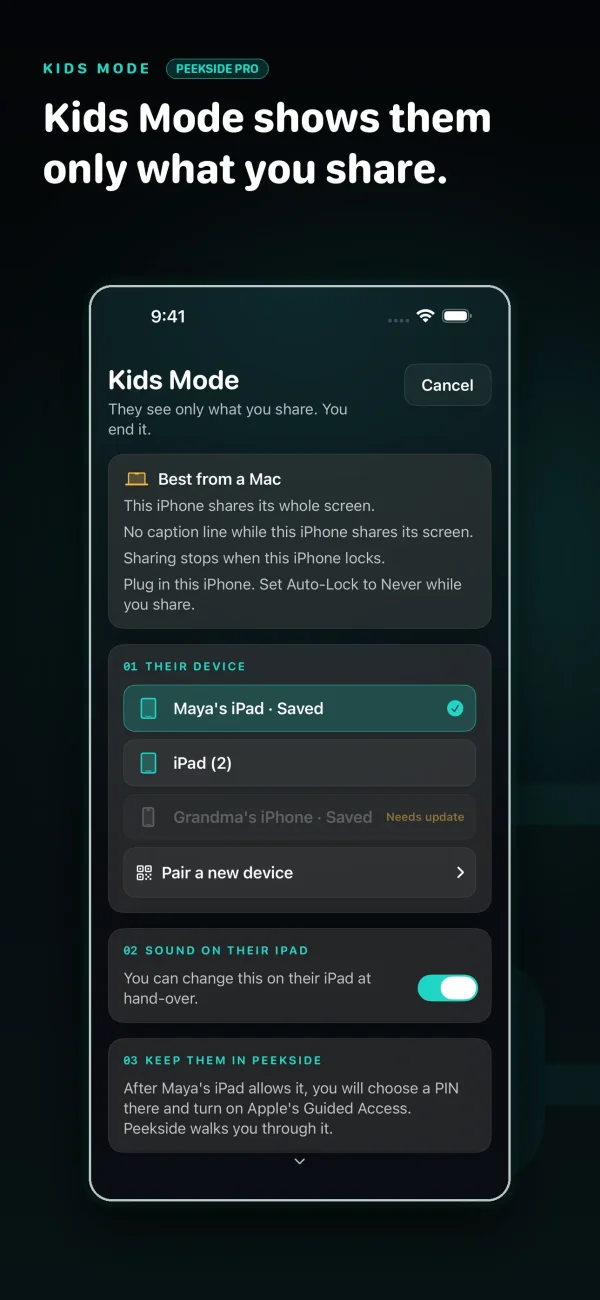
概要
開発元はこのテキストをお使いの言語で提供していません。
Peekside puts one screen on another screen, over your own Wi-Fi. An iPhone, iPad, or Mac can send. An iPhone, iPad, or Mac can watch. Use two compatible devices, such as an iPhone and a Mac.
Your screen and sound stay on your local network. Peekside sends them straight to the other device. There is no relay, account or sign-in.
Pair once, then tap a device and pick what you want: send your screen, watch theirs, or read their captions. Nothing starts until the other person allows it on their device.
FREE CORE
* No watermark
* No session time limit imposed by Peekside
* One watcher at a time
* App audio with the live picture
* Adaptive quality for changing Wi-Fi conditions
* A connection HUD with latency and bitrate
* Automatic reconnection after brief network changes
PEEKSIDE PRO, ONE-TIME PURCHASE
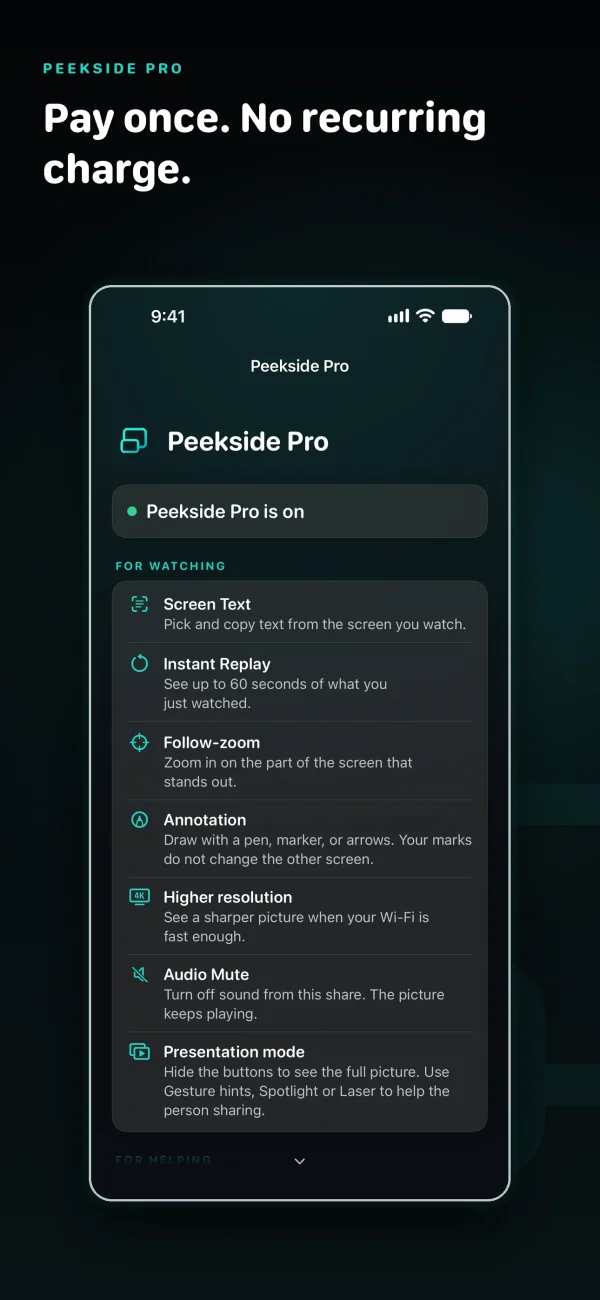
* Screen Text, copy text straight out of the moving picture
* Instant Replay, rewind up to 60 seconds without saving a recording
* Follow-zoom, keep the busy part of the screen framed
* Annotation, draw on the feed with pen, highlighter, and arrows
* Higher resolution when the link can carry it
* Guidance, point and draw on the other screen to walk someone through something
* Companion Cue, type a line that appears along the bottom of their screen
* Audio Mute, silence the mirrored sound on your device while the picture keeps playing
* Presentation mode, a clean full-screen feed with the controls hidden
* Kids Mode, hand your child a device that shows only what you share, until you end it with a PIN
HONEST LIMITS
New saved recordings are paused in Peekside 1.1.1. Previously saved files are still where you saved them. Instant Replay is available.
Peekside is view-only. The watching device cannot tap, type, or drive the device it is watching.
An iPhone or iPad sends its screen or its captions, one or the other, not both in the same session. A Mac can send both at once.
Protected video appears black. That is the operating system blocking capture, and Peekside does not work around it. Sharing stops when the sharer's iPhone or iPad locks, and there it always starts through Apple's own picker.
Kids Mode keeps a child in Peekside only when a grown-up turns on Apple's Guided Access on that device. Peekside cannot lock a device by itself. Kids Mode never shows you the child's screen, and it works with one device at a time.
Peekside needs two devices on the same Wi-Fi network. It does not work over the internet, by design. Some features need Peekside Pro.
新機能
バージョン 1.1.1 · 2026/11/18
Pairing and first-run steps are clearer, including what to do when a connection fails. Kids Mode asks you to confirm the PIN before handing over the child’s device. On Mac, Peekside’s menu bar icon changes shape as a mirror connects and reconnects. Screen Text replaces the old name for Peekside’s tool for copying text from the mirrored screen. You choose when your device appears on Wi-Fi. From More, you can hide incoming captions, report a concern, or block a paired device. New saved recordings are paused. You can still use Instant Replay.
アプリのプライバシー
このアプリのデータの取り扱いについて、RoxyKovu LLCがApp Storeで申告している内容です。
-
データの収集なし
開発元はこのアプリからデータを収集しません。
プライバシーの取り扱いは、ご利用の機能やお客様の年齢などに応じて異なる場合があります。
情報
- 販売元
- RoxyKovu LLC
- カテゴリ
- 仕事効率化
- バージョン
- 1.1.1
- 更新日
- 2026/11/18
- リリース
- 2026/8/6
- サイズ
- 11.0 MB
- 必要条件
- iOS 17.0以降
- 対象年齢
- 4+
- 価格
- 無料
- アプリ内課金
- あり
- 言語
- 英語
- 著作権
- © 2026 RoxyKovu LLC