Picroll - Tiny Screen Stitcher
Screenshot tailor & editor app
Diseñada para iPhone, iPod touch
5,99 €
- Clasificación por edad4+
- CategoríaUtilidades
- DesarrolladorTinyWork Apps
- IdiomasInglés+ 2 más
- Tamaño60,6 MB
Enlaza a la página oficial de App Store
Download.org no aloja ningún archivo de Picroll - Tiny Screen Stitcher. El botón abre la página de la aplicación en App Store, donde la publica TinyWork Apps. Ficha comprobada por última vez el 12/11/2026.
Capturas de pantalla



Acerca de
El desarrollador no ha proporcionado este texto en tu idioma.
Introducing Picroll - the ultimate app for effortless long screenshot stitching and editing!
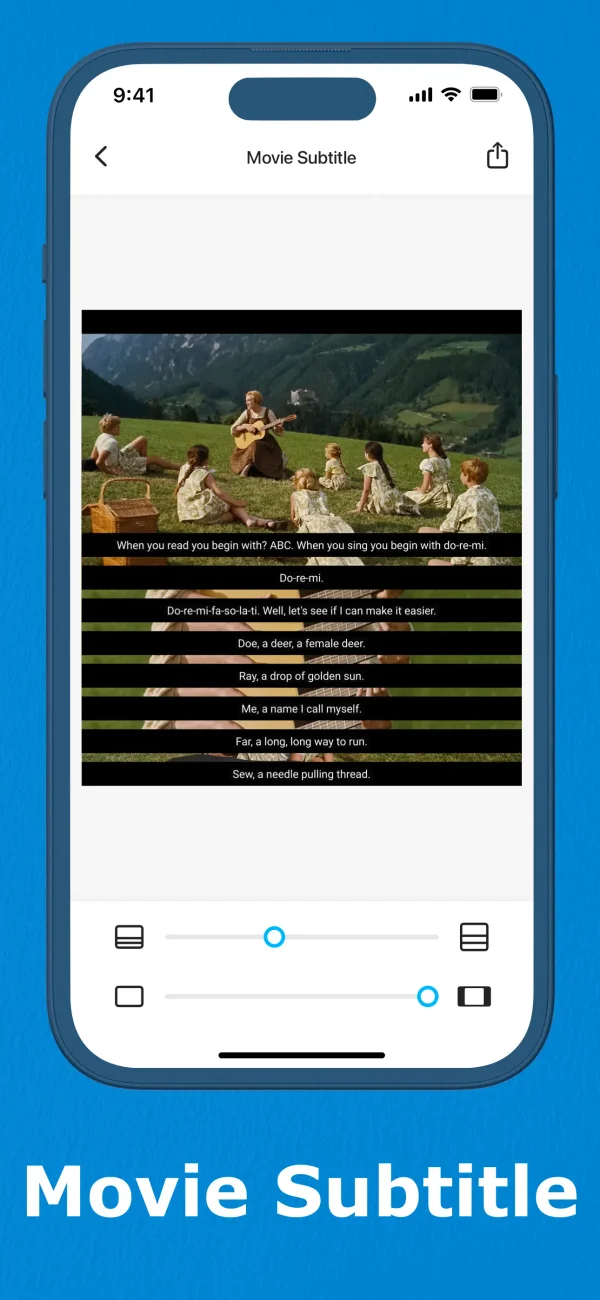
Are you tired of struggling to piece together multiple screenshots to get the perfect long screenshot? Look no further than Picroll! Our advanced auto-stitcher feature enables you to seamlessly stitch together multiple screenshots with ease. With our tailor-made layouts, picture splitter, mosaic tool, phone frame overlay, and intelligent screen clearing feature, you'll have everything you need to create stunning long screenshots in seconds.
Here are some of the key features that make Picroll stand out:
- Auto-Stitcher
Our advanced auto-stitcher feature automatically detects and stitches together multiple screenshots for a seamless long screenshot experience. You won't need to worry about manually piecing together your screenshots - Picroll does it all for you!
- Tailor-Made Layouts
We understand that every screenshot is unique, which is why we offer tailor-made layouts to ensure your long screenshots look perfect every time. With multiple layout options to choose from, you'll be able to create long screenshots that meet your exact specifications.
- Picture Splitter
With our picture splitter, you can easily divide a single image into multiple pictures. This feature is perfect for sharing screenshots on social media or with your friends.
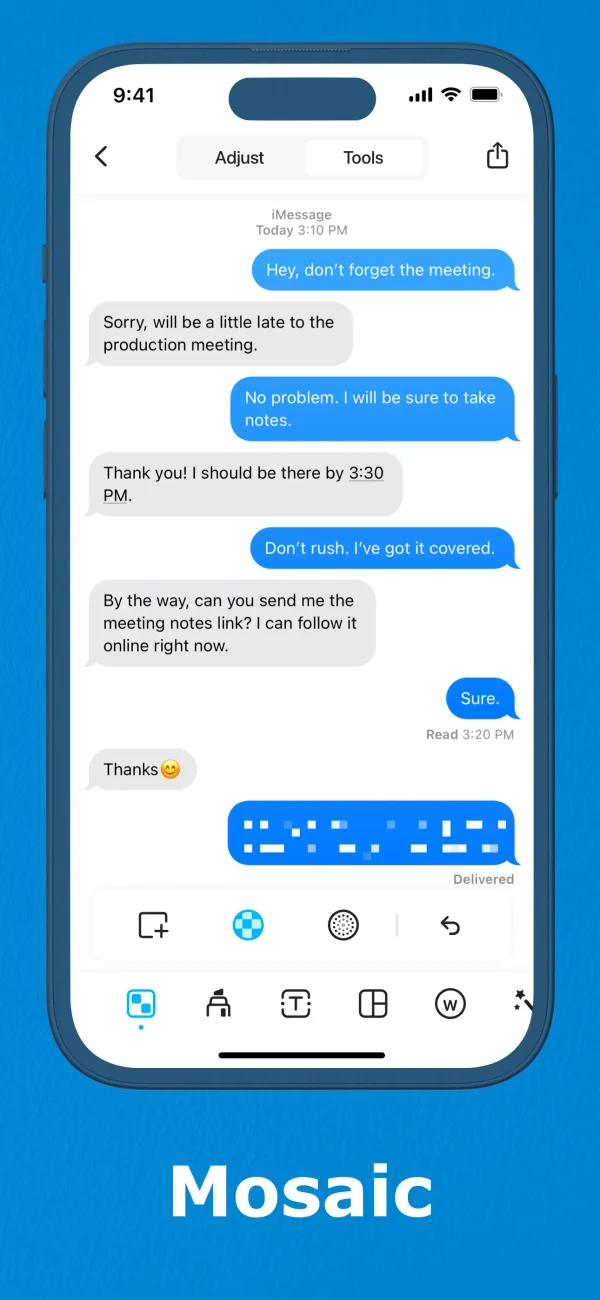
- Mosaic Tool
Protect your privacy and blur out sensitive information with our mosaic tool. You can easily add a mosaic effect to any part of your screenshot to hide personal information or create an artistic effect.
- Phone Frame Overlay
Add a touch of style to your screenshots with our phone frame overlay. Our app comes with a range of phone frames to choose from, giving your screenshots a realistic look.
- Intelligent Screen Clearing
Our intelligent screen clearing feature automatically removes status bars and scrollbars from your screenshots. This ensures your long screenshots look professional and clean.
- Screenshot Editor
With our editing tools, you can add text, watermarks, and even draw on your screenshots using markers or brushes. Our app makes it easy to edit your screenshots to meet your needs.
- Scrollable Screenshots
With our scrollable screenshots feature, you can capture entire web pages or social media feeds with ease. Picroll can take long screenshots of scrollable pages such as Instagram and Snapchat, allowing you to capture every detail.
Picroll is the ultimate tool for anyone who needs to capture and edit long screenshots. Whether you're a creator, social media influencer, or just someone who loves taking screenshots, our app has everything you need to create stunning long screenshots in seconds. Download Picroll today and elevate your long screenshot game!
---
Privacy Policy: http://bit.ly/3zdyfLu
Terms of Use: http://bit.ly/40nMol2
Novedades
Versión 1.0.1 · 13/8/2025
In recent updates:
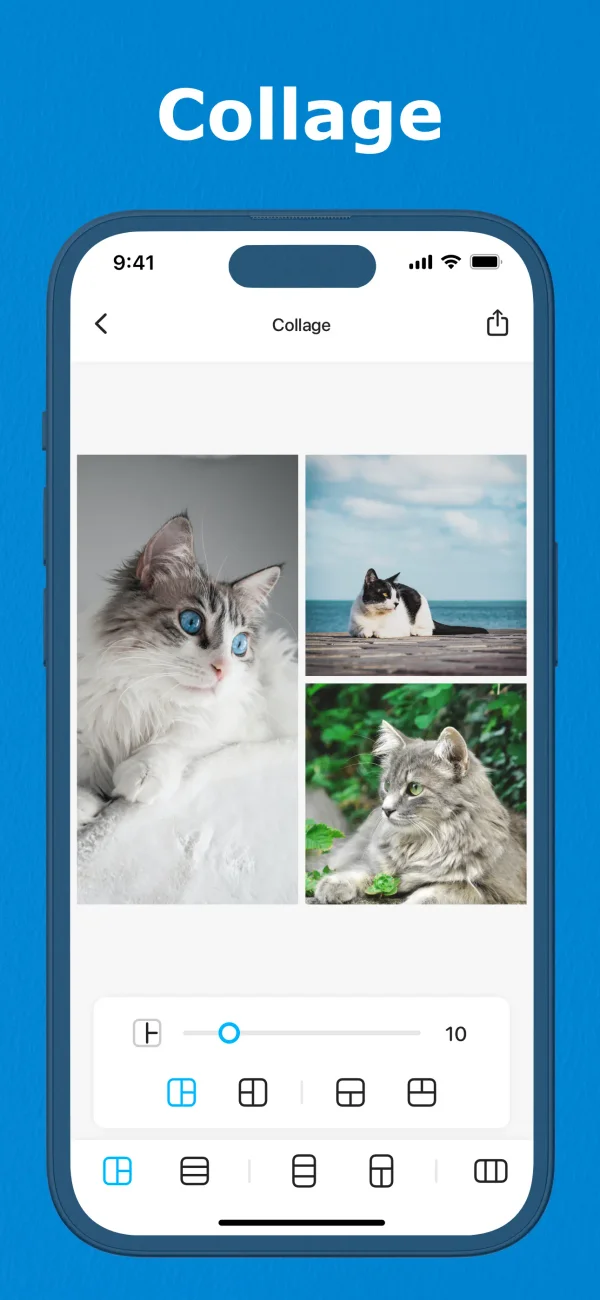
- Introducing our new collage feature, allowing you to seamlessly combine multiple photos into a stunning grid-based layout.
- Enjoy seamless watermarking with ease! Our app now remembers your previous settings, saving you time on adjusting content, size, or transparency for each use.
- Introducing a new export feature that allows you to effortlessly remove the original photo after processing.
- Explore our improved Adjust module with descriptive text, ensuring quick access to your desired tools and functions.
We greatly appreciate your input and kindly invite you to share any thoughts, suggestions, or queries you may have regarding our app. Please feel free to contact us at contact@fungo.one, and our dedicated team will be delighted to assist you.
Privacidad de la aplicación
Lo que TinyWork Apps declara en App Store sobre cómo esta aplicación gestiona los datos.
-
Datos no vinculados a ti
Pueden recopilarse, pero no se vinculan a tu identidad.
- Datos de uso
- Diagnóstico
Las prácticas de privacidad pueden variar, por ejemplo, según las funciones que uses o tu edad.
Información
- Vendedor
- TinyWork Apps
- Categoría
- Utilidades
- Versión
- 1.0.1
- Actualizado
- 13/8/2025
- Publicado
- 31/3/2023
- Tamaño
- 60,6 MB
- Requiere
- iOS 13.0 o posterior
- Clasificación por edad
- 4+
- Precio
- 5,99 €
- Idiomas
- Inglés, Chino simplificado, Chino tradicional
- Copyright
- © TinyWork Apps
Quizá también te guste
-
 Amperes: Test Cargador,BateríaMonitor, salud y carga,enchufe
-
 Cue It - Interval TimerUtilidades
-
 Very Long Screenshot MakerPic Editor, Crop,Graffiti,Trim
-
 Pupilar Distância Medida XPupilómetro, PD precisa metros
-
 Room Planner: 3D AI DesignUtilidades
-
 Snap Markup - Annotation ToolAnnotate Photos, Images & Pics
-
 Text CaseUtilidades
-
 PiP - Picture in PictureUtilidades
-
 Interval Timer: TimusBoxing,Tabata,Pomodoro,Focus
-
 Text Workflow - Text ToolkitTranform your text