Text Case
Text Cleanup & Reusable Flows
Diseñada para iPhone, iPad
5,99 € · Compras en la aplicación
- Clasificación por edad4+
- CategoríaUtilidades
- DesarrolladorChristopher R Hannah
- IdiomasInglés
- Tamaño20,2 MB
Enlaza a la página oficial de App Store
Download.org no aloja ningún archivo de Text Case. El botón abre la página de la aplicación en App Store, donde la publica Christopher R Hannah. Ficha comprobada por última vez el 23/11/2026.
Capturas de pantalla

Acerca de
El desarrollador no ha proporcionado este texto en tu idioma.
Clean up pasted text, fix a headline, or save a series of edits you can run again.
PASTE ONCE, COMPARE RESULTS
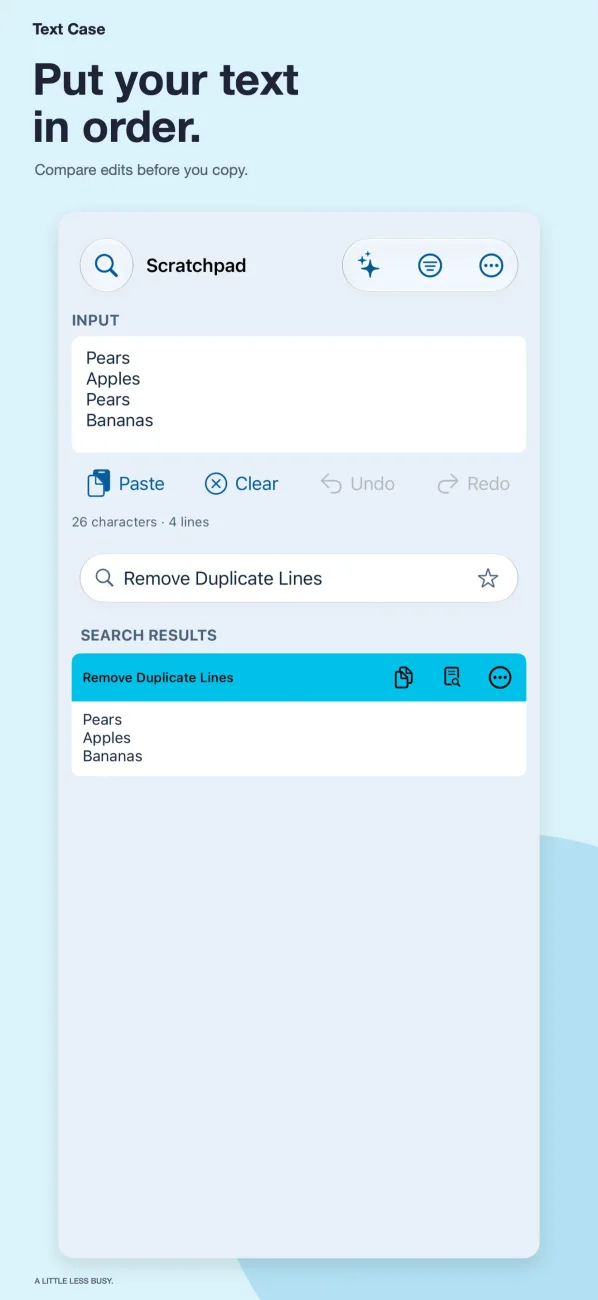
See how the same text looks in several formats at once. Search in Scratchpad, tap the star to show your favourites, or return to a recent transformation. Open the full result to copy or share it. Use a result as your next input to keep editing, and undo to go back.
FIND THE FORMAT YOU NEED
Choose from 77 built-in formats. Apply AP or Chicago title case, tidy whitespace and line breaks, sort lines, turn a list into Markdown, format JSON, or make a URL slug. You can also count words and characters, encode Base64, switch between programming cases, or add your own names and spellings to the personal dictionary.
SAVE THE STEPS YOU REPEAT
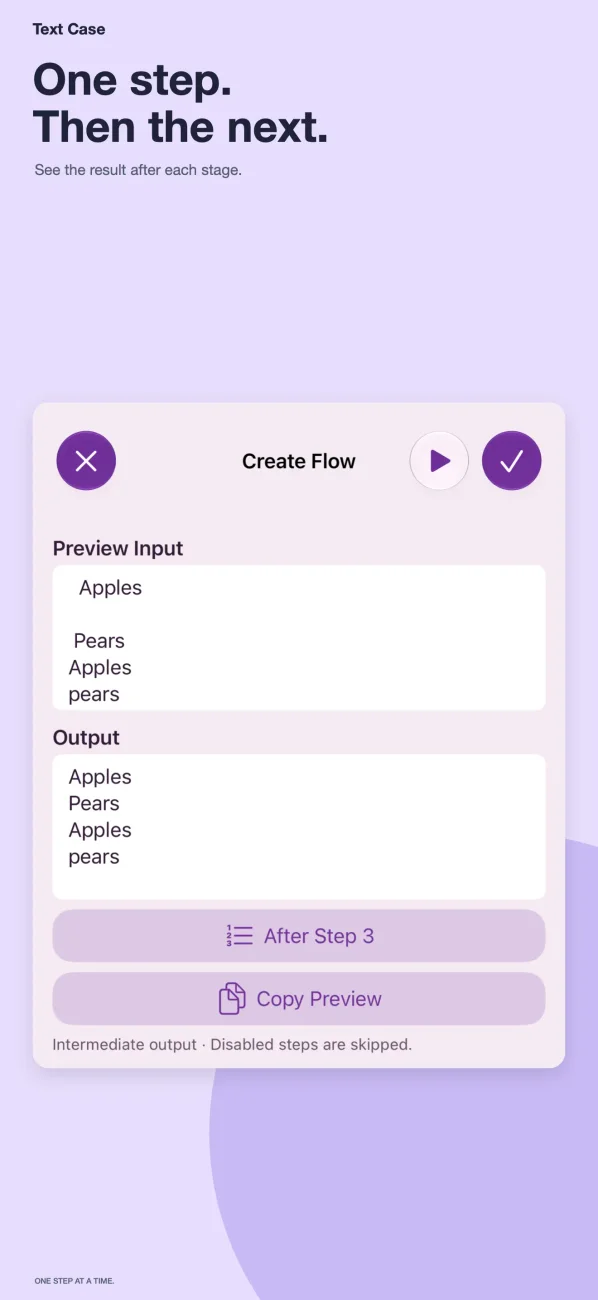
Trim each line, remove blanks and duplicates, then turn the result into Markdown bullets. Save those steps as one flow. Preview the result after any step and switch a step off while keeping its settings. Five built-in templates cover pasted text, headlines, lists, URL slugs and Markdown quotes. Try one with your own text and copy the result before deciding whether to save it.
WRITE YOUR OWN INSTRUCTION
Ask AI Transform to shorten a paragraph or turn American spelling into British spelling, then review the result. Save the instruction as a named AI format to reuse in flows. Generation takes place on supported devices with Apple Intelligence enabled and the system model available.
TAKE YOUR FLOWS WITH YOU
Use supported formats and flows from the share sheet or Shortcuts. Sync flows through iCloud Drive when available, export a backup, or open a .textcaseflow file from Files to import an editable copy. On iPad and iPhone Duo, Scratchpad adapts to the space available when you resize or unfold.
Novedades
Versión 2026.2 · 21/11/2026
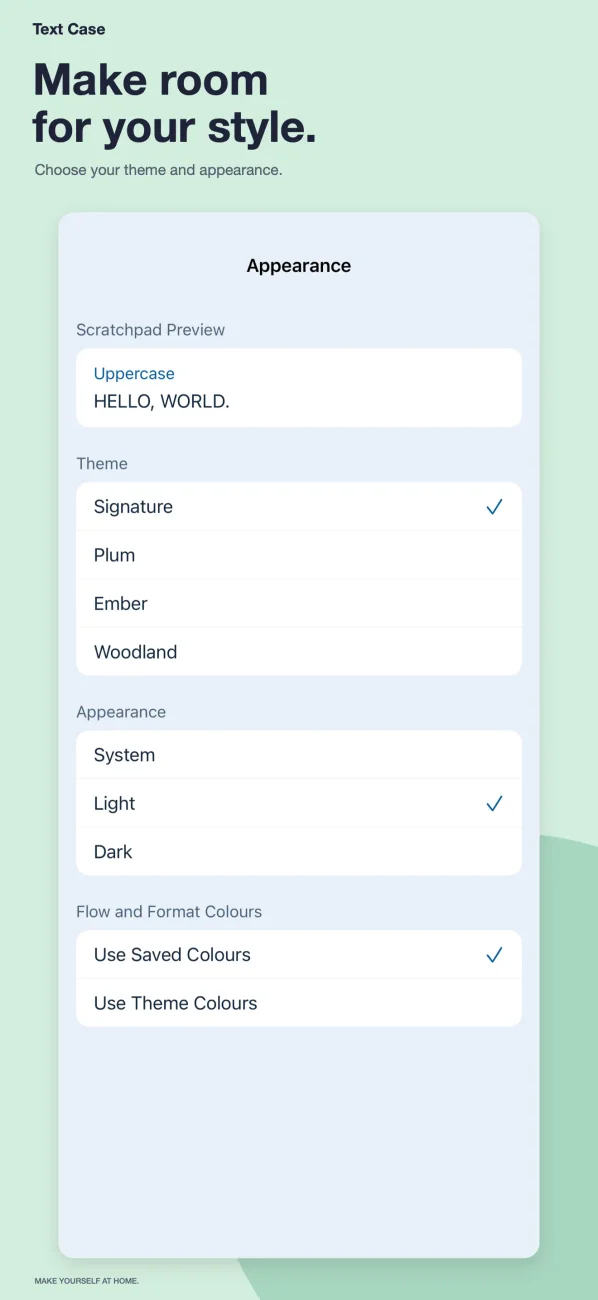
Text Case has a new look. Choose Signature, Plum, Ember or Woodland, use a light or dark appearance, and pick an app icon independently of your theme.
This update also refines the Mac interface, with clearer flow controls and more room in settings and templates. You can open flow files from Files or Finder, or drop them onto the Flows list to import editable copies.
Privacidad de la aplicación
Lo que Christopher R Hannah declara en App Store sobre cómo esta aplicación gestiona los datos.
-
No se recopilan datos
El desarrollador no recopila ningún dato de esta aplicación.
Las prácticas de privacidad pueden variar, por ejemplo, según las funciones que uses o tu edad.
Información
- Vendedor
- Christopher R Hannah
- Categoría
- Utilidades
- Versión
- 2026.2
- Actualizado
- 21/11/2026
- Publicado
- 28/7/2018
- Tamaño
- 20,2 MB
- Requiere
- iOS 26.0 o posterior
- Clasificación por edad
- 4+
- Precio
- 5,99 €
- Compras en la aplicación
- Sí
- Idiomas
- Inglés
- Copyright
- © 2022 Christopher R Hannah
Quizá también te guste
-
 Menu BoxUtilidades
-
 Site Checker: Down DetectorWebsite testing. Http client
-
 NautomateUtilidades
-
 Millimeter regla pantallamejor cinta métrica pulgada mm
-
 MKV PiP PlayerUtilidades
-
 WiFi Tools & AnalyzerIP Scanner, Network Ping, DNS
-
 Voice Recorder: Audio NotesUtilidades
-
 Interval Timer: TimusBoxing,Tabata,Pomodoro,Focus
-
 My IP Address LocationFind and track IP on map
-
 Focus ClockFocus Timer&Tasks