
Cue It - Interval Timer
Periodic Interval Timer
Diseñada para iPhone, iPad, iPod touch
- Clasificación por edad4+
- CategoríaUtilidades
- DesarrolladorJustin Hopkins
- IdiomasInglés
- Tamaño25,6 MB
Es posible que Cue It - Interval Timer no esté disponible en App Store en este momento
No se pudo acceder a la ficha de la tienda en nuestra última comprobación. El enlace sigue llevando a la página oficial de App Store.
Capturas de pantalla



Acerca de
El desarrollador no ha proporcionado este texto en tu idioma.
Stay on track with Cue It!
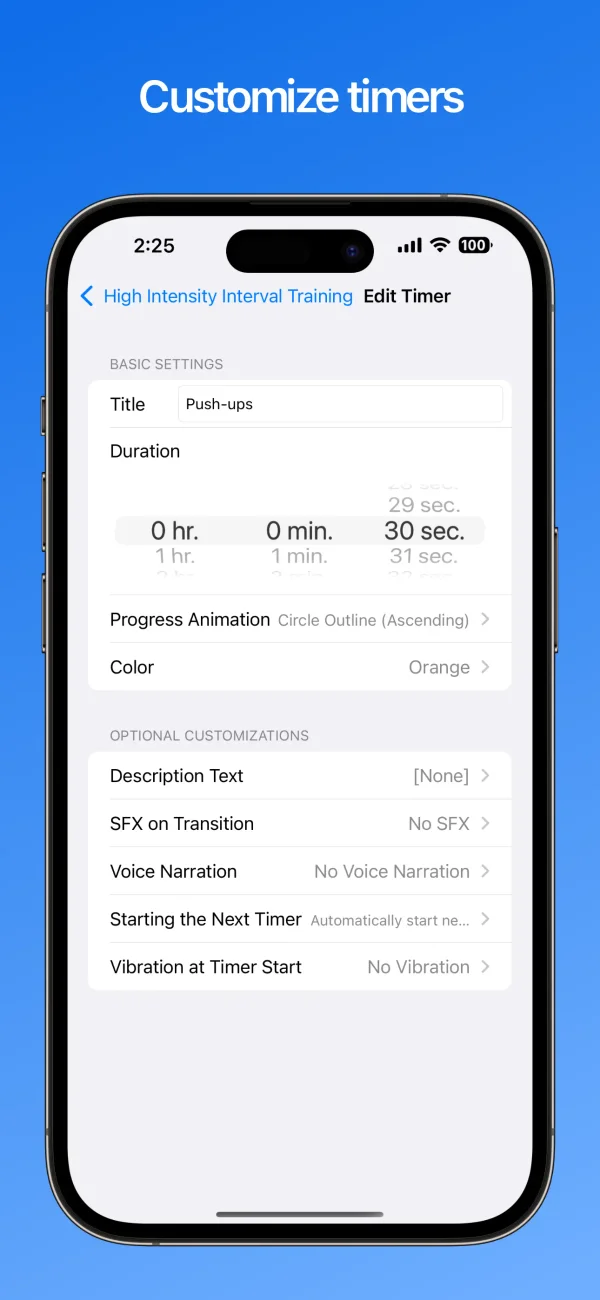
Create lists of timers, called “Cues”, to stay on track for each step in a routine of yours. When one timer on your list ends, the next timer starts.
For when you need to track time on something split into smaller parts, Cue It makes sure you don't miss a beat.
- Stay in shape: Create Cues for your fitness routines, with timers for each exercise and break
- Get productive: Create a Cue with a Pomodoro Timer loop (25 minutes of work, followed by a 5 minute break)
- Find relaxation: Create a Cue for meditation breathing techniques to relax or help with sleep, such as 4-7-8 Breathing
When you start a Cue, two countdown timers will be displayed - one for your current individual timer, and another for how much time is left in total. If you aren't able to keep constant focus on your device, you can also enable features such as Sound Effects, Vibrations, or Text-to-Speech Narration whenever a new timer starts.
Cues can be created for all kinds of purposes, including:
- Fitness/Workout Routines (Interval Timers)
- Productivity (Pomodoro Timers)
- Meditation/Breathing Techniques
- Basic Food Preparation
- Presentation Practice
Need to multitask with Cue In the background? While a Cue is active, you can also toggle the Notification Bell to enable/disable notifications for when a new timer starts, if you are away from Cue It.
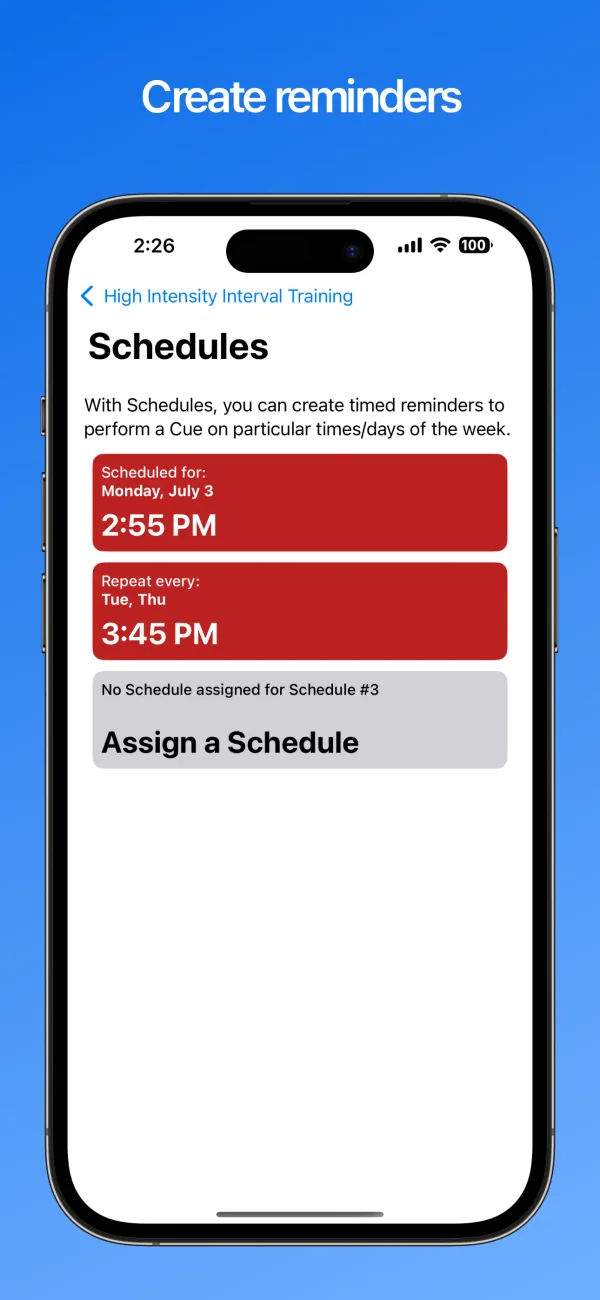
If you want to stick to a schedule, you can also set timed reminders to perform a Cue at a later time - either for a specific time and date, or repeating reminders on specific weekdays at a particular time.
Novedades
Versión 1.7.2 · 21/3/2024
Update 1.7.2 makes minor adjustments to new user onboarding.
Update 1.7 updates when SFX/Notifications play, adds new timer customizations, and fixes minor bugs.
Timer SFX and Notifications now play at the end of a timer by default, similar to traditional timer apps. This can be reverted in Settings if preferred.
* New Timer sound effects added
* Notification Bell now also delivers notifications for the completion of a Cue
* New Timer Customization - “Pre-completion Timer SFX”: Choose intervals of time to play the Timer’s SFX before the timer ends
* New App Setting - “When to play Timer SFX”: Choose when to play timer SFX/notifications (Start/End of Timer), and optionally select Cue Completion SFX (if SFX play at the start of timers)
* Minor bug fixes and tweaks
Privacidad de la aplicación
Lo que Justin Hopkins declara en App Store sobre cómo esta aplicación gestiona los datos.
-
No se recopilan datos
El desarrollador no recopila ningún dato de esta aplicación.
Las prácticas de privacidad pueden variar, por ejemplo, según las funciones que uses o tu edad.
Información
- Vendedor
- Justin Hopkins
- Categoría
- Utilidades
- Versión
- 1.7.2
- Actualizado
- 21/3/2024
- Publicado
- 24/3/2021
- Tamaño
- 25,6 MB
- Requiere
- iOS 15.0 o posterior
- Clasificación por edad
- 4+
- Idiomas
- Inglés
- Copyright
- © 2020-2024 Justin Hopkins
Quizá también te guste
-
 Amperes: Test Cargador,BateríaMonitor, salud y carga,enchufe
-
 Scrollit 2X: Visual messengerUtilidades
-
 Bear - AI KeyboardUtilidades
-
 Ya Casi Es HoraAplicación Ultimate Countdown
-
 Live Transcribe Voice To Text.Utilidades
-
 Recordatorio de CumpleAniversarios, widgets y avisos
-
 Controller Aiming TrainerUtilidades
-
 Picroll - Tiny Screen StitcherUtilidades
-
 Camera CopyUtilidades
-
 Express Cleanup: AI LimpiadorLiberar Espacio, Leer, y Fotos