Pluto: Photo Editor
Film looks, AI edits & sets
Được thiết kế cho iPhone, iPad
Miễn phí
- Độ tuổi4+
- Danh mụcẢnh & Video
- Nhà phát triểnJustin Cahoon
- Ngôn ngữTiếng Anh
- Kích thước84,1 MB
Liên kết đến trang App Store chính thức
Download.org không lưu trữ tệp nào của Pluto: Photo Editor. Nút này mở trang ứng dụng trên App Store, nơi Justin Cahoon phát hành ứng dụng. Trang được kiểm tra lần cuối: 23/11/2026.
Ảnh chụp màn hình
Giới thiệu
Nhà phát triển chưa cung cấp nội dung này bằng ngôn ngữ của bạn.
Find your look. Make it yours.
Pluto is a photo editor for everyday moments, portraits, travel photos, and the sets you want to share. Start with a film-inspired look, adjust light and color, and refine the details. Edit one photo or bring up to 8 together in a set. No subscription is needed to use the editing tools.
A LOOK THAT STARTS WITH YOUR PHOTO
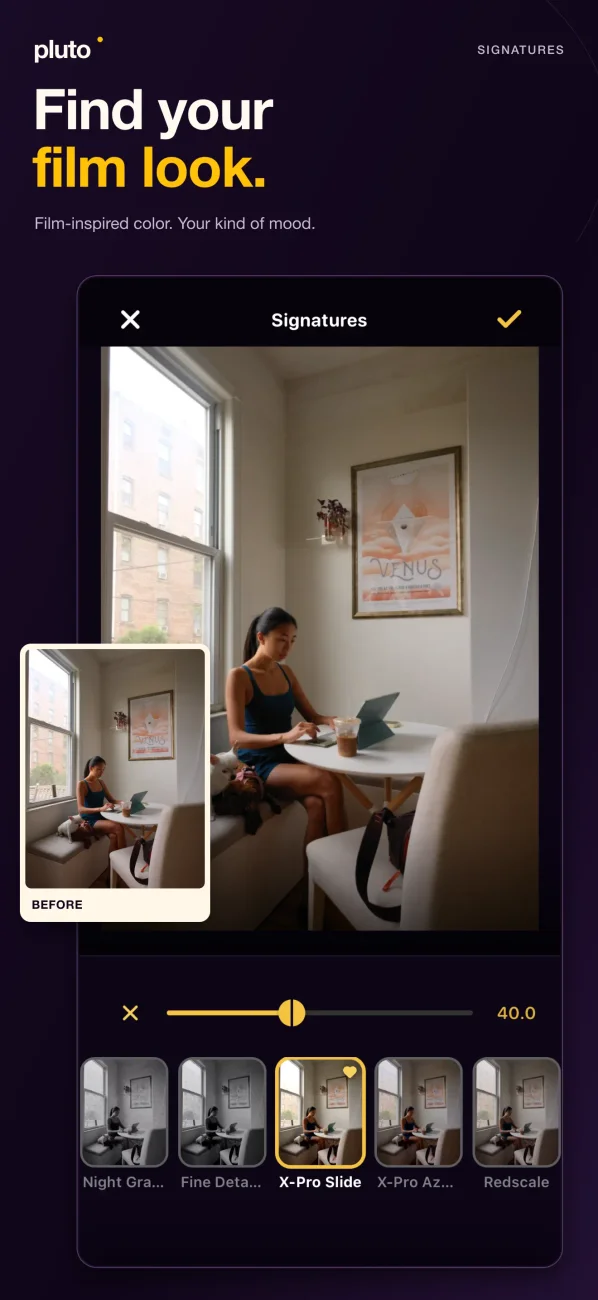
Preview curated signatures on your photo and adjust their strength. Explore the wider film-inspired collection, save your own looks, and reuse them later. Share a look without sharing your private photo.
AI ADJUST. YOU STAY IN CONTROL.
Use AI Adjust directly in the editor for suggested light, color, and tone adjustments. You can use it on its own or choose Adapt this look in Signatures. The result uses editable controls: compare it with your starting photo, refine it, or undo it. AI results vary and may need manual refinement.
ONE LOOK. ROOM FOR EACH PHOTO.
Create a set of up to 8 photos. Choose a shared look, apply per-photo adjustments, and review the results. Open any photo to refine it, leave individual photos out, and export the included set with progress and retry options if something fails.
BRIGHTEN YOUR SUBJECT. KEEP THE SCENE.
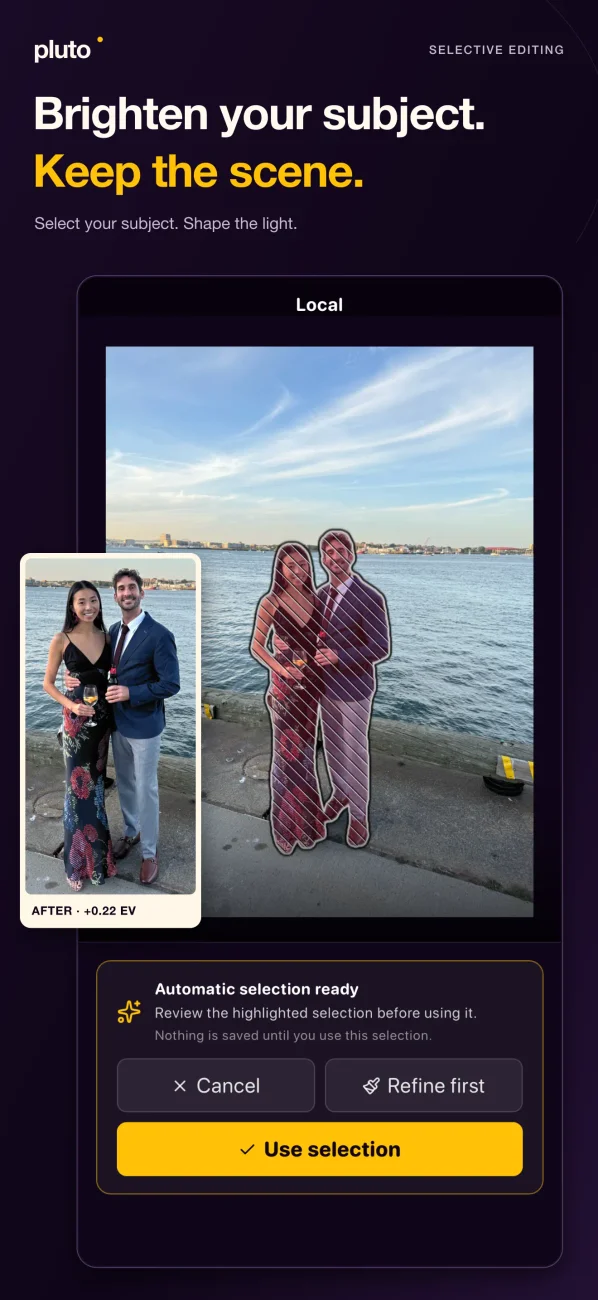
Start with automatic subject or background selection when supported on your device, or paint a mask yourself. Refine it with Add and Subtract, then adjust Exposure, Saturation, Warmth, and Tint in the selected area.
CLEAN UP AND REIMAGINE
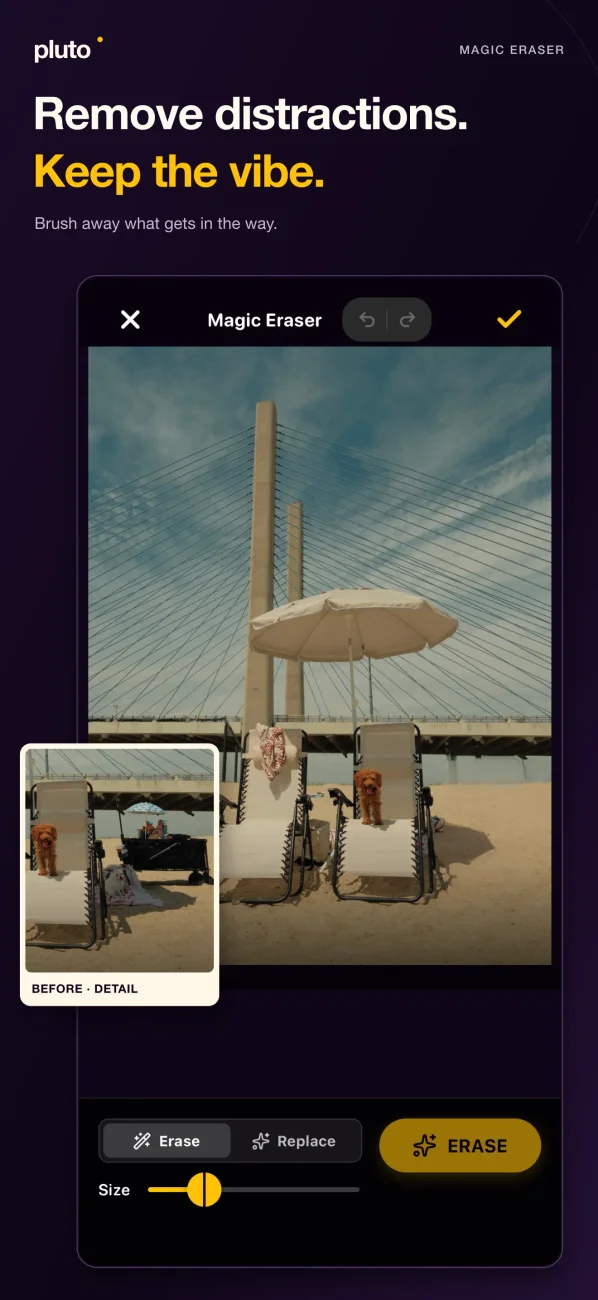
Paint over a distraction and let Magic Eraser generate a cleanup. Target Replace lets you describe a change inside a painted area. Generative Expand adds space around your photo. Review generated results before accepting them.
YOUR FINISHING TOUCH
Shape colors with HSL, add grain, softness, vignette, or light leaks, and rotate or straighten while keeping your edits. Undo and redo as you work. Reopen saved local projects on the same device.
SAVE THE PHOTO YOU WANT TO KEEP
Export finished photos as JPEGs, with original-size output for supported photos and edits. Available size and detail depend on your photo, edits, and device.
Cloud AI sends a photo preview, and selection information where needed, for processing. It requires an internet connection and is subject to usage and capacity limits. Manual editing and built-in looks do not require a cloud AI request. Projects remain on the device; sharing a look does not synchronize photos or projects.
Terms of Use (EULA): https://www.apple.com/legal/internet-services/itunes/dev/stdeula/
Có gì mới
Phiên bản 2.10.8 · 21/11/2026
Bring out your best shot with AI Adjust, then make the result yours.
- AI Adjust suggests editable light, color, and tone changes directly in the editor. Use Adapt this look to refine a signature for your photo.
- Create sets of up to 8 photos, apply a shared look with per-photo adjustments, review each result, and export with progress and retry options.
- Save and reuse looks, or share them without sharing your photo.
- Export JPEGs at original size for supported photos and edits. Available size depends on your photo, edits, and device.
- Rotate and straighten while keeping your edits. Enjoy clearer photo selection, more space in the editor, and improved saving and project reopening.
- Start with your own photo or a sample, directly in AI Adjust.
- Improved camera exit, mask responsiveness, and idle rendering, plus simpler Settings.
No subscription is needed to edit. Cloud AI requires internet access and is subject to usage and capacity limits.
Quyền riêng tư của ứng dụng
Những gì Justin Cahoon khai báo trên App Store về cách ứng dụng này xử lý dữ liệu.
-
Dữ liệu không liên kết với bạn
Có thể được thu thập nhưng không liên kết với danh tính của bạn.
- Mục mua
- Vị trí
- Nội dung của người dùng
- Mã định danh
- Dữ liệu sử dụng
- Chẩn đoán
Phương thức đảm bảo quyền riêng tư có thể khác nhau, chẳng hạn như tuỳ theo các tính năng bạn sử dụng hoặc độ tuổi của bạn.
Thông tin
- Người bán
- Justin Cahoon
- Danh mục
- Ảnh & Video
- Phiên bản
- 2.10.8
- Cập nhật
- 21/11/2026
- Phát hành
- 12/01/2026
- Kích thước
- 84,1 MB
- Yêu cầu
- iOS 17.0 trở lên
- Độ tuổi
- 4+
- Giá
- Miễn phí
- Ngôn ngữ
- Tiếng Anh
- Bản quyền
- © 2025 JC-enterprises
Có thể bạn cũng thích
-
 Phota : AI Photo EditorẢnh & Video
-
 WeThere - AI SelfieẢnh & Video
-
 yurayuraẢnh & Video
-
 PipFu - Selfie FiltersẢnh & Video
-
 Jeju Filter: Landscape CameraẢnh & Video
-
 vismo - Film CameraẢnh & Video
-
 Maple: Raw Photo EditorẢnh & Video
-
 Quick FiltersẢnh & Video
-
 Máy ảnh lấy liền bỏ túiMáy ảnh lấy liền cảm giác
-
 RecallPic: AI Photo SearchẢnh & Video