- Age rating4+
- CategoryPhoto & Video
- DeveloperJustin Cahoon
- LanguagesEnglish
- Size84.1 MB
Links to the official App Store page
Download.org hosts no file of Pluto: Photo Editor. The button opens its official App Store page, published by Justin Cahoon. Listing last checked on Nov 23, 2026.
Screenshots

About
Find your look. Make it yours.
Pluto is a photo editor for everyday moments, portraits, travel photos, and the sets you want to share. Start with a film-inspired look, adjust light and color, and refine the details. Edit one photo or bring up to 8 together in a set. No subscription is needed to use the editing tools.
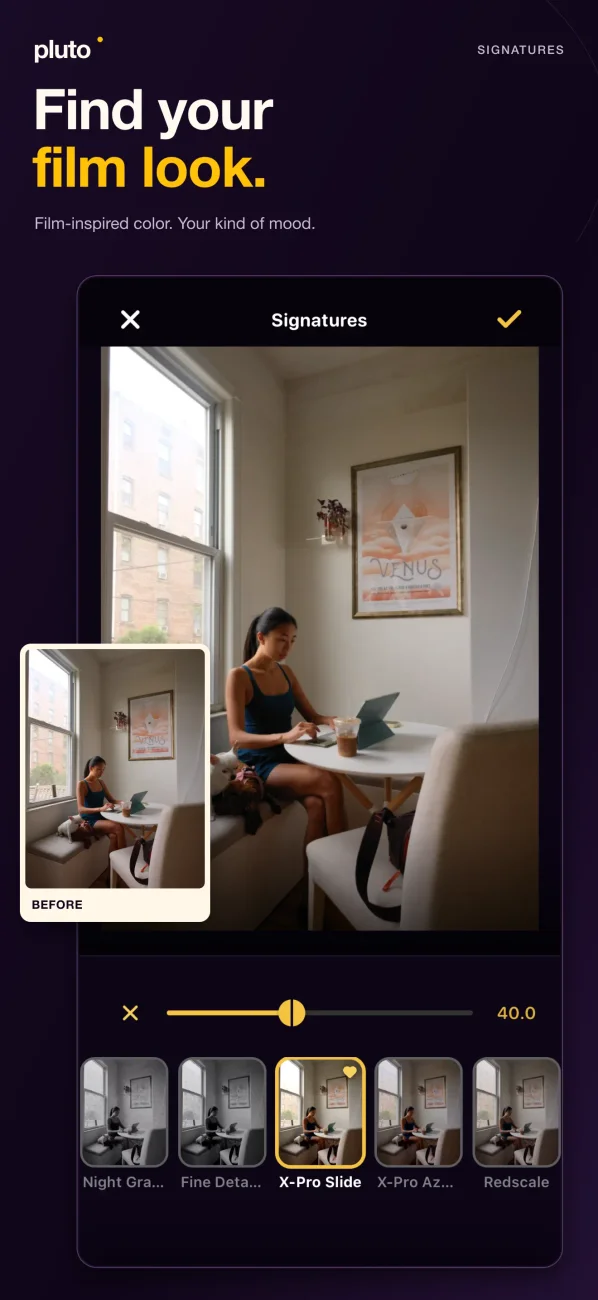
A LOOK THAT STARTS WITH YOUR PHOTO
Preview curated signatures on your photo and adjust their strength. Explore the wider film-inspired collection, save your own looks, and reuse them later. Share a look without sharing your private photo.
AI ADJUST. YOU STAY IN CONTROL.
Use AI Adjust directly in the editor for suggested light, color, and tone adjustments. You can use it on its own or choose Adapt this look in Signatures. The result uses editable controls: compare it with your starting photo, refine it, or undo it. AI results vary and may need manual refinement.
ONE LOOK. ROOM FOR EACH PHOTO.
Create a set of up to 8 photos. Choose a shared look, apply per-photo adjustments, and review the results. Open any photo to refine it, leave individual photos out, and export the included set with progress and retry options if something fails.
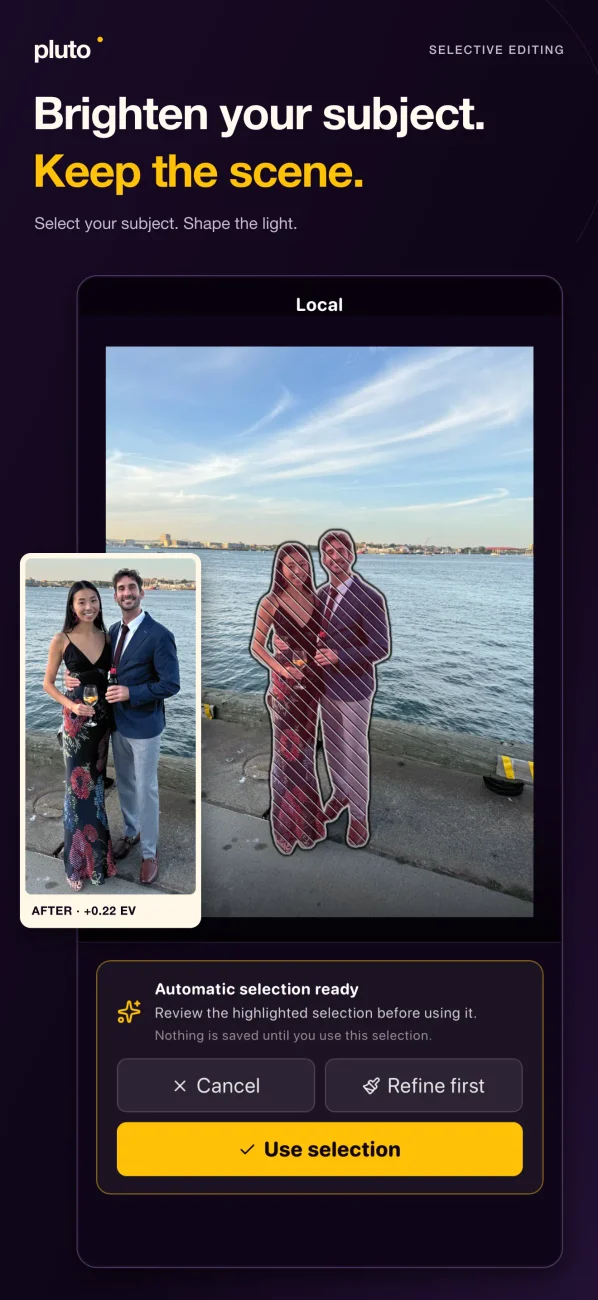
BRIGHTEN YOUR SUBJECT. KEEP THE SCENE.
Start with automatic subject or background selection when supported on your device, or paint a mask yourself. Refine it with Add and Subtract, then adjust Exposure, Saturation, Warmth, and Tint in the selected area.
CLEAN UP AND REIMAGINE
Paint over a distraction and let Magic Eraser generate a cleanup. Target Replace lets you describe a change inside a painted area. Generative Expand adds space around your photo. Review generated results before accepting them.
YOUR FINISHING TOUCH
Shape colors with HSL, add grain, softness, vignette, or light leaks, and rotate or straighten while keeping your edits. Undo and redo as you work. Reopen saved local projects on the same device.
SAVE THE PHOTO YOU WANT TO KEEP
Export finished photos as JPEGs, with original-size output for supported photos and edits. Available size and detail depend on your photo, edits, and device.
Cloud AI sends a photo preview, and selection information where needed, for processing. It requires an internet connection and is subject to usage and capacity limits. Manual editing and built-in looks do not require a cloud AI request. Projects remain on the device; sharing a look does not synchronize photos or projects.
Terms of Use (EULA): https://www.apple.com/legal/internet-services/itunes/dev/stdeula/
What’s new
Version 2.10.8 · Nov 21, 2026
Bring out your best shot with AI Adjust, then make the result yours.
- AI Adjust suggests editable light, color, and tone changes directly in the editor. Use Adapt this look to refine a signature for your photo.
- Create sets of up to 8 photos, apply a shared look with per-photo adjustments, review each result, and export with progress and retry options.
- Save and reuse looks, or share them without sharing your photo.
- Export JPEGs at original size for supported photos and edits. Available size depends on your photo, edits, and device.
- Rotate and straighten while keeping your edits. Enjoy clearer photo selection, more space in the editor, and improved saving and project reopening.
- Start with your own photo or a sample, directly in AI Adjust.
- Improved camera exit, mask responsiveness, and idle rendering, plus simpler Settings.
No subscription is needed to edit. Cloud AI requires internet access and is subject to usage and capacity limits.
App privacy
What Justin Cahoon declares on the App Store about how this app handles data.
-
Data not linked to you
May be collected but is not linked to your identity.
- Purchases
- Location
- User content
- Identifiers
- Usage data
- Diagnostics
Privacy practices may vary, for example with the features you use or your age.
Information
- Seller
- Justin Cahoon
- Category
- Photo & Video
- Version
- 2.10.8
- Updated
- Nov 21, 2026
- Released
- Jan 12, 2026
- Size
- 84.1 MB
- Requires
- iOS 17.0 or later
- Age rating
- 4+
- Price
- Free
- Languages
- English
- Copyright
- © 2025 JC-enterprises
You might also like
-
 Phota : AI Photo EditorAI Photo Editor & Background
-
 WeThere - AI SelfieSelfie with anyone, anywhere
-
 yurayuraKorean film filters. No edits.
-
 PipFu - Selfie FiltersPhoto & Video
-
 Jeju Filter: Landscape CameraAny landscape, Jeju-style
-
 vismo - Film CameraCities through film
-
 Maple: Raw Photo EditorProfessional RAW photo editor
-
 Quick FiltersQuick Photo Filters
-
 Pocket InstantFilm Camera & Instant Photos
-
 RecallPic: AI Photo SearchPrivate On-Device Photo Search