Quick Docs Keyboard
Quick Access To Your Documents
Diseñada para iPhone, Mac
Gratis · Compras en la aplicación
- Clasificación por edad4+
- CategoríaProductividad
- DesarrolladorRaghav Jhawar
- IdiomasInglés
- Tamaño5,5 MB
Enlaza a la página oficial de App Store
Download.org no aloja ningún archivo de Quick Docs Keyboard. El botón abre la página de la aplicación en App Store, donde la publica Raghav Jhawar. Ficha comprobada por última vez el 18/11/2026.
Capturas de pantalla

Acerca de
El desarrollador no ha proporcionado este texto en tu idioma.
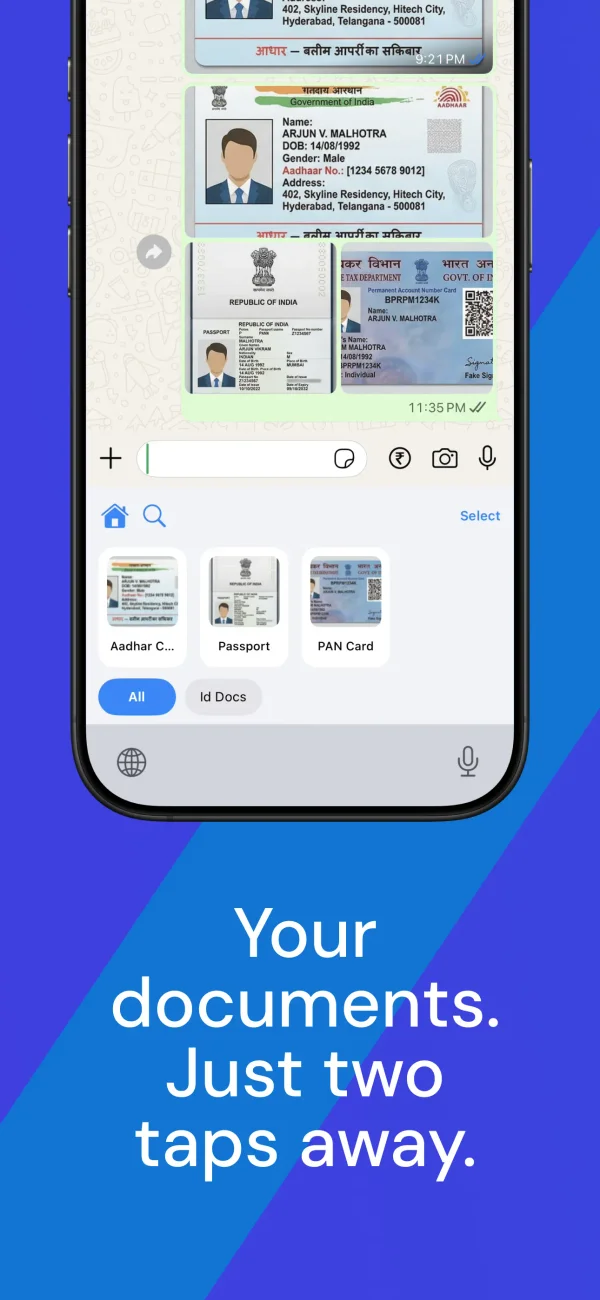
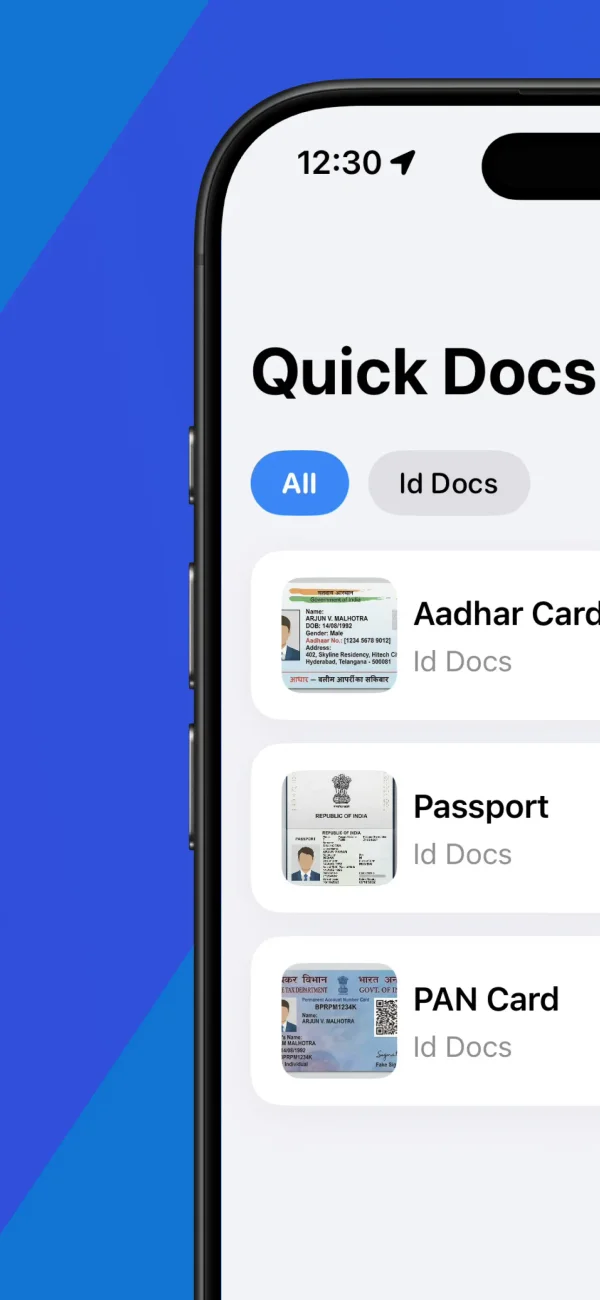
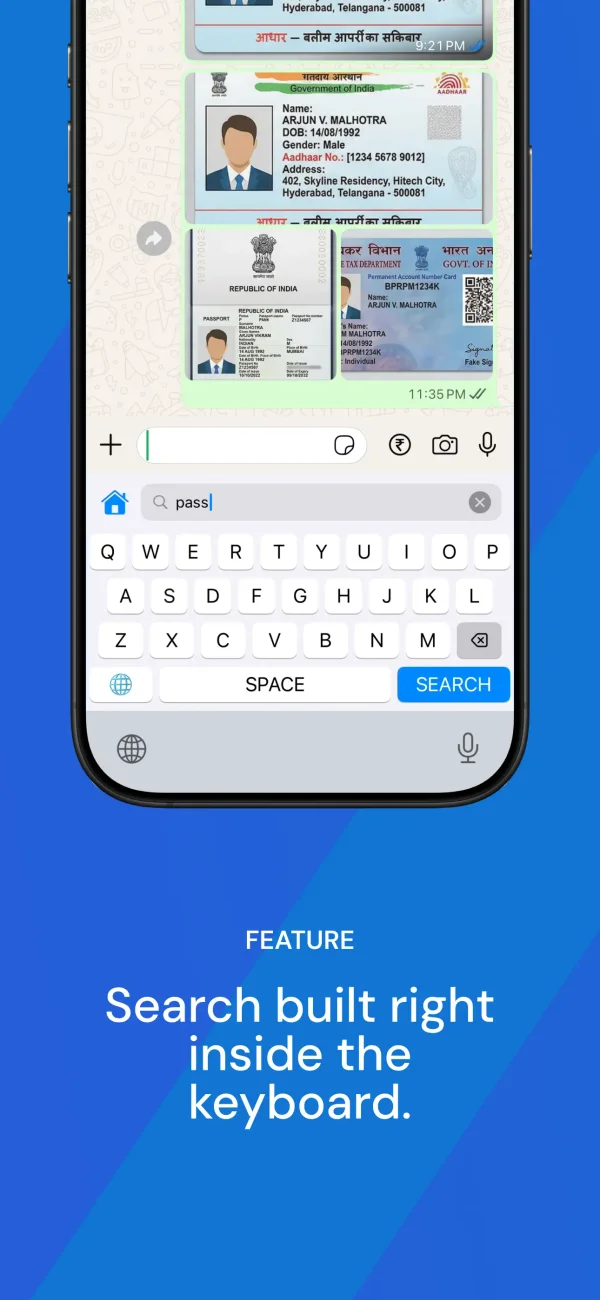
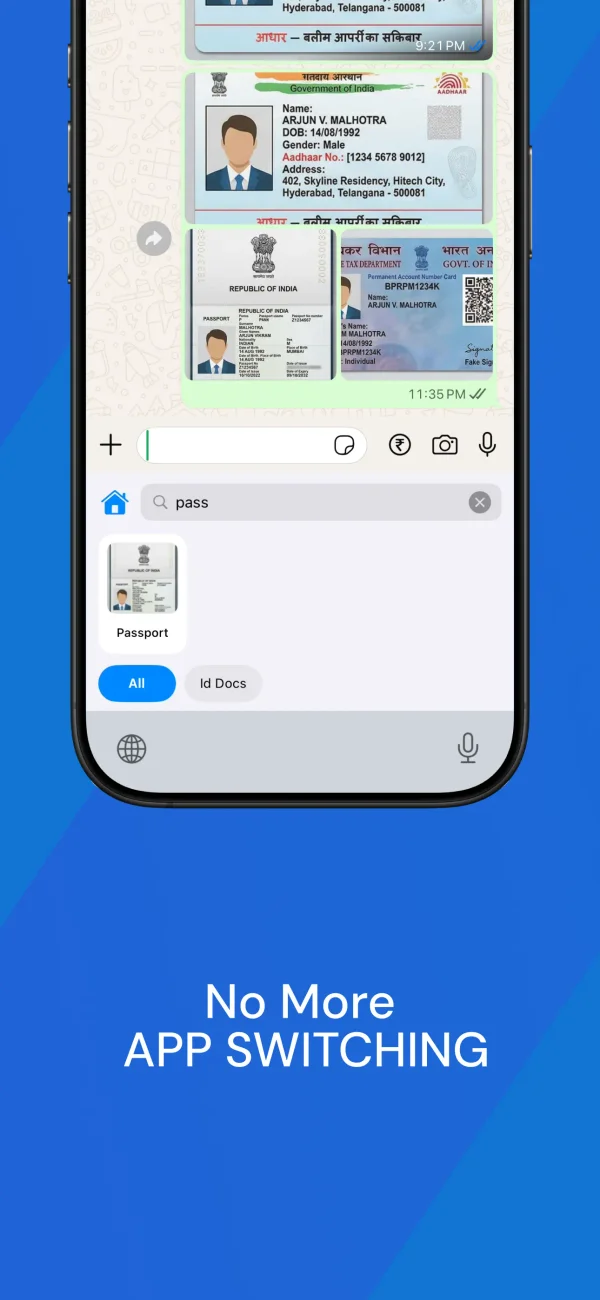
Access your most important documents in two taps—directly from your keyboard. Quick Docs Keyboard transforms your frequently sent files into a fluid, horizontal library available inside any app.
Whether you’re emailing a resume, texting a portfolio, or uploading an ID, do it instantly without ever leaving your chat.
Why Quick Docs?
Universal Access: Works in WhatsApp, Slack, Gmail, iMessage, and more.
Two-Tap Delivery: No more switching apps or hunting through cloud folders.
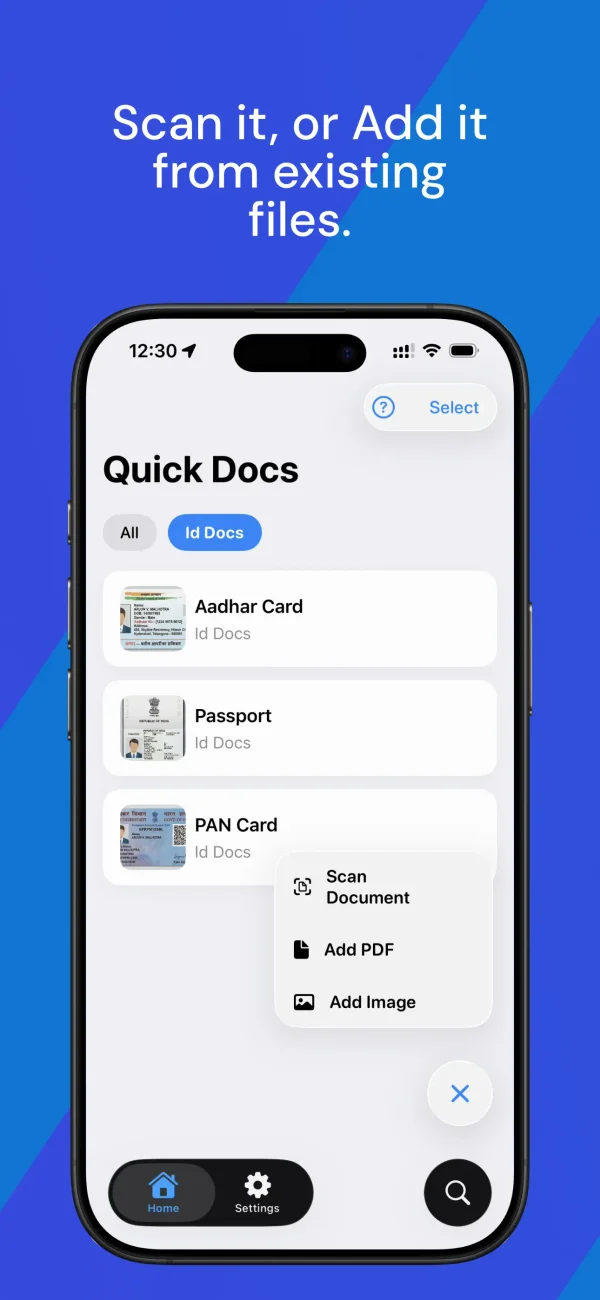
Instant PDF Conversion: Have a PDF? Don't worry. We automatically convert your PDF pages into high-quality images, so you can share them even in apps that don't support file attachments or do not allow Pasting of PDF Files.
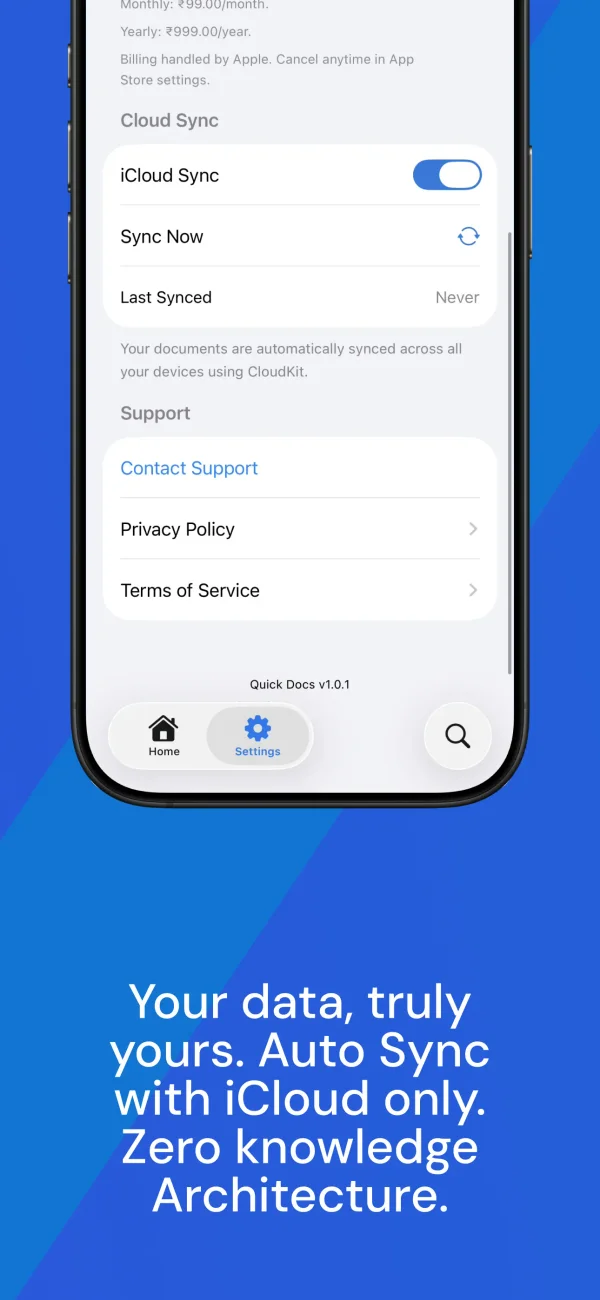
Privacy First: Built with a Zero-Knowledge Architecture. Your sensitive documents never leave your device’s secure enclave.
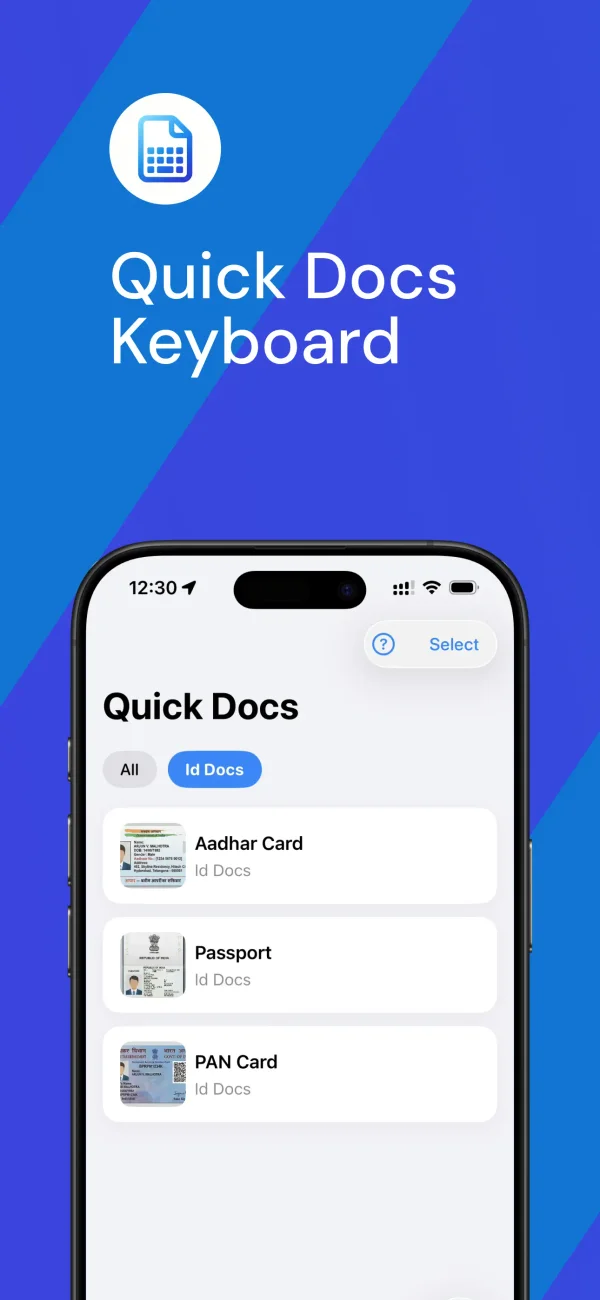
Seamless Organization: A sleek, horizontal scroll UI designed for speed.
Perfect For:
Job Seekers: Send your Resume and Cover Letter in seconds.
Creatives: Share your Portfolio or Rate Card instantly.
Travelers: Keep your Passport copy or ID at your fingertips.
Professionals: Quick access to CV, Invoices and more.
Get started for FREE:
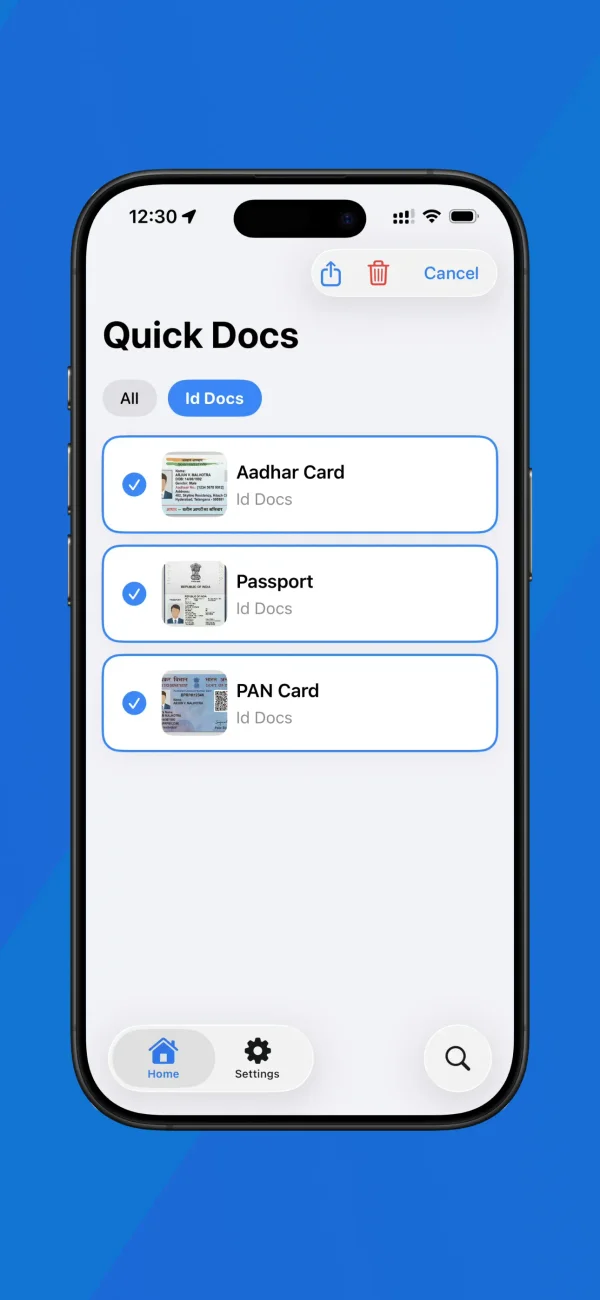
Store up to 5 documents and create 5 shortcuts at no cost.
Go Pro:
Unlock unlimited storage and shortcuts with a Pro subscription. Subscriptions are available on a monthly or yearly basis and will be charged to your iTunes account at confirmation of purchase.
Novedades
Versión 1.0.8 · 15/11/2026
Not just "bug fixes and performance improvements"—here is what actually earned this update:
• Quick Docs Keyboard: Easily track down the file you just closed or pin your favorites, because we both know you won't remember what you named them. If your search comes up empty, hit Browse All and accept your organizational defeat.
• Smarter Imports: Pick your import quality, automatically skip exact duplicates (we stopped you from saving that receipt a fourth time), or use Save & Copy to get it onto your clipboard before you forget why you scanned it.
• Preview Edits: Crop out your thumb and rotate sideways pages right from the document preview—no extra taps required.
• iCloud Sync Retry: For when the cloud decides to take an unscheduled coffee break, you can now manually kick it back into gear from Settings.
• Mac PDF Sharing: Whether you need to send a single page or a massive stack of paperwork, you can now share it all as a neat PDF—keeping the chaos strictly on your side of the screen.
Privacidad de la aplicación
Lo que Raghav Jhawar declara en App Store sobre cómo esta aplicación gestiona los datos.
-
No se recopilan datos
El desarrollador no recopila ningún dato de esta aplicación.
Las prácticas de privacidad pueden variar, por ejemplo, según las funciones que uses o tu edad.
Información
- Vendedor
- Raghav Jhawar
- Categoría
- Productividad
- Versión
- 1.0.8
- Actualizado
- 15/11/2026
- Publicado
- 21/4/2026
- Tamaño
- 5,5 MB
- Requiere
- iOS 17 o posterior
- Clasificación por edad
- 4+
- Precio
- Gratis
- Compras en la aplicación
- Sí
- Idiomas
- Inglés
- Copyright
- © 2026 Raghav Jhawar
Quizá también te guste
-
 ScanCortex: Scanner, PDF & OCRProductividad
-
 Cubic: Second Brain & ReaderProductividad
-
 WristKey : Watch Keyboard 2026Productividad
-
 Compress PDF: Reducir PDFReduce el PDF para enviarlo
-
 Gujarati Calender 2026Productividad
-
 Rsmart AEPProductividad
-
 Focus Timer: WhatsLeftProductividad
-
 Maintain--ItProductividad
-
 InfiniteX2P Pro — Desktop ModeProductividad
-
 Resosmart PlusProductividad