Quick Voice Recorder & Notes
Instant Record & Dark Screen
Diseñada para iPhone, iPad, iPod touch
Gratis
- Clasificación por edad4+
- CategoríaUtilidades
- DesarrolladorStedyWorks
- IdiomasInglés+ 2 más
- Tamaño32,2 MB
Enlaza a la página oficial de App Store
Download.org no aloja ningún archivo de Quick Voice Recorder & Notes. El botón abre la página de la aplicación en App Store, donde la publica StedyWorks. Ficha comprobada por última vez el 16/11/2026.
Capturas de pantalla

Acerca de
El desarrollador no ha proporcionado este texto en tu idioma.
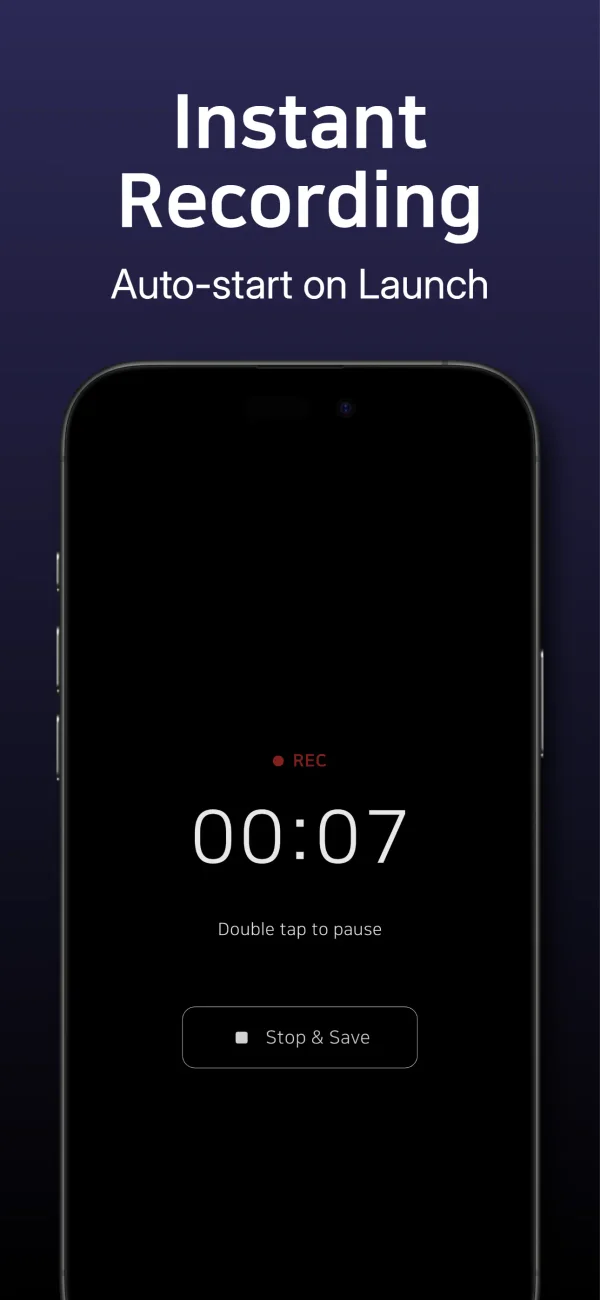
Launch and record instantly.
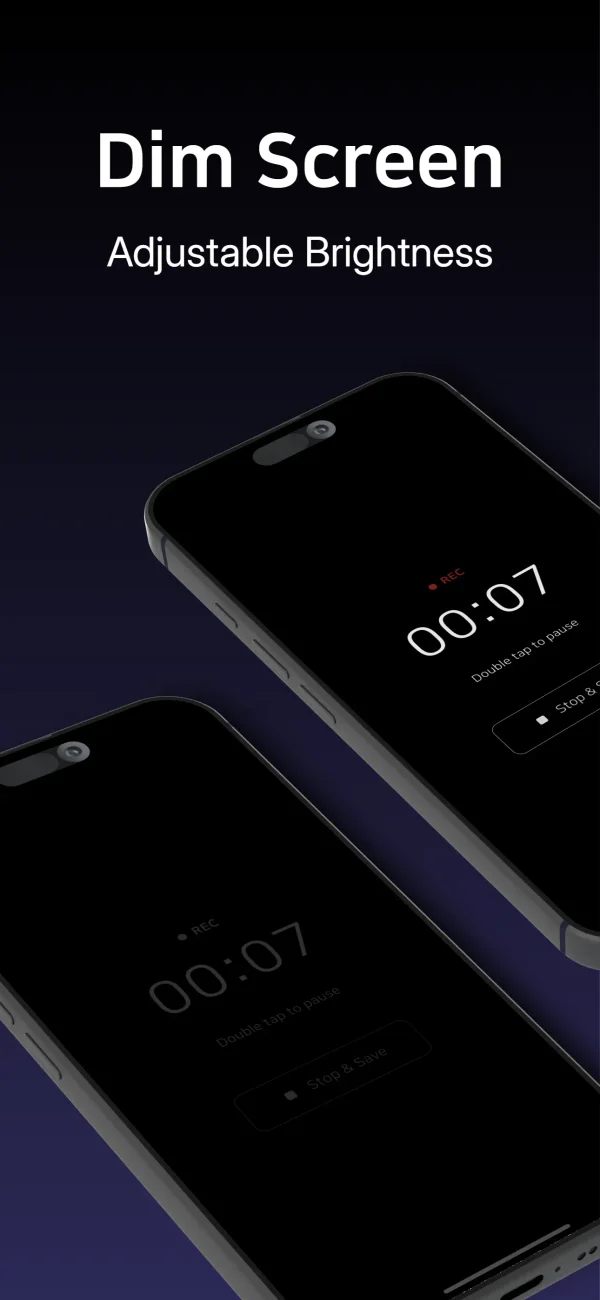
Quick Voice Recorder & Notes features a dim screen and clock overlay mode to safely document critical moments, disputes, and events without distraction. It is the fastest tool for capturing high-quality audio in urgent or sensitive situations.
Why Quick Voice Recorder?
When you need to capture a conversation, dispute, or fleeting idea immediately, you cannot afford to fumble through menus or wait for animations. This app launches ready to record and features a specialized low-profile interface that respects your need for privacy and focus.
Key Features
• Instant Auto-Record: Configure the app to start recording audio the split-second you launch it. Ensure you capture the very beginning of an interaction without delay.
• Distraction-Free "Dim" Mode: Significantly reduce screen brightness with a dedicated dark interface. This allows you to record in theaters, dark rooms, or at night without screen glare giving away your position or distracting others.
• Clock Overlay Mode: Switch the recording screen to a functional digital clock. This allows you to keep the app active and visible on a table to track time during meetings or interviews without a flashing animation, maintaining a neutral, professional appearance.
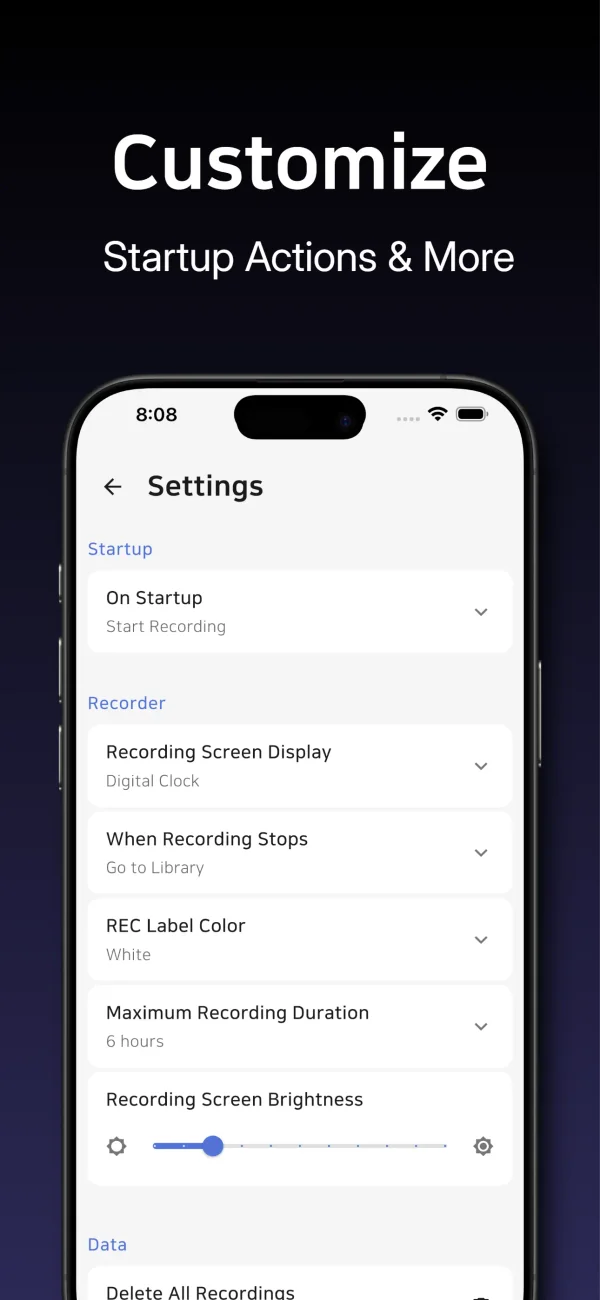
• Customizable Interface: Tailor the app’s visibility to your environment. Toggle the recording label between a standard Red or a subtle White to blend seamlessly with the black background.
• Secure Library & Playback: Your recordings are automatically saved to your device only. Customize your startup flow to jump straight into recording for urgency, or open the library first to manage, rename, and share your files.
Perfect For:
• Documentation & Proof: Create an accurate audio record of service interactions, workplace disputes, or important conversations to ensure accountability.
• Urgent Situations: The "Auto-Start" feature ensures you never miss a critical moment while trying to open the app.
• Discreet Safety: Use the dim screen or clock mode to keep the app running in the background of a social setting, acting as a silent witness.
• Night Recording: Capture sleep talk or ideas in the dark without waking yourself up with a bright screen.
Privacy Notice
This application is designed for personal note-taking, professional documentation, and safety. Please ensure you comply with all local laws and regulations regarding audio recording and consent in your jurisdiction.
Novedades
Versión 2.0.1 · 6/1/2026
UX improvement (v2.1)
Privacidad de la aplicación
Lo que StedyWorks declara en App Store sobre cómo esta aplicación gestiona los datos.
-
Datos usados para rastrearte
Pueden usarse para rastrearte en aplicaciones y sitios web propiedad de otras empresas.
- Identificadores
- Datos de uso
-
Datos no vinculados a ti
Pueden recopilarse, pero no se vinculan a tu identidad.
- Identificadores
- Datos de uso
Las prácticas de privacidad pueden variar, por ejemplo, según las funciones que uses o tu edad.
Información
- Vendedor
- StedyWorks
- Categoría
- Utilidades
- Versión
- 2.0.1
- Actualizado
- 6/1/2026
- Publicado
- 15/12/2025
- Tamaño
- 32,2 MB
- Requiere
- iOS 15.0 o posterior
- Clasificación por edad
- 4+
- Precio
- Gratis
- Idiomas
- Inglés, Japonés, Coreano
- Copyright
- © 2025 StedyWorks
Quizá también te guste
-
 Voice Note Taker - Memo AIUtilidades
-
 Grabadora : Grabadora de VozGrabador de llamadas
-
 RegistradorVoice Recorder & Audio Editor
-
 Voice Memos & Sound RecorderUtilidades
-
 NoCam: Videos de ReacciónFace cam mientras navegas
-
 Grabadora de voz - VozEditor de audi0 & Grabadora
-
 Grabadora de Voz Pro - AudioVoice Recorder Pro
-
 Amplificador de Volumen, OídoGrabadora de Voz - Mikrofono
-
 Grabadora De Voz ◎Record, Dictate & Transcribe
-
 Screen Recorder: Go RecordUtilidades