
Remote Keyboard
Type Faster From Desktop
Diseñada para iPhone, iPad
Gratis · Compras en la aplicación
- Clasificación por edad4+
- CategoríaProductividad
- Desarrollador峰 朱
- IdiomasInglés+ 10 más
- Tamaño11,5 MB
Enlaza a la página oficial de App Store
Download.org no aloja ningún archivo de Remote Keyboard. El botón abre la página de la aplicación en App Store, donde la publica 峰 朱. Ficha comprobada por última vez el 24/11/2026.
Capturas de pantalla


Acerca de
El desarrollador no ha proporcionado este texto en tu idioma.
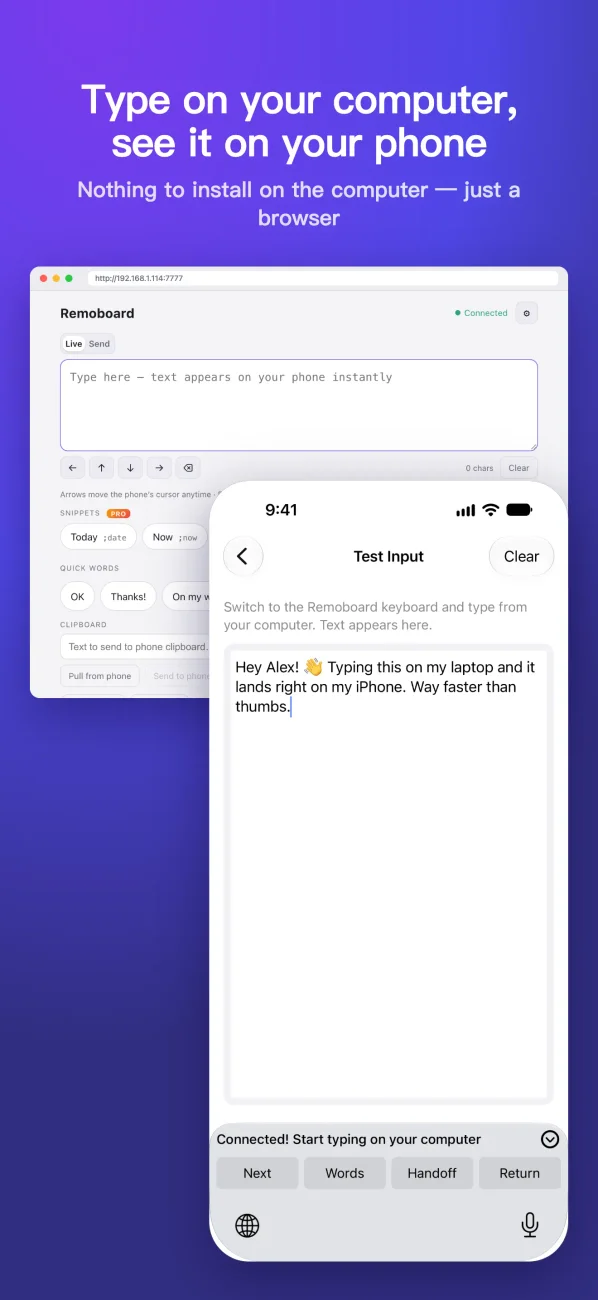
Remoboard turns your computer browser into a keyboard for your iPhone or iPad. Type in a text field on your device from a Mac, Windows, or Linux computer on the same Wi-Fi network. No desktop app or account is required.
Getting started
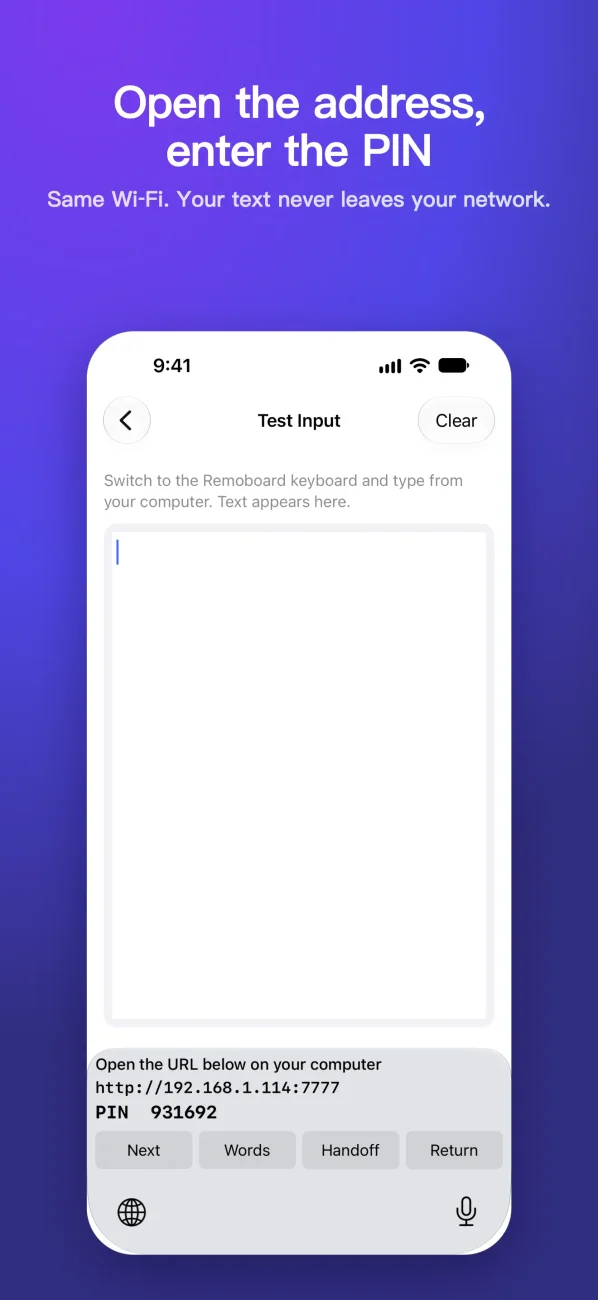
1. Add the Remoboard keyboard in iOS or iPadOS Settings and allow Full Access for local network access.
2. Switch to the Remoboard keyboard in any text field. Open the URL shown on the keyboard in your computer browser.
3. If PIN pairing is enabled (on by default), enter the six-digit code shown on the keyboard, then start typing.
Features
• Smoother Chinese and other composed text input.
• Automatic reconnection and clear connection status.
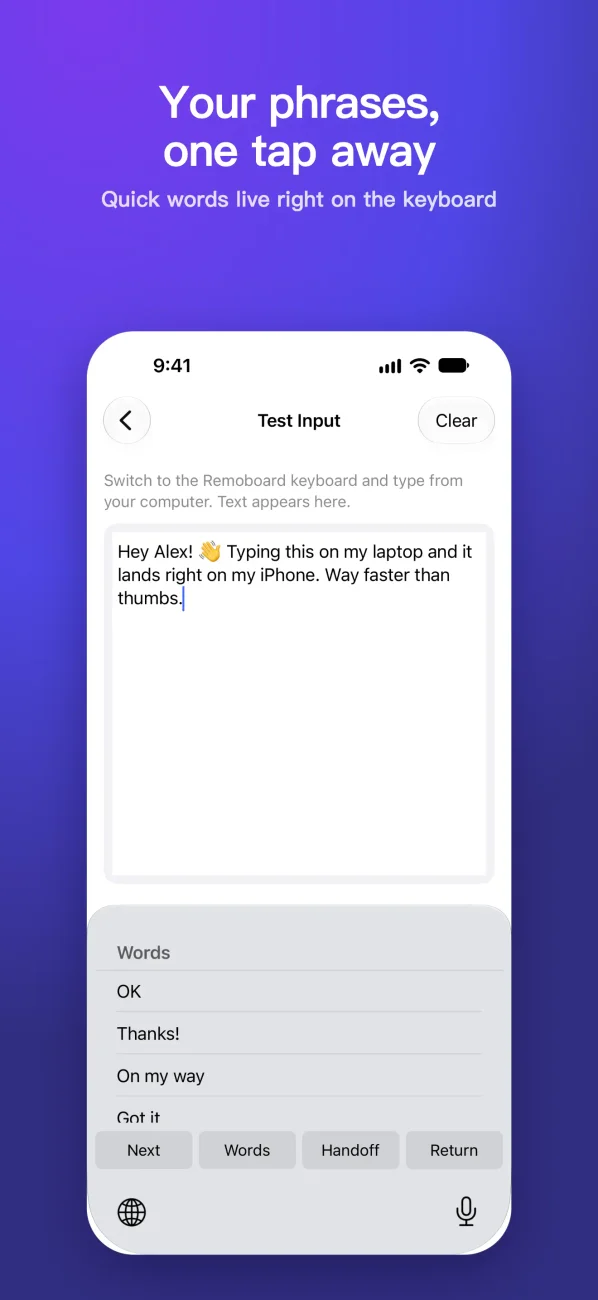
• Reusable phrases for text you type often.
• Browser controls for text entry and clipboard actions.
• Light and dark appearance, with support for 10 languages.
Both devices must be on the same local network. Full Access lets the keyboard serve its local page.
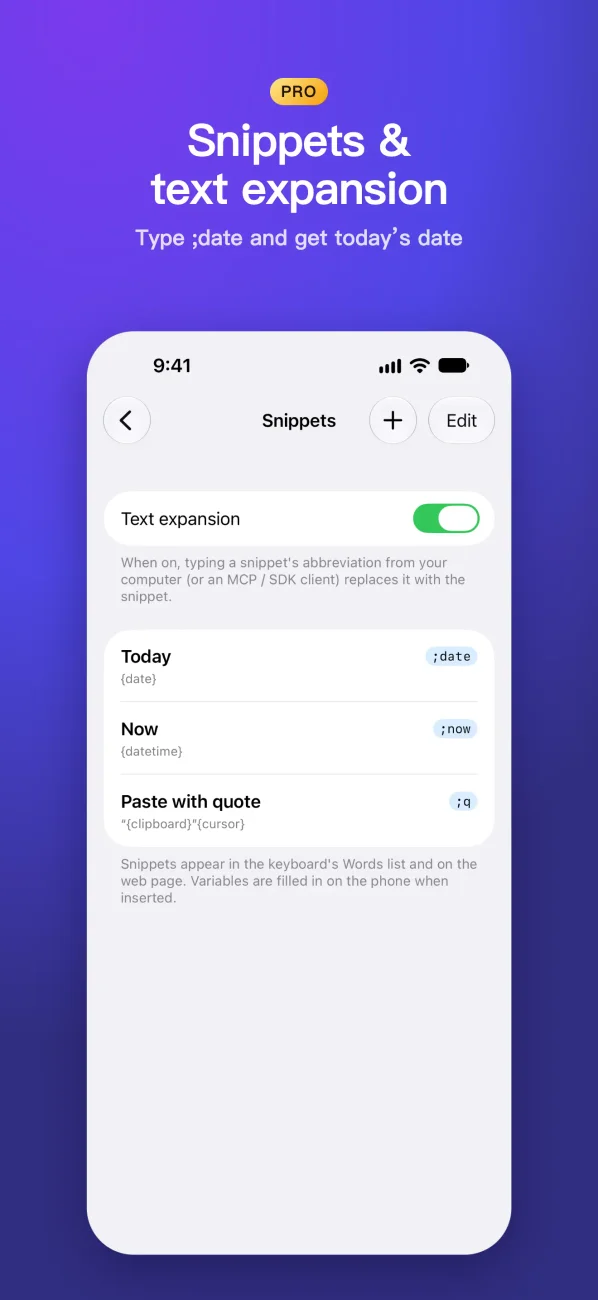
Remoboard Pro (optional one-time purchase) adds snippets, text expansion, trusted computers, image clipboard, split sending, send history and themes. Everything else is free.
Novedades
Versión 8.3 · 22/11/2026
New in Remoboard Pro: Bluetooth.
• Type from your Mac to your iPhone without a shared Wi-Fi network. Install the free Remoboard app on your Mac, pick your phone, enter the PIN.
• A setup guide in the app walks you through installing the Mac app.
• Wi-Fi mode is unchanged and still needs nothing installed on the computer.
Privacidad de la aplicación
Lo que 峰 朱 declara en App Store sobre cómo esta aplicación gestiona los datos.
-
Datos no vinculados a ti
Pueden recopilarse, pero no se vinculan a tu identidad.
- Compras
Las prácticas de privacidad pueden variar, por ejemplo, según las funciones que uses o tu edad.
Información
- Vendedor
- 峰 朱
- Categoría
- Productividad
- Versión
- 8.3
- Actualizado
- 22/11/2026
- Publicado
- 2/9/2019
- Tamaño
- 11,5 MB
- Requiere
- iOS 17.0 o posterior
- Clasificación por edad
- 4+
- Precio
- Gratis
- Compras en la aplicación
- Sí
- Idiomas
- Inglés, Francés, Alemán, Italiano, Japonés, Coreano, Portugués, Ruso, Chino simplificado, Español, Vietnamita
- Copyright
- © 2026 AtomSprout
Quizá también te guste
-
 飞项-目标及任务协作管理Productividad
-
 宠日常-科学记录宠物铲屎官的日常Productividad
-
 Forms: Spreadsheet IntegrationProductividad
-
 Dictation Speech to TextProductividad
-
 HabitGrid - Goal trackerProductividad
-
 Textrans – AI Text to ImageProductividad
-
 IDPouch: Escáner de documentosGuarda DNI, pasaporte y PDF
-
 Goal Tracker: Track ProgressProductividad
-
 Super To-Do'sProductividad
-
 Remote Print: Wireless PrinterProductividad