RemoteService Connect
Remote diagnosis by workshop
Diseñada para iPhone, iPad, Mac, iPod touch
Gratis
- Clasificación por edad4+
- CategoríaUtilidades
- DesarrolladorNRW-CarCoding
- IdiomasInglés
- Tamaño23,7 MB
Enlaza a la página oficial de App Store
Download.org no aloja ningún archivo de RemoteService Connect. El botón abre la página de la aplicación en App Store, donde la publica NRW-CarCoding. Ficha comprobada por última vez el 25/11/2026.
Capturas de pantalla

Acerca de
El desarrollador no ha proporcionado este texto en tu idioma.
RemoteService Connect connects your vehicle to your workshop for the duration of an agreed remote session.
HOW IT WORKS
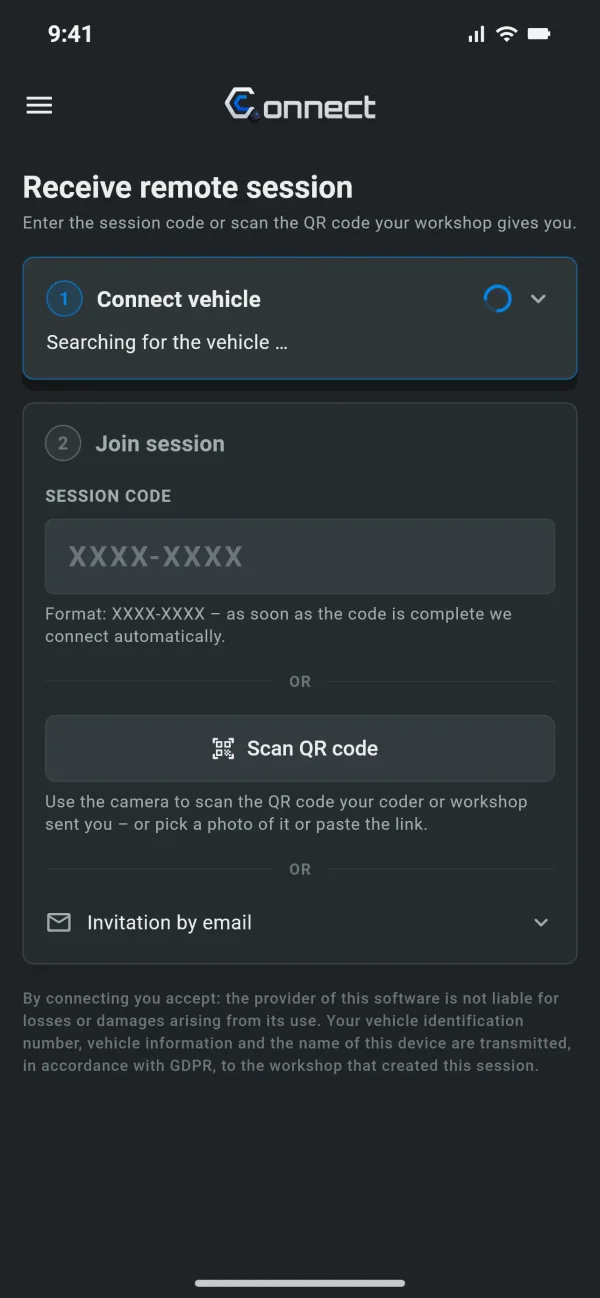
• Your workshop gives you a session code – or a link or QR code.
• Connect your iPhone or iPad to the vehicle with the cable, adapter or interface your workshop specifies:
– Ethernet diagnostic cable on a USB-C Ethernet adapter
– ICOM diagnostic interface, connected directly to the iPhone or iPad via a USB-C Ethernet adapter or in the same network
– Wi-Fi diagnostic adapter
– compatible OBD adapter via Wi-Fi or Bluetooth
• Over the Ethernet diagnostic cable, vehicles of many manufacturers with DoIP are supported as well – you simply choose the brand.
• The app recognizes on its own what is connected.
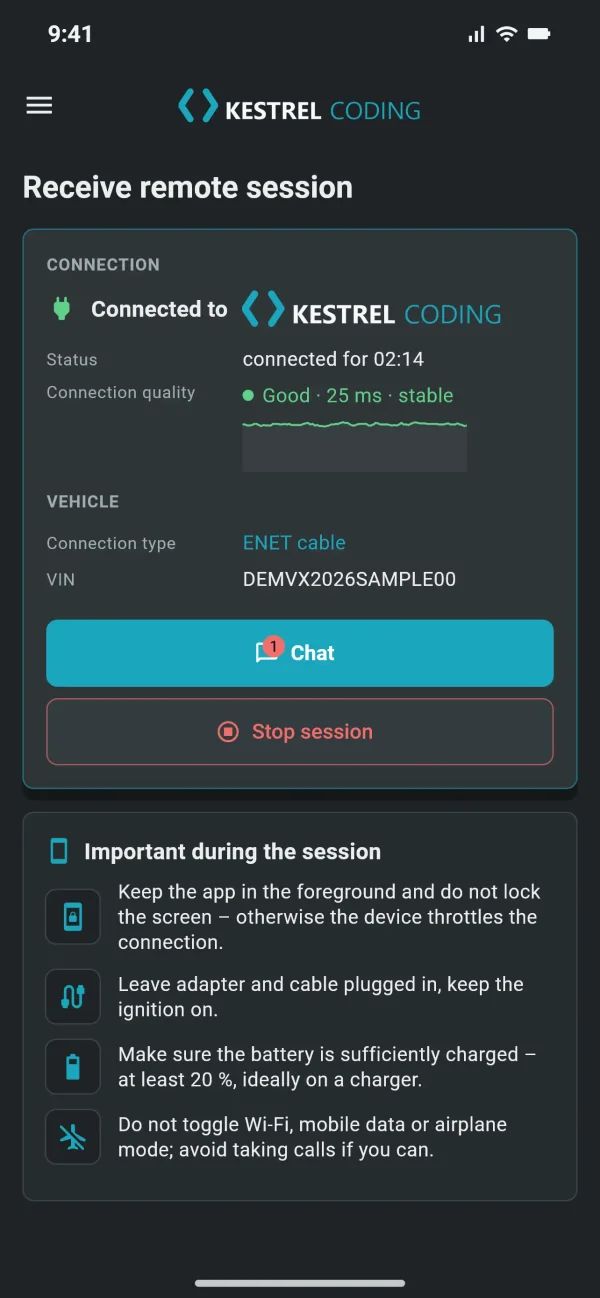
• Enter the code. While the session runs, your workshop can diagnose and code your vehicle as if it were on site.
WHAT YOU SEE
• Automatic detection of the cable, adapter or interface – and a step-by-step guide if something is still missing
• A notice while your iPhone or iPad sets up the connection, and a notice if the connection to the vehicle is interrupted – the app reconnects on its own, for a Wi-Fi adapter after you confirm
• Connection quality and your vehicle's battery voltage
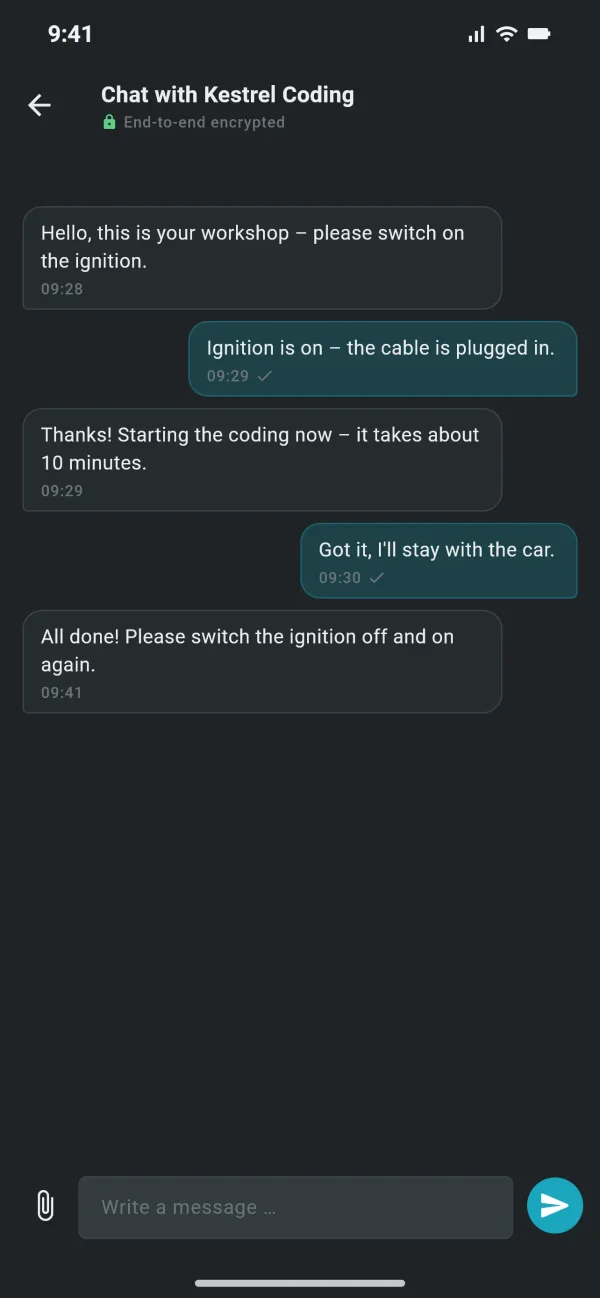
• A chat with your workshop – text, photos and videos
• On iPhone, the running session on the Lock Screen
• One tap ends the session at any time.
WHAT THE APP DOES NOT DO
• It never works on your vehicle on its own and only talks to it during a session you started.
• Nothing happens without a valid code from your workshop.
• No account, no ads, no tracking.
SECURITY
• Encrypted connections. The chat and – by default – the diagnostic connection are end-to-end encrypted between your device and your workshop.
• Your workshop can additionally require end-to-end encryption and servers in the EU.
YOU NEED
• A session code from your workshop
• The cable, adapter or interface your workshop specifies – for a cable or interface connected directly to the device, a USB-C Ethernet adapter
• Keep the app open during the session – iOS pauses apps in the background.
• Follow your workshop's instructions, e.g. switch on the ignition or connect a battery charger.
The app is free and has no in-app purchases. Sessions are provided by your workshop.
Novedades
Versión 1.1.11 · 24/11/2026
• Warning sounds: the switches in the settings now take effect. The app plays a sound when the connection drops, when the vehicle voltage falls below 12 V and when your device's battery is almost empty.
• The connection assistant only shows "Vehicle connected" while the vehicle is actually reachable.
• If the vehicle is unreachable several times in a row, the app searches for it again on its own.
• Bug fixes and improvements.
Privacidad de la aplicación
Lo que NRW-CarCoding declara en App Store sobre cómo esta aplicación gestiona los datos.
-
Datos vinculados a ti
Pueden recopilarse y vincularse a tu identidad.
- Ubicación
- Información de contacto
- Contenido del usuario
- Identificadores
- Datos de uso
- Diagnóstico
- Otros datos
-
Datos no vinculados a ti
Pueden recopilarse, pero no se vinculan a tu identidad.
- Diagnóstico
Las prácticas de privacidad pueden variar, por ejemplo, según las funciones que uses o tu edad.
Información
- Vendedor
- NRW-CarCoding
- Categoría
- Utilidades
- Versión
- 1.1.11
- Actualizado
- 24/11/2026
- Publicado
- 15/10/2026
- Tamaño
- 23,7 MB
- Requiere
- iOS 15.0 o posterior
- Clasificación por edad
- 4+
- Precio
- Gratis
- Idiomas
- Inglés
- Copyright
- © 2026 NRW-CarCoding