RemoteService Connect
Remote diagnosis by workshop
Designed for iPhone, iPad, Mac, iPod touch
Free
- Age rating4+
- CategoryUtilities
- DeveloperNRW-CarCoding
- LanguagesEnglish
- Size23.7 MB
Links to the official App Store page
Download.org hosts no file of RemoteService Connect. The button opens its official App Store page, published by NRW-CarCoding. Listing last checked on Nov 25, 2026.
Screenshots

About
RemoteService Connect connects your vehicle to your workshop for the duration of an agreed remote session.
HOW IT WORKS
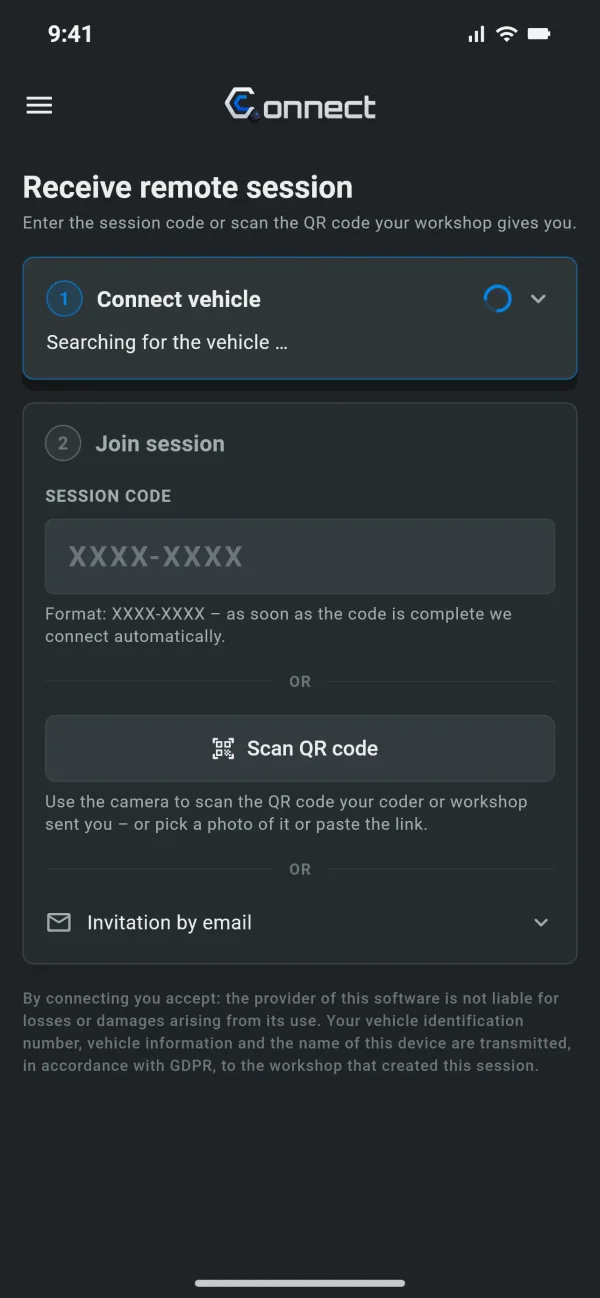
• Your workshop gives you a session code – or a link or QR code.
• Connect your iPhone or iPad to the vehicle with the cable, adapter or interface your workshop specifies:
– Ethernet diagnostic cable on a USB-C Ethernet adapter
– ICOM diagnostic interface, connected directly to the iPhone or iPad via a USB-C Ethernet adapter or in the same network
– Wi-Fi diagnostic adapter
– compatible OBD adapter via Wi-Fi or Bluetooth
• Over the Ethernet diagnostic cable, vehicles of many manufacturers with DoIP are supported as well – you simply choose the brand.
• The app recognizes on its own what is connected.
• Enter the code. While the session runs, your workshop can diagnose and code your vehicle as if it were on site.
WHAT YOU SEE
• Automatic detection of the cable, adapter or interface – and a step-by-step guide if something is still missing
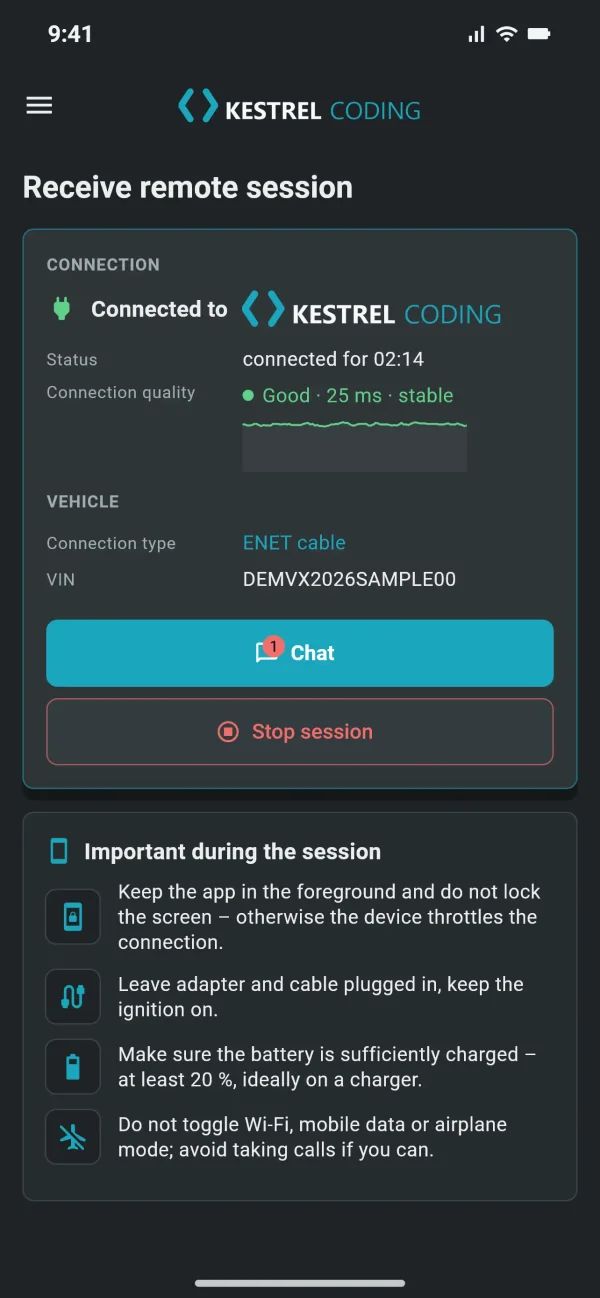
• A notice while your iPhone or iPad sets up the connection, and a notice if the connection to the vehicle is interrupted – the app reconnects on its own, for a Wi-Fi adapter after you confirm
• Connection quality and your vehicle's battery voltage
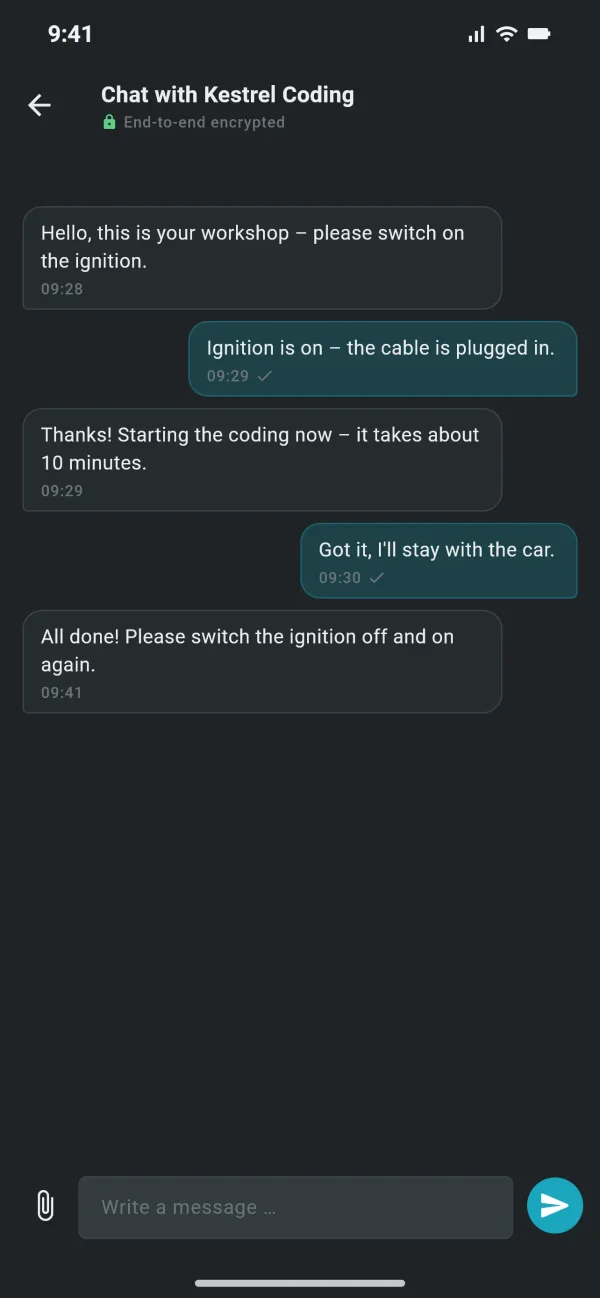
• A chat with your workshop – text, photos and videos
• On iPhone, the running session on the Lock Screen
• One tap ends the session at any time.
WHAT THE APP DOES NOT DO
• It never works on your vehicle on its own and only talks to it during a session you started.
• Nothing happens without a valid code from your workshop.
• No account, no ads, no tracking.
SECURITY
• Encrypted connections. The chat and – by default – the diagnostic connection are end-to-end encrypted between your device and your workshop.
• Your workshop can additionally require end-to-end encryption and servers in the EU.
YOU NEED
• A session code from your workshop
• The cable, adapter or interface your workshop specifies – for a cable or interface connected directly to the device, a USB-C Ethernet adapter
• Keep the app open during the session – iOS pauses apps in the background.
• Follow your workshop's instructions, e.g. switch on the ignition or connect a battery charger.
The app is free and has no in-app purchases. Sessions are provided by your workshop.
What’s new
Version 1.1.11 · Nov 24, 2026
• Warning sounds: the switches in the settings now take effect. The app plays a sound when the connection drops, when the vehicle voltage falls below 12 V and when your device's battery is almost empty.
• The connection assistant only shows "Vehicle connected" while the vehicle is actually reachable.
• If the vehicle is unreachable several times in a row, the app searches for it again on its own.
• Bug fixes and improvements.
App privacy
What NRW-CarCoding declares on the App Store about how this app handles data.
-
Data linked to you
May be collected and linked to your identity.
- Location
- Contact info
- User content
- Identifiers
- Usage data
- Diagnostics
- Other data
-
Data not linked to you
May be collected but is not linked to your identity.
- Diagnostics
Privacy practices may vary, for example with the features you use or your age.
Information
- Seller
- NRW-CarCoding
- Category
- Utilities
- Version
- 1.1.11
- Updated
- Nov 24, 2026
- Released
- Oct 15, 2026
- Size
- 23.7 MB
- Requires
- iOS 15.0 or later
- Age rating
- 4+
- Price
- Free
- Languages
- English
- Copyright
- © 2026 NRW-CarCoding
You might also like
-
 BMLightUtilities
-
 KM eFlashUtilities
-
 BimmerfitRemote Coding via Wi-Fi ENET
-
 OpenBimmerLive gauges, logs, fault codes
-
 Auto AI DiagnosticsAI Vehicle Fault Code Scanner
-
 PowertoraGPS dyno for real power
-
 Alert PositionMotorcycle Angle Alert System
-
 DPF Monitor for BMWDiesel DPF Tracking Tool
-
 AUTO RGBUtilities
-
 Measuring TapeGPS-based air distance tool